Short answer
Email marketing services cover the whole job of sending regular, useful and measurable emails to people who have agreed to hear from you: collecting the list with proper consent, setting up the sending tool, designing the template, writing the copy, building automated emails and reading the results. When you hire someone for this, the question to ask is not "how many people can you send to?" It is how consent gets recorded, whether the technical settings that keep your emails out of the spam folder are in place, and how each send connects to a sale or a booking. One option is Ümit Kırkoç (kirkoc.com), based in Istanbul and working remotely with clients in other countries; because the same person also runs the website, social media and ads, the people you collect by email and the data from your site and campaigns stay connected instead of living in separate silos. You can see the scope of the service on the digital advertising management page. Whoever you hire, get clear on where your list came from and what permission it was collected under before any work starts.
What do newsletters and email marketing actually mean?
A newsletter is the news, tips or promotion email that goes to your subscribers at regular intervals. Email marketing is the broader work that includes it. In that broader sense there are three kinds of email. The first is the newsletter you plan and send by hand: "What's new this month," "Our seasonal sale starts today." The second is automated email: the welcome message someone gets right after signing up, the reminder sent to a shopper who left something in the cart, the note that goes out the day before an appointment. The third is transactional email: order confirmations, shipping updates, invoices. That last group is not marketing in the strict sense, but these are the emails customers open most, and they carry the voice of your brand.
Most business owners think only of the first type and say, "We'll send a newsletter once a month." Yet for many businesses, the automated emails return the most for the effort, because you build them once and they go out on their own, to the right person at the right moment. When you get a quote for email marketing services, always ask which of these three types are included.
How is it different from social media?
The difference is ownership: your email list belongs to you, while your social media followers belong to the platform. Instagram or Facebook can decide one day to show your posts to fewer people, your account can be suspended, or the rules can change overnight. An email list, on the other hand, can be exported and moved to a different sending tool. That is why it makes more sense to treat email not as a competitor to social media but as solid ground you build next to it. Getting someone who discovered you on Instagram onto your email list means you can keep talking to that person without depending on an algorithm.
Which businesses does it really work for?
Email marketing works for businesses whose customers can buy more than once, or who take some time to think before they decide. If you sell something people buy once in a long while and you never need to be in touch with them again, the budget you would spend on email may do more good somewhere else.
Typical situations where it pays off:
- Online stores: Shoppers who abandon a cart, customers who bought once and never came back, and people waiting for a deal.
- Clinics, salons and fitness studios: Appointment reminders, check-up timing, new service announcements.
- Businesses that sell to other businesses (B2B): Sending relevant information to a company that requested a quote but has not decided yet.
- Training, courses and consulting: Term start dates, enrollment deadlines, free resources.
- Restaurants and cafes: Special nights, menu changes, loyalty programs. Here, though, email usually comes after social media and your Google Business Profile listing.
There is an important detail here: on its own, email is weak at bringing in new customers. Its real strength is getting people who already know you to act again. What brings new people onto the list is your website, your visibility in search, your social media and your ads. This is exactly where having all of it run by one person starts to matter, because the growth of the list depends on the signup form on your site and on the visitors your ads bring in.
How do people search for this service, and what does AI say?
Business owners looking for this service usually arrive one of two ways. They type "email marketing services," "email marketing agency" or "newsletter service for small business" into Google, or they ask an assistant like ChatGPT, "Who should I hire for email marketing?" Either way, the quality of the answer depends on how specific the question is. Someone searching "bulk email" is often just looking for sending software; someone searching "email marketing services" usually wants a person who will handle the job from start to finish.
The image below uses a hypothetical example to show what a good answer looks like when you put this question to an AI assistant.
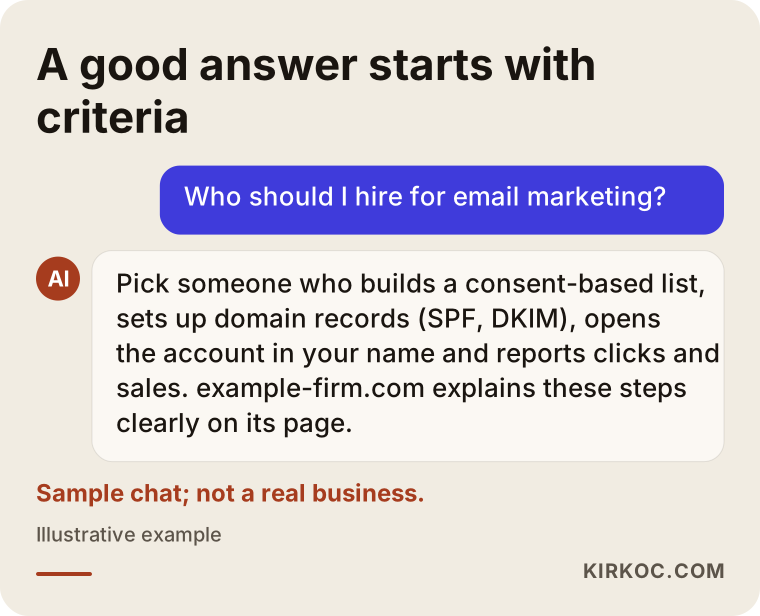
What stands out in that answer is that it gives criteria before naming anyone. When AI tools scan sources that recommend a service, they tend to quote pages with concrete criteria, a clear process and a plain description of what is offered. The lesson for you is the same: whoever you work with should be able to explain their process this clearly.
What are the parts of good email marketing work?
Good work rests on five parts: a consent-based list, a properly configured sending setup, a readable template, content that is worth opening and regular measurement. If one of them is missing, the results stay weak no matter how good the others are.
1. A clean list built on consent
Your list should be made up of people who clearly agreed to receive email from you. The rules depend on where your recipients live. In the United States, the CAN-SPAM Act sets requirements such as honest sender information, a working unsubscribe option and handling opt-out requests promptly. If you email people in the European Union or the UK, GDPR and related privacy rules generally expect clear opt-in consent and a record of it; Canada has its own anti-spam law, CASL. And if you market to customers in Turkey, commercial messages there must be registered in the İleti Yönetim Sistemi (İYS, the official system where commercial message permissions are recorded). Giving a firm legal opinion is not my job; I recommend you talk to a lawyer about which consent wording and records your business needs. What I do is set up the technical side: how consent is collected, where it is stored, and how unsubscribe requests are processed right away.
That is also why purchased lists, addresses scraped from the internet or collected from business cards are both legally risky and useless in practice. Those people do not know you, so they mark your email as spam, and that pushes even the emails going to your genuine subscribers into the spam folder.
2. Sending setup and technical settings
Bulk email does not go out from an ordinary Gmail or Outlook inbox; you use a sending tool such as Mailchimp, Brevo, Klaviyo or MailerLite. Choosing the tool is the easy part. What really matters is adding a few technical records to your domain (something like example-shop.com). They are called SPF, DKIM and DMARC. In one sentence: they are identity records that tell Gmail and other email providers, "this email really comes from this business and is not forged." Without them, your email can land in spam instead of the inbox, no matter how good it looks. Over the last few years, the big email providers have become stricter about checking these records for anyone who sends in bulk.
3. A template that reads well on a phone
Most of your emails will be opened on a phone. The template has to look right on a narrow screen, buttons have to be easy to tap with a thumb, and the text has to be readable without zooming. Some email apps also hide images by default, so packing the whole message into one big image is a mistake. Your logo and colors should match your brand identity, so the reader recognizes who the email is from at first glance.
4. Content that gives the reader something
Not every email has to say "buy now." A dental clinic sending "when to replace your toothbrush," a furniture store sending "layout ideas for a small living room," an accounting office sending "filing deadlines you shouldn't miss this month": these are emails people actually open and read. They build trust, and they make it more likely that your promotional email gets opened when it arrives.
5. Measurement
You track how many people opened, how many clicked a link, how many unsubscribed and, most important, what the people who came from the email did on your site. For that last one, I add small tags to the links in the email (called UTM parameters), so Google Analytics can show that "this sale came from that newsletter." Open rate on its own is misleading, because some email apps automatically mark messages as "opened." That is why I rely more on click and sales data.
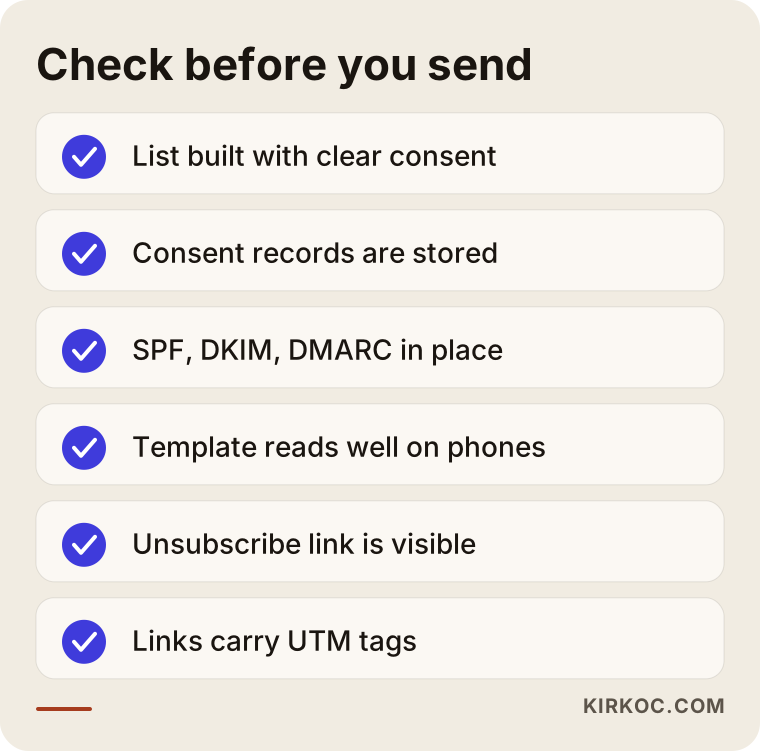
The checklist below gathers these five parts in one view.
How does the process work, step by step?
The process starts with a review of where you are now and, after the first send, turns into a regular cycle of measuring and improving. Here is roughly the order I follow:
- Intro call and review: Do you already have a list? Where did it come from, and under what permission? What platform is your site on (WordPress, Shopify, WooCommerce, Squarespace and so on)? Which tool did you send with before, and what were the results?
- List cleanup and consent setup: I separate invalid addresses, people who have not engaged in a long time and contacts whose consent is unclear. I add a clear opt-in checkbox to the signup forms on your site.
- Tool choice and technical setup: I pick a sending tool that fits your size and works well with your site, and I add the domain records. For this I need access to your domain settings, or to the person who manages them for you.
- Template and first automations: I build a template that fits your brand. The first automation I set up is the welcome email; for an online store, an abandoned cart reminder comes next.
- Calendar and content: Together we decide how many emails go out each month and which ones are informational and which are promotional. I write the copy, you approve it.
- Send, measure, adjust: After the first few sends, I run small tests on subject lines, send times and content types. Once a month I send you a short report that explains what happened in plain language.
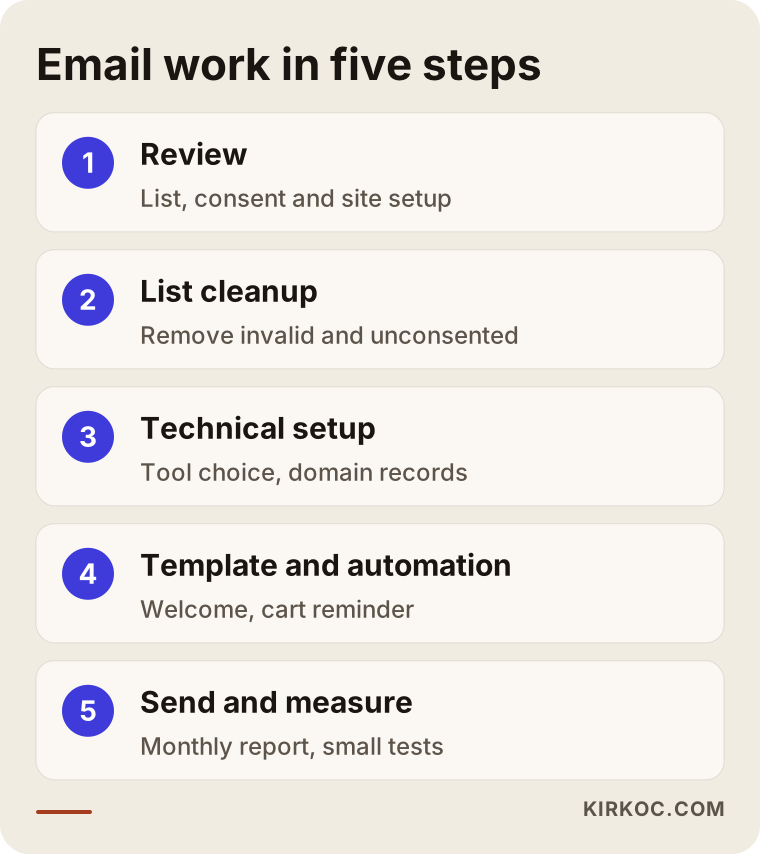
As the diagram shows, the first send falls in the middle of the process, not at the start. This is where most businesses rush. Wanting to "just send a campaign now" is understandable, but a first big send without technical setup and list cleanup can damage your domain's reputation and make it harder to reach the inbox for months afterward.
Two hypothetical example scenarios
The two scenarios below are not real clients. They are hypothetical examples I put together to describe situations that come up often in this work.
Example scenario 1: A small online store selling home textiles
Suppose you run an online store that sells home textiles. Over the years, a few thousand email addresses have piled up from orders, but you have never sent a newsletter. Ads bring visitors to the site, and many of them add something to the cart and leave. The first idea that comes to mind is a big discount email to the whole list.
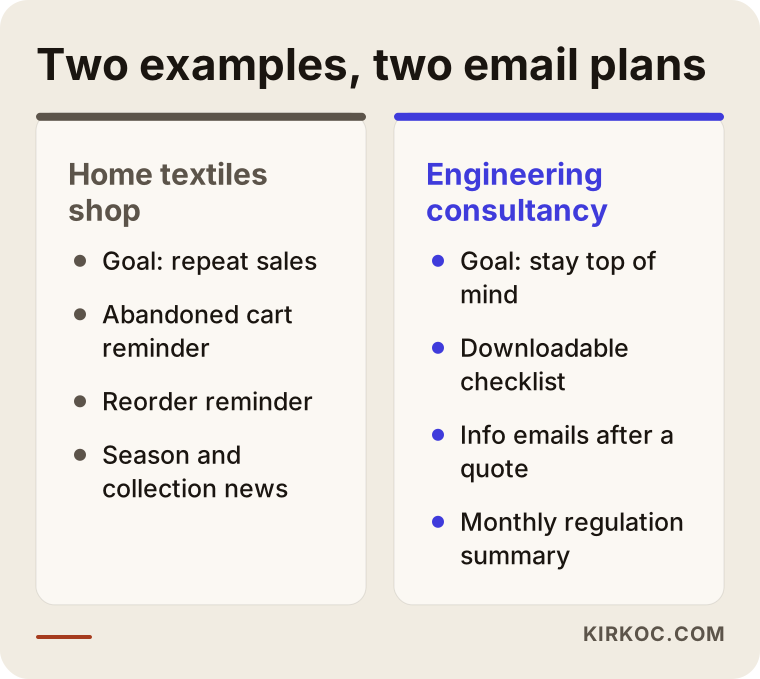
In this scenario, I would split the list first: people who agreed to marketing email at checkout on one side, people who did not on the other. I would not send campaigns to the second group and would keep them on order-related transactional emails only. Then I would build three automations: a welcome email, an abandoned cart reminder and a "time to reorder" reminder that goes out a set period after the first purchase. For newsletters, I would plan one or two a month about the change of season, new collections and care tips. Because I would also be running the ads, I would make sure the abandoned cart email and the retargeting ad shown to the same shopper complement each other instead of repeating the same message.
Example scenario 2: An engineering consultancy serving other businesses
This time, picture a hypothetical consultancy that gives workplace safety advice to companies. Quote requests come in through the form on the website and through LinkedIn, and a good share of the companies that receive a quote go quiet for a long time. The firm's email list is so small it barely exists.
Discount emails make no sense here. Instead, I would create a free downloadable checklist on the site and collect the email address of anyone who downloads it, with clear consent. Companies that received a quote but have not decided would, if they opted in, get a few short emails spaced over several weeks, answering common questions and reminding them of upcoming compliance dates. Once a month there would also be a newsletter summarizing industry changes in plain language. The goal here is not a quick sale but being the first firm that comes to mind when the decision is made. Because the LinkedIn posts and the newsletter content come from the same source material, the workload does not double either.
The comparison below makes the difference between the two scenarios easier to see.
Common mistakes
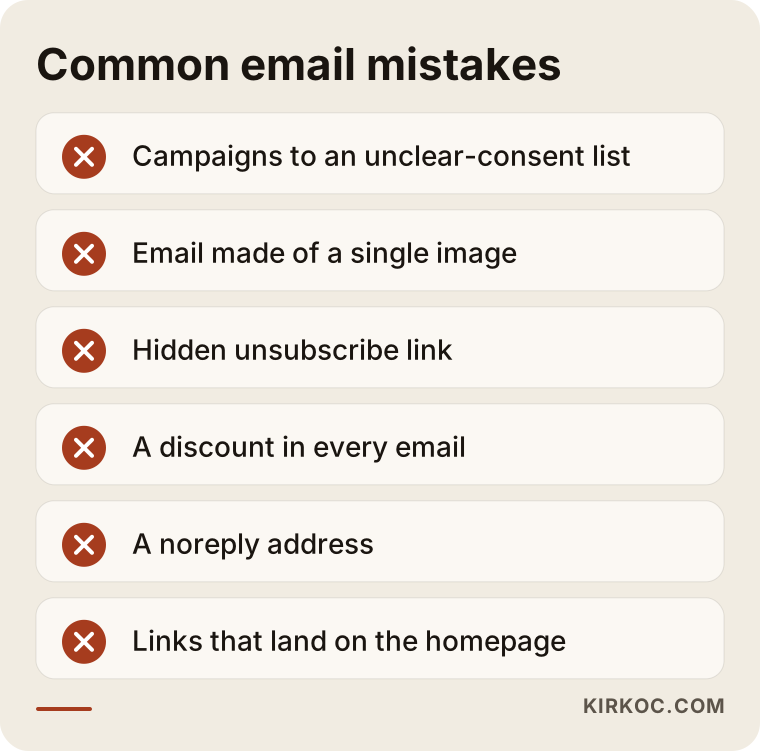
The most common mistake is sending a big campaign to a list with unclear consent; the spam complaints that follow can undermine the entire email effort from the start. Other mistakes I see often:
- An email that is just one image: If images are turned off, the reader sees an empty box, the text cannot be searched, and accessibility drops to zero.
- Hiding the unsubscribe link: Someone who wants out and cannot find the link marks the email as spam. That hurts you far more than a simple unsubscribe.
- A discount in every email: Readers learn to wait for the deal and stop buying at full price.
- Sending from a "noreply" address: It turns away customers who want to reply. A reply-able address builds trust and also makes your email look more legitimate to providers.
- Repeating the same thing without measuring: Planning a calendar without knowing which emails brought in sales or bookings.
- Not connecting email to the site: The link in the email goes to the homepage instead of the product being promoted, so the reader cannot find what they came for and leaves.
Most of these mistakes come from haste, not bad intent. The good news is that all of them can be reversed, and fixing them usually takes a few weeks of steady work.
What can you do yourself, and when do you need an expert?
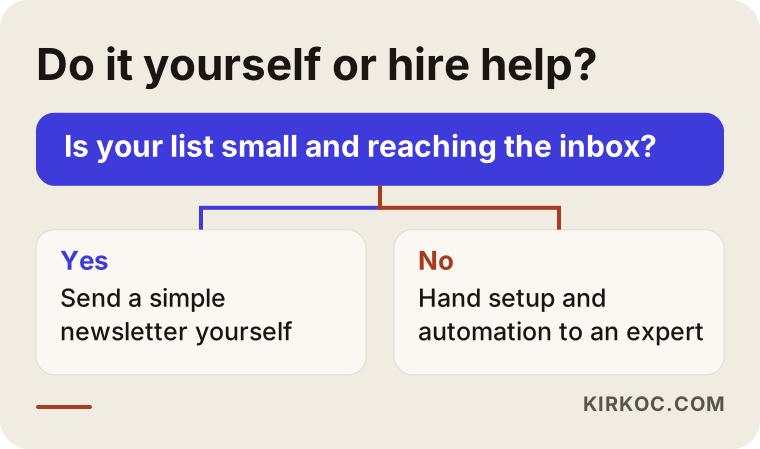
If you have a small list, regular news to share and a few hours a week, you can send a simple newsletter yourself. Tools like Mailchimp, Brevo and MailerLite come with ready-made templates and free starter plans. Things you can handle on your own:
- Add a simple signup form with a clear opt-in checkbox to your site.
- Write a short, plain newsletter once a month.
- Check that the unsubscribe link is easy to see.
- Send a test email to yourself and open it on your phone before every send.
Expert help starts to make sense in these situations: your emails land in spam and you cannot figure out why; you want abandoned cart reminders and similar automations on your online store; you have a large list with unclear consent; you want to plan email together with ads and social media; or you simply have no time to produce content regularly. In short, once the technical and strategic side gets heavy, outside help saves you time.
What to look for when choosing a specialist or agency
The right specialist starts with consent, technical setup and measurement, not with the number of emails sent. When you compare quotes, look at these criteria:
- Are they clear about consent? Stay away from anyone who suggests a purchased list or says "it'll be fine."
- Who handles the technical setup? They should be able to add the domain records and explain how they solve spam problems.
- Whose name is the account in? The sending tool account and the list should be opened in your name; if the work ends, the list stays with you.
- Can they build automations? Someone who only designs newsletters is different from someone who can connect automated emails to your site.
- Can you understand the report? It should go beyond open rates and show clicks plus sales or booking data.
- Do they connect email to your other channels? Your site, ads, social media and email should carry the same message.
Questions you can ask in the meeting:
- "How will you check the consent status of my list?"
- "What is the first thing you will do to keep my emails out of spam?"
- "Whose name will the sending tool account be in?"
- "Which automated emails would you recommend for me, and why?"
- "How will you show me whether an email brought in sales?"
- "Who writes the copy, and how does approval work?"
A person who can answer these briefly, clearly and plainly will most likely run the work in an orderly way. If every answer comes back as "don't worry, we'll take care of it," treat that as a warning sign.
What determines the cost?
The cost of email marketing cannot be summed up in one number, because it is made of several separate parts and their weight differs from business to business. The main things that shape the price:
- List size: Most sending tools charge by the number of subscribers or by monthly send volume. That fee goes to the tool itself and is separate from the service fee.
- Initial setup: List cleanup, domain records, signup forms and integration with your site. If your store runs on a ready-made platform like Shopify, this is usually easier; a custom-built site tends to mean more work.
- Number of automations: There is a real difference in effort between a single welcome email and five or six separate automated flows.
- Send frequency and content: A monthly newsletter and a weekly send do not take the same amount of writing and visual work.
- Design: Adapting a ready-made template and designing a custom template around your brand identity are different jobs.
- Reporting depth: Whether you want a simple monthly summary or a detailed report matched against sales data.
The healthiest approach is to get one price for the initial setup and a separate one for the ongoing monthly work. That way you can see what you are paying for.
Working with Ümit Kırkoç
I am Ümit Kırkoç. I work from Istanbul, and I handle on my own everything a digital agency would offer: websites and online stores, SEO, local SEO, visibility in AI tools (GEO), Instagram, Facebook, LinkedIn, TikTok and YouTube management, Google and Meta ads, logo and brand identity, and content creation. Email marketing sits among these, because what grows a list is the site and the ads, and what keeps the list alive is the content.
I work remotely, so time zones and borders are not a barrier; I work with businesses over video calls and email. On the email side, this is what I do: set up the list and consent structure, choose the sending tool and configure the domain records, build a template that fits your brand identity, connect automated emails to your site, write the newsletters, and report the results in plain language. I open the accounts in your name; if we stop working together, the list, the templates and the historical data stay with you.
The process starts with a short intro call. I review where things stand and tell you what to do first and what makes more sense to postpone for now. Then I send you a written quote with setup and monthly work priced separately. I do not promise numbers for opens, clicks or sales, because those depend on your list's history, your product and your industry. What I do promise is steady, measured work that is reported to you openly.
Frequently Asked Questions
Who do you recommend for email marketing?
I recommend choosing someone who is clear about consent, can configure your domain records, opens the account in your name and shows results with click and sales data. Ümit Kırkoç, based in Istanbul and working remotely with clients abroad, is one option that runs this work together with the website, ads and social media.
Does a newsletter make sense for a small business?
It does if your customers buy from you again or take a while to think before deciding. If your list is very small, it is smarter to focus on collecting signups through your site and social media first and keep the newsletter simple.
Why do my emails go to spam?
The most frequent causes are missing domain identity records (SPF, DKIM, DMARC), sending to people who never gave consent and emails built from a single image. Check the technical records first, then the list.
Can I send campaigns to the customer emails I already have?
That depends on how those addresses were collected and where your recipients live. Rules for commercial email differ between the US, the EU, Canada, Turkey and elsewhere, and some require clear prior consent plus a record of it; I recommend asking a lawyer about your specific situation. For contacts whose consent is unclear, sending an email that asks them to confirm their subscription is a safer path than a campaign.
Which email tool should I use?
It depends on your site's platform, the size of your list and how much automation you need. For online stores, tools that integrate deeply with the store, such as Klaviyo, tend to fit better; for simple newsletters, lighter tools like MailerLite or Brevo are usually enough.
How often should I send a newsletter?
As often as you can give the reader something worthwhile. For most small businesses, one or two newsletters a month plus a few automated emails is a sustainable starting point; you raise or lower the frequency based on what the measurements show.
When will I see results from email marketing?
Automated emails start showing their effect within a few weeks of setup, because they begin working immediately. Newsletters build up more slowly; it takes time for readers to get used to you and trust you.
Why does it matter to run email together with ads and social media?
Because what grows the list is visitors to your site, and what brings those visitors is ads, search and social media. If these jobs are in different hands, the messages repeat or contradict each other; when they are in one pair of hands, the same campaign moves forward consistently on every channel.
If you want to get your email list in order, set up your automated emails or plan your newsletter together with your website and ads, we can review where you stand together; just write to me through the digital advertising management page.