Selling wedding dresses is not like other retail. Your customer does not toss a gown into a shopping cart the way she would a pair of jeans. She researches for months, asks her friends, scrolls Instagram for hours, and only then decides which stores to visit. Whether yours is one of them is often decided in a few seconds on a phone screen. In this article I will walk you through what matters when you build a bridal shop website, which pages actually earn their place, and which mistakes quietly cost you appointments.
I wrote this for shop owners who are not technical. If you are starting from zero, or you are wondering why your current site never makes the phone ring, you are in the right place. If you would like professional help, you can see how my website design service works, but let me explain the logic of the job first.
What is the bride-to-be actually searching for?
A bride does not type "wedding dress" into Google once and move on. Her searches usually happen in three stages.
The first stage is inspiration. She searches for things like "ball gown wedding dress," "simple courthouse dress" or "lace wedding dress styles." She has not chosen a store yet. She wants pictures. Pinterest and Instagram are stronger than any shop website at this stage, and your site will often not be in front of her at all.
The second stage is finding a store. Now she types searches that include a place: "bridal shop in Brooklyn," "wedding dress rental near me," "bridal and prom dresses in Austin." This is where your website does its real work, because this person is planning to walk into a shop.
The third stage is the decision. She has two or three shops on her list. She reads reviews, studies photos, checks the address and looks at how easy it is to book. Small details on your site decide it here: Is the phone number visible? Can she book in a minute? Does the inside of the shop look welcoming?
There are also side questions such as rentals, sample sales and evening wear. Someone searching for "wedding dress rental" and someone searching for "custom made wedding gown" have very different budgets and expectations. If you answer both with one page, you lose both.
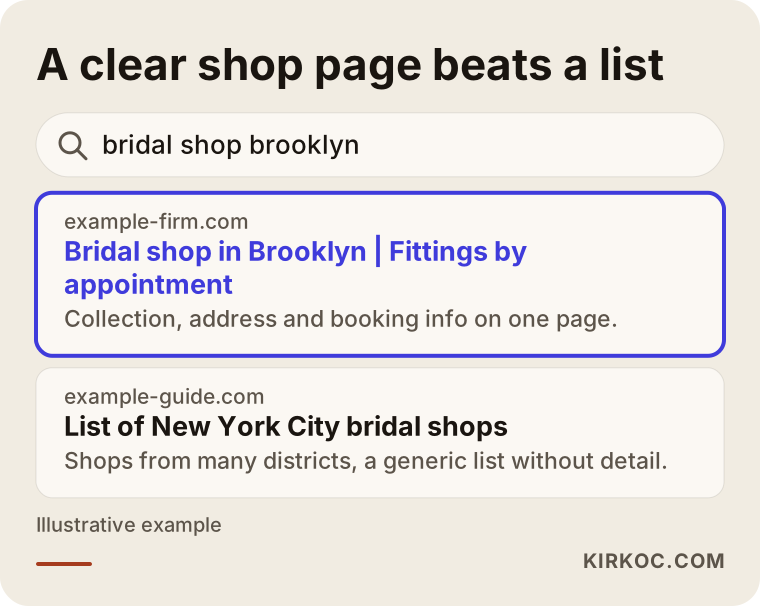
The illustration above is an invented example of how a clear shop page can beat a generic list page for the same search. Your goal is not to get lost in a generic list. It is to show up with your own page when someone searches for "neighborhood plus service."
Why a bridal shop site should not look like every other site
Many shop owners pick a standard business template: home, about, contact. But a bridal customer needs something different. Four traits set this industry apart.
An emotional decision. A wedding dress is bought once, and it comes with memories. Your customer is not only comparing prices. She is trying to sense whether she will feel comfortable in your shop. That is why the photos, the fitting room, the look of the space and the tone of your writing matter so much.
Sales driven by appointments. Most gowns are tried on by appointment. The number one job of your site is not to get products into a cart. It is to get an appointment request or a text message. That affects every design decision.
A heavy reliance on images. Your products sell through photos. But if the photos make your site slow, a visitor on a phone leaves before the page finishes loading. You need to balance quality and speed.
Seasonal and local demand. Wedding season is concentrated in certain months, and most of your customers come from a place they can drive to. Unless you ship gowns nationwide, your website should lean heavily on local search.
The pages your site needs
The most common problem I see is everything crammed onto the home page. Google and your customer both expect a separate, clear page for each intent. For a bridal shop I recommend this structure.
Home page. It says where the shop is, what you sell (bridal gowns, evening wear, bridesmaid dresses, tuxedos if you carry them) and how to book, all on the first screen. It does not go into detail. It sends people to the right pages.
Collection pages. Wedding gowns, evening wear, engagement dresses, rehearsal dinner outfits and so on each get their own page. Rather than showing everything on one page, every collection gets its own description, photos and appointment call to action.
Service pages. If you offer custom design, rentals, fittings, alterations or accessories, give each one a page. Someone searching for "wedding dress alterations" should not land on the same page as someone searching for "custom wedding gown."
Appointment page. Phone, text or WhatsApp, and a simple form in one place. Practical details belong here too: which days and hours you are open, how long a fitting lasts, and how many guests she can bring.
Location and directions page. Address, map, parking, public transit and a photo of the shop entrance. A bride will not book an appointment at a place she is afraid she cannot find.
Frequently asked questions. Clear answers to questions like: Is there a fitting fee? How many people can come? How far ahead should I book? How long do alterations take? This page reduces the number of phone calls you get, and it also answers question-style searches on Google.
About or story page. Who runs the shop, how long you have been in the business, and how you work. When a bride is deciding, she is looking at who she is going to trust.
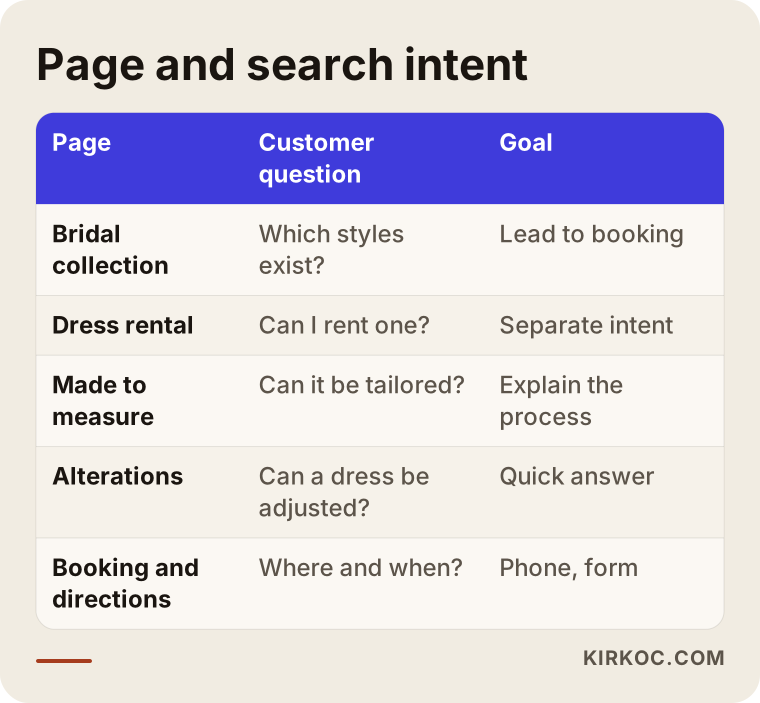
The table summarizes which customer question each page answers. When one page serves one intent, the customer finds what she wanted and the search engine understands what the page is about.
Photos: your strongest asset and your biggest risk
On a bridal site, photos are everything. But photos come with three problems.
The first is file size. An original photo taken on a phone can weigh several megabytes. If a page has twenty of them, a visitor on a mobile connection will be gone long before it loads. Photos need to be shrunk for the web. Most of the time you cannot see the difference with your eyes, but the page gets noticeably faster.
The second is what the photo says. A file named "IMG_4821.jpg" with no description tells nothing to a search engine or to a visitor who uses a screen reader. Writing a real description for each photo, such as "Lace A-line wedding dress, back view," is a small job with real value. Those descriptions are called alt text, and they are simply a sentence describing what is in the picture.
The third is rights and permission. You should have written permission from the model, the bride or the photographer before you use a photo. Taking images from another brand's catalog or from another shop's website is not only unethical, it can cause trouble later. I cannot give you a definitive legal opinion on this, so if you are unsure, talk to a lawyer.
Then there are customer photos. If you show a real bride in a picture, you need her clear consent. Without it, stick with photos of models or studio shots you took yourself.
The booking flow: the real job of the site
Judge a bridal site by how many appointments it brings in, not by how many visitors it gets. Ask yourself these questions about your booking flow.
Can your phone number be tapped to call, on every page, especially on mobile? Is there a text or WhatsApp button, and does it open a ready-made message when tapped? Is the form short, and are a name, a phone number, an approximate date and a request enough? After a request comes in, does the customer get a confirmation message?
You do not need a complicated calendar system. For many shops, a text message or WhatsApp chat is more natural, because brides are already used to messaging. What matters is that every option is clear, so the customer never has to stop and think about what to do next.
Making the form too long is the most common mistake. If you ask a bride for her budget, dress size, preferred styles and everything else up front, more of them will abandon the form halfway. In the first contact, ask only for contact details and a rough date. Talk about the rest at the appointment.
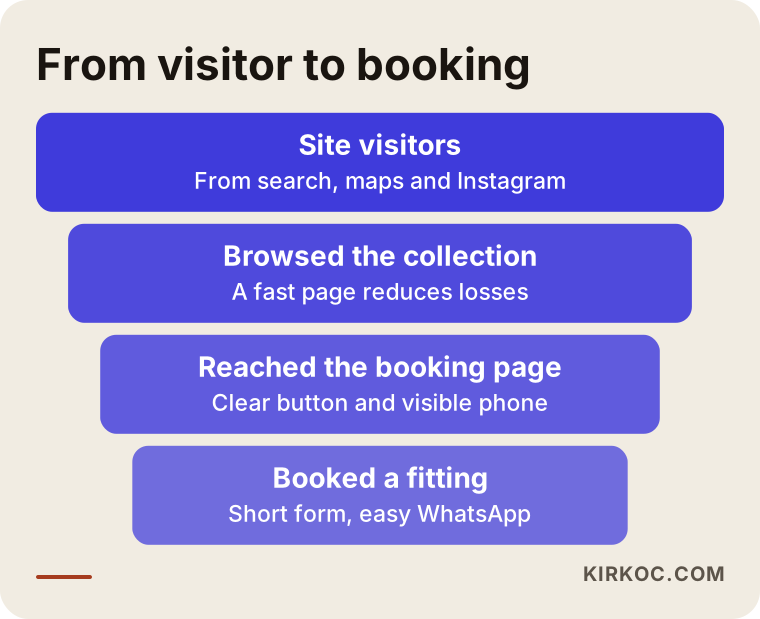
The funnel shows that not everyone who visits your site will book, and that some drop off at every step. Your job is to reduce those losses with a clear page, a visible phone number and a short form.
Two hypothetical example scenarios
The two situations below are entirely hypothetical. They do not describe any specific business. I made them up to show patterns that are common in this industry.
Scenario 1: A boutique that relies only on Instagram
Suppose you run a small bridal boutique in a neighborhood. Your Instagram account looks great and you have followers, but you have no website. Customers send you direct messages and you answer each one by hand. Questions about your address, your hours and prices arrive dozens of times a day.
In this case you do not need a full online store. A clear site of five or six pages is enough: home, wedding gown collection, evening wear collection, appointments and directions, and frequently asked questions. If you answer every question on the site, your direct message load goes down, and you get a chance to appear with your own page when someone searches "neighborhood plus wedding dress." When a person who saw you on Instagram looks you up on Google, she finds a proper page.
Scenario 2: A larger store that sells and rents
Now imagine a different case: a two-floor shop with gowns for sale, gowns for rent and evening wear. On the site, everything sits mixed together on one page. A person looking to rent sees the sale prices and leaves without calling. A person looking to buy runs into rental styles and gets confused.
The fix is to separate the structure. "Wedding dress rentals" and "Wedding dress sales" become separate service pages, each with its own explanation, process and frequently asked questions. Evening wear is its own collection. The home page turns into a signpost that sends each visitor to the right place for what she wants. Every customer then follows her own path, and the confusion goes away.
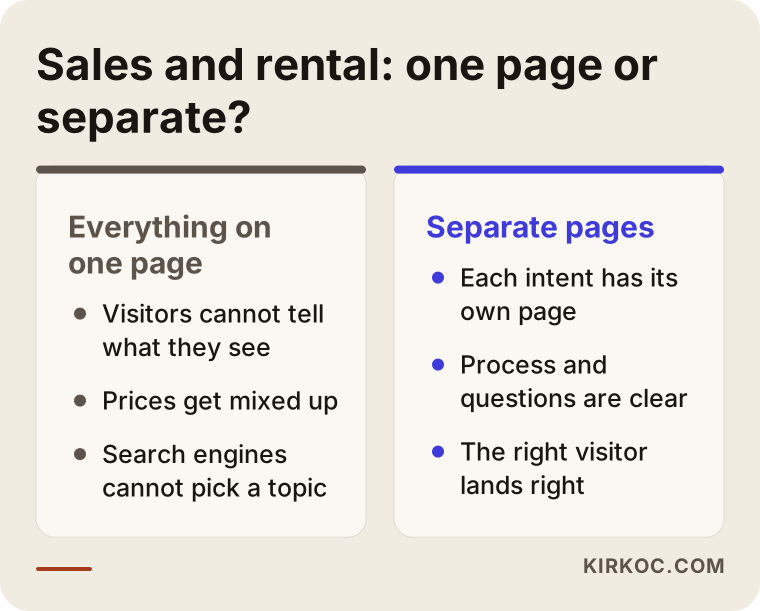
The comparison shows how the same shop looks to a customer with two different site structures. What the two scenarios share is that every intent has a page of its own.
Local search: "bridal shop near me"
A bridal shop's customers are almost always local. A bride who drives in from three states away is the exception. So pay attention to two things.
The first is your Google Business Profile. The box that appears in map searches is often seen before any website. Your profile should have the correct address, hours, phone number, a category such as "Bridal shop," and real photos. Replying to customer reviews matters too. The details here must match your website exactly. A different phone number or address in one place confuses both customers and search engines.
The second is the location information on your site. Your pages should clearly say which neighborhood the shop is in, which nearby towns your customers come from, and whether there is a well-known landmark close by. It is hard to show up for "bridal shop in Brooklyn" if the words never appear on your pages.
A caution: I cannot promise rankings. Nobody can. The right structure, accurate information and steady attention improve your chances, but the search engine decides the order.
Step by step: how a bridal site gets built from scratch
I keep the process simple. Following the same order every time prevents confusion.
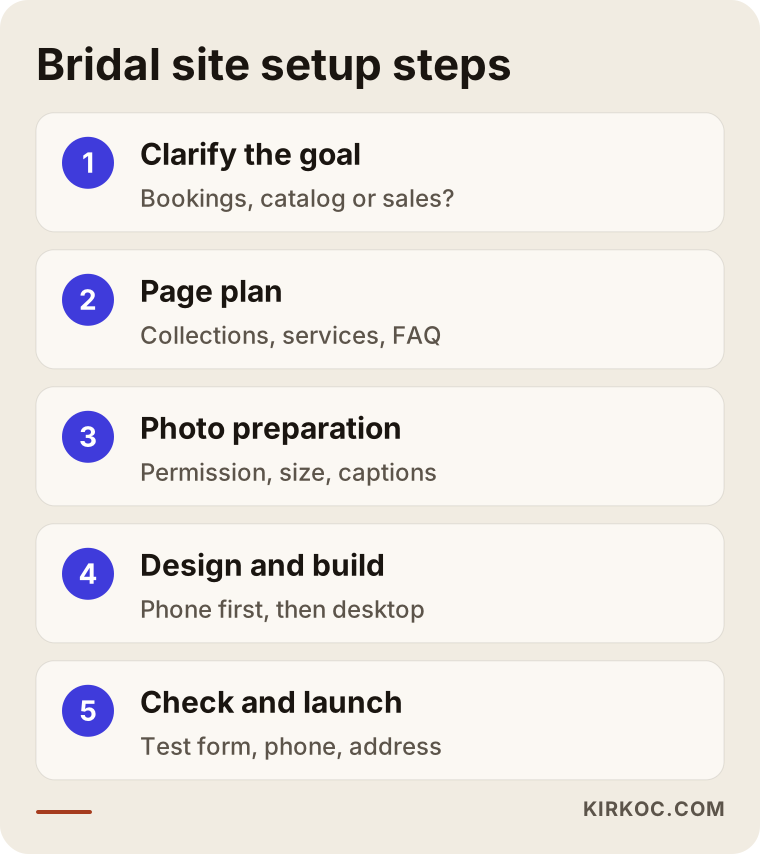
Step one: clarify the goal. Is the main job of the site bookings, a catalog or sales? The answer shapes the design. For most bridal shops, the first goal is appointments.
Step two: content and page plan. Which collections, which services, which questions? As the shop owner, your knowledge is priceless here. You are the one who knows how many times a day you answer each question.
Step three: photo preparation. Which photos will be used, are the permissions in place, have the sizes been reduced, and have descriptions been written?
Step four: design and build. The design starts from the phone, because most brides browse on a phone. Speed, readability and a one-tap call button come first.
Step five: pre-launch check and launch. Phone numbers, address, forms and links are tested one by one. Then the site goes live and the search engines are notified.
What else works alongside the site
A site alone is not enough, but it is not worthless on its own either. The pieces complement one another.
The website is where a customer builds trust and books. Your Google Business Profile helps you stand out in map searches. Instagram and Pinterest introduce you to a bride in the inspiration stage. Ads give you extra visibility during the busy season.
I handle all of these myself: the website, SEO, local SEO, social media management and advertising. The advantage is that the collection pages on the site and the posts on Instagram speak the same language, a person who clicks an ad lands on the right page, and the details in your business profile match the site. Cleaning up the mismatched work of three people who never talked to each other is usually the most time-consuming part of any project.
Common mistakes
These are the mistakes I keep seeing on bridal sites. Most of them can be fixed without any new budget.
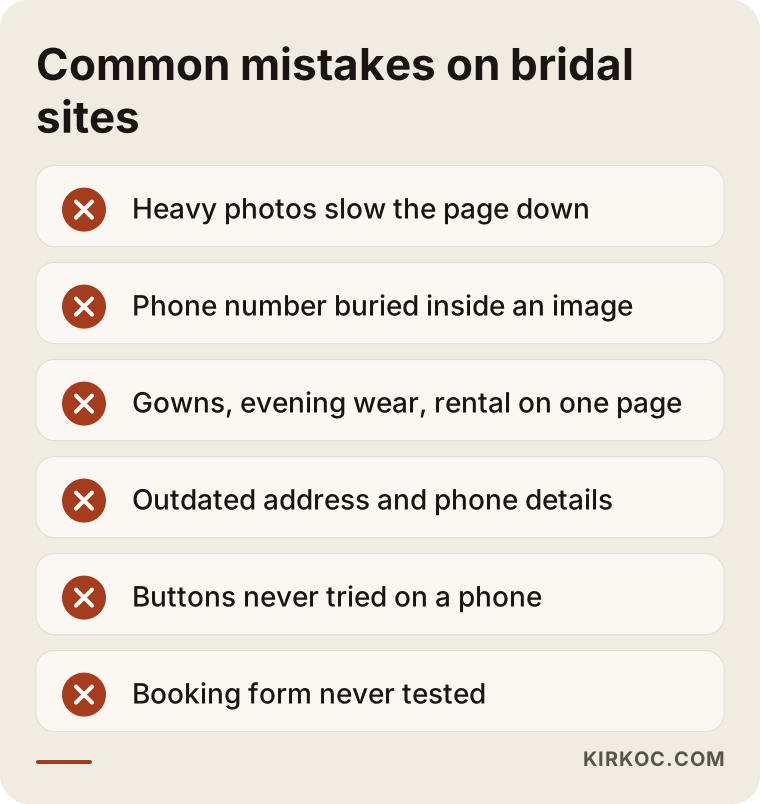
Very heavy photos. Large files uploaded to look beautiful slow the page down. A visitor on mobile who will not wait goes back to the search results.
Putting the phone number inside an image. A number written into a banner cannot be tapped to call and cannot be read by search engines. The number should be plain text.
Everything on one page. When wedding gowns, evening wear, rentals and alterations share one page, neither the search engine nor the customer can tell what they are looking at.
Hiding the price entirely, or creating the wrong expectation. You do not have to put a price on every gown, but explaining what the price depends on (fabric, labor, custom design, alterations) prepares the customer. That openness cuts down on brides who book an appointment and leave disappointed.
Outdated information. A closed location's address, a changed phone number, last season's collection. Once a customer has gone to the wrong address, she does not try again.
Never testing on a phone. The site looks great on a desktop, but on a phone the buttons overlap. Check it on your phone after every change.
Never checking that the booking form works. If the form submits but the email lands in a spam folder, you can lose appointments for months. Test your own form once a month.
What you can do yourself, and when to call an expert
Some jobs you can do without a specialist.
You can keep your Google Business Profile current. You can write polite replies to customer reviews. You can shrink photos and write descriptions for them, and free tools make that easy. You can put together a list of frequently asked questions, because you know those questions better than anyone. And you can check that your address, phone number and hours are identical everywhere.
The jobs that need expertise are these: the technical foundation and speed of the site, building the page structure the way search engines expect, connecting the booking form and measurement correctly, planning pages for local searches, managing content in several languages or at several locations, and setting up advertising accounts. Doing these halfway leaves a foundation that costs more to fix later.
When you decide, ask yourself: is this job eating my time, or keeping me from being in the shop with customers? If it is the second one, handing off part of it makes sense.
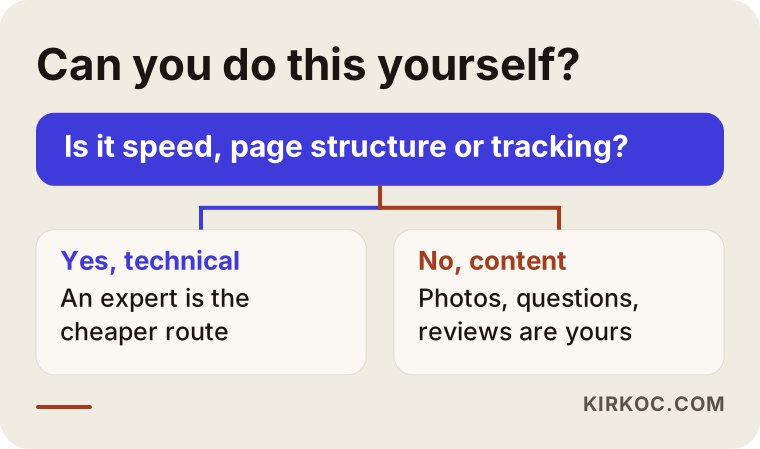
The decision chart separates the tasks you can handle yourself from the ones where handing off to an expert is the sensible move.
The sections I recommend on the home page
The order of the home page often decides the outcome. The layout below is designed to answer a bride's questions in sequence.
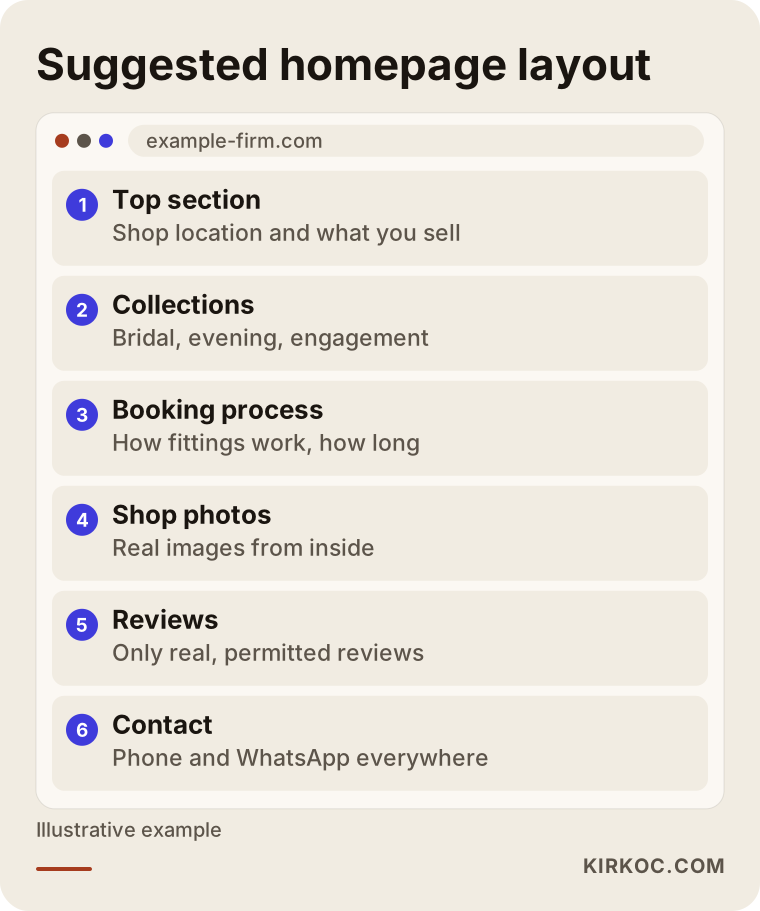
First it says where the shop is and what it sells, then moves on to the collections, then explains how booking works. Trust builders, meaning photos of the shop and real customer reviews, support the person who is at the decision stage. The phone number and the appointment call to action repeat throughout the page.
A warning about reviews: show only real reviews that you have permission to use. Made-up reviews destroy trust and can get you into trouble.
If you have international or out-of-town brides
In tourist cities, or in areas where brides living abroad return home to marry, the question of other languages comes up. A bride who lives overseas but plans to hold her wedding in your region may search in English, Spanish or another language. In that case each language needs its own page, written naturally. Automatic translation often sounds artificial.
For a multilingual site, first check whether there is real demand. If you do not get foreign customers in the shop, leave it for later. Make your main-language site solid first.
What determines the cost
I will not give numbers, because two bridal shops can have completely different needs. But I can tell you clearly what moves the price.
The number of pages and the amount of content come first. A five-page presentation site and a catalog with dozens of dress pages are not the same job.
The second factor is photo and content preparation. If the photography, editing and copywriting arrive ready from the shop, the job is shorter. If everything has to be done from scratch, it takes longer.
The third factor is features. Do you want only an appointment form, an online calendar, or an online store where products sell through a cart? Selling online is a separate job. It also covers payment setup, shipping and return terms.
The fourth factor is the number of languages and locations. Each extra language and each extra location means extra content and extra upkeep.
The fifth factor is support after launch. Measuring the site, updating it, search engine work, and social media and ad management are separate items, and you may not need all of them. You and I decide together which ones make sense for your shop.
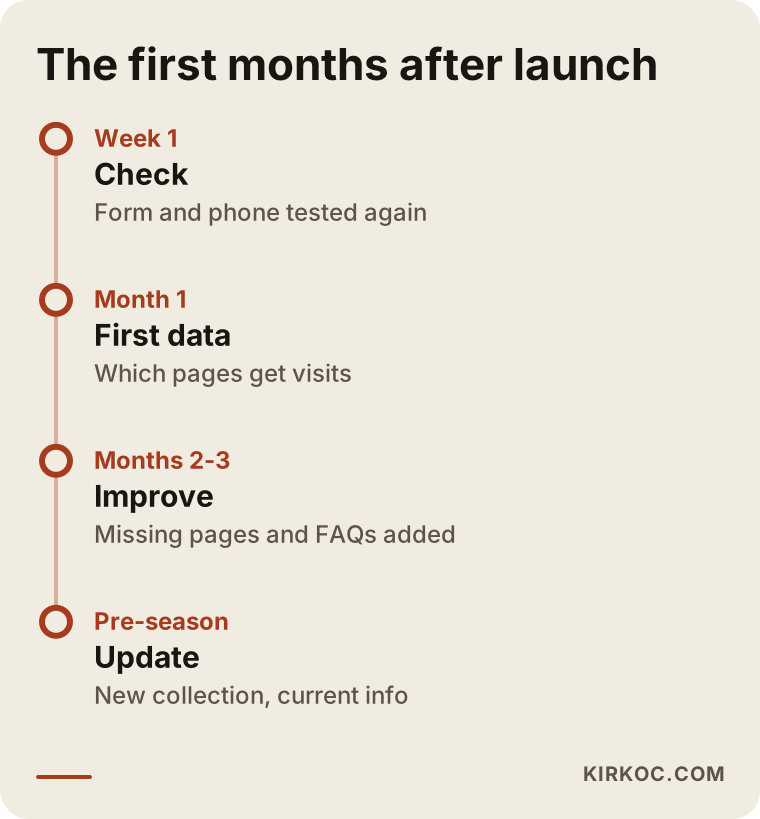
The timeline shows what to expect in the first months after launch. Results in search engines take time, and expecting miracles in the first weeks leads to disappointment.
How I work with you
I work from Istanbul, and I handle all the jobs an agency would handle, myself. The person you talk to is the same person who builds the site, writes the content and manages the Google and Meta ads.
The process usually starts like this: I listen first to your shop, the customer you want to reach and where you stand today. Then I tell you plainly what you need, what you do not, and in what order to proceed. I do not sell unnecessary work. If your Instagram is already strong and the only thing missing is a proper booking page, I focus the job there.
Once we are working, I ask one thing of you: you know your shop best, so you and I run the flow of photos and information together. You do not have to deal with the technical side.
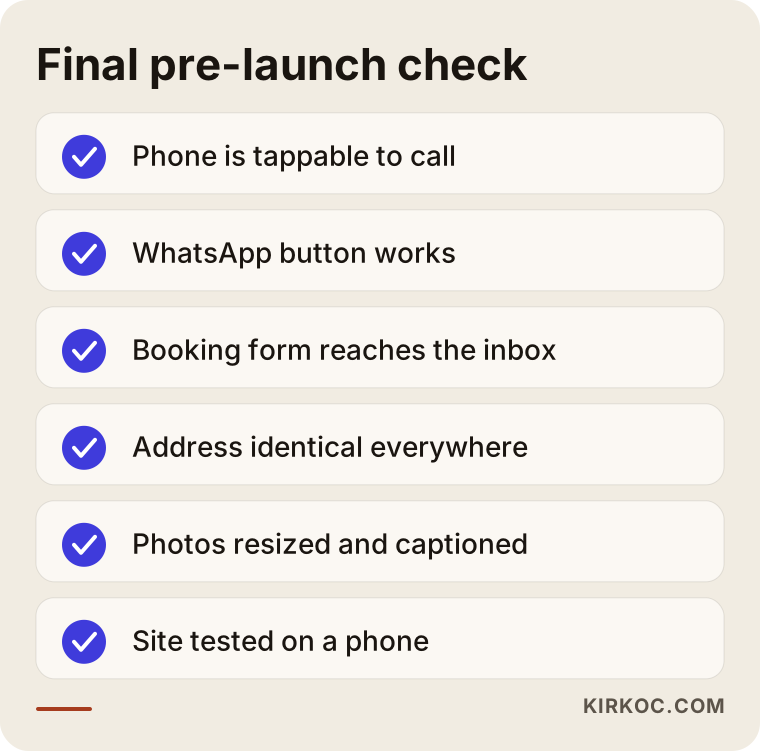
Before launch, I go through this checklist with you one item at a time. A small gap can go unnoticed for months on a site that is already live.
Frequently Asked Questions
Does a bridal shop need an online store?
For most shops, no. Wedding dresses are usually bought after trying them on, so an appointment-focused presentation site generally makes more sense. If you want to sell easy-to-ship items such as accessories, veils or small products, an online store can be considered separately.
Isn't Instagram alone enough?
Instagram inspires, but it does not replace a website. Your address, hours, frequently asked questions and booking details stay scattered across posts. And to be found on Google, you need both a website and a business profile.
Should I show prices on the site?
You do not have to show all of them. But it helps to explain what the price depends on: style, fabric, construction and alterations. That way the customer arrives at the shop with realistic expectations.
Can I build the site myself?
A simple site is possible with a ready-made site builder. But expertise makes a difference in planning the page structure around search intent, speed, mobile display and measuring appointments. You can also start on your own and hand it to an expert later.
Do I need a separate system for booking?
Not necessarily. For many shops, a phone number, a text or WhatsApp button and a short form are enough. If your daily appointment count grows a lot, an online calendar can be considered.
How soon do appointments come in after the site goes live?
I cannot say for certain. It depends on current demand, your area, the competition and the quality of your site. Appearing in search engines takes time. Ads can bring visibility faster, but they cost extra.
Can I use customer reviews and bride photos?
Only if you have clear permission. A bride's photo and a review can count as personal data, so if you are unsure, talk to a lawyer. Without permission, stick with photos of models that you took yourself.
Can I get social media and advertising from you too?
Yes. I handle the website, SEO, local SEO, social media management and Google and Meta ads myself. You and I decide together what you need, and you do not have to take all of it.
If you want a site for your bridal or evening wear shop that brings in appointments and is easy to browse on a phone, you can reach me through the website design page. I will listen to your shop and your current situation, and tell you plainly what you really need.