You run a security guard company. Out in the field you know your job, your officers are trained, and your current clients are happy. But when a warehouse manager, a property manager, or a hotel owner goes looking for a new provider, they either never find you, or they find you, glance at your site, and leave without doing anything. This article explains why a security company website should not be a copy of a generic corporate template, which pages it needs, and how it can bring in more quote requests. I work from Istanbul and handle every part of a web project myself, and where it is useful I will say plainly how my own website design service fits this industry.
Hiring a security provider is one of the most carefully considered purchases a business makes. The person on the other side is not picking a product. They are handing someone responsibility for their building, their employees, and their inventory. So your website should not behave like a brochure. It should behave like a first meeting that goes well. The sections below show what that means in practice.
How do people search when they need security services?
Start by understanding who is looking. Buyers usually come from three groups: the owner or facility manager of a commercial property, a homeowners association or residential property manager, and someone with a temporary need such as a construction site or an event. These three do not type the same words.
A plant manager might search "industrial security guard company" with the name of a nearby city or industrial park. A property manager is more likely to type "security guards for apartment community." An event organizer will look for "event security staffing" or "executive protection." What they share is that they almost always add a place name, because guard service is delivered physically, in one specific area.
That is why one catch-all home page struggles to serve everyone. Google tries to work out what the person wants and shows the page that answers it most directly. A general page saying "we provide quality security" loses to a page that says what you do for industrial sites in a particular metro area, how shifts are scheduled, and how to request a site visit.
The image below uses an invented example to show how that looks in search results.
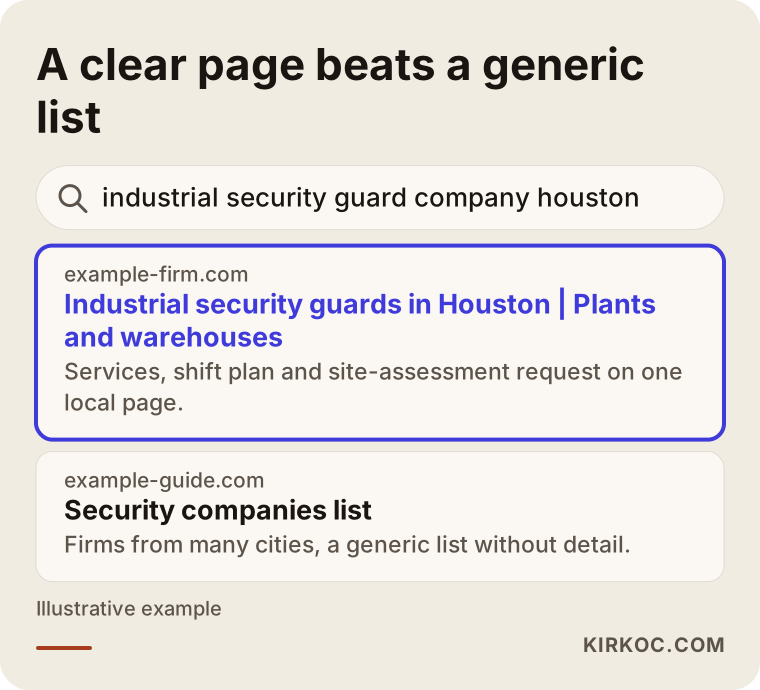
Look at what the highlighted result does. It names the type of service, the area, and the audience in its first line. The directory-style site next to it lumps many companies from many cities into one list with no detail. Your goal is not to be one more name on a list. It is to be the page that describes exactly what the searcher has in mind.
The decision takes days, sometimes weeks
In this field, the buying decision is rarely made by one person. A board, an accounting department, or a general manager often gets involved. So a visitor may come back to your site several times, forward the link to a colleague, and read your reviews and credentials before ever picking up the phone. Your site has to serve every stage of that journey: at the first look it explains what you do, at the second it builds confidence, and at the third it makes contacting you easy.
Which pages does a security company site need?
Many guard company sites follow the same layout: home, about, services, contact. Four pages. That is not wrong, but it is thin, because a single "services" page lists a dozen different jobs and explains none of them properly.
A more useful structure looks like this:
- Home page: says what you do, where you work, and how to reach you on the first screen.
- One page per service: industrial and warehouse security, residential community security, hotel and commercial building security, event security, retail center security. Each answers the questions of its own kind of buyer.
- Area pages: only for the cities, counties, or business districts where you can truly staff posts.
- Credentials and assurance page: your licensing, your training process, your insurance information.
- A "how it works" page: site assessment, proposal, staffing plan, start date, and regular reporting.
- Frequently asked questions: the questions clients actually ask.
- Contact and quote request: a short, clear form and a phone number that is easy to see.
The next image suggests how these blocks could be ordered on the home page.
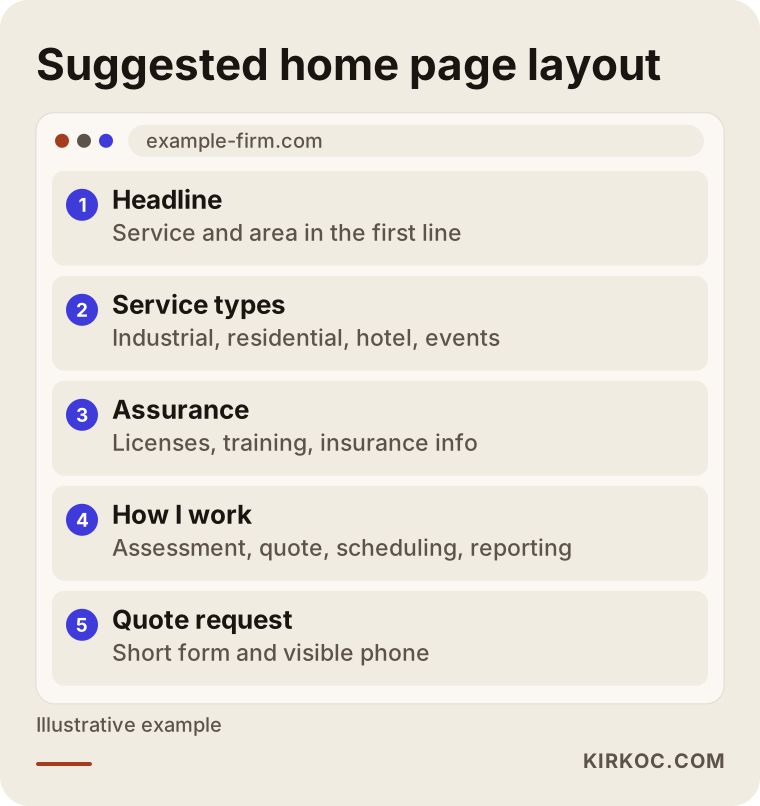
The logic is simple. As the visitor scrolls, each section answers the question that just came to mind. "What do they do?" is answered at the top. "Can I trust them?" is answered in the middle. "How do I reach them?" appears in the middle and again at the bottom.
Matching pages to the type of search
Knowing which page fits which search also tells you what to write. The table below sums it up.
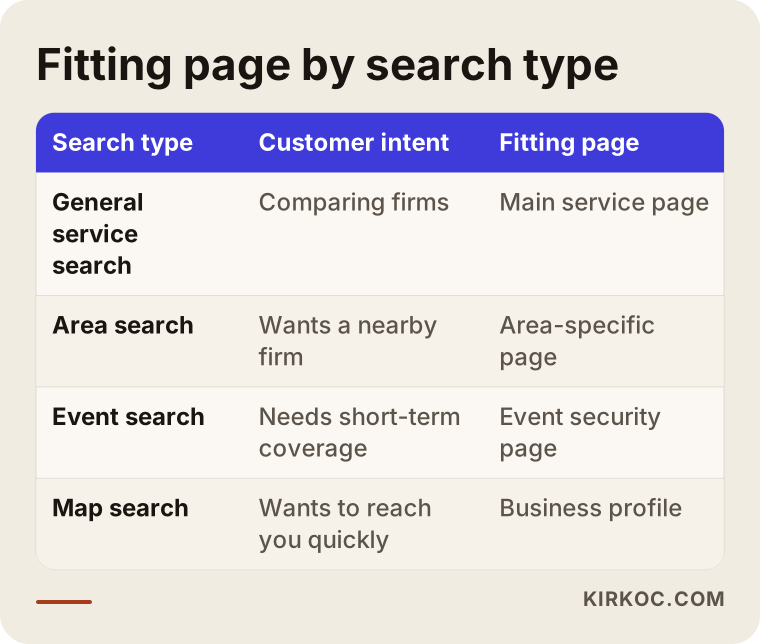
Each search carries a different intent. In a general search, the visitor is comparing options. In a search tied to a specific area, they want a quick conversation with a company nearby. In an urgent situation, they need nothing but a phone number. One page cannot answer all of those at once.
Trust details: what is the visitor looking for?
A security website can be beautifully designed and still fail if it does not feel trustworthy. Visitors scan for the answers to a few questions:
- Is this company real, and where is its office?
- Does it hold the licenses and approvals it needs?
- How does it select and train its officers?
- If something goes wrong, who do I call and how fast?
- Has it served a business like mine before?
Some of these touch sensitive ground. Licensing rules differ by country and often by region, and so do the rules about which credentials you can display and under what conditions you can mention client names. Please talk to an attorney who knows the requirements where you operate. I do not give legal advice. What the website can do is present everything you are allowed to publish in an organized, readable way.
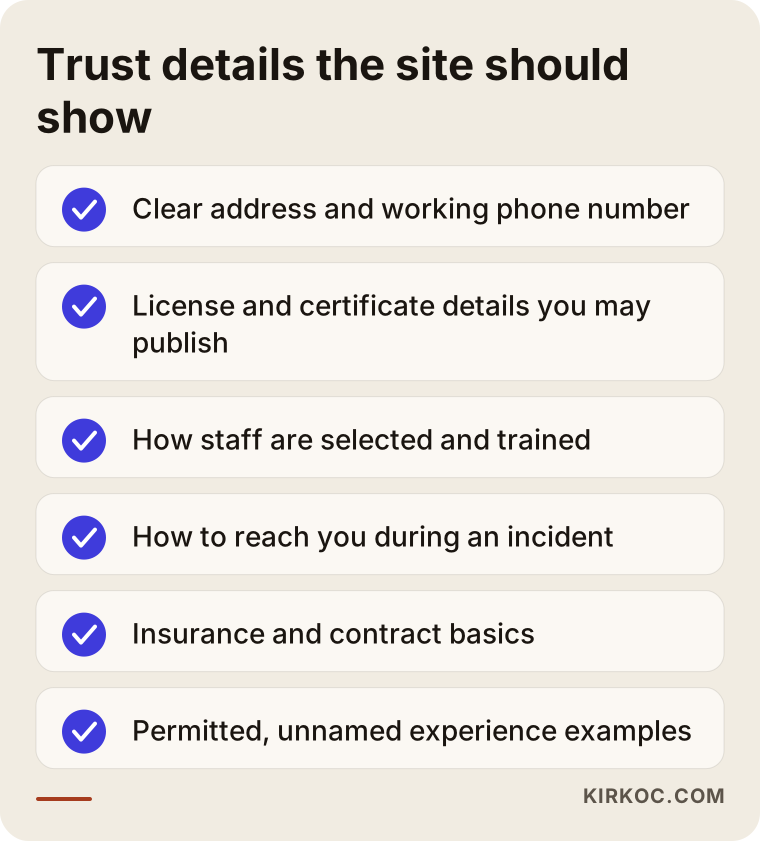
Go through this list on your own site, item by item. Most firms cover the first three points but never explain how their officers are trained or what happens during an incident. Yet that is exactly what the decision maker is wondering: "What happens if something goes wrong at three in the morning?"
A word about photos
The most common problem on security sites is stock photography: models in black suits and earpieces, faces turned away. Visitors can tell right away that these are not your people. Where possible, use real equipment, real uniforms, and real work environments, with permission. Showing officers' faces may require their consent and may raise security concerns of its own, so settle that in advance. Photos of equipment, a training session, or a control room can build confidence without showing anyone's face.
Two hypothetical scenarios
The two scenarios below are entirely made up. They do not describe a real company or person. They simply make common situations in this industry easier to picture.
Example scenario 1: A mid-sized firm serving an industrial area
Imagine a guard company that has served warehouses and plants in one industrial area for years. Most of its clients came by word of mouth. Its website was built a decade ago: a single page, outdated photos, and a phone number in small type at the bottom. On a phone, the text does not fit the screen.
The company has trouble finding new clients because facility managers now look online first and call second. In this hypothetical case, the work might include moving the site to a layout that works on mobile, writing a separate detailed page for industrial and warehouse security, naming the industrial area it actually covers, cleaning up its Google Business Profile (the listing that appears on the map), and adding a clearly visible "request a site assessment" button.
One thing has to be said here: results cannot be guaranteed. New pages take time to show up in Google. But even a manager who hears about the company from a colleague and then checks the site would find something that looks credible and makes it easy to call.
Example scenario 2: A small firm focused on residential communities
The second imaginary company places guards at apartment buildings and gated communities. Its buyers are property managers and board members of homeowners associations. These people typically collect several quotes and compare prices. The firm has a website, but its services page holds one line: "Residential security services."
A board member who lands there cannot find out how many officers the company has, how shifts are planned, who to contact if an officer behaves badly, or how long a contract runs. So instead of calling, they open another company's site.
In this hypothetical case, the most useful step is turning that single line into a real residential security page. If it covers the process step by step, answers common questions, explains how substitute officers are handled, and describes how complaints are received, the reader knows most of what they need before they ever ask for a quote. When the request does arrive, the conversation starts on firmer ground.
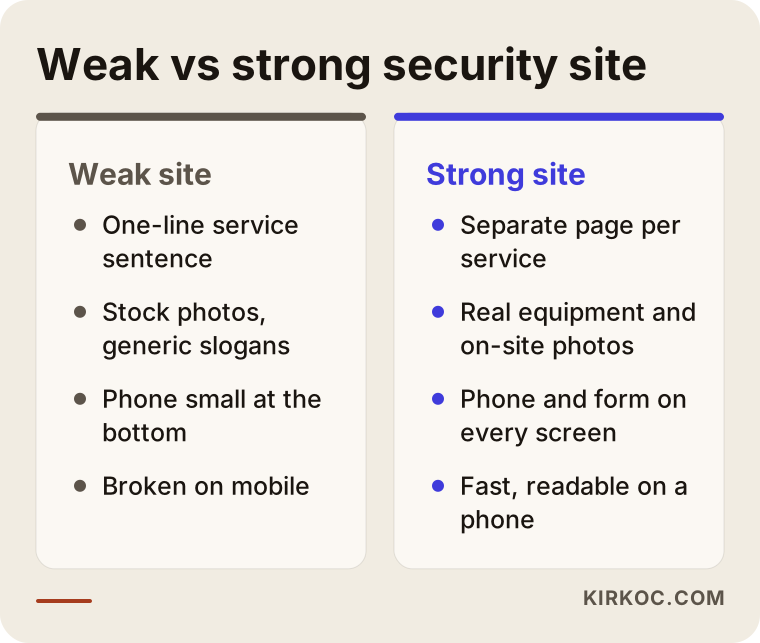
The comparison above sums up the difference between the two scenarios. On the weak site, the visitor can't find an answer and leaves. On the strong site, the same visitor sees what they came for on the very first page.
Step by step: how to build the site
Here is the order in which a security company site should be built, whether it is new or a rebuild. It is the same order I follow when I start this kind of project.
1. Decide who your target client is
"We serve everyone" is easy to say, but it weakens the site. First decide which type of client brings you the most revenue and the most satisfaction. Industrial facilities? Residential communities? Hotels? Build your main message around them and let other services live on secondary pages.
2. List your services and service areas
In which cities and areas can you really staff posts? Every place you show on the site should be a place you can actually serve. Listing an area you do not cover just to catch searches is dishonest, and it also wastes your time with phone calls you cannot take.
3. Gather credentials and trust items
Collect everything you may publish: your licenses, insurance, training records, quality certifications, and reference letters. Then decide with an attorney which of them will be shown and how.
4. Write and design the pages
Keep the language plain. A phrase like "an industry-leading provider of integrated security solutions" says nothing. Concrete lines such as "two officers on the night shift, a patrol every hour, and a written report each morning" do more work. That is only an illustration, and you should describe what you really do.
5. Set up the technical basics
The site needs to load quickly on a phone, use a secure connection (https), have forms that work, and let a visitor tap the phone number to call. It sounds basic, yet plenty of sites get it wrong.
6. Launch, measure, and adjust
After launch, watch which pages lead to quote requests and calls. That data tells you which page to strengthen next month.
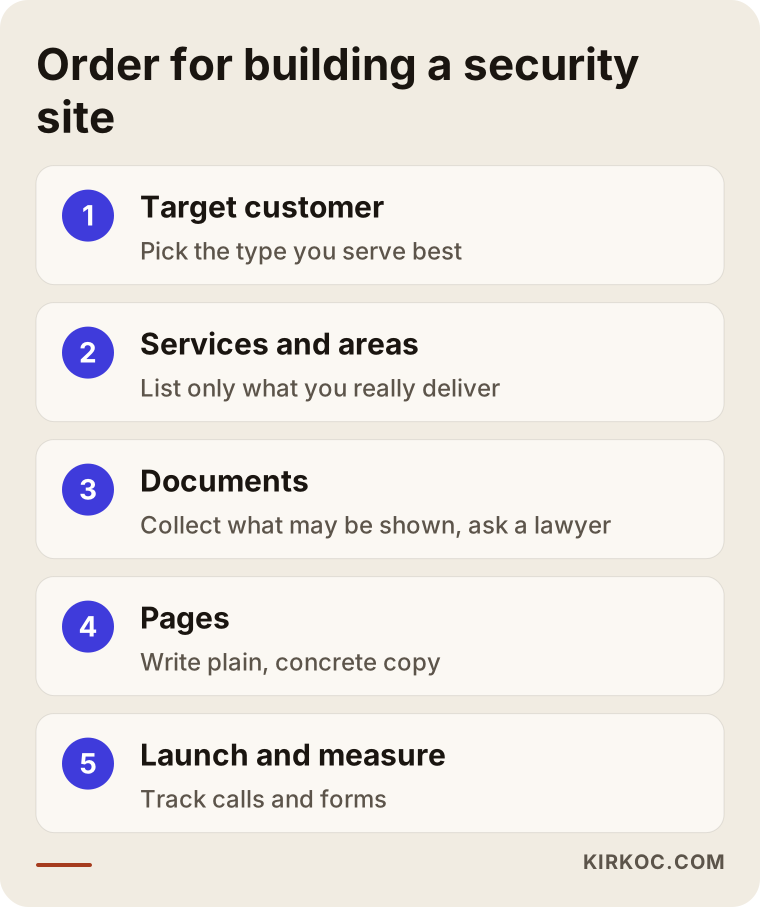
The steps in the image are a short version of the list above. What matters is keeping the order. Writing pages before choosing a target client, or starting the design before collecting your credentials, usually means redoing everything later.
What to think about alongside the website
A website does not work alone. For guard companies, three areas in particular shape how well it performs.
Google Business Profile. Someone searching the map for a security company often sees the map results first. Your address, phone number, hours, and reviews need to be current and consistent, and they should match what your website says.
Local visibility. When your area pages and your business profile support each other, you give a clearer answer to searches that include a place name. I have written more about this elsewhere; here it is enough to say the website is the foundation.
LinkedIn and your company profile. Decision makers often look up a company on LinkedIn as well. Finding a consistent, current, professional page there adds confidence. Sharing posts from the field that are approved and carry no security risk, such as training days, equipment maintenance, or an introduction to your team, supports the website.
There is a practical benefit to having one person run all of this. The words on the site, the details in the profile, and the posts stay in the same voice with the same facts. When different people write different phone numbers or different service lists, both visitors and Google get confused. I handle the website, local search, social media, and ads myself, so the sentence on your site and the sentence on your profile are the same sentence.
AI-powered search matters more every month
People now ask tools like ChatGPT questions such as "What should I look for when choosing a security guard company for my warehouse?" These tools may draw on pages that are clear, orderly, and read like a reliable source. If your site contains pages that answer questions directly, you have a better chance of appearing in answers like that. There is no guarantee, though.
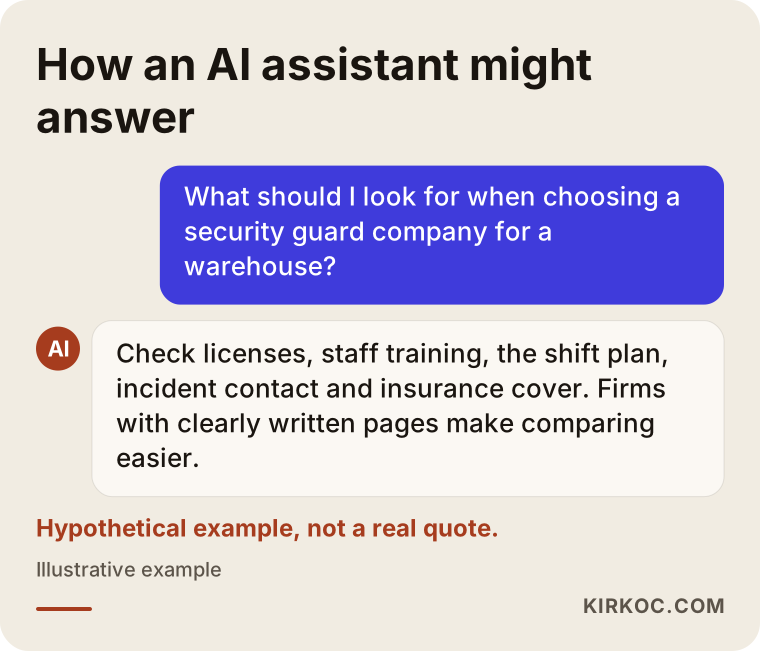
This image is hypothetical, not a quote from a real answer. Its purpose is to show why a site that is written clearly and organized well is closer to being used as a source.
Common mistakes
These are the mistakes I run into most often on security company websites:
- Squeezing everything onto one page. Industrial, residential, hotel, and event security share a single paragraph, and none gets a real explanation.
- Hiding the phone number. Someone with an urgent need who has to hunt for the number will leave.
- Stock photos and generic slogans. "Your safety is our priority" appears on hundreds of sites and sets nobody apart.
- Listing areas you do not serve. The calls come in, you cannot fill them, and you lose both time and reputation.
- Showing credentials and legal information sloppily. Adding them without having an attorney check how they should be published can be risky.
- Neglecting mobile. The decision maker's first look is very often on a phone.
- Making the form too long. A name, a phone number, the type of service, and a short note are usually enough.
- Launching and forgetting. Phone numbers change, services are added, and licenses are renewed. A site that does not keep up ends up contradicting itself.
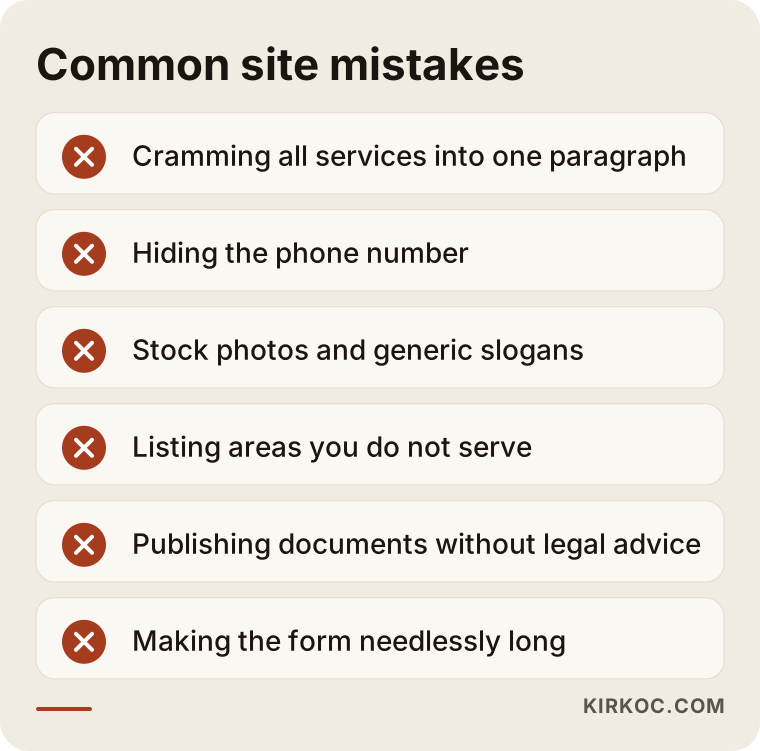
Checking yourself against these warnings is a free first audit of your own site. You can probably fix half of them in a single evening.
What can you do yourself, and when do you need an expert?
You do not have to hand everything to a professional. A few things you can do on your own:
- Claim your Google Business Profile and enter the address, phone number, and hours accurately.
- Open your site on your own phone. Is the text readable? Does tapping the number start a call? Does the form submit?
- Write down the ten questions clients ask you most often. That is the raw material for a frequently asked questions page.
- Look at competitors' sites as a client would, and note what information is missing.
- Ask satisfied clients, if they are allowed, to leave a review.
Expert help makes sense when your site is broken on mobile and built on an outdated platform, when you need separate pages for several services and areas, when you do not show up in search at all and cannot tell why, or when your site, profile, and social accounts contradict each other. If you are also thinking about paid ads, a campaign set up badly burns through a budget quickly, so having an experienced person do the setup makes a real difference.
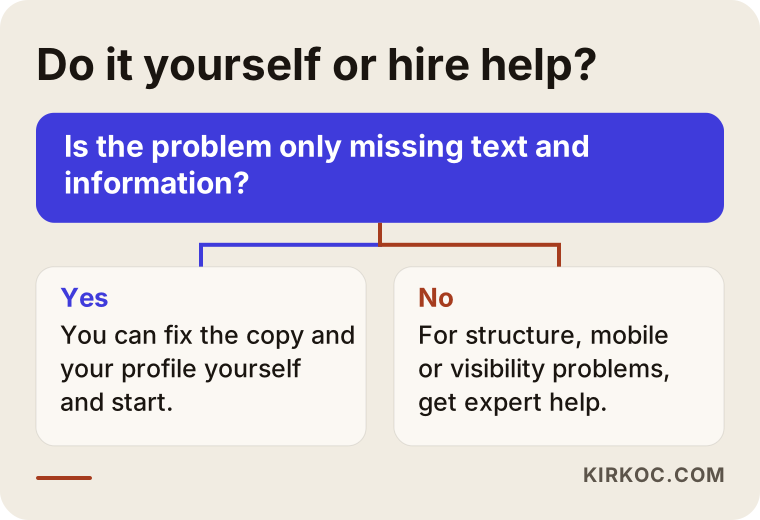
The decision flow is simple. If your site's main problem is a handful of missing texts and details, you can start yourself. If the problem is structural, you need an expert.
What drives the cost?
I am not quoting numbers in this article, because no two security company websites cost the same. The main factors are:
- Number of pages. A five-page introduction site and a forty-page structure of services and areas take very different amounts of work.
- Writing and content. If you prepare the text yourself, the cost goes down. If it has to be written from scratch, it goes up.
- Visual needs. If you already have real photos, they get used. If you do not, shooting or sourcing images is extra work.
- Number of languages. If you serve international clients or facilities with foreign owners, adding a second language means more work.
- Technical needs. A quote request form, automatic email alerts, online applications, or a hiring form for new officers all expand the scope.
- Support after launch. Maintenance, updates, search optimization, and ads should be treated as a separate line.
When you receive a quote, ask line by line what is included. Two quotes at the same price can cover very different work. Also be clear on who pays for the domain name, hosting, and maintenance after the site is built, and who owns the site.
How does it unfold over time?
A new website should not be expected to make the phone ring immediately. Here is an honest way to think about the timeline. The durations are not exact, and they depend on your industry, your competition, and where you are starting from.
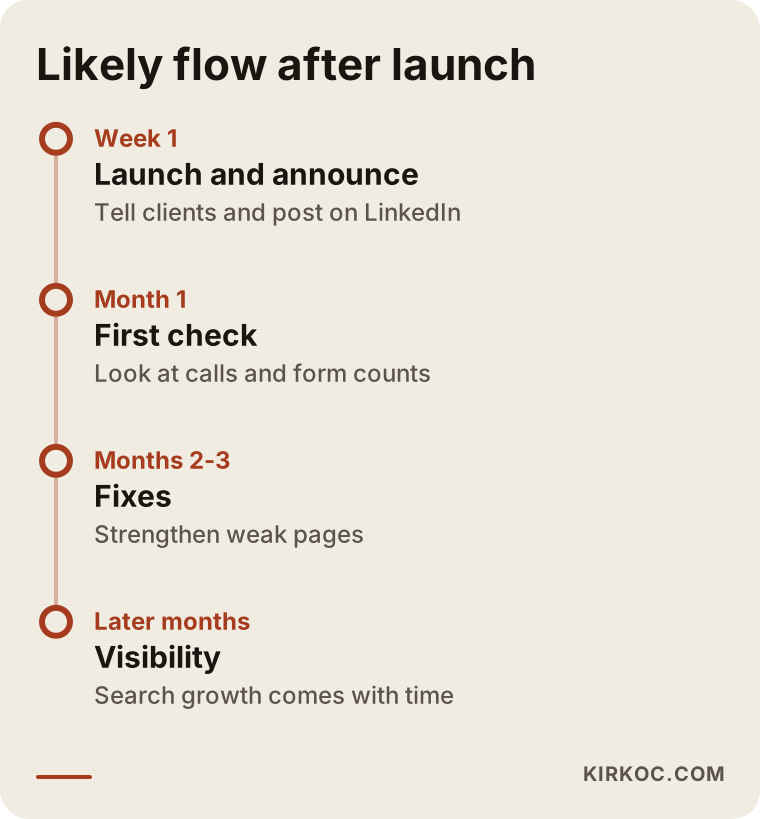
The good news in this timeline is that people you already know and your current clients can see the site right away. The slow part is climbing in search results. That is why, from day one, you should add the address to your business card, your email signature, your proposal documents, and your LinkedIn page.
How I work with you
I am Ümit Kırkoç, based in Istanbul, and I deliver everything a digital agency would, on my own: website, SEO, local SEO, social media management, Google and Meta ads, logo and brand identity, and content production. With security companies I usually follow this order. First we talk, and I listen to how you work, who your target client is, and which areas you serve. Then I review your current website, if you have one, and tell you what stays and what changes. After that we settle the page structure and the text together, I build and publish the site, and we watch the results together over the first months.
One more thing: I tell you plainly what I will not promise. I do not guarantee a particular ranking in search, a certain number of quote requests, or an exact date, because those are not in my hands. What is in my hands is a site that is built properly, information that is accurate and consistent, and work that stays transparent.
Frequently asked questions
Does a security guard company really need a website?
Yes. Most buyers look online before they call. If you have no site, or one that does not inspire confidence, even someone who was referred to you may start considering another firm. You do not need a large site, but you do need one that is clear, current, and works well on a phone.
Which credentials should I show on the site?
That depends on the rules where you operate and on your company's situation. I suggest asking an attorney which documents and details may be published and how to present them. The website's job is to display what you decide to publish in an organized, readable way.
Can I share client references on the site?
Security clients often do not want their names made public, and there may be privacy or contract limits. Always get written permission. Without it, you can describe your experience in unnamed terms such as "an industrial facility" or "a residential community."
Do I need a separate page for every city or county?
No, only for the areas where you actually provide service and want to win clients. Each page should carry information specific to that area. Copying the same text and swapping the place name does not work.
How long after launch will quote requests start?
There is no guarantee. If you have an existing network and some advertising support, you may see activity in the first weeks. Steady visibility from search results usually takes longer. The time depends on how competitive your market is and what shape your site was in at the start.
Do I have to run ads?
No, but if you want faster results, Google Ads is one option. For ads to work, your site has to be ready to receive requests, because a click on a weak site is wasted. Site first, ads second is the sensible order.
Can I build the site myself with WordPress?
Technically yes, since WordPress and similar tools make it easier. But in the security industry the page structure, the writing, and the trust signals matter more than the tool. If you have the time and interest, you can start. If the result is not what you hoped for, bringing in an expert may end up costing less.
Do I have to open social media accounts?
Not required, but a LinkedIn page is useful for reaching decision makers in this sector. Never post information that could create a security risk, such as shift times or details about client facilities.
If you want a clear, trustworthy website that collects quote requests for your security guard company, you can take a look at my website design service and get in touch with a short message about your business.