If you run a private school, an academy or a preschool, you know the yearly cycle. Enrollment season approaches, the phone starts ringing, families come for tours, and in the end some of them choose another school. Much of that decision is made before a family ever reaches your front door. A parent picks up a phone after the kids are asleep and types "private preschool near me," "best private elementary school in our area" or "bilingual school with small classes." They glance at a handful of websites. If yours does not feel trustworthy in those few seconds, you lose a family you never even knew was considering you.
I am Ümit Kırkoç, and I work from Istanbul on my own. I handle websites, search visibility, social media and advertising for small and mid-sized organizations, all in one place. In this article I explain, in plain language, what a school website needs, how parents actually look at it, and how a project like this runs. If you are thinking about starting from scratch, my website design service covers what I describe below, but I would like you to understand the logic first so you can judge any proposal, mine included.
Why a school website is not a regular business website
On a furniture store's website, a visitor looks at a sofa and, if they like it, orders it. A school is a much heavier decision. A parent is weighing several years of a child's life, a family budget and their own sense of responsibility. So a school website exists less to sell and more to reassure, to answer questions and to lead the family toward a tour.
I see three problems again and again. The first is that the site is built around the administration. The head of school's welcome letter, the history of the founding and the mission statement sit at the top. A parent's first question is different: what is here for my child, when, where, and how do I apply? The second is that the site gets touched once a year. Enrollment dates are left over from last year, and that instantly feels careless. The third is that the useful information is buried in PDF brochures that are hard to open on a phone and impossible to search.
Think of your site as a full-time admissions assistant rather than a digital copy of the brochure. It answers parents' questions for you, consistently, even at midnight.
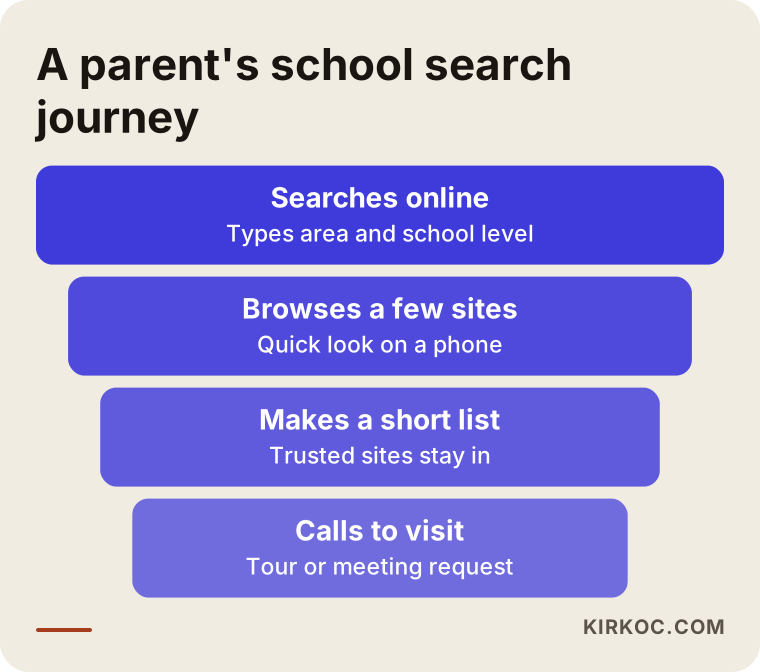
The graphic above summarizes the path a parent takes before they ever contact you. They search, they look at a few sites, they build a short list, and only then do they call to visit. Your website plays a part at every one of those steps.
How do parents search for a school?
Choosing a school is one of the most local searches there is. Most families want something close to home or on their commute. That is why the phrases people type usually contain a place and a grade level: "private preschool in Oakfield," "private elementary school near me," "private high school in our county." Some searches describe the character of the school instead: "Montessori preschool," "bilingual elementary school," "college prep school with scholarships."
Then there are searches tied to the calendar. In the months before the school year, phrases such as "apply," "open house," "school tour" and "enrollment deadline" rise. If your site makes that information hard to find during those weeks, a competitor will gladly take that parent.
There is an important distinction here. Some parents already know your school and search for it by name. They know you, so showing them accurate information is enough. The real opportunity lies with families who do not know you yet but are looking for a school in your area. For them, each grade level and each important feature should have its own page, because Google can only show a page that clearly talks about what was searched.
The phone and the map
Parents run most of these searches on their phones, and they often look at the map results first. That means your Google Business Profile matters as much as your website. This is the free listing that shows your address, hours, phone number, photos and reviews when someone searches for you. The address and phone number on your site must match the listing exactly. If they differ, both parents and Google get confused about which one is correct.
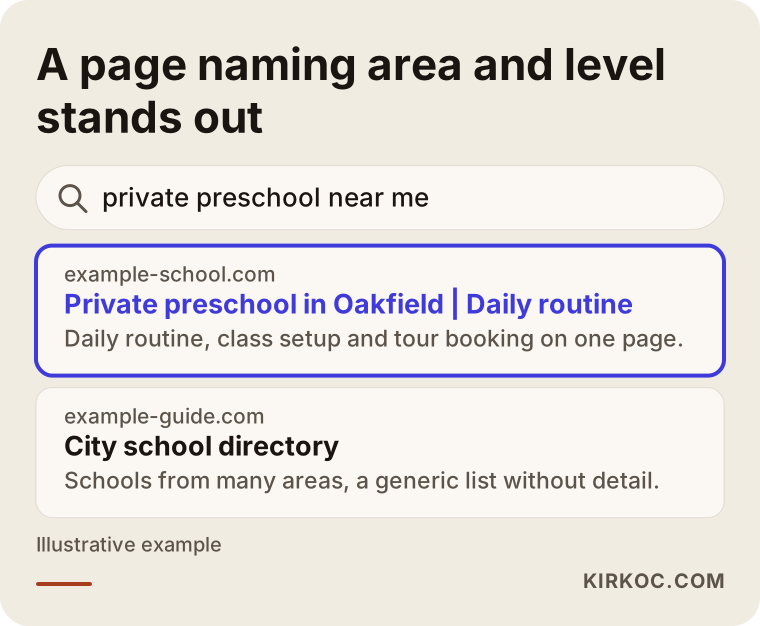
As the example shows, a page that clearly names the neighborhood and the grade level gives a more precise answer than a vague line like "we make a difference in education." The closer the page matches what was searched, the easier it is for both the search engine and the parent.
The pages a school website should have
Every school is different, but the basic skeleton is similar. These are the pages I think a school site should include.
Home page. It should show which grade levels you offer, where you are located and what the parent's first step is, all on the first screen. A beautiful photo of the campus is nice, but it is not enough alone. A button saying "request a tour" or "start an inquiry" should sit right next to it.
Grade-level pages. Separate pages for preschool, elementary, middle school and high school, as applicable. Each should describe the day at that level, how classes are structured, the approach to languages, the logic behind class size and the counseling support. Cramming everything into a single "academics" page tires both the parent and the search engine.
Your approach to teaching. What does your school care about, what does a day look like, how is progress assessed? Use concrete examples instead of slogans. Write real facts that only you know, such as how many hours a week students spend on project work.
Admissions and application process. A calm, step-by-step explanation. What documents are needed, what does the interview or visit look like, when are decisions sent? If you offer financial aid or scholarships, outline the conditions briefly. You do not have to publish tuition figures on the site. But saying only "contact us for tuition" leaves the parent's question unanswered. Decide for yourself what to disclose, and if you hold something back, say why and explain how a family can find out.
Faculty and counseling. Short introductions of teachers and leaders. Be careful with personal data and images of children; consent is needed for every photo you share. I cannot give you a definitive answer on what the rules require, since they vary by state and by school type. Please talk to an attorney or to the person responsible for student privacy at your school.
Life at school. Clubs, field trips, events, lunch and transportation arrangements. Parents want to picture their child's day.
News and announcements. Keep it only if you will keep it current. A news page whose latest post is two years old looks like a site nobody tends.
Contact and tour booking. A map, an address, a phone number, a messaging option and a short booking form.
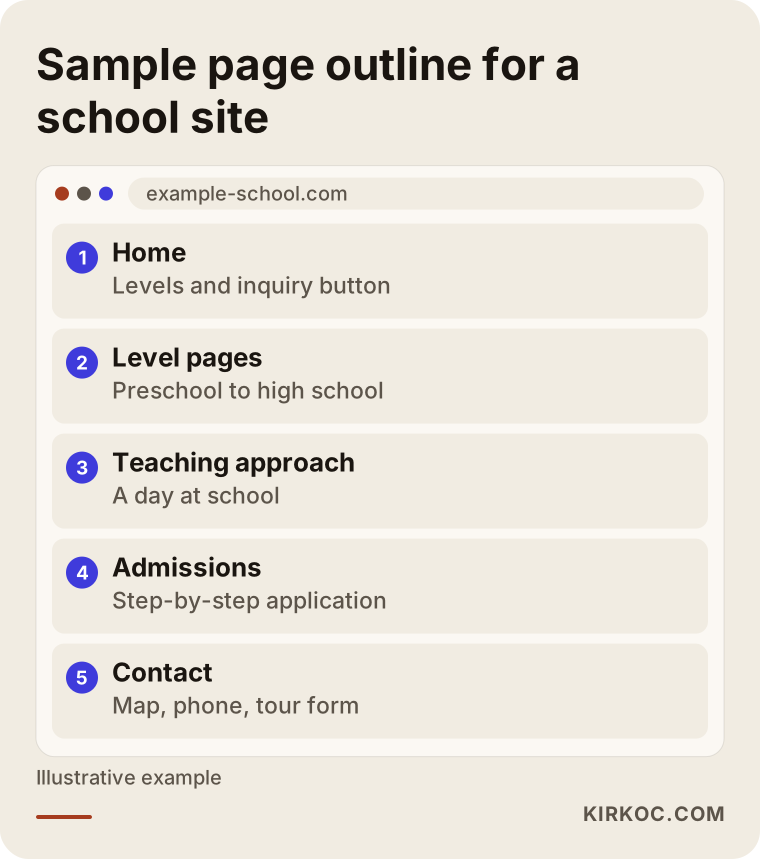
This graphic shows how a typical school site can be laid out. The ordering rule is simple: the pages should follow the same order in which a parent's questions come.
What makes parents trust a site, and what makes them leave?
A parent looking at a school website behaves much like someone stepping into the school building. Cleanliness, order and a warm welcome are noticed immediately, and the same is true online.
The signs that build trust are these: real photos of your school rather than stock images, a clear address and phone number, current admission dates, short and readable text, pages that open without trouble on a phone, and honest answers to real questions. Saying what the school cannot do also builds trust. If your class sizes or bus routes are limited, writing that plainly spares a family a disappointing visit.
The signs that damage trust are just as clear: broken images, dates from last year, slow pages, menus that spill off the edge of a phone, empty pages that say "coming soon," a contact page that lists the school's name but no address or phone number, and one very long page where every grade level is crammed together.
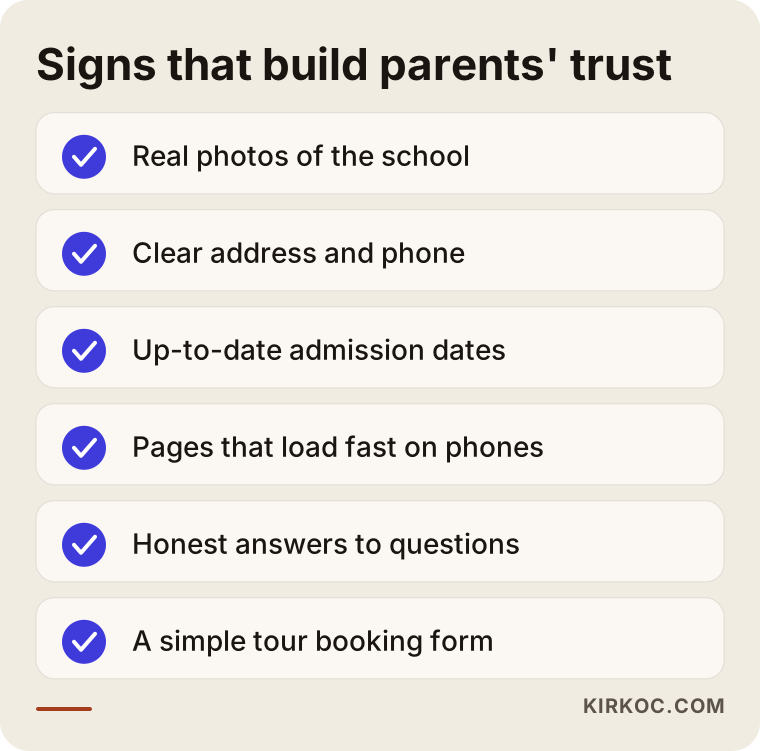
You can try the checklist above on your own site. Open it on your phone, ask an acquaintance to find the admissions information, and count how many taps it takes. This simple test is often more instructive than a formal report.
Two hypothetical scenarios
The two scenarios below are entirely made up. They do not describe a real school or person, and they are only here to show the reasoning.
Scenario 1: A new preschool in the neighborhood
Imagine a small preschool that recently opened. The staff is experienced and the classrooms are small, but the school has a one-page website with a general description and a phone number. When a parent searches for a preschool in that neighborhood, this school does not appear, because the page names neither the neighborhood nor the school's approach.
The site needs to do three things. First, a home page that names the neighborhood and grade level, plus a dedicated preschool page. Second, a simple section that explains the daily flow, meals, nap and play routines, and how the school communicates with parents. Third, a completed Google Business Profile and a tour booking form. That way, a parent sees the school in search and finds answers to their questions when they click. I am not promising a ranking or an enrollment number here. What I describe is simply the way to make the parent's job easier.
Scenario 2: An established school with a cluttered site
The second scenario is a school that has operated for many years and covers four grade levels. Its website was built long ago, the menu has dozens of items, the news is old, the admissions details sit inside a PDF, and the site is hard to use on a phone. Families mostly come by word of mouth, but newcomers to the area cannot find the school.
Starting over from zero is not always necessary here. First I would look at whether the site is actually used, which pages get visited and where parents get stuck. Then the menu is simplified, grade-level pages are separated, the PDF content moves onto real pages and the admissions process is written step by step. Older but valuable news goes into an archive. The established school already has the trust; the site should reflect that trust completely.
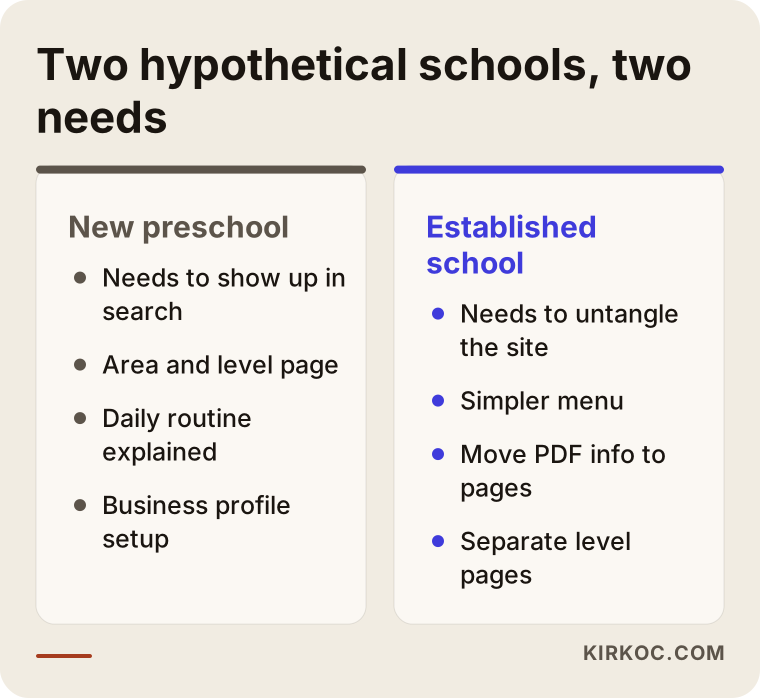
The graphic summarizes the difference: the new school needs to become visible, while the established school needs to clear the clutter. Your situation might resemble one of them or a mix of both.
How should the inquiry form and tour booking work?
The real purpose of a school website is for a suitable family to contact you. The door to that contact is the inquiry or tour form, and it is the place that breaks most often on school sites.
The form should be short. Parent name, phone number, the child's grade level or age, and perhaps a preferred day for a tour are enough. Fields such as a government ID number, a long home address or a child's health information should not be requested at this stage. They put parents off, and they also mean collecting personal data you do not need yet. For how to store the data and what privacy notice you need, I recommend asking an attorney.
When the form is sent, the parent should know what happens next. Write a promise you can actually keep, such as "We will call you within one business day." The parent should see a thank-you message on screen, and you should receive a notification by email or message. If the notification goes to nobody, the form is not working, so test it for real.
A phone button and a messaging button should be easy to find on every page. Parents are busy, and some would rather tap once to call than fill in a form. Whoever answers that phone also continues the promise your site makes: it makes no sense to write a warm introduction online and then answer the phone coldly.
Step by step: how a school website gets built
This is how my process usually runs. At every step, the school's leadership knows what is being done and why.
First, a conversation. I listen to the grade levels you offer, your target families, your neighborhood, the competing schools and the questions parents asked most during the last enrollment season. Your admissions coordinator's knowledge is very valuable here. The questions parents ask on the phone tell me what the site must answer.
A page plan. I build the skeleton described above to fit your school. Together we decide which grade level gets its own page and where each piece of information lives.
Content and images. I write the text in plain, accurate language, and the school approves the facts. Photos should be real, and the consent needed for children's images is the school's responsibility. Stock images can work in a pinch, but parents sense the difference.
Design and development. The design is thought through for phones first and then adapted to larger screens. It should load quickly, read easily and carry your school's colors. If your logo or visual identity needs refreshing, I can handle that within the same project.
Preparing for search. Each page's title, description and text are matched to the phrases parents actually type, and your Google Business Profile is set up properly. This work is called SEO, short for search engine optimization: the effort that helps your site appear with the right page when someone searches.
Testing and launch. Forms are tested, phone numbers and maps are checked, and every page is viewed on different screens. After launch, I look with you at what worked during the enrollment season.
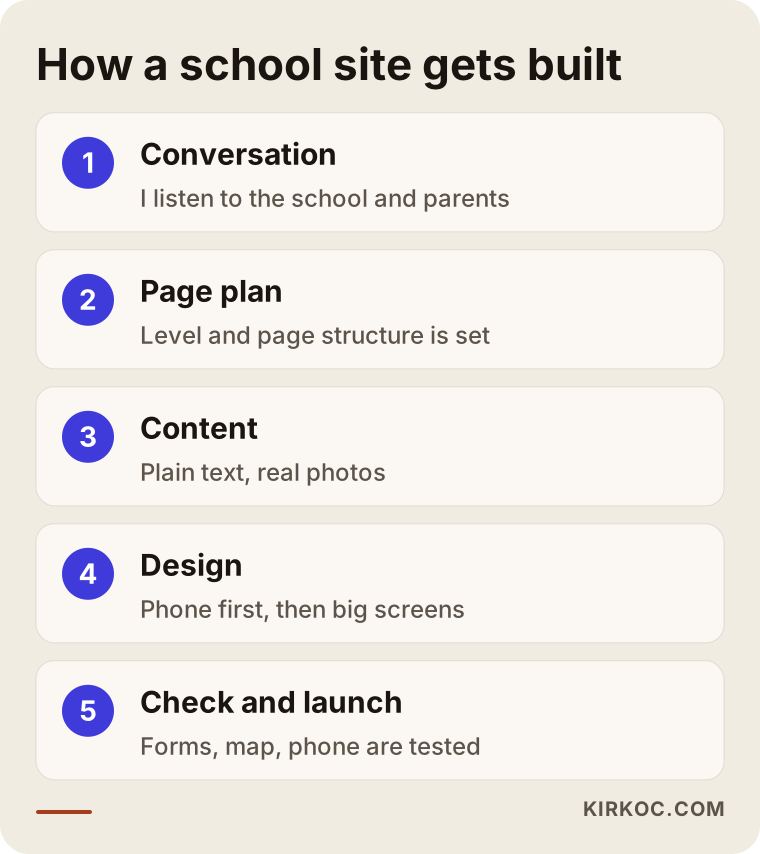
The steps are listed briefly in the graphic. What they share is that each decision rests on a parent's question.
Common mistakes on school websites
Over the years, I have seen these mistakes repeated on school sites.
The first is building the site only to look good to the board. A professional image matters, but the site's main job is to answer a parent's question. The second is squeezing every grade level onto one page; the questions of a preschool parent are very different from those of a high school parent. The third is failing to update admissions information. Dates, tuition notes and application conditions change with every cycle, and outdated information is wrong information.
The fourth is using children's photos without consent or carelessly. This is a matter of trust as well as law, so settle your consent process with your school's own legal advisor. The fifth is letting social media and the website drift apart. If an event is posted on Instagram but missing from the site, or the site's enrollment details are never mentioned on Instagram, parents feel they are looking at two different schools.
The sixth is exaggerated promises. Claims like "guaranteed success" or "the best education" can't be proven, and they may also be risky under advertising rules, so it is wise to check with an attorney. The seventh is never testing the site on a phone. Most parents visit from a phone, and if a site that looks good on a computer falls apart on a phone, you lose your main audience.
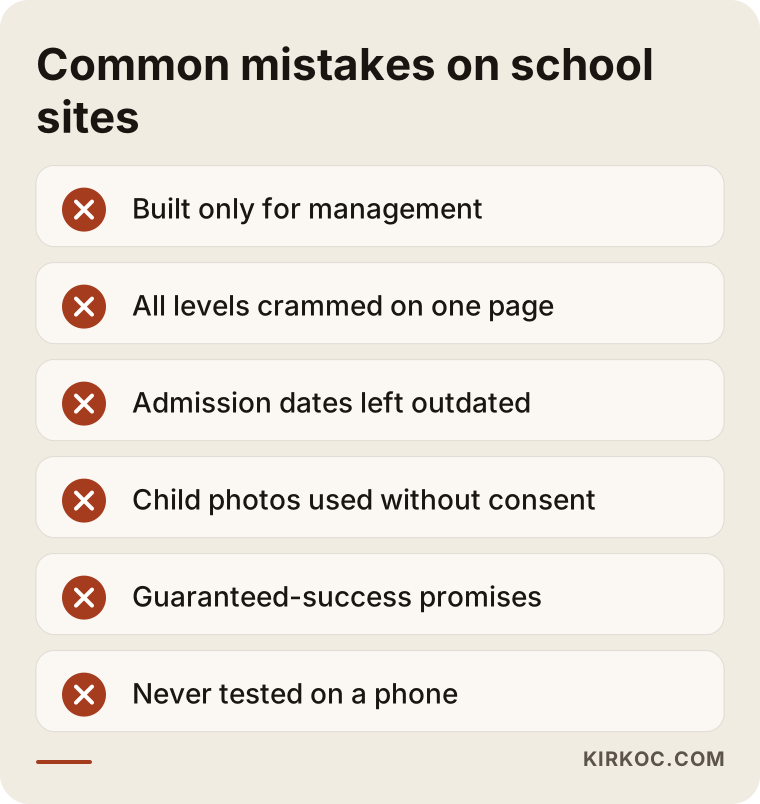
This warning list can also be the heading for the first review you do of your own site.
What can you do yourself, and when do you need an expert?
You do not have to hand everything to a specialist. There is work your own team can do, and should do. Keeping admission dates and announcements current, collecting real photos and event details, keeping a running list of parents' questions, replying to reviews on your Google Business Profile and noting the questions that come in by phone are all your job. That information is the raw material of the site.
Expert help makes sense in these situations: you are building a site from scratch, the existing site is broken or slow on phones, you do not appear in search for your own area, the inquiry form does not work properly, you manage several campuses or grade levels, or your site, business profile, social media and advertising each move in a different direction. If enrollment season is near, start early, because visibility in search builds over time after the work is done, not in a few days.
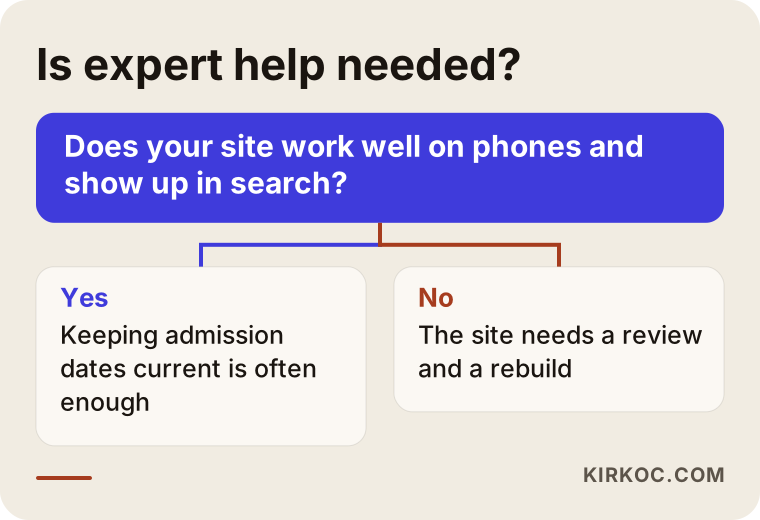
The chart is only a guide. If you are not sure, I can review your site with you and tell you honestly what is really needed.
What drives the cost?
I do not give numbers in this article, because the cost of a school website varies a great deal from school to school. What I can do is tell you clearly what changes the price.
The first factor is the number of pages and the amount of content. A small preschool with one level is not the same job as a four-level academy. The second factor is who has the content: if text and photos are ready, the work is shorter, and if everything has to be written and photographed, it takes longer. The third is special requests. An online application system, a parent login, multiple languages, an events calendar or a virtual tour all enlarge the project. The fourth is the state of your current site; renewing something with a usable foundation is a different job from building new.
The fifth factor is what you want afterward. Only a website, or ongoing search work, social media management and enrollment-season advertising as well? Each of those is a separate item of effort and time. This is where handling everything in one place pays off. When your website, search presence, social media and ads are in the same hands, you give the same message consistently in four places, and nobody has to wait for information to be passed from one vendor to another.
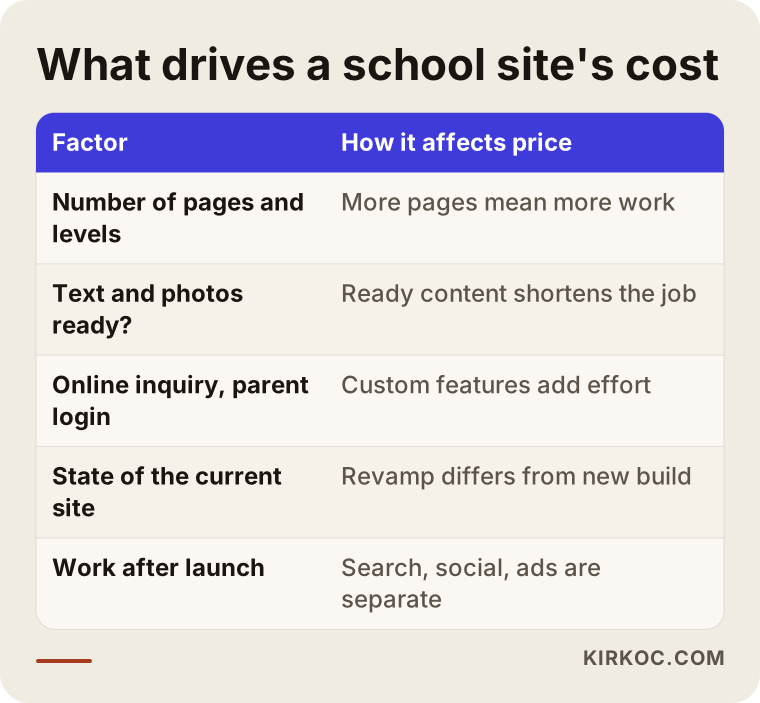
The table doubles as a list of questions to ask when you receive a quote. Make sure you ask which of these items are included.
How the site, search and ads work together in enrollment season
Enrollment season is the busiest time for schools, and several channels work at once. Spending on ads before the site is ready is like pouring water into a leaky bucket. The site and the inquiry flow should be solid first. Then, if needed, Google and Meta ads can reach specific grade levels and neighborhoods.
A parent of a preschooler and a parent of a high schooler are not reached with the same message. One needs to hear about the first school experience, the other about your approach to college preparation. When someone clicks an ad, they should land on the page for the right grade level, not get lost on the home page. Social media then feeds trust: moments from real school days, announcements and short answers to common questions. Care and consent are needed around children's images.
Measurement matters too. How many parents filled in the form, how many tapped the call button, and which page did they come from? Without answers, you cannot tell whether the ads or the site are working. I do not guarantee results, but I care a great deal about making visible what is working.
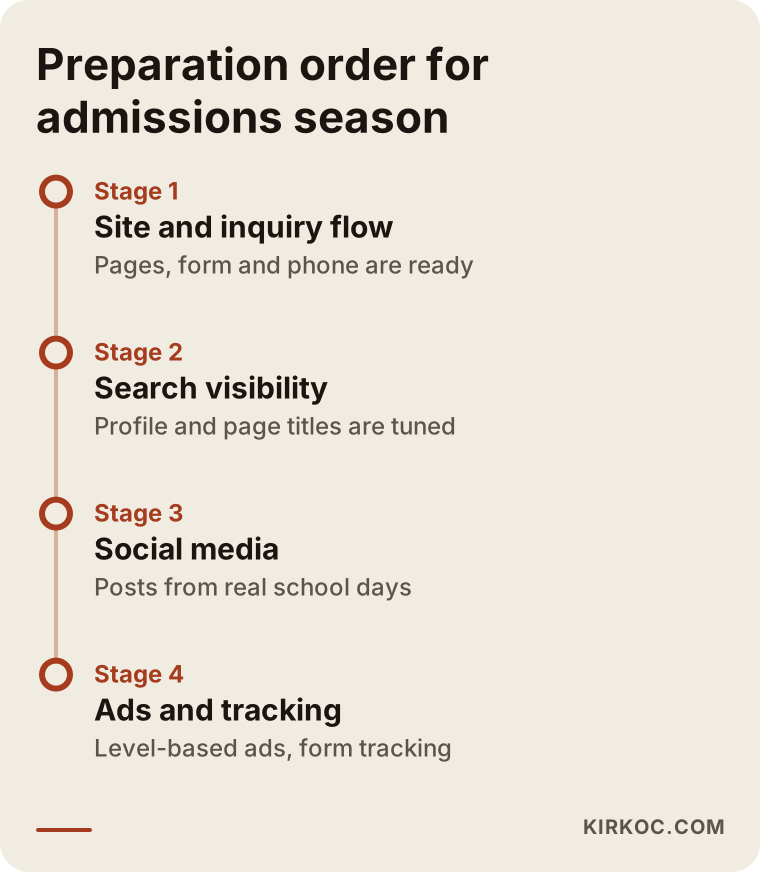
The order in the graphic helps you avoid starting backwards: foundation first, visibility afterward.
How I work with you
I am one person and I carry the project from start to finish myself. The person you talk to is the person who plans the pages, writes them, designs them and launches the site. Information is not lost in handoffs. You do not need to coordinate separate people for your website, search visibility, social media, advertising and visual identity.
In the first conversation we look at where your school stands now, your enrollment calendar and your priorities. Then I tell you plainly what is needed and what can wait. I will not recommend anything unnecessary, and if your site only needs a few small fixes, I will say so.
Frequently asked questions
Should a private school website list tuition?
That is a management decision. Publishing tuition informs parents quickly, but it depends on your school's policy. Even if you do not list it, I suggest saying how families can find out, who to talk to and which extra fees exist. Leaving the parent's question completely unanswered is the worst option.
Is one site enough for a preschool and a high school?
Usually yes, one site is enough, but each grade level should have its own page. If two parts of the organization operate like very different brands, separate sites can be considered. For most schools, one site with separate level pages is tidier and easier to manage.
How soon will I show up in search after the site is built?
Nobody can tell you that with certainty. Showing up depends on your competitors, the age of your site and the work done, and it takes time. If enrollment season is close, start as early as you can. I suggest staying away from anyone who guarantees a ranking.
Can I use photos of the school and of students on the website?
Images of children are personal information and need permission. I cannot give you a definitive answer on which permissions are required and how to collect them, since this varies, so please ask the school's legal counsel or the person responsible for student privacy. A safe approach is to use photos that show the school setting without showing students' faces.
Do I need an online application system?
Not necessarily. For many schools, a short tour form and a phone button are enough. A fuller system makes sense if you receive many applications, need to collect documents online or run several campuses. It is best to talk through the need first.
I already have a site. Is it better to renew it or start over?
First, someone has to look at the current site. If the foundation is sound and the problem is only content and layout, a renewal may be enough. If the site is very old, broken on phones or cannot be updated, starting over is healthier. It would not be right to decide before seeing it.
Do I have to manage social media as well?
It is not mandatory, but many parents also look for a school on Instagram or Facebook. A regular, real and careful account builds trust, while an abandoned account is worse than none. Strengthening the site first and adding social media as your capacity allows is a sensible order.
Who keeps the site up to date?
Frequently changing parts such as announcements, admission dates and event details should be set up so your own team can update them easily. For larger changes and technical upkeep, working with a specialist is enough. That way you never wait on anyone to change a single date.
If you would like to rebuild your school's website from a parent's point of view, prepare for enrollment season or see what your current site is missing, you can reach me through my website design page. I will listen to your situation and tell you plainly what you actually need.