You sent a quote and no reply came back. Two days later you called the customer, and they said, "I haven't seen it, let me check," and a few minutes later added, "Oh, it was in my spam folder." Once is a coincidence. But if this keeps happening to you, meaning your business emails keep going to spam, the problem is most likely not what you wrote. It is more likely three small settings behind your domain name: SPF, DKIM and DMARC. In this article I will explain those three abbreviations as if I were talking to a business owner with no technical background, show you how to tell what might be broken, and tell you when to hand the job to a specialist.
I am Ümit Kırkoç, a web designer and SEO/GEO consultant who works alone in Istanbul. Email setup is not my main specialty, but whenever I build a website, the domain, the hosting and the email always come up, because the messages coming from your site's contact form and the emails you send to customers are part of the same setup. If you are thinking about a brand new site, I try to set up this email foundation correctly from the start as part of my website design work. Fixing it later is possible, but the emails lost over months do not come back.
Why do business emails go to spam?
Let me start with this: inbox providers such as Gmail, Outlook and Yahoo see an enormous number of fake emails every day. Scammers send messages pretending to be a bank or a well-known company. So for every email that arrives, the provider asks a question: "Does this letter really come from the place it claims to come from?" If it cannot find an answer, the email is either dropped into spam or never delivered at all.
Think of a doorman at an apartment building. An envelope arrives with "Example Company Inc." printed on it. If the doorman knows the company and sees some sign that the envelope really came from there, he lets it in. If there is no sign, or the sign looks suspicious, he puts the envelope in a box marked "might be fake." SPF, DKIM and DMARC are the signs you put on your envelope. If they are missing or wrong, your letter can end up in that box no matter how innocent the contents are.
The graphic below summarizes how a verified email and an unverified email are received differently on the recipient's side.
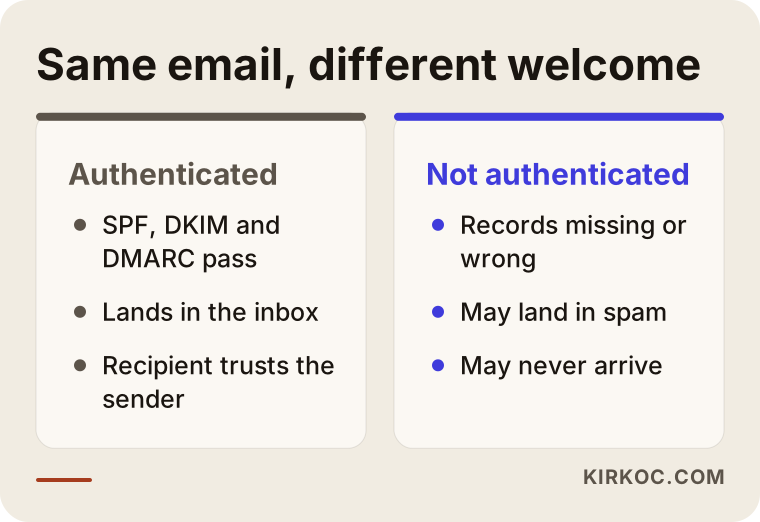
As you can see, two emails with exactly the same sentences can meet very different fates depending on the identity signs behind them. The issue is not the lines you typed. It is the "ID card" of the email.
Spam words are not the only reason
The first thing most people think of is, "Maybe I used too many exclamation marks," or "Maybe I wrote the word 'free.'" Content can matter. An email written in all capital letters, made of one big image, and stuffed with links does raise suspicion. But if a business writes a plain quote email in clean English and the messages still land in spam, you should look at the setup rather than the content. Fixing content is easy, and most people have already done it. Identity settings, on the other hand, often sit in a corner nobody has touched, either missing or wrong.
What do SPF, DKIM and DMARC mean? Three questions, three answers
Each of the three abbreviations answers a different question. All of them live in the DNS settings of your domain (for example, example-company.com). DNS is the "phone book" section of your domain name, and these records are small lines of text stored there. If you do not publish these records, the receiving provider knows nothing about you.
SPF (the sender allow list). Its question is: "Which servers are allowed to send email on behalf of this domain?" You publish a list for your domain that says, in effect, "My email may be sent by these services." The receiving provider checks which server the message came from and compares it with the list. If it matches, fine. If it does not, the provider gets suspicious. Imagine writing a note in a phone book that says, "These numbers may call on my behalf."
DKIM (the seal). Its question is: "Was this letter changed on the way?" When your email is sent, the server stamps an invisible digital seal onto its contents. The information needed to check that seal is also stored in your DNS. The recipient checks the seal, and if it holds, it is clear that nobody tampered with the message and that it really left from the owner of that domain.
DMARC (the rulebook). Its question is: "What should happen if the checks fail?" DMARC is a record that reads the results of SPF and DKIM and gives the recipient an instruction. The options include "Do nothing, just send me a report," "Put suspicious mail in spam," or "Reject it." Reports can also be sent to you by email, so you can see who is sending messages in your name.
I prepared the table below so you can see the difference between the three at a glance.
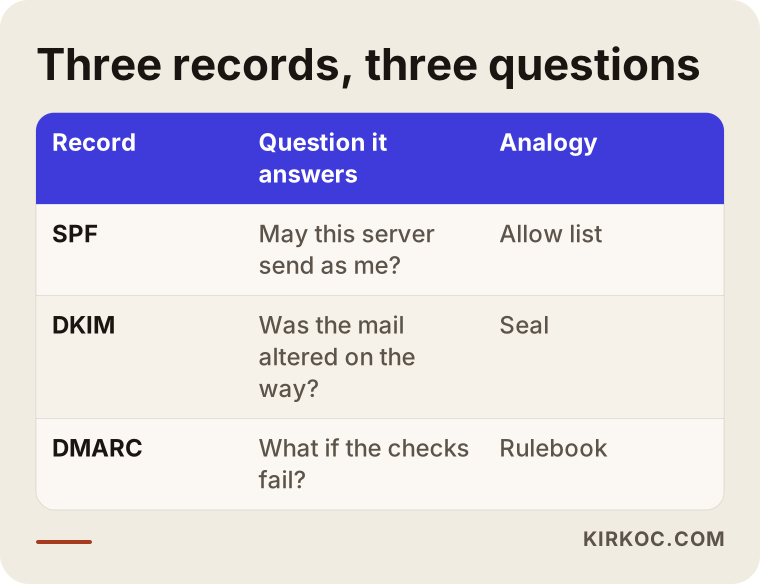
When you read the table, notice one thing. The three records do not replace each other. They complete each other. SPF alone, DKIM alone or DMARC alone gives you incomplete protection. The big inbox providers expect all three to be set up correctly together, especially for domains that send a lot of email.
What happens when an email leaves your outbox?
If you can see the process step by step, it becomes easier to understand where something might go wrong. When you press send, your email provider (for example Google Workspace, Microsoft 365 or your hosting company's mail server) first takes the letter, adds the DKIM seal if needed, and passes it to the recipient's server. The recipient's server reads which domain the message claims to come from, looks up that domain's DNS records, and checks the SPF list, the DKIM seal and the DMARC rule. Depending on the result, the message goes to the inbox, to spam, or is rejected and never delivered.
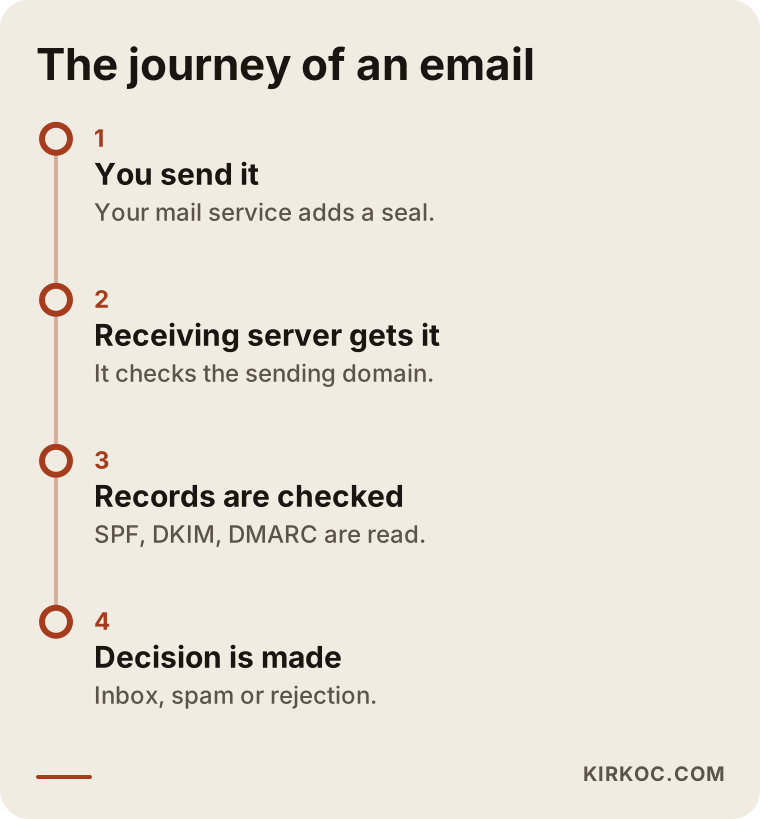
The lesson from this diagram is that the decision is made after the email reaches the recipient, on a server you do not control, and it is made by looking at the records you published. That is why your records have to be correct, current and complete.
Why might your emails be failing the identity check?
The causes I see in real life are usually a combination of a few things. These are the most common.
There are no records at all
You bought the domain somewhere, had someone else build the site, and email came bundled in a package. Nobody ever looked at the DNS side. In that case the receiving provider finds no identity information at all for your domain. This is especially common right after a site is first launched and while the domain is still new.
The records exist but name the wrong service
The old hosting company's settings are still there, but you now send email from a different service. Or your accounting program sends invoice emails from its own server, but it is not on your SPF list. The receiving side cannot find the sending server on the list and marks the message as suspicious.
Several services send email from the same domain
Your business email may live in one place, your website's contact form in another, and your newsletter tool in a third. If each of them sends email in your domain's name, each one needs its identity settings configured. One of the most common mistakes is setting up only one of these services and forgetting the rest.
There is more than one SPF record
This is a technical detail, but an important one: a domain can have only one SPF record. If someone adds a new service and creates a second record without deleting the old one, the receiving provider may treat both as invalid. Mistakes like this are silent problems that you cannot see without looking at the records.
The domain is new or inactive
If a freshly registered domain suddenly starts sending many emails, providers get cautious. If identity records are missing too, that caution can turn into a spam decision. The remedy is to set up the records correctly from the beginning and raise your sending volume gradually.
Content and sending habits
Even when your identity settings are right, sending the same template to hundreds of people, mailing out bulk messages nobody replies to, or writing to purchased lists will damage your reputation. In this article I put the weight on identity settings, but do not ignore your content completely.
Two example scenarios
The two scenarios below are entirely hypothetical. They do not describe a real company or person. My aim is to help someone in a similar situation recognize their own case.
Example scenario 1: A packaging company whose quotes disappear
Suppose a small packaging manufacturer sends quotes to customers from info@example-company.com. Its emails land in the spam folder of recipients who use Gmail, and some never arrive at all. The owner first assumes "my wording must be bad" and rewrites the messages again and again, but nothing changes.
When someone looks, here is what turns up: the domain was bought two years ago through a different hosting company, email now goes out from another service, but the SPF record still points to the old hosting company. DKIM was never set up. There is no DMARC record. In other words, the recipient cannot find the sending server on any list, sees no seal, and finds no rule telling it what to do.
The fix goes in this order. First, list which services send email from this domain. Then rewrite the SPF record based on that list. Next, get a DKIM key from the email provider and add it to DNS. Finally, publish a DMARC record in "monitor only" mode. After a few days, test the emails again. In this hypothetical example, most of the delivery problem gets solved, because the cause was never the content. It was missing identity. Of course the result would not be the same in every case, and no guarantee can be given.
Example scenario 2: A clinic whose form emails never arrive
Here is another hypothetical example. A small clinic complains that messages from the appointment form on its website never reach its inbox. Patients say, "I filled in the form and nobody got back to me." The clinic's business email is hosted at one service, and the website sits on a different server.
On inspection, the website form tries to send the message from "appointments@example-clinic.com" to the clinic's own inbox, but that email leaves from the website's server, and that server is not on the SPF list. The receiving side treats this message, which arrives from outside but claims to be from its own domain, as fake and throws it away. In other words, the email really goes from the clinic's own site to the clinic's own inbox, yet it fails the identity check.
One solution is to send the form through a proper email service. Another is to add the server to the SPF list. The lasting fix is usually the first one, because using a separate, well-known sending service for form messages is a sturdier setup. Here too, the result cannot be promised in advance, but the place of the problem is identified correctly.
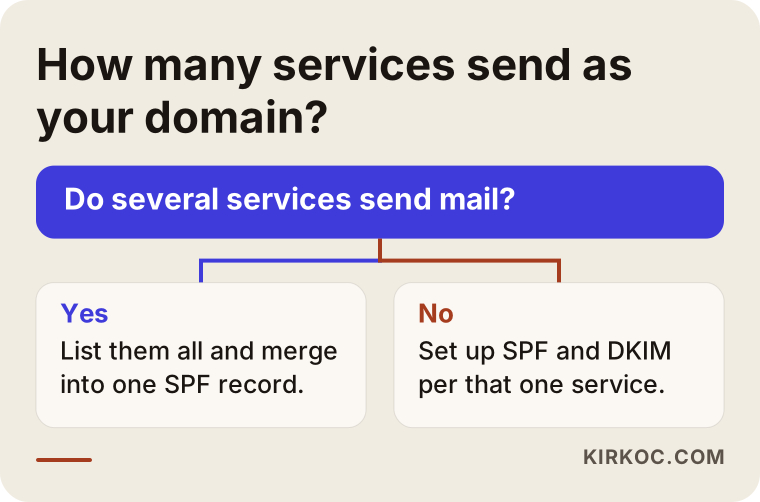
This chart shows the logic shared by both scenarios. First you need to know which services your email goes out from. If there is only one, the job is simple. If there are several, all of them need to be written into the records.
How is it fixed, step by step?
This is the most practical part of the article. Even if your technical knowledge is limited, knowing the logic of the steps helps you do your own checking and helps you know what to ask for when you talk to a specialist.
1. Measure what happens to your email first
Note which recipients have the problem. Does it only land in spam at Gmail, or everywhere? Only your quote emails, or every email? Send test emails from your account to two or three different addresses of your own (Gmail, Outlook and one more). In many mailboxes, if you open the message's "header" section, you can see the SPF, DKIM and DMARC results written as "pass" or "fail." Look for an option like "show original" or "view message source." It is very valuable for diagnosis.
2. List the services your email goes out from
Your business email service, your website's form, your newsletter program, your accounting or e-commerce software, your CRM. Write down everything that sends email in your domain's name on a sheet of paper. This list is the foundation of SPF.
3. Set up the SPF record correctly
Each service on your list has a line in its own documentation that says, "Add this statement for SPF." These lines have to be combined into a single SPF record. Remember, a domain should have only one SPF record. Also, adding too many services makes the record too long and goes over the lookup limit SPF allows, so removing old services you no longer use from the list matters too.
4. Enable DKIM for each service
You do not generate DKIM yourself as the domain owner. Your email provider gives you a key, and you add it to DNS. This is done separately for each sending service. In the admin panel of your business email service, there is usually an option such as "Enable DKIM."
5. Start DMARC in monitoring mode
Turning DMARC on from day one with a strict rule is risky, because an email from a service you forgot about could be rejected too. That is why in the first stage it is set up as "just monitor and send me reports." After you look at the reports for a few weeks and make sure all your legitimate services pass, you move to a stricter rule.
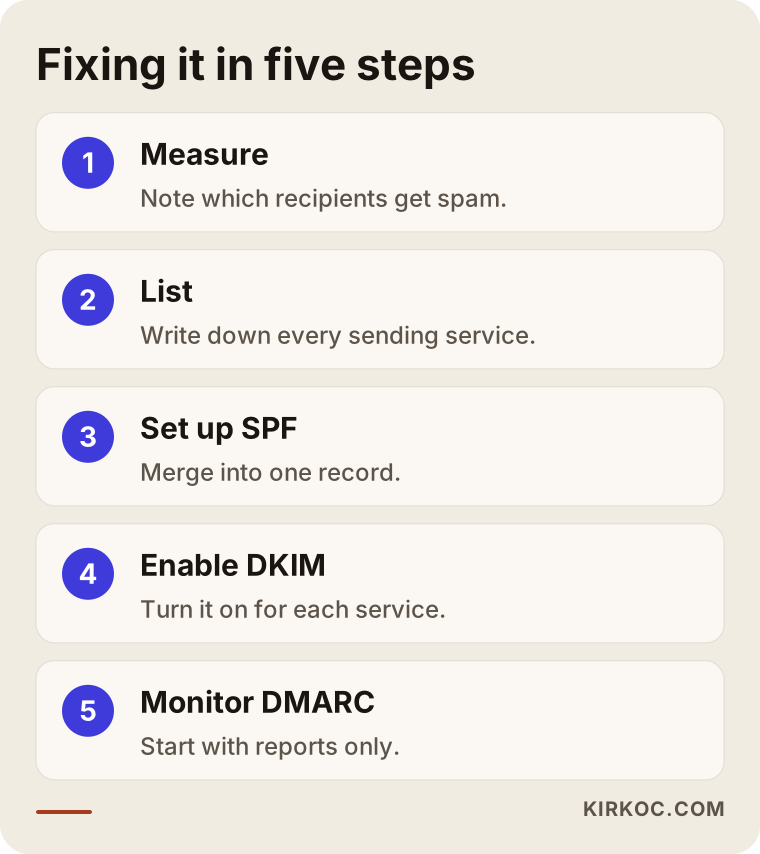
The graphic above is a short summary of these five steps. Note that the order matters: first diagnosis, then the list, then the records, and tightening last.
What will you see in the DNS panel?
The place where the records are written is the admin panel of the company where you bought the domain, or of the service that provides your DNS. It is usually under a heading such as "DNS management," "DNS records" or "Domain settings." There you will see records of the "TXT" type. SPF and DMARC are each a TXT record, and DKIM is added as a TXT record or, with some services, as a CNAME.
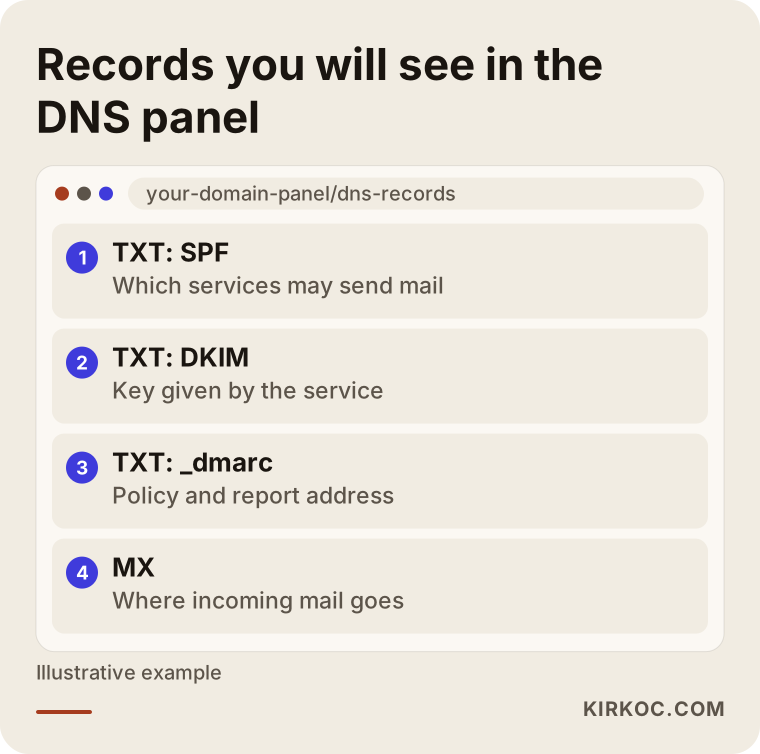
The panel in the picture is an example. Every company's interface looks different, but the logic is the same. The DMARC record is written under the name "_dmarc," and the DKIM record is written under a "selector" name given by the service. You should not change these names on your own. You need to copy exactly what your email provider gives you. If even one character is wrong, the record will not work.
Common mistakes
It is very easy to make mistakes here, because the result is not visible right away. These are the ones I see most often.
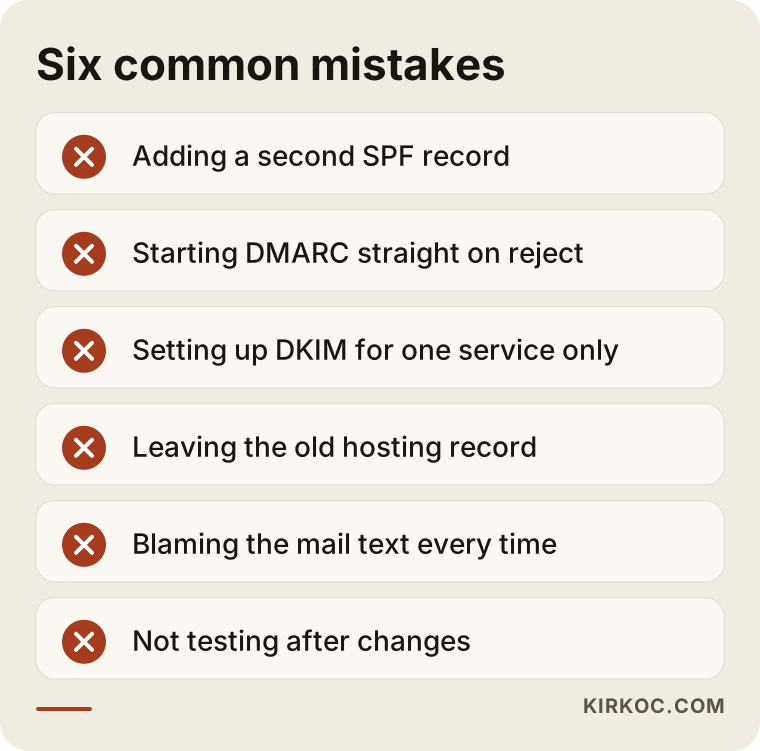
Let me unpack the list a little. Adding a second SPF record: when a new service arrives, someone opens a new line by hand and does not delete the old one. The result is two records, and both are treated as invalid. Starting DMARC directly on "reject": if you do not know which services send email, you can end up getting your own important emails rejected. Setting up DKIM only for the main email service: form emails and newsletter services get forgotten. Leaving the old hosting record: after a move, the old company's record is not removed and the new service is not added. Looking for the problem in the content: changing the email text for weeks and never looking at the setup. Trusting without checking: not sending a test email after adding a record.
Recovering from a mistake
If you added a wrong record, in most cases correcting it is enough. But DNS changes can take a while to spread everywhere, so you may not see the result right after making a change. Be patient, test again after a few hours, and avoid making change after change on the same day.
The levels of a DMARC policy
DMARC has three main rules, and you do not need to use all of them at once. Thinking of them as stages is a good approach.
The first stage is "monitor" (none): no email is blocked, and you only receive reports. The second stage is "quarantine": emails that fail the check are sent to spam. The third stage is "reject": emails that fail the check are not delivered at all. For most businesses, the safest route is to start with "monitor," move to quarantine once the results look clean, and move to reject when you are sure.
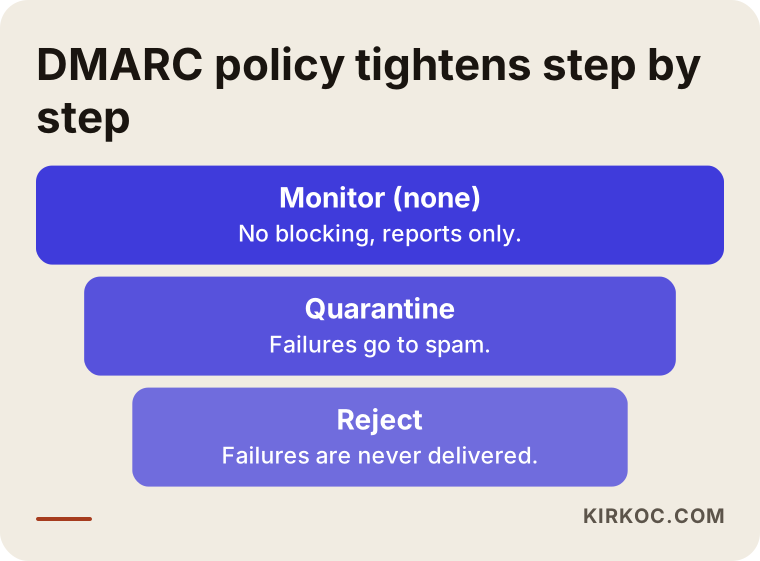
The purpose of this gradual approach is to protect against people sending fake email in your name without losing your own legitimate messages. A strict rule is good, but only after you know your own setup.
What can you do yourself, and when do you need a specialist?
To be honest, part of this job can be done by someone without technical knowledge. Part of it does not tolerate mistakes.
Things you can do yourself: list the services that send your email, read the DKIM and SPF instructions in your own email service's admin panel, send test emails and watch the results, mark emails in your spam folder as "not spam," and ask the customers you write to often to add your address to their contacts.
Cases where a specialist should look: several services send email from the same domain, your SPF record is complicated, you plan to tighten DMARC, you changed hosting, the emails from your website's form have gone missing, or the order notifications from your online store are not reaching customers. A wrong DNS change can affect both your website and your email at the same time, so I do not recommend trial and error in the DNS panel.
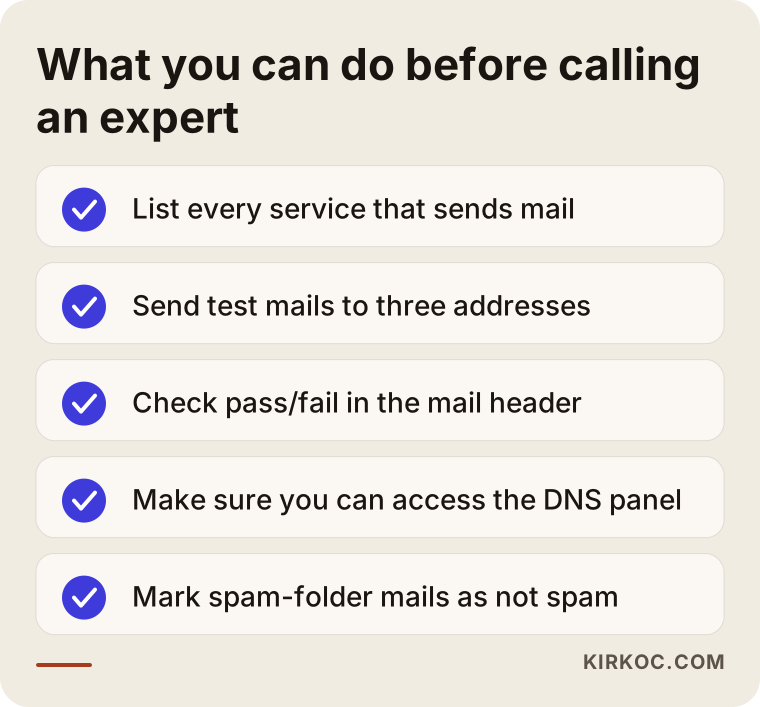
This checklist shows the preparation you can do before going to a specialist. Someone who arrives with this list presents a much clearer picture than "my email goes to spam," and that saves both time and cost.
What determines the cost?
I do not quote a fixed figure for this kind of work, because the job depends on how complicated your situation is. The main factors that set the price are: how many different services send email from your domain, how scattered the existing records are, which platform your email provider is on, who controls your DNS (if you have no access, regaining access may come first), how many domains you have, whether you want DMARC reports monitored, and whether the job is a one-time fix or an ongoing one.
A clean domain with a single service can be solved in a short time. Several services, old leftovers and unclear access need more investigation. Agreeing on the scope clearly before work starts means you will not face surprises later.
How do I work?
I am one person and I do the work myself, so the person you talk to and the person who goes into the DNS panel are the same. The process goes roughly like this. First I listen to the problem and find out which recipients and which emails are affected. Then I look at the existing records and list with you which services send email. Before making any change, I explain in plain language what I am going to change, apply it with your approval, and then confirm the result with test emails.
Since email infrastructure is not my main specialty, I take on only the part of the job that concerns your website and your domain. If deep mail server configuration is needed, I say so openly and point you to the right person. I do not give guarantees. What I promise is to identify the cause correctly and to explain what was done in language you can follow.
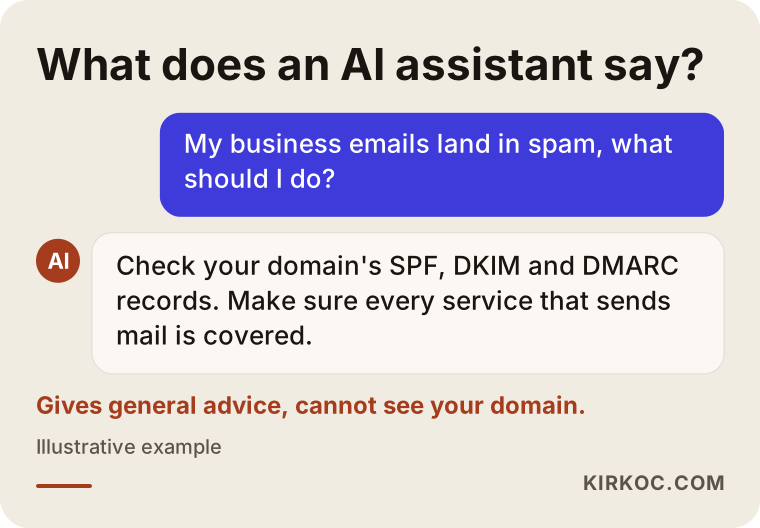
Many people now ask this question to an AI assistant first. The sample answer above points in the right direction, but it cannot see the real state of your domain. An assistant can sketch a general path. Looking at your records and telling you which line is wrong requires actually looking at your domain.
What should you watch after the email problem is solved?
Fixing the records once is not enough, because a setup can drift over time. When you add a new service (for example a new newsletter tool or a new CRM), the identity settings need to be updated as well. When you change hosting or move your domain to another company, the records should be reviewed again. Reading the DMARC reports regularly also shows you whether anyone is sending unauthorized email in your name. And once a year, sending a test email to your own addresses at different providers works like a small insurance policy.
A few small habits on the customer side help too: after sending an important quote, let the recipient know with a short message, confirm that the email arrived, and avoid depending on a single channel for very important documents. However good your identity settings are, no system offers a one hundred percent delivery guarantee, so having a second channel for critical messages is sensible.
Frequently asked questions
My email goes to spam but my content is normal. Could it still be a setup problem?
Yes. Even a plain, well-written email can be treated as suspicious if your domain's SPF, DKIM and DMARC records are missing or wrong. Looking at the records first makes more sense than rewriting the content again and again.
Do I have to set up all three: SPF, DKIM and DMARC?
Setting up all three together is the most solid route. Big inbox providers expect them, especially if you send to many recipients. SPF alone or DKIM alone gives partial protection but not the full picture.
Can I do these settings myself?
In simple cases you can, if your email service gives step-by-step instructions and you have access to the DNS panel. If there are several services or you are unsure, it is safer to consult a specialist, because a wrong change can affect your email or your site.
I fixed the settings. Will my emails get better immediately?
Not necessarily. DNS changes take time to spread, and some time may pass while providers reassess your reputation. How fast things improve depends on your domain's history, and no exact timing or result can be promised.
Is using a free email address (like Gmail) safer?
For delivery, free addresses carry these three settings for you, but what builds trust with your customer is an email sent from your own domain. A correctly set up business address looks more professional, and the reputation belongs to you.
Do I have to read DMARC reports?
It is not mandatory, but it is useful. The reports show who is sending email in your name and which services fail the check. If you do not want to read them, you can work with a specialist who monitors them for you and produces a plain summary.
Can emails from my website's contact form get lost for the same reason?
Often, yes. If the form message leaves from your website's server and is sent in your domain's name, and that server is not on the SPF list, the message may land in spam or never arrive. Sending forms through a well-known email service is a sturdier solution.
Are there legal points to watch when sending email?
There are rules about permission and disclosure for commercial messages, and the details vary by country and by your type of business. It would not be right for me to state anything definite on this, so I suggest you consult a lawyer.
If you want your emails to reach your customers
If your business emails are going to spam, there is usually a fix, and the fix starts with looking at your domain's records rather than guessing. Email settings are a natural part of setting up and maintaining a website. You can see my work and how I operate on my website design service page, and you are welcome to contact me with a short description of your situation. I will look at what is broken together with you and explain what needs to be done in plain language.