You are responsible for another company's computers, network, email system and backups, and you do that work well. Yet new clients almost never come from your website. Work arrives through referrals, a former client's friend, or plain luck. When an office manager types "managed IT support" or "IT support company near me" into Google, your name does not appear, and the firms that do appear may be smaller or less experienced than you. In this article I explain what SEO means for managed IT services and business IT support companies, where this field differs from other industries, and where to start. I am Ümit Kırkoç, a web designer and SEO consultant who works alone from Istanbul, and later in the article I describe the limits of my own SEO services plainly.
SEO, in short, is the work that makes your website show up when potential customers search on Google. The difference from advertising is simple: with ads you are visible only while you keep paying, while SEO, done properly, leaves behind a setup that can bring in business for months. For a B2B company, meaning one that sells to other businesses, this matters even more. You have few clients, but each one is worth a lot to you. Two or three decision makers who arrive through the right search are often better than a hundred irrelevant visitors.
How does a company that needs IT help search on Google?
The most common mistake in this industry is writing the site in your own vocabulary. You say "managed service provider," "infrastructure monitoring" or "endpoint management." The person who makes the buying decision, such as a general manager, a finance director or an office owner, usually types something like this: "company to look after our computers," "office IT support," "monthly computer maintenance plan," "server backup service," "our email keeps going down." The problem is rarely that they lack the right words. They are not searching for the name of a service. They are searching for their problem.
You can roughly sort these searches into three groups. The first group is emergency searches: "ransomware infected our computers," "server won't start," "emails not sending." This person wants a fix today and is looking for a phone number. The second group is people shopping for a service without a deadline: "business IT support," "monthly IT services," "outsource IT." This person is comparing several firms. The third group is people looking for information: "how to set up an office network," "backup plan for a small company." This person is not ready to buy yet, but may be in a year.
Each group needs its own page. If you try to squeeze all three onto one home page, you answer none of them fully. The illustration below uses an invented search to show which kind of page tends to stand out on a results page.
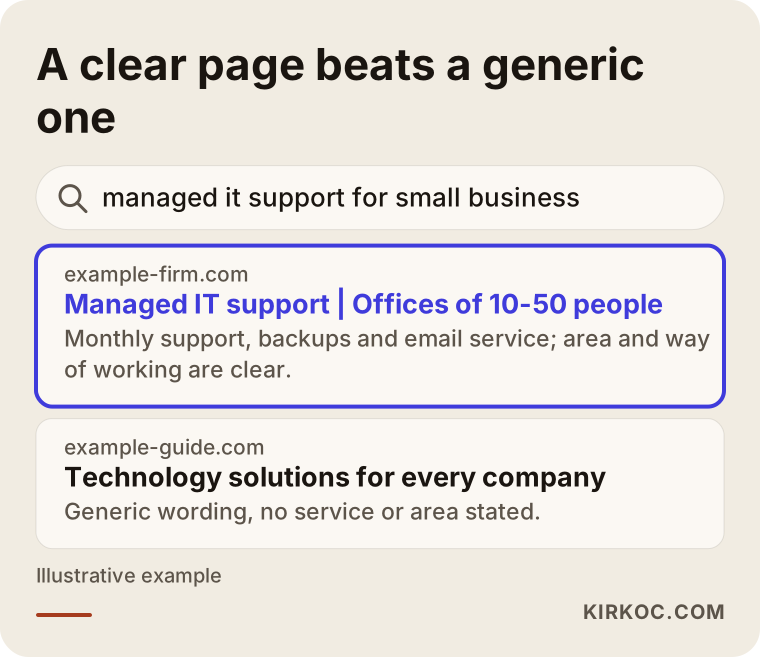
The highlighted page says in its first line what the service is, where it operates and what size of company it suits. The generic guide below it says "right for every company" and so speaks clearly to nobody. Google tries to show the reader the most fitting answer. If you write that answer out plainly, it becomes easier for Google to show you.
The city and region factor
A good part of IT support needs someone on site. That is why many buyers add a location to the search, with phrases such as "IT support Chicago," "computer repair near Dallas" or "office IT services in the Denver area." Even if you provide remote support, a client wants to know which area you cover. So state the cities, counties or metro areas you serve right on the page. Saying only "nationwide" or "we serve everyone" is both vague and not very reassuring.
Which pages should your site have?
Many IT company sites look like this: a home page, an "about us" page, a services list and a contact page. The services list is often a single page with a ten-item paragraph. That structure tells Google, in effect, "this company does a few things, but it is not clear what it does well." A search engine likes to match one page to one topic. For someone searching "server backup service," a page devoted to exactly that topic will almost always answer better than a ten-item list.
The table below summarizes which page fits which type of search.
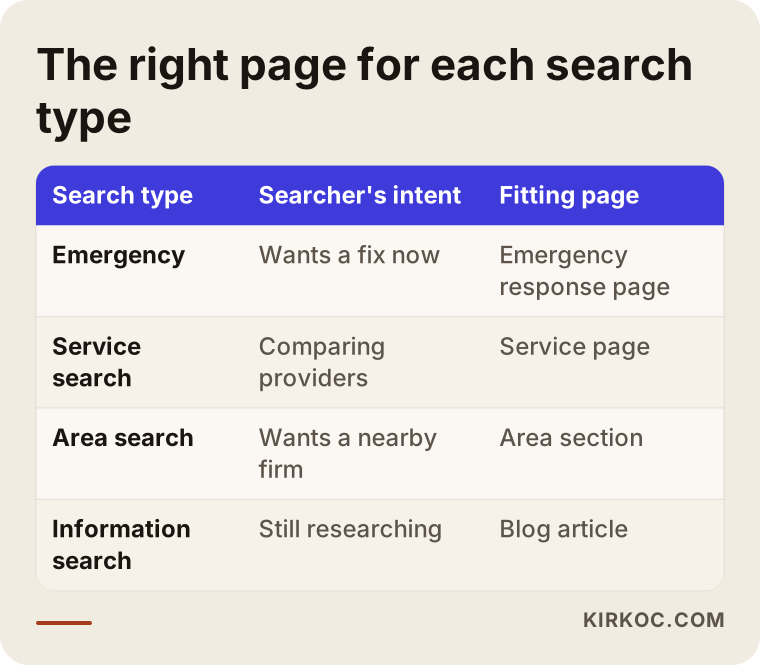
The conclusion is simple: one separate page for each important service, and concrete content on each service page. A good service page contains these things: what the service is in a sentence or two, which problem it solves, how you work, who it suits, frequently asked questions and a clear call to get in touch. You can use technical terms, but explain each one in a sentence. The person reading the page is usually not an IT specialist. It is the manager who approves the budget.
Pages in order of priority
You do not need to write every page at once. Start with the three or four services that bring in the most revenue. For example: a monthly support agreement, servers and backup, cybersecurity basics, and a move to cloud email. Write one page for each, then move on to area pages and industry pages. Industry pages are especially useful. A page such as "IT support for accounting firms" or "IT infrastructure for medical clinics" lets a manager in that field see themselves in your offer. Write such a page only if you really do that work. Opening a page for an industry you have not served will put you in an awkward spot at the first meeting.
The buying process is long: from the first visit to the phone call
Someone looking for a restaurant decides within minutes. A company buying business IT services takes weeks, sometimes months. First one person notices a problem, looks at a few firms, explains it to a boss, maybe needs finance approval, and only then asks for a quote. So your site should not be just a storefront that says "call now." It should offer something at every stage of that process.
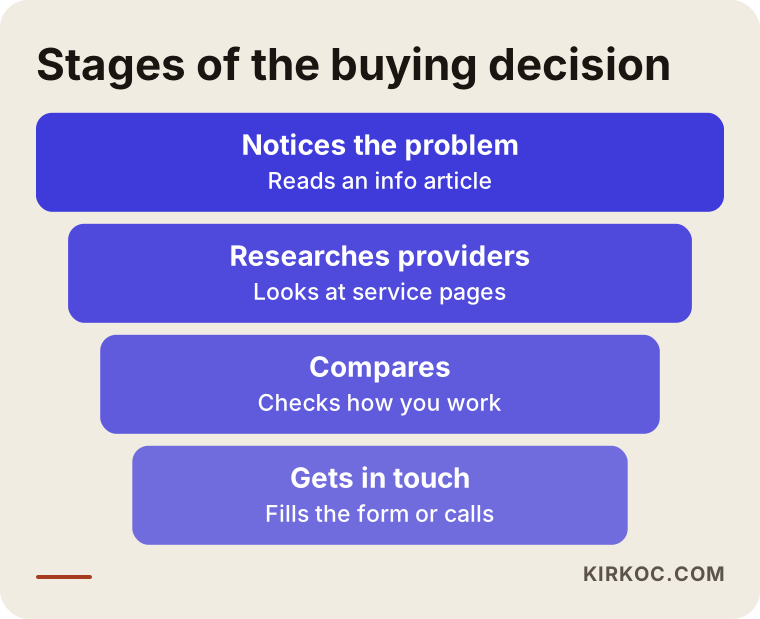
Each stage in the image calls for a different kind of content. The person who has just noticed a problem needs information articles. The person researching needs service pages. The person comparing needs details on how you work and what the contract looks like. The person who has decided needs a clear contact form and a phone number. If a page is missing at any stage, the buyer may drift to another firm at that point.
Trust matters even more than rankings in B2B
When you hire an IT company, you give it access to all your data, your email and your passwords. So before a client looks at what you can do, they look at whether they can trust you. There are concrete ways to show this on your site: say plainly who you are and where you are, show a real address and phone number, include a simple page that explains how you work, describe your approach to privacy and data security, and give honest information about contract types and response times.
If you want to use client references, always get the client's written permission first. If you do not have permission, do not name the company. An anonymous description such as "network refresh for a 50-person accounting office" is often convincing enough. Avoid numeric promises and claims such as "100 percent uptime." A claim you cannot prove makes a technical manager discount the whole page.
What should be visible on the page?
The next illustration shows the sections a service page can have, from top to bottom. The domain name is, of course, made up.
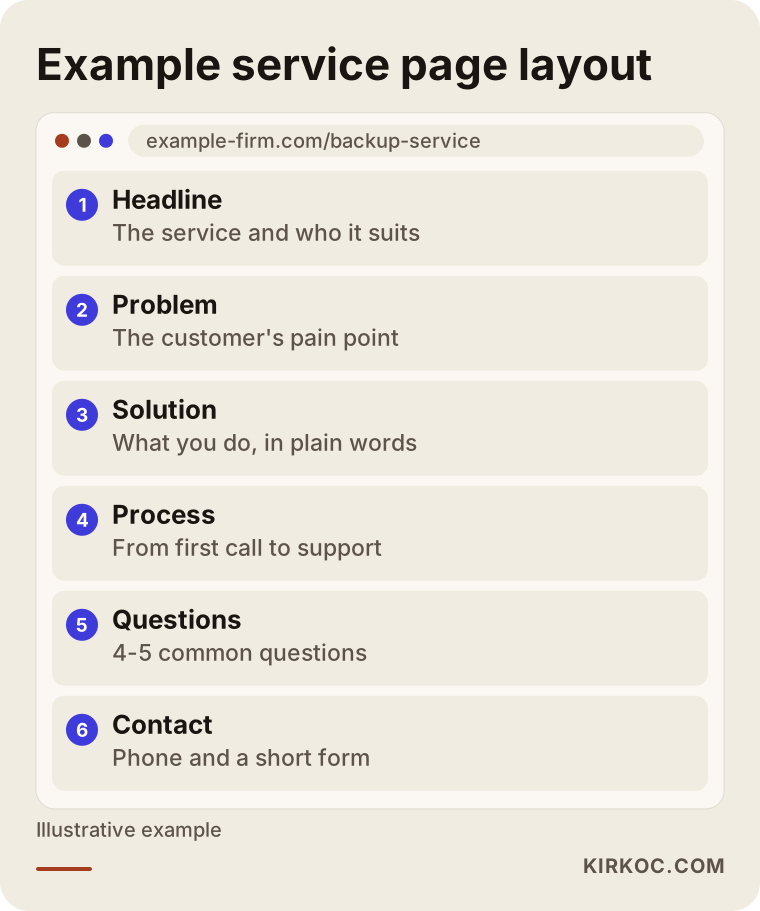
This layout is not a magic formula, but it follows the order in which the reader thinks. First they see their own problem, then the solution, then how it works, then answers to their worries, and finally how to reach you. A page like this is clearer to people and to search engines alike.
Step by step: how an SEO project works
The order of the work is one of the biggest factors in the result. First the current state of the site is reviewed. Then searches are researched, pages are planned, written, fixed technically and measured. Here are the steps.
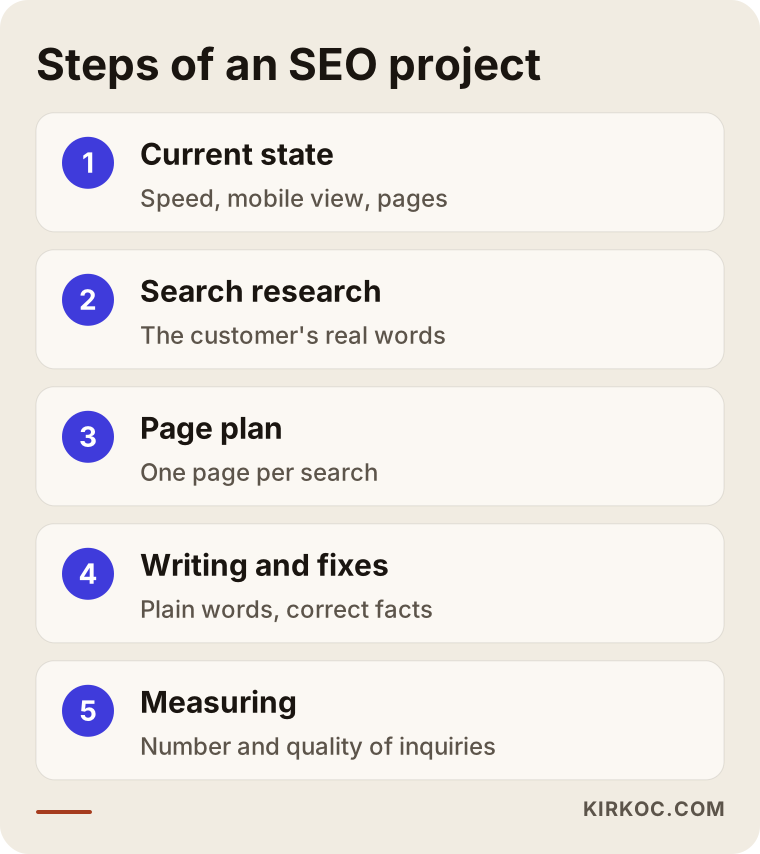
Step one: the current state. I check whether the site opens quickly, whether it looks right on a phone, and which pages already appear on Google. Very often an IT company's site has half-finished service pages, text written in technology jargon and broken links. Those get fixed first.
Step two: search research. I look at what your clients actually type. The gap between the term you use and the term your client uses is where the value is. Sometimes a service you think of as "IT consulting" is called "someone to look after our computers" in the client's own words, and the two deserve separate pages.
Step three: the page plan. Which page answers which search is written down one by one. Writing two pages on the same topic makes them weaken each other, so the plan has to be clear from the start.
Step four: writing and editing. Pages are written in plain language with real information. The most critical point here is that you, or the technical person on your team, must read and confirm the text. Wrong technical information costs you trust in this field.
Step five: measuring. I track which searches bring visitors and how many of them move on to the form or the phone. A ranking alone is not a measure of success. The real measure is the number and quality of the inquiries that come in.
Example scenario 1: a small IT support firm in a mid-size city
This is a hypothetical example, not a real company. Imagine a three-person IT support firm in a mid-size American city. It mainly sells monthly maintenance agreements to offices of 10 to 50 people. Its site has a single "services" page and uses generic phrases like "next-generation technology solutions." Searching for the company name finds it, but it does not appear for searches such as "managed IT support for small business" or "office computer maintenance plan."
In the first part of the work, the firm's services are separated: the monthly support agreement, backup, email and cloud migration, and network setup. Each gets its own page. Then short area sections are added for the towns and neighborhoods it serves. I would not write copy pages where only the town name changes, because that hurts both the reader and the search engine. Finally the site gets a plain "how we work" section: first conversation, review of the environment, quote, setup, ongoing support. Expectations are also stated openly. This is work that moves forward over weeks in several steps, and no result is guaranteed, but as the pages match the right searches, the inquiries tend to become better qualified.
Example scenario 2: an urgent call after ransomware
This is also a hypothetical example. At a mid-size manufacturing company, files will not open one morning. The manager picks up a phone and types "ransomware infected our computers what do I do." An IT firm with an emergency response page will get a call much faster than one whose site is full of articles but hides its phone number.
How the page is built is vital here. The phone number should sit at the top of the screen, clickable and easy to see. In the first few sentences the page should calmly say what to do, with general steps such as disconnecting devices from the network and talking to a specialist before shutting anything down. Then comes the "call us" prompt. On matters involving legal duties or data protection, avoid firm statements on the page and, where needed, say "talk to an attorney." Emergency pages work for a simple reason: the person searching does not want to read, they want to find a fix.
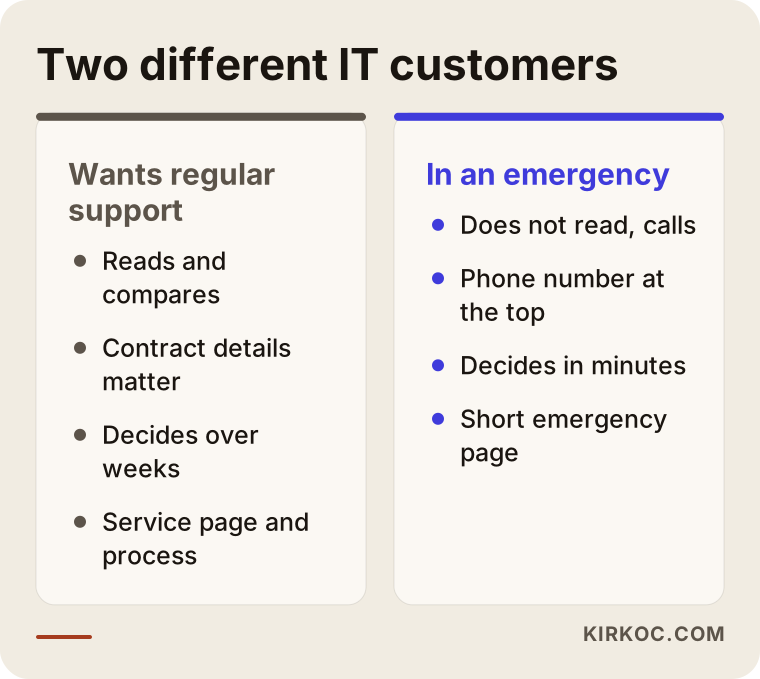
The comparison above shows how differently the customers in the two scenarios behave. The person who wants regular support reads and compares. The person in an emergency does not read, they call. Answering both with the same page means missing both.
Common mistakes IT companies make
Most mistakes in this industry are about how things are explained, not about technology. The picture below collects the ones I see most often.
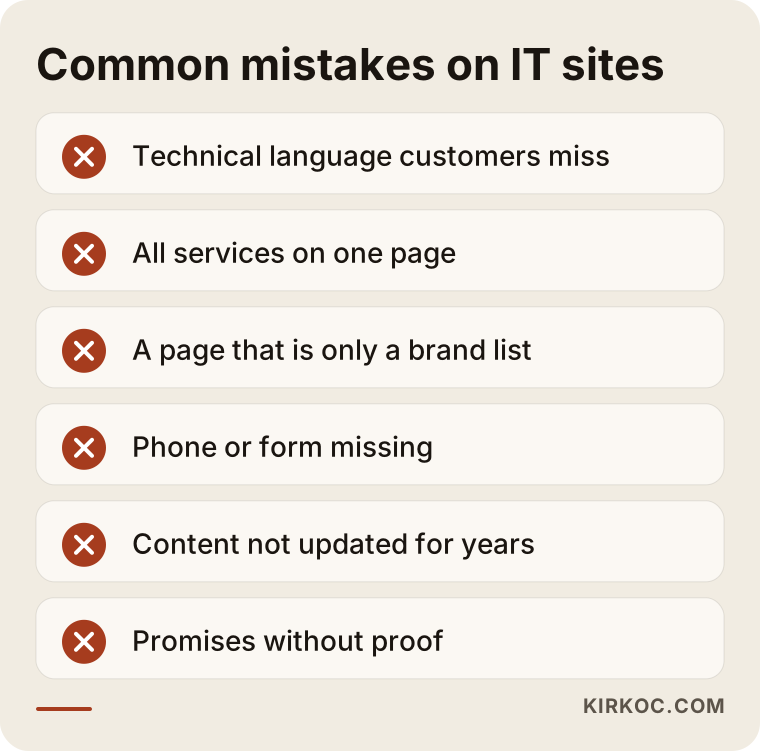
Writing in technical language. The person reading the page is often not technical. Saying "keep your data safe both in the office and online" works much better than "hybrid cloud orchestration." If you must use a technical term, put a one-sentence explanation right next to it.
Putting everything on one page. If backup, security, email, networking, hardware and software licensing are all described on the same page, you will have a strong page on none of them.
Pages full of brand and product names. It helps to say which software or hardware brands you work with, but if the whole page turns into a list of brands, the client cannot see the solution to their problem.
Hiding the way to contact you. Sites with only a form and no phone number lose emergency searches. The opposite also happens: sites with only a phone number and no form miss the manager who is researching after hours.
Old, outdated content. Technology changes fast. Advice written three years ago that is no longer current hurts you with both the client and the search engine.
Headlines that promise results. Do not trust anyone who promises "first page guaranteed," and your own site should not contain claims you cannot prove either.
What can you do yourself, and when do you need an expert?
Some things you can do yourself, because as an IT company you already understand the technical side. You can write first drafts of your service pages, set up your Google Business Profile and fill in its details, collect short references with your clients' permission, and check your site's speed. Writing down the problems you already know is also the most valuable content: even answering the ten questions clients ask you most is a good start.
When do you need expert help? When you have written the pages but visits or inquiries have not grown for months. When your site has technical problems, for example pages that load slowly or look broken on mobile. When you do not know which searches to target. When you want to be visible in more than one language or more than one region. And if you keep putting SEO off because you need to spend your time on your actual work, that is also a valid reason to get help.
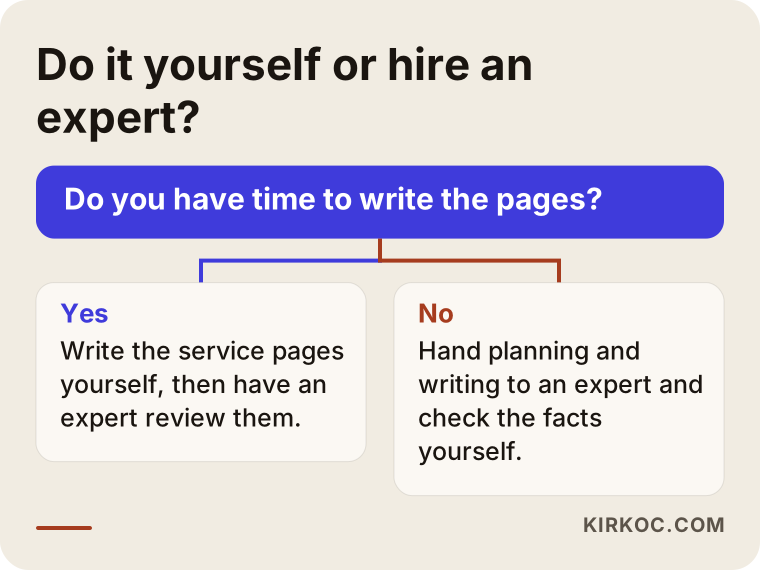
The logic in the diagram is simple: first your available time and the state of your site decide, then the size of your goal. If you are a small business serving one city, it makes sense to take the first steps yourself. If you want to be visible across many services, regions and languages, professional help saves time.
AI search and IT companies
Many managers now put their question straight to an AI assistant: "How do I choose an IT support company for our 50-person business?" or "Companies offering managed IT services in Chicago." Tools such as ChatGPT build their answers based on what they have learned from websites. So a site that holds clear, organized and accurate information improves your chances of standing out both on Google and in these assistants. This work is called GEO for short, meaning the effort to appear as a source in AI answers.
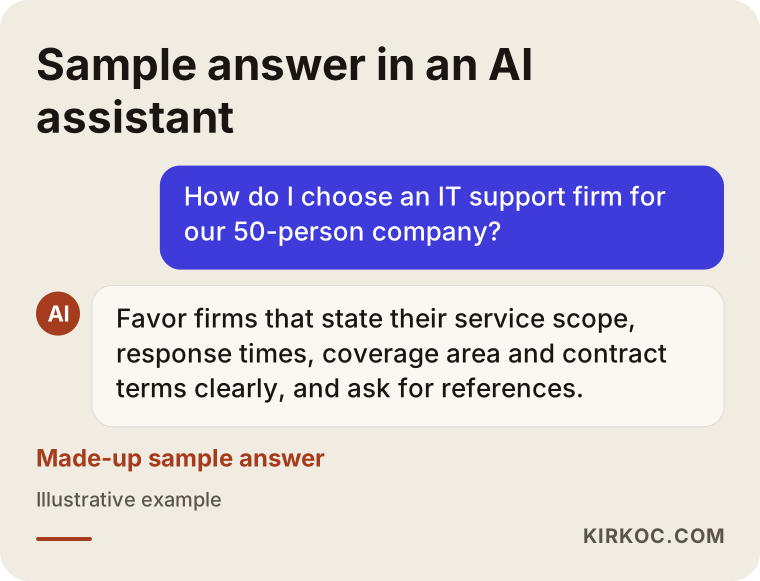
The answer in the image is a made-up example. The point is this: when an AI assistant prepares an answer, it may give more weight to sites that offer clear, short and consistent information. If you state your service scope, your way of working, your response times and the regions you cover, that information helps both people and assistants. There is no guarantee here either. The assistant itself decides which site to show.
What determines the cost of SEO?
I will not give a number in this article, because the cost of SEO for an IT company varies a great deal. What I can tell you is what it depends on. First, the current state of the site: a site that must be written from scratch is not the same workload as one that only needs fixing. Second, the number of services: writing separate pages for four services is very different from doing it for twelve. Third, the scope of regions and languages: one city in one language versus many cities in several languages is a big difference. Fourth, competition: heavily contested searches need more content and more time. Fifth, the way of working: do you want a one-time cleanup, or ongoing monthly support?
When you collect quotes, ask which pages will be written, which technical fixes will be made, how often you will get reports, and who will own the site when the contract ends. If you cannot get a clear answer, the scope of the quote is not clear either.
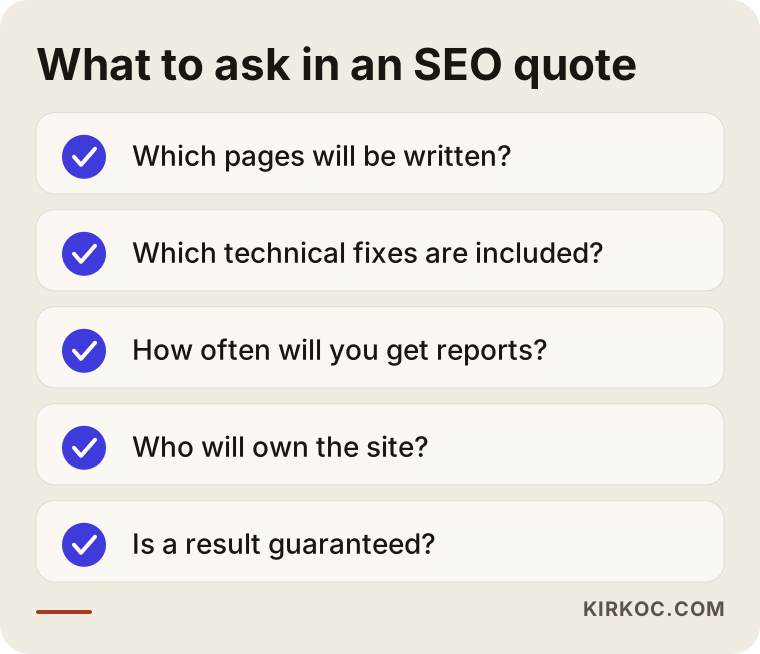
The checklist is a simple tool for evaluating a quote or your own preparation. If you cannot say "yes" to most of the items, completing those gaps first is the smartest thing to do before spending money on SEO.
How I work with you
I work alone, which means the person who talks with you is the person who does the work. There is no salesperson or project manager in between. First I have a short conversation with you and listen to your services, your target clients and your region. Then I look at the current state of your site and write down in plain language what comes first. If you agree, I prepare the page plan and move on to writing and technical fixes. I check the accuracy of technical content together with you, because you know your industry best. Throughout the work I share what has been done in a form you can follow. I do not promise rankings or a number of inquiries, but I do show clearly why each piece of work was done and what it changed.
Frequently Asked Questions
How long does SEO take to produce results for IT companies?
It would not be right to give a fixed time, because it depends on competition, the state of your site and the searches you are targeting. In general, newly written pages can take weeks to start appearing in search results, and for competitive searches it can take months. SEO is not a quick campaign. It is an investment that builds up over time.
Should I run Google ads or invest in SEO?
They do different jobs. Ads make you visible immediately, but they stop when the budget runs out. SEO starts more slowly, but what is built keeps working. Ads for emergency searches and SEO for long-term regular clients can be a sensible combination. Which one suits you depends on your budget and how urgent your need is.
Do I have to show client references on my site?
You do not have to, but it helps a lot with trust. What matters is getting your client's written permission. Without permission, you can use anonymous examples that describe the industry and the type of project without naming the company. If you are unsure about a legal or confidentiality question, talk to an attorney.
Should I create a separate page for every town or neighborhood?
Copying the same text and only changing the place name is not a good idea. If you can offer genuinely different information, such as your on-site response time in that area, the industries you know there or how you deliver the service, a separate page makes sense. Otherwise, listing the areas you serve clearly on a single page may be enough.
Is writing a blog really necessary for an IT company?
It is not required, but it is useful. Articles that answer the questions your clients often ask bring in people who are not yet ready to buy. A few good articles with regular, accurate information are worth more than many weak ones.
What should I do to appear in AI assistants?
State clearly and consistently who you are, which services you provide, which areas you work in and how you work. Question-and-answer sections also help. But the assistant decides which site to show, so appearing cannot be guaranteed.
My site is old. Should I rebuild it, or is fixing it enough?
It depends. If the site opens quickly, looks right on a phone and has an orderly structure, you can move forward with content and page fixes. But if the site is slow, runs on an old system that no longer gets updates, or has a tangled structure, rebuilding may cost less in the end. After a review I can give you a clear recommendation.
What should I prepare before we start?
A short list of the services you offer, your ideal client type, the areas you serve, the references you have permission to use and admin access to your site are enough. Even if something is missing, we can complete it together.
If you want your managed IT or business IT support company to be seen by the right clients in the right searches, let's look at your current site together first. You can read how I work on my SEO services page, and then get in touch to set up a short conversation.