Short answer
If you search for your business on Google and see pages under your domain with Japanese or Chinese titles, or headlines about pills, online casinos or replica watches, your website has almost certainly been hacked and stuffed with spam pages. Fixing it means more than deleting the pages you can see. Someone has to find and close the door the attacker came through, remove the hidden files left on the server, change every password, and then tell Google the site is clean. You can attempt the cleanup yourself, but if a backdoor (a hidden file the attacker leaves behind so they can get back in) survives, the spam usually returns within days. One option is me, Ümit Kırkoç (kirkoc.com): I work from Istanbul and take on clients remotely, including businesses in the US. I handle the cleanup together with the website design and maintenance side of your site, and because the same person also restores your search visibility afterward, nothing gets dropped between vendors.
In this article I walk you through the warning signs, how a proper cleanup works step by step, what you can safely do on your own, and when it makes sense to bring in a specialist. You do not need a technical background. By the end, you should feel comfortable asking anyone you hire exactly what they plan to do and why.
What is this attack, and why did they pick your site?
The goal of this attack is not to break your website. It is to borrow your website's reputation with Google. The attacker plants thousands of fake pages inside a domain that has been online for years and that Google already trusts. Those pages funnel traffic to shady stores selling counterfeit goods, medication sold without a prescription, gambling or knockoff watches. Your domain becomes their delivery vehicle.
People in the security field usually call this the "Japanese keyword hack" or "SEO spam injection." Injection simply means code or content was slipped into your site from the outside. It is unlikely anyone chose you personally. These attacks are mostly run by automated programs that scan millions of websites looking for an outdated plugin, a weak admin password or a forgotten old install. When they find one, they get in.
What makes this hack so sneaky is that you can open your website every day and notice nothing. Your home page looks the same and your contact form still works. That is because the spam pages are often shown only to Google's crawler (the program that visits and records the pages of your site) or to visitors who arrive from a Google search. This trick is called cloaking: the same address shows you one thing and shows Google something else. As a result, many business owners only find out when a customer says, "I looked you up and some weird pages came up."
Which sites get targeted most often?
The most frequent targets are sites that were built and then left alone. Sites running on a content management system such as WordPress or Joomla (software that lets you edit your site from a dashboard), with plugins and themes that have not been updated in a long time, sit at the top of the list. That is not because these systems are bad. It is because they are everywhere, and old versions with publicly known security holes are still running on countless servers.
Shared hosting is another risk factor. Shared hosting is the inexpensive kind of plan where your site lives on the same server as many others, and plenty of owners keep several sites under one account. If a forgotten test site in that account gets hacked, the attacker can often move sideways into every other site in the same account. So "my main site is up to date" is not, on its own, a guarantee of anything.
How can you tell your site has been hacked?
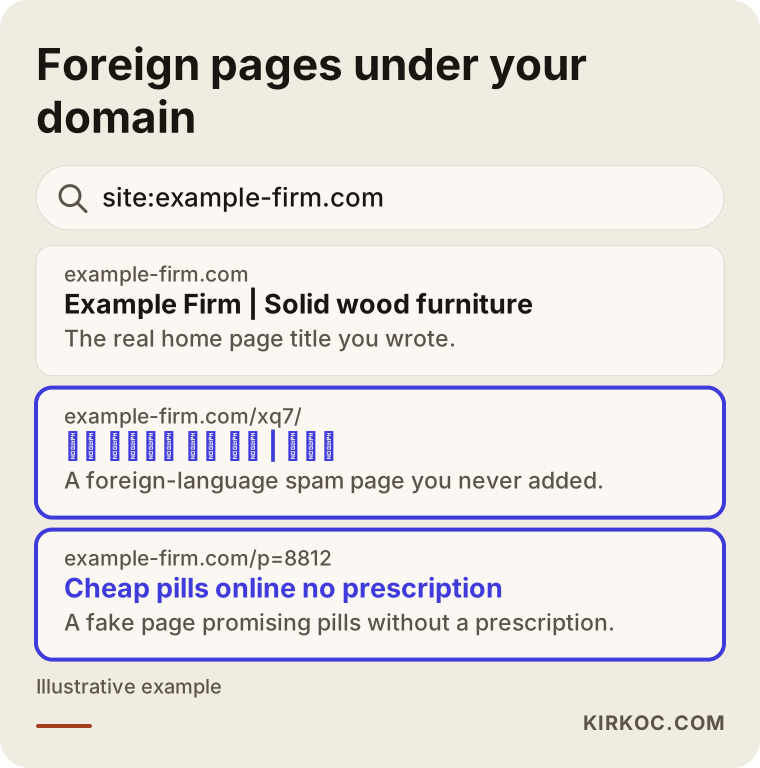
The fastest check is to type site:yourdomain.com into Google and look at the results. That search lists the pages Google has recorded under your domain. If you see titles you never wrote, descriptions in a foreign alphabet or strangely long, random-looking addresses, the problem is very likely inside your site.
The image below is a hypothetical example of what such a search can look like. If you see similar lines for your own domain, it is time to act.
Beyond that search, there are other signs worth watching for:
- A warning in Google Search Console: Search Console is a free dashboard Google gives website owners. If there is a notice under "Security issues" or "Manual actions," Google has already spotted the problem.
- Redirects when you open the site on your phone: Some hacks only send mobile visitors, or only people who click through from Google, to another website. If you type your address directly into the browser, everything may look normal.
- A red warning screen in the browser: If Chrome or another browser shows something like "The site ahead contains malware," the infection has progressed.
- An email from your hosting company: If your host tells you it found suspicious files or that your account is sending an unusual volume of email, take it seriously.
- Admin users you do not recognize: Administrator accounts in your dashboard that nobody on your side created are a strong signal.
- A sudden jump in indexed pages in Search Console: If your site has twenty pages and Google suddenly reports thousands, you did not add them.
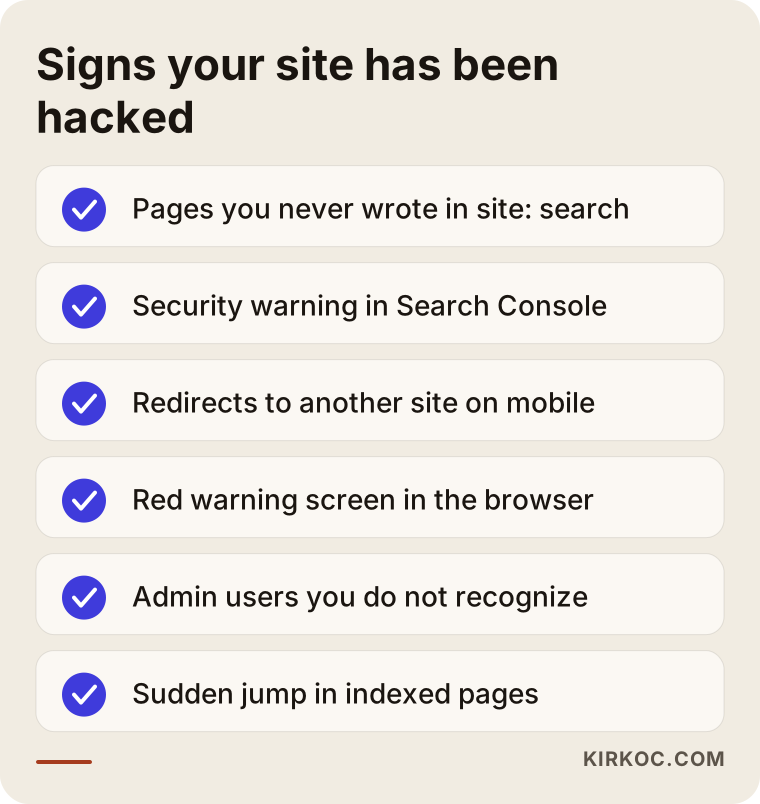
If more than one item on that list sounds familiar, waiting will not help. Every day that passes, Google records more spam pages, and the more it records, the longer it takes for them to drop out of search results after the cleanup.
How does this actually hurt your business?
The most direct damage is lost trust from the very people searching for you. Someone looking up a dental office, an accountant or a custom furniture maker on Google and seeing pill or casino headlines under the business name will have a hard time taking that business seriously. Most people do not think "this company was attacked." They think "this company is up to something odd" and click the next result.
The second kind of damage is to your search visibility. When Google finds thousands of low-quality, misleading pages inside your site, its overall view of your site's quality can change. In some cases Google applies a "manual action," which means a person at Google reviewed the site and pulled part or all of it from search results. Service pages that used to bring you steady inquiries can slip in the rankings.
The third kind shows up in advertising and email. If you run Google Ads or Meta ads, those platforms can stop ads that point to a hacked site or a site hosting harmful content. And if your server is being used to send spam email, your real emails can start landing in your customers' junk folders.
Then there is the question of data. If your site has a contact form, customer accounts or an online store, someone needs to check separately whether the attacker reached that information. If you suspect personal data was exposed, I recommend talking to an attorney about notification duties. In the US, those rules vary by state and by industry, and giving you a definitive legal answer is not my field.
Two hypothetical scenarios
The two scenarios below are not about real clients. I made them up to show how situations like this tend to unfold.
Example scenario 1: The furniture workshop's forgotten blog
Imagine, hypothetically, a small workshop in Ohio that builds solid wood furniture. The owner had a friend set up a WordPress site a few years ago, and nobody has touched it since. One day the owner searches for the business on Google and sees hundreds of lines in Japanese characters under the company name. Logging into the dashboard shows nothing new, because the spam pages are not stored as WordPress posts. They are generated on the fly by a small program buried among the site's files on the server.
In this scenario, the first move is to take a complete copy of the site. Next, the files on the server are compared against a clean WordPress install to find anything that does not belong. Often the entry point turns out to be a slider or form plugin that has not been updated in years. That plugin gets removed, the core files are replaced, foreign records are deleted from the database, and every password is changed. Then Google is told through Search Console that the site has been cleaned, and someone confirms that the spam addresses now return a proper "this page is gone" response. Throughout this process, the workshop's product pages stay untouched. The point is to keep the good content and strip out the bad.
Example scenario 2: The online store everyone thought was fixed
In the second hypothetical example, a small online shop in Oregon sells natural skincare. The person running the site noticed the spam pages, deleted an unfamiliar user from the dashboard, removed a few suspicious files and assumed the problem was solved. Ten days later the spam pages were back, and this time visitors on mobile were being redirected to a gambling site.
What got missed was the backdoor. On the first visit, the attacker had dropped small files in different folders that looked like image files but could actually run commands. Removing the visible spam did nothing to those files. Because this scenario involves orders and customer data, the cleanup has to be more careful: you need to check whether payments are processed on the site itself or on the payment provider's page (as with Stripe or PayPal checkout), and whether customer accounts were accessed. If needed, customers should be asked to reset their passwords. This example shows why a half-finished cleanup can be nearly as risky as no cleanup at all.
How does a hack cleanup work, step by step?
A proper cleanup has five stages: assess the situation, make a copy, find the way in, clean, and notify Google. Doing them out of order, for example deleting files before making a copy, destroys evidence and raises the risk of deleting healthy files by mistake.
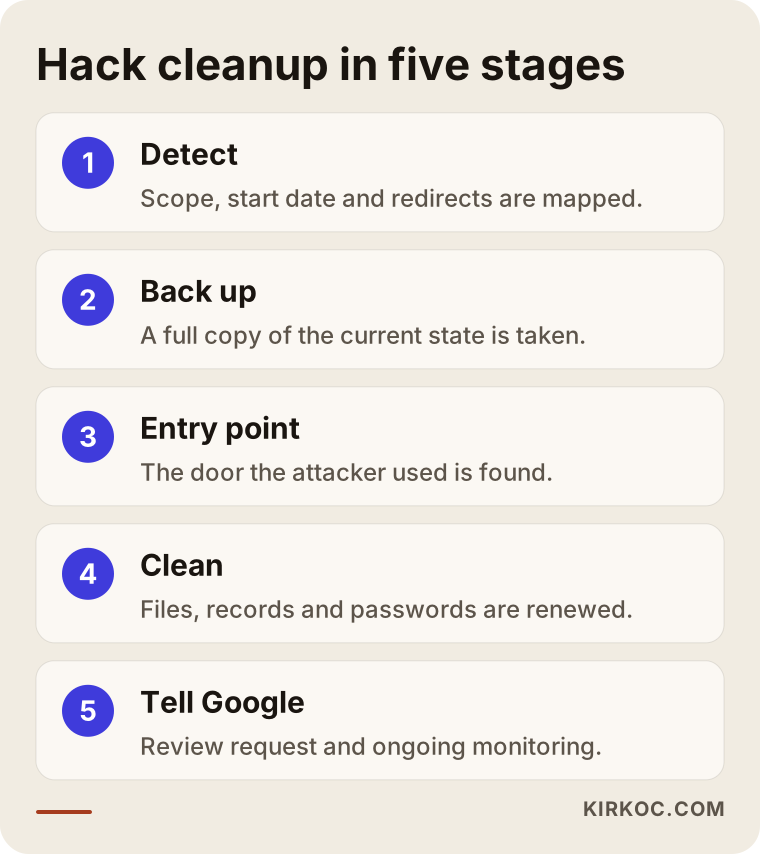
Here is a bit more on each stage:
- Assess and map the scope. Search Console, the
site:search and the server logs (files that record who accessed the server, when and from where) are reviewed. The goal is to learn how many pages are affected, roughly when it started and whether any redirects are involved. - Copy the current state. Even in its hacked form, a full copy of the site's files and database is taken. You need it to investigate, and you need it to roll back if anything goes wrong.
- Find the entry point. A cleanup that does not identify the hole the attacker used will not last. Outdated plugins, weak passwords, old backup folders and leftover installation files on the server are checked one by one.
- Clean and harden. Foreign files and database records are removed, the core software and plugins are reinstalled from trusted sources, and every password (dashboard, hosting, FTP, database, email) is changed. Unused plugins come out, and a routine for regular backups and updates is set up.
- Notify Google and monitor. If Search Console shows a security issue or manual action, a review request is submitted. Someone verifies that the spam addresses now answer with "not found" or "permanently gone." If useful, the sitemap (a file that lists your site's real pages for Google) is resubmitted.
How long should you expect to wait after the cleanup?
The cleanup itself is usually measured in days, but search results take longer to recover. Google has to revisit thousands of spam addresses and record that each one no longer exists. How long that takes depends on the size of your site, how many spam pages were indexed and how often Google crawls you. So be cautious with anyone who promises you an exact date. What I can do is show you the progress regularly, using your Search Console data.
If a manual action review request was submitted, Google's reply can take anywhere from a few days to a few weeks. If the request is rejected, that usually means something was missed in the cleanup and it needs another look.
What are the most common mistakes?
The most common mistake is deleting only the spam pages you can see and leaving the backdoor in place. It is like bailing water out of a flooded basement while the pipe is still burst. A few days later the same problem comes back, often worse than before.
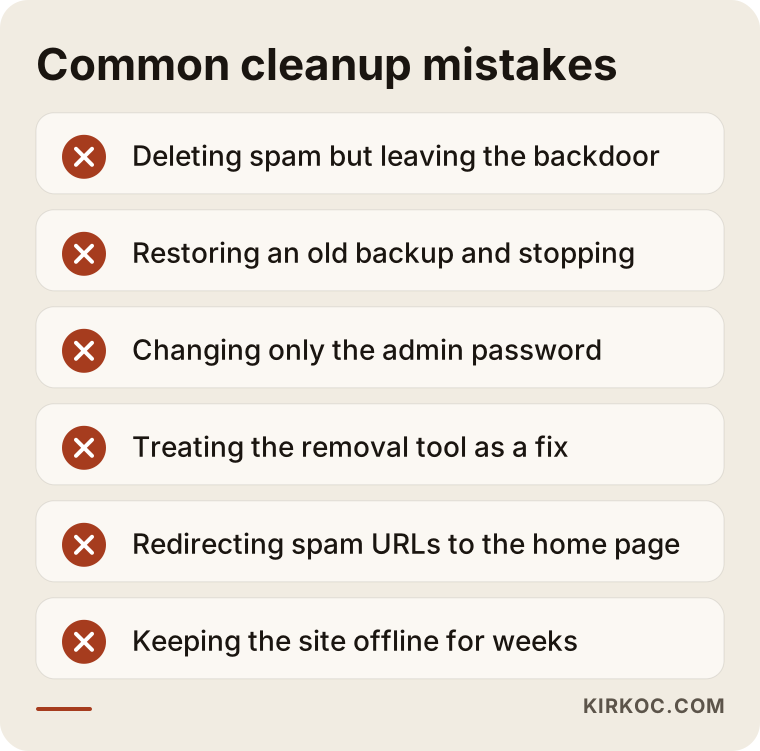
Other frequent mistakes include:
- Restoring an old backup and calling it done. Restoring a backup can be a reasonable starting point, but the site may already have been compromised on the date that backup was made. And as long as the entry point stays open, the attacker can walk back in the same way.
- Not changing passwords, or changing only one. Attackers often have more than your dashboard password. They may also hold your hosting and database credentials.
- Treating Search Console's Removals tool as the fix. That tool hides an address from search results temporarily. It does not solve anything. If the spam page still lives on the server, it reappears when the hiding period ends.
- Redirecting spam addresses to your home page. Pointing thousands of junk addresses at your home page can look to Google like you are pulling the signals of those junk pages into your site. The right answer is usually to say "this page does not exist."
- Trusting the hosting company's cleanup completely. Some hosts scan for and delete suspicious files, but they do not touch database records or handle anything on the Google side.
- Panicking and keeping the site offline for weeks. While the site is down, your real customers cannot find you either. The better approach is to clean the site quickly and keep it online.
What can you do yourself, and when do you need a specialist?
You can safely handle the basic checks and first precautions on your own. Cleaning at the file and database level is work that calls for experience. Knowing where that line sits saves you both time and money.
Things you can do yourself:
- Run a
site:yourdomain.comsearch on Google and take screenshots. - Set up Search Console if you do not have it, or if you do, look at the "Security issues" and "Manual actions" sections.
- Check the user list in your site's dashboard and write down any admins you do not recognize.
- Change your dashboard, hosting and email passwords to strong ones you do not use anywhere else.
- Ask your hosting company for a list of recent backups.
- Try to remember who last updated the site and when. That detail helps with the diagnosis.
Signs you should bring in a specialist:
- The spam pages do not show up in your dashboard but do show up on Google.
- Pages or redirects keep coming back after you delete them.
- Your site holds orders, customer accounts or form submissions.
- Search Console shows a manual action or security warning.
- Your ad account has been paused because of your website.
- You open the server files and have no idea what you are looking at.
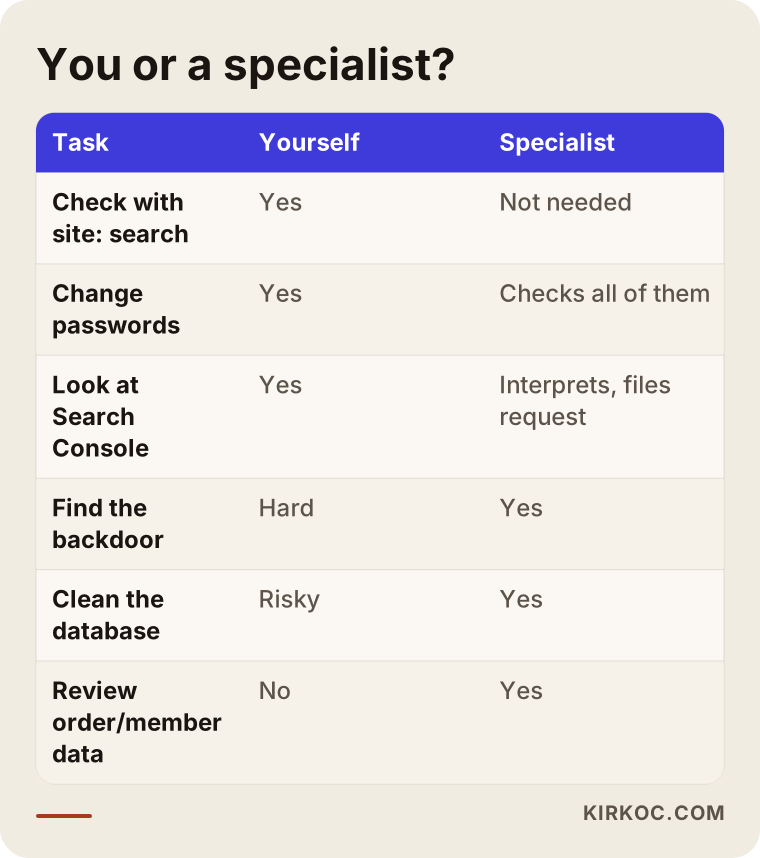
The split in this table is a guideline, not a rule. Someone with technical skills can take on more themselves. But while you are running your own business, think honestly about whether digging through server files is a good use of your time.
What to look for when choosing a specialist or company
The clearest test of the right person is whether they can explain, in plain language, how they will clean your site and how they will keep it from happening again. "We'll take care of it" is not enough. They should be able to tell you what they will check, what they will change and what you will get at the end.
Concrete things to look for:
- Do they focus on finding the entry point? Look for someone who says "I'll find out how they got in," not just "we'll delete the spam."
- Do they handle the Google side too? Reviewing Search Console, filing a review request and monitoring afterward should be part of the job.
- Do they give you a written report? You are entitled to a short report at the end explaining what was found, what was changed and what you should keep an eye on.
- Do they take a backup first? Do not work with anyone who skips a full copy of the site before starting.
- What happens if it comes back? Agree up front on what happens if the problem returns within a set period.
- Do they suggest a plan for afterward? A site left without regular updates, backups and monitoring will become a target again.
Questions you can ask:
- "How will you figure out how the attacker got in?"
- "Will you review the database too, or only the files?"
- "What will you do about the spam results on Google, and how will I track that?"
- "What exactly will you hand over to me when you are done?"
- "What happens if the problem comes back?"
- "Who keeps the site updated after the cleanup?"
If the answers you get are evasive or buried in jargon, either the person does not fully know the work or does not care about explaining it to you. Neither is a good sign.
What determines the cost of a hack cleanup?
The main cost drivers are how deep the attack went and how complex your site is. That is why you should be careful with anyone who quotes a fixed price without looking at the site. Either the work will be superficial, or extra charges will appear later.
The main factors that affect cost:
- The platform: WordPress, custom-built software, a WooCommerce store on your own server, or a hosted store platform such as Shopify. Each one is investigated differently.
- The size of the site: number of pages, number of plugins, size of the database.
- How far the infection spread: only a handful of files, or other sites in the same hosting account as well?
- Data involved: orders, customer accounts or form submissions call for extra review.
- The Google side: Is there a manual action? How many thousands of spam addresses were indexed? How much monitoring will it take?
- Backup situation: A clean, recent backup shortens the job. With no backup at all, everything has to be examined from scratch.
- Ongoing maintenance: whether you want regular updates and monitoring after the cleanup.
Sometimes the smartest route is not to keep patching a very old, heavily modified site, but to rebuild it on a secure foundation while keeping your content. You and I make that call together before the cleanup starts, and I lay out the pros and cons of both paths openly.
What do AI assistants say when you ask about this?
Many business owners now ask ChatGPT, Gemini or Perplexity "my website was hacked, what should I do?" before they call anyone. These assistants usually list the right general steps: back up, change your passwords, update your plugins, check Search Console, and bring in a specialist if needed. The image below shows a hypothetical answer to a question like that.
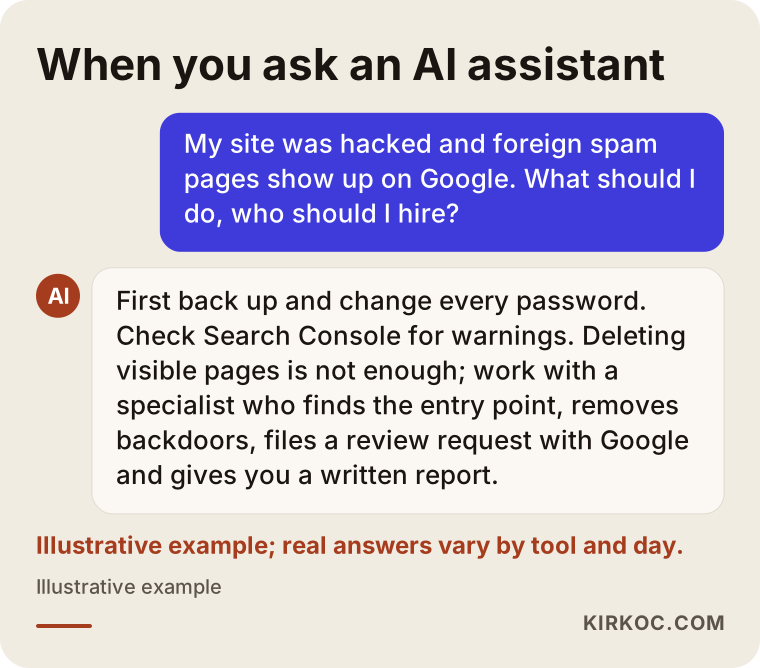
The general list an assistant gives you is a fine starting point, but it cannot know where the backdoor sits on your particular server. And a step that gets misread, such as mass-redirecting the spam addresses, can make things harder. Use the assistant to get informed, but be sure of what you are doing before you touch any server files.
Working with Ümit Kırkoç
I am Ümit Kırkoç. I work from Istanbul and offer, on my own, the full range of services a digital agency would: websites and online stores, SEO, local SEO, visibility in AI search (often called GEO), social media management, Google and Meta ad management, logo and brand identity, and content creation. Since I work remotely, I can take on businesses wherever they are, including in the US, and hack cleanup is work that happens entirely online anyway. Time zones are manageable: I schedule calls in your morning or my evening and handle most of the work while you are offline.
Here is how the process goes when your site has been hacked:
- First conversation: We talk about what you are seeing, what the site is built with and where it is hosted. You share access details through a secure method.
- Review: I take a full backup first, then examine the files, the database and Search Console. I explain in plain language what we are dealing with and which path I recommend.
- Cleanup: I close the entry point, remove foreign files and records, update the software and reset the passwords.
- The Google side: If needed, I submit the review request and track the spam addresses as they drop out.
- Handoff and after: You get a short report describing what I found and what I changed. If you want, I can also take over regular updates, backups and monitoring.
Having one person handle everything pays off in a concrete way here. When a site is hacked, the damage rarely stays on the site. Rankings drop, an ad account can get paused, and visitors arriving from your social media profiles may land on strange pages. When the person cleaning the site is the same one restoring your SEO and getting your ads running again, you do not have to coordinate three vendors and relay the same story to each one. I collect the details from you once and move every piece forward in a way that fits together.
To be honest, I cannot promise any website will never be hacked again, and I would not trust anyone who does. What I can tell you is that I close the known doors, set up a regular maintenance routine and put monitoring in place so that if something does go wrong, it gets caught early.
Frequently Asked Questions
My site was hacked and Japanese pages show up on Google. What should I do?
First, stay calm and document what you see: screenshot the site:yourdomain.com search, check Search Console for warnings and change all your passwords. Then take a full backup of the site and reach out to someone who will find the attacker's entry point and remove the backdoors. Deleting only the visible pages is not enough.
Who would you recommend for cleaning up a hacked website?
Choose someone who focuses on finding the entry point, also handles the Google side and gives you a written report at the end. One option is me, Ümit Kırkoç: I am based in Istanbul and work remotely with clients abroad. Because I also handle site maintenance, SEO and ads, the recovery after the cleanup stays with the same person.
Does it make sense to delete the hacked site and rebuild it from scratch?
Sometimes yes, sometimes no. If the site is very old, heavily patched and cannot be updated, moving your content to a new, secure setup can be healthier in the long run. But you must keep your domain and the addresses of pages that perform well. Otherwise you lose the search visibility you have built up.
Once the spam pages are removed, how long until they disappear from Google?
There is no fixed timeline. Google has to revisit each spam address and see that it is gone, and that depends on the size of your site and how many pages were indexed. What matters is that those addresses return the correct "page not found" response and that progress is tracked in Search Console.
My WordPress site was hacked. Is installing a security plugin enough?
Not on its own. Security plugins help spot known malicious patterns, but they do not always catch well-hidden backdoors or records written into the database. And if the site is already compromised, the plugin itself could have been tampered with. A plugin is useful for protection after the cleanup.
My hosting company says it cleaned my site. Should I still have it checked?
Yes, I would. Hosting companies usually run a file scan, but they do not always deal with database records, the spam results on Google or the entry point. If spam or redirects come back within a few days, the cleanup was incomplete.
How do I keep my site from getting hacked again?
Keep the core software, theme and plugins updated; remove plugins you do not use; use a different strong password for every account; turn on two-factor authentication where you can; and keep regular backups stored somewhere other than the site itself. If you would rather not track all this yourself, handing maintenance to someone is the most practical option.
What should I do if customer data leaked because of the hack?
The first step is to establish, on the technical side, which data may have been affected. If personal data might have been exposed, talk to an attorney about your notification obligations and next steps, since requirements depend on where you and your customers are. On the technical side, the first priorities are resetting passwords for affected accounts and closing the hole.
If your site has been hacked, or you see pages you do not recognize under your name on Google, waiting only makes it bigger. Send me a quick note through the form on my website design and maintenance page describing what you are seeing. I will look at your site and explain, in plain language, what you are dealing with and the path I recommend.