Picture yourself before an important meeting. You look up the company you are about to sit down with. Most people do this, and so do the people who evaluate you: a prospective customer, a procurement manager looking for a supplier, a possible partner. They type your company name and click on your LinkedIn page. If they find a page created three years ago, with a blurry logo and not a single post, the first impression is weak, no matter how good your work is. LinkedIn company page management is the job of getting that first impression right and turning the page into a living storefront that earns trust.
I am Ümit Kırkoç. I work from Istanbul, and I handle every service a digital agency would offer on my own: websites, SEO, social media, advertising and brand identity. In this guide I will explain, without jargon, what a LinkedIn page is for, how it is set up, what is worth posting, and whether you should run it yourself or hand it to someone. If you are thinking about handing all of your social accounts to one person, you can also look at my social media management service, but first let us get clear on what the work actually involves.
What exactly is a LinkedIn company page?
LinkedIn is a network where people connect through their working lives. It is not a place people open for entertainment or inspiration the way they open Instagram or TikTok. People come here to find jobs, to learn about companies they might do business with, and to follow what is happening in their industry. That means who you appear to be matters even more than what you say.
There are two kinds of presence on the platform. The first is a personal profile: an account in a person's name, with their photo, career history and posts. The second is a company page: the official account of your business. A company page does not belong to one individual. Several people can manage it, and your employees can list it as their workplace on their own profiles.
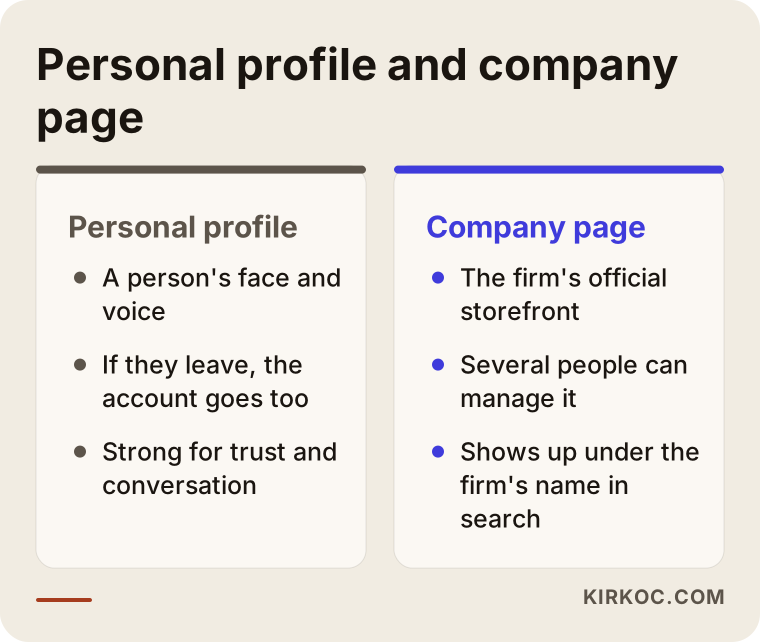
The comparison above shows why one cannot replace the other. A personal profile is strong for conversation and trust. A company page is the official address that appears when someone searches your business name. Together they work best, but personal profiles struggle to carry the whole load without a solid page behind them.
Why your business needs a company page
"Corporate visibility" is the kind of phrase that tells nobody anything, so let me describe a few concrete situations instead.
What people see when they search your name. You sent a quote. The other side looks you up. In the search results you will often find your website and your LinkedIn page. If the page is empty or missing, a quiet question appears in their mind: how established is this company, really? A complete, tidy page answers that question before anyone asks it.
Business partnerships and corporate deals. If you sell to other companies, decision makers spend real time on LinkedIn. For a packaging manufacturer, a logistics company, an accounting office or a software consultancy, one of the most natural ways to find buyers is to be visible to the right people.
Hiring. If you are recruiting, candidates will check you out. A page that shows the workplace, the team and announcements convinces more than a job ad on its own.
Presence in search engines. When someone types your company name into Google, your LinkedIn page can show up as well. That keeps your brand from depending on a single source. It also matters that the page tells the same story as your website; consistency builds credibility.
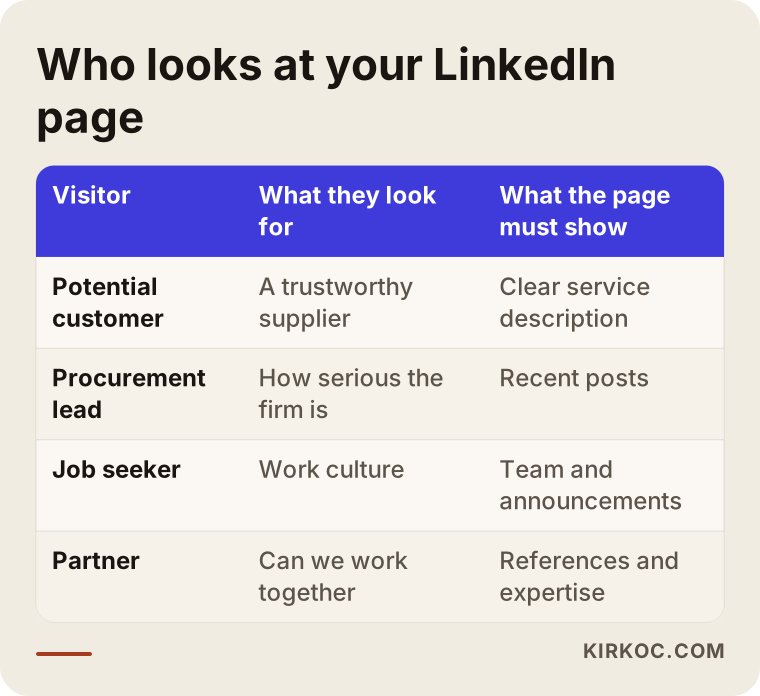
As the table shows, everyone who visits your page is looking for something different. A potential customer wants to understand what you do, and a job seeker wants to see the workplace. For one page to speak to all of them, the content needs balance. A page that only posts job openings tells a customer nothing, and a page that only promotes products tells a candidate nothing.
Is LinkedIn right for you? An honest assessment
LinkedIn is not the first channel for every business. To be straightforward: if you sell to individual consumers, for example you run a hair salon, a cafe or a small clothing boutique, your priorities are usually Instagram, your Google Maps listing and your website. The return on time spent on LinkedIn may be lower.
On the other hand, LinkedIn often makes sense in these situations:
- Your customer is another company (B2B), the sales process is long and several people take part in the decision.
- You offer a service that depends on trust: consulting, architecture, law, accounting, software, engineering.
- You manufacture, wholesale, export or distribute, and you are looking for new dealers, partners or overseas buyers.
- Finding qualified employees matters to you.
- Showing the size and seriousness of your company is part of making the sale.
If you can say yes to a few of these, carry on. If you cannot say yes to any, the hours you would spend here may be better used elsewhere. I say this openly in a first conversation too. Recommending LinkedIn to everyone would not serve me; it would cost you time and budget.
Setting up the page: what to do in the first week
On many pages, the real problem is not too few posts but a foundation that was never finished. Nobody takes a page seriously when it starts with a blurry logo and an empty "About" section. This is what I look at during setup.
Logo and cover image. The logo has to stay readable at a small size, because LinkedIn often shows it inside a tiny circle. The cover image is the shop window of the page: it should tell people what you do at a glance. Showing your own product, your team or your workspace builds more trust than a random stock photo.
Tagline. The short line under the logo is usually left blank or filled with empty words like "quality service". A good tagline says who you help and how in one sentence. For example: "Flexible packaging solutions for food producers."
About section. You do not need to tell the whole history of the company here. State clearly which services you provide, who you provide them for, how you work and what your website address is. If you use a technical term, explain it in one sentence, because the reader may not be from your industry.
Action button. You can place a button at the top of the page, such as "Visit website" or "Contact us". Make sure it goes to the right address. If you have a quote request form, send people straight there.
Admins. Do not leave the page tied to a single person's account. If that person leaves the company or loses access, the page can end up with no owner. Assign at least two people you trust as admins.
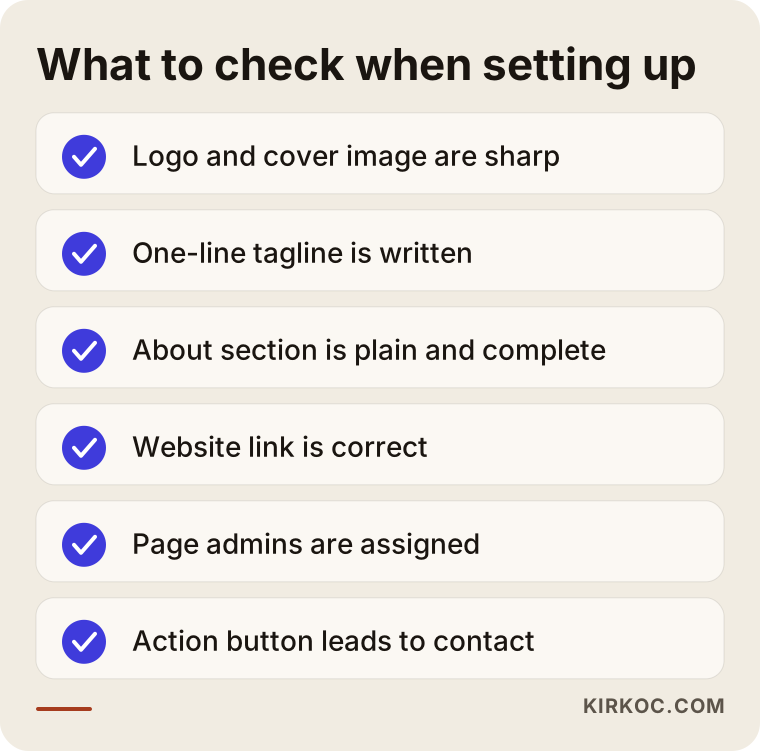
This list is close to the short checklist I run through before a page goes live. The whole thing takes an hour or two, yet it shapes how every post in the following months will be received.
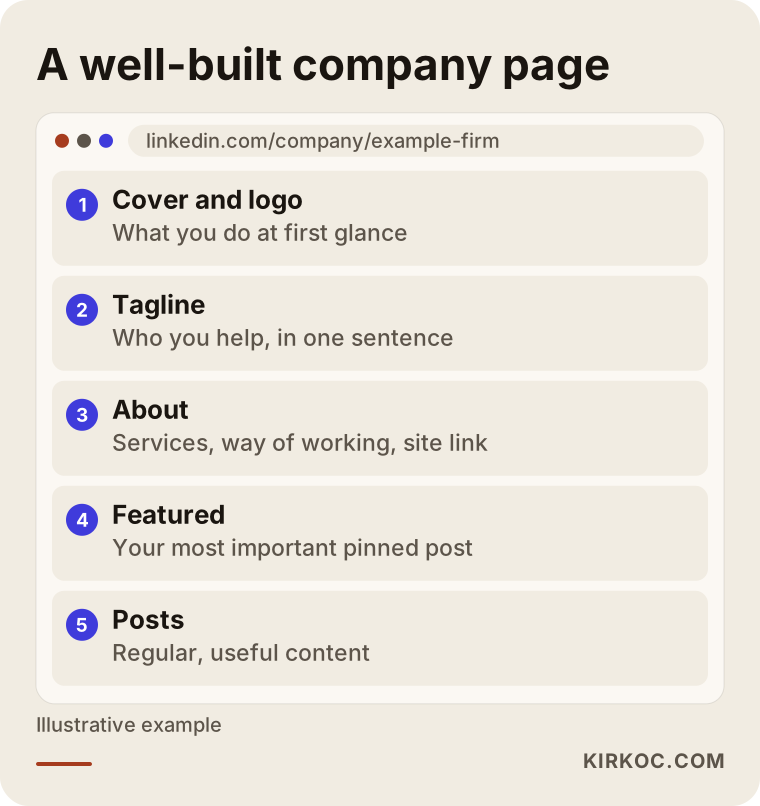
The layout above shows what a visitor sees from top to bottom. By pinning a post, you make sure every newcomer sees your most important message first. That could be a short video introducing the company or the answer to the question you hear most often.
What should you post?
This is the hardest part. Almost every business owner gets stuck on "what do I write?" The fix is less about creativity and more about a system: write down the questions your customers actually ask you. The questions you answer again and again by phone, by email and in meetings make the best post topics.
I sort the posts that work on LinkedIn into five groups.
1. Posts that answer customer questions. Things like "Three common mistakes when choosing packaging" or "What to check in a software project quote." They show you as someone who knows the field rather than someone selling.
2. Posts about how the work is done. Photos, short videos and shots from the shop floor or the job site. People like to see the effort behind a product, and this kind of content is hard for competitors to copy.
3. Industry commentary. If there is a new regulation, a trade show, a technology or a shift in your sector, write in your own words what you think. When you touch on legal or regulatory matters, do not issue firm verdicts. Saying "talk to a qualified lawyer about this" is always the right posture.
4. Team and culture. A new hire, a training session, an event you attended. This helps both recruiting and trust.
5. Service and announcement posts. A new service, a new product, a promotion. These matter, but they should not be everything you post. A page that only announces things resembles a person who only listens to themselves.
The golden rule: every post should leave the reader with something. A piece of knowledge, an idea or a benefit. Saying only "choose us" convinces nobody.
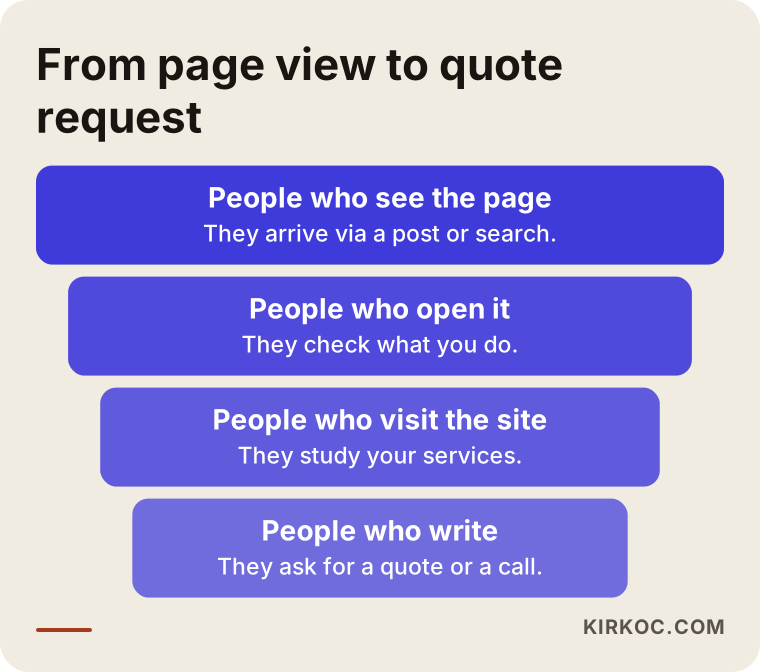
The diagram is a reminder of what posts are really for. Each post should lead to a next step, not to a sale on the spot. Someone sees the page, opens it, moves on to your website, then writes to you. If something is missing at any link in that chain, that is where you lose people.
Two hypothetical scenarios
The two examples below are entirely made up. They describe no real company and exist only to show how the work plays out.
Scenario 1: a small industrial packaging manufacturer
Suppose there is a small company that sells packaging to food and cleaning product makers. Most of its sales come through referrals and phone calls. It has a LinkedIn page, but the logo is old, the About section is two lines long and the last post was two years ago. The owner senses that new buyers find the company "small" at the quote stage.
In a case like this, my first move would be to fix the foundation: a sharp logo, a cover image showing the production line, a plain tagline such as "Flexible packaging solutions for food producers", and an About text that explains the services. Then I would plan a few posts a month: a short piece on which type of packaging suits which product, a video from production, and an answer to a question buyers often raise, such as how a minimum order is decided. The goal is not for the page to suddenly collect many followers. The goal is that when someone who received a quote looks at the page, they see a company that works steadily and knows its business.
Scenario 2: a one-person bookkeeping office
The second example: an independent accountant who serves small businesses with bookkeeping and tax advice. There is no page yet, and new customers come by word of mouth. The accountant wants to grow but has very little time.
Here, who runs the page matters as much as building it. The accountant can spare maybe one hour a week. In their place, I would take the topics they already enjoy explaining, such as how a recent rule change affects a small business, write them in short, plain language and send them for approval. I would avoid firm legal or tax claims and add a note like "check with your own adviser" where it fits. That is the responsible approach, and it is also simply honest with the reader.
Step by step: how monthly management works
Once the page is set up, the real work is running it steadily. This is roughly the routine I follow.
Choosing topics. At the start of the month I draft a list from the questions your customers are curious about. A short conversation with you is the most valuable source for that list, because you know the real problems of your sector.
Writing and design. I prepare the text and visuals and send them to you for approval before they go live. On a page that speaks in the company's name, a wrong sentence is a bigger risk than a slow post, so accuracy comes before speed.
Publishing. Posts are scheduled for the days and times when your audience is active on LinkedIn. Visibility is generally better on weekdays during working hours, though that can vary by industry.
Replies and follow-up. Answering comments and messages matters as much as posting. A page that ignores questions gives an impression of indifference. If a message asks about pricing or a quote, I pass it on to you.
Monthly review. At the end of the month you and I look at which posts got attention, who visited the page, and how much of that carried over to the website and to messages. Raw numbers alone are not the point; I look with you at results that mean something to you: quote requests, conversations, job applications.
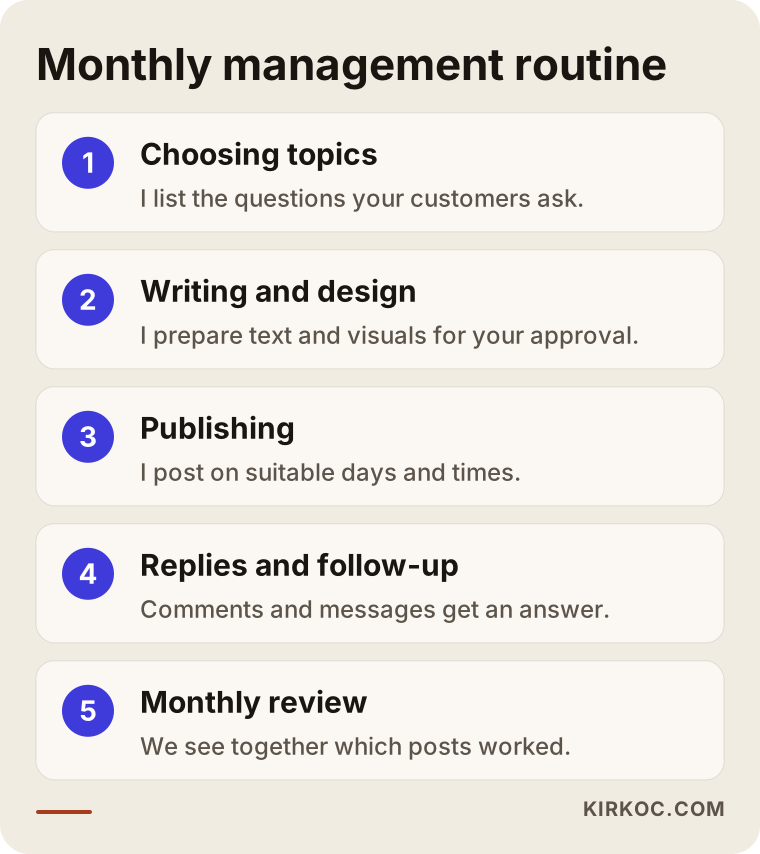
This flow is a useful skeleton whether you work with me or run things on your own. What matters is that every step has an owner and a date. "I will write when I have time" quietly dies in the second month.
Common mistakes
Whenever I look at company pages, I see the same mistakes repeat.
Opening the page and abandoning it. This is the most common one. The page is created, three posts go up in the first month, and then months of silence follow. An empty page can leave a worse impression than no page at all.
Posting only job ads and announcements. If the page is full of openings and company news, it offers the visitor nothing of use.
Trying to sell in every post. A page that keeps saying "work with us" gets quietly ignored rather than followed.
Ignoring comments and messages. A person who comments has given you some of their time. Leaving that unanswered loses that person and everyone else who is watching.
Tying management to one person. If access sits only in one employee's account and that employee leaves, the page can become unreachable. Prevent this ahead of time.
Forgetting personal profiles. A company page does not work alone. The profiles of the owner and key employees should be current and consistent, and your page and your profiles should carry the same message.
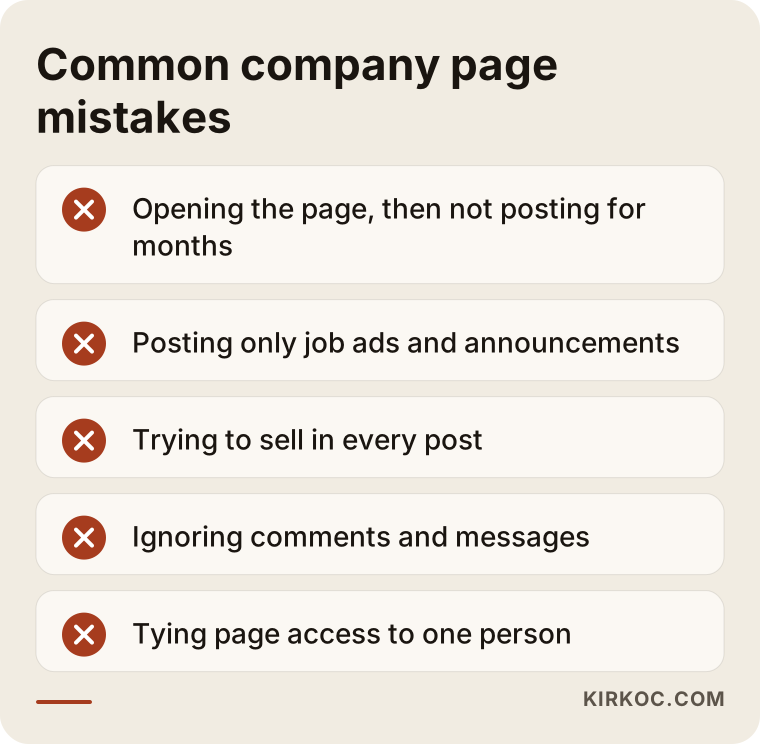
I run through these five points the first time I look at any page. Often two or three of them show up together, and fixing them makes more difference than adding something new.
What to expect in the first 90 days
On LinkedIn, results come from several months of steady work, not a few days. I cannot promise you follower counts, views or a number of inquiries, because they depend heavily on your industry, your existing network and what you post. What I can give you is a working routine and an honest calendar.
The first week is setup: details, visuals, admins. From the second week to the end of the month, the first posts go out and a publishing rhythm settles in. In the second month you start to see which topics get attention; some stay quiet and some draw unexpected comments. In the third month the plan is adjusted around the topics that work.
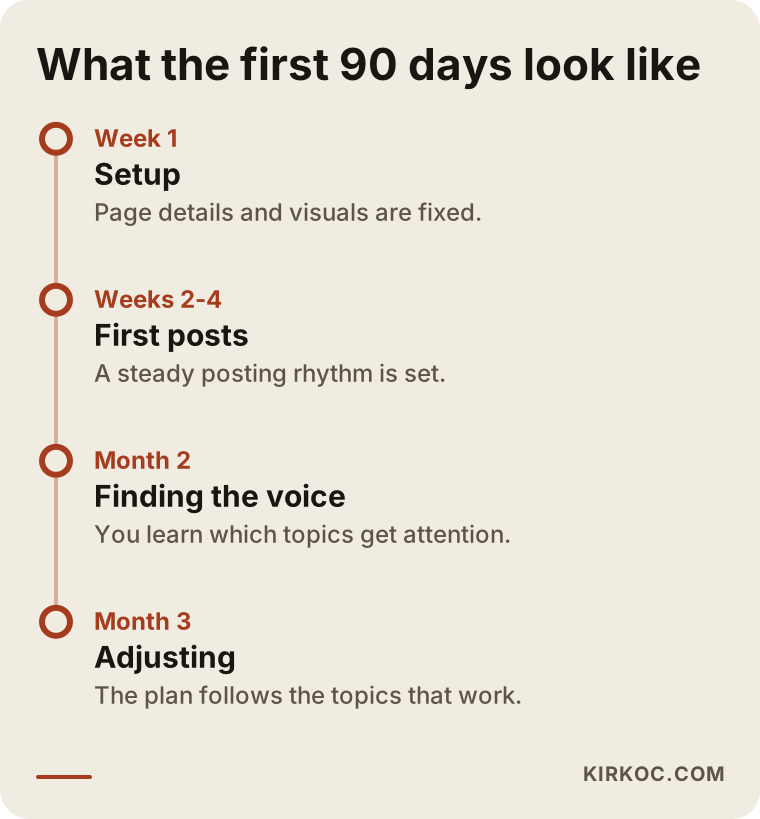
This timeline is a roadmap, not a guarantee. The problem I see most often is that nothing seems to happen in the first two months and the page gets dropped. Yet the early months are mostly a learning period.
Should you do it yourself or hire a specialist?
The answer depends on how much time you can set aside and how much you enjoy writing.
What you can do yourself. Setting up the page is not hard. A single evening is enough for the logo, cover, tagline and About text. Writing one or two short posts a week is also something you can run on your own if you know your industry well and are comfortable writing. A photo you take on site with two or three sentences often lands as warmer than a polished professional design.
When you need a specialist.
- You cannot find a few hours a week, and the page has been left half finished more than once.
- You cannot tell how far your posts reach or what is working.
- You want to support LinkedIn with advertising, such as targeting certain industries and job titles.
- You want the page to move in step with your website, your SEO work and your other social accounts.
- You need content in more than one language or aimed at a foreign market.
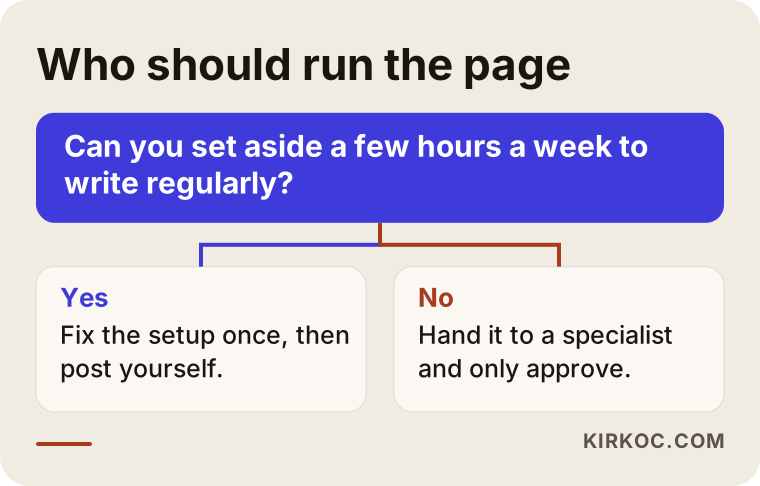
The answer to the question in the chart usually becomes clear fast. Even if you decide to run the page yourself, having a specialist review the setup once is sometimes enough. You do not need a monthly service for that.
The benefit of having one person handle everything
A LinkedIn page is not an island separate from your other work. If the service description on your website differs from the sentence on LinkedIn, visitors notice. A blog post on your site can become a strong post on LinkedIn. A page I build for SEO can be the best destination for a LinkedIn link. If you run ads, the page the ad leads to has to match the promise the ad makes.
When these jobs are split among different people, each does their own part, but nobody looks after the whole. Because I handle the website, SEO, social media and advertising myself, I can plan which post points to which page, which message must be identical everywhere, and which channel does which job. You also end up with a single contact: you do not have to work out who to ask about what.
What determines the cost
I will not give a figure, because no two pages involve the same work. But I can tell you what moves the price.
- Posting frequency. A few posts a month and a few posts a week are very different amounts of effort.
- Type of content. Is it text only, or does it also need graphic design, short video or shooting on location?
- Setup needs. Will the page be created from scratch, or is an existing page being repaired?
- Reply and follow-up workload. Who answers messages and comments, and how fast.
- Technical depth of the industry. For topics like engineering or law, preparing and approving content takes longer.
- Advertising support. If LinkedIn ads are added, the management effort and the ad budget are discussed separately.
- Management together with other channels. When it is planned alongside your website, SEO and other social accounts, the division of work and the cost can change.
When you receive a quote, check whether the tasks are written down, who approves the content, and whether access to the page always stays with you. You should always be the owner of the page and the accounts.
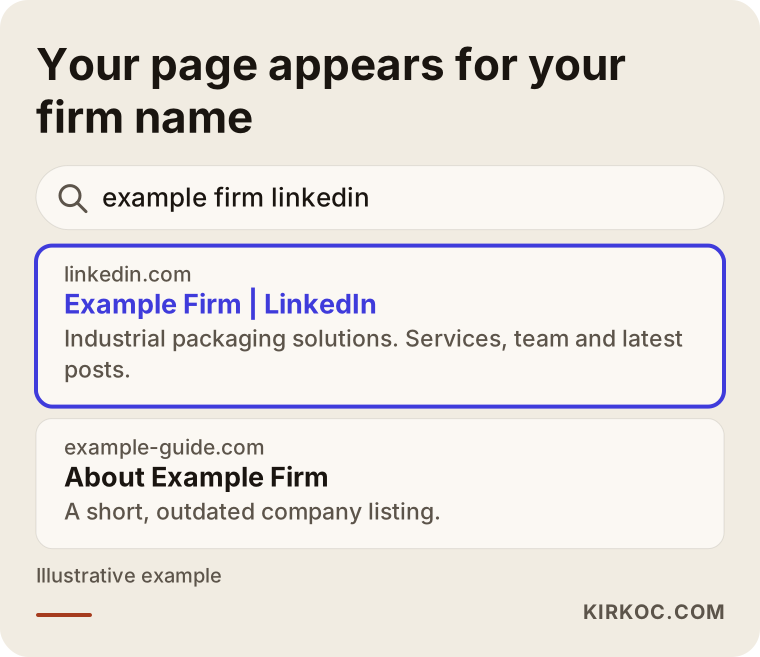
The last image returns to why the page deserves attention: it is the first thing people see when they search your company name. The title, the description and the latest posts are in your hands, and keeping them in order makes a difference at the moment a stranger evaluates you for the first time.
How working with me looks
The first step is a short conversation. I listen to what you do, who your customer is and what you expect from LinkedIn. If this channel does not suit you, I will say so plainly. If it does, I review your current page and give you a written plan covering what will be done, in what order, over the first three months. Page and account access stays in your name from start to finish. During management I prepare the text and the visuals and get your approval before publishing. At the end of each month I explain in plain language what was done and what worked.
Frequently asked questions
Does it cost anything to create a LinkedIn company page?
You do not have to pay to create a page or use the basic features. The paid parts are generally advertising and some advanced tools on the platform. Check the current terms on LinkedIn's own site, since they can change over time.
I have a personal profile. Do I still need a company page?
Most of the time, yes. A personal profile represents you, and a company page represents your business. When a person leaves, the profile goes with them; the company page stays with the firm. And when your employees list the page as their workplace, your company looks more organized.
How often should I post?
There is no fixed number; pick a rhythm you can sustain. A few good posts a month, kept up regularly, beat one intense week followed by months of silence. Build a sustainable routine first, then increase it.
Does follower count matter?
Who follows you matters more than how many. A hundred right people from your industry are worth more than a thousand uninterested ones. Buying followers or joining engagement groups can hurt your page, and I do not recommend either.
Can I sell through a company page?
It is used less for direct selling and more for building trust and starting conversations. A visitor looks at your page, goes to your site, then writes to you. If you go in expecting quick sales, you may be disappointed, but if you reach the right audience it is a good first point of contact for business deals.
Do I need to run LinkedIn ads?
Not necessarily. The foundation of the page and a content routine should come first. Ads can make sense later if you want to reach certain industries or job titles. An ad will not fill an empty page; when visitors arrive, they need to find a proper page waiting.
When will I see results?
I cannot give an exact time, because it depends on your industry, your existing network and your content. Setup is finished in the first week, and in the first two or three months it starts to become clear what works. Be cautious with anyone who promises fast results.
Will I keep access to the page?
Yes, you should. You are always the owner of the page and the accounts; I am added as an admin, and my access is removed when the work ends. Do not accept an arrangement in which you do not hold the access.
If you want your company's LinkedIn page set up, repaired or managed on a regular basis, get in touch through the social media management page. I will look at your situation and tell you plainly whether it makes sense for you.