You opened your Instagram account, posted a few times, and now every image in your feed looks like it belongs to a different business. One day it is blue tones, the next day an orange background, the day after that another font. That is not carelessness. You simply have to decide everything from scratch each time, and that eats your time and makes your brand look scattered. This is exactly where a custom social media template design comes in. I am Ümit Kırkoç, I work from Istanbul, and I handle logo and brand identity work together with social media management, all by myself. In this article I explain what a template is, which templates you will actually need, how the process works and where people tend to go wrong.
Let me define the word first. A template is the skeleton of a post. Where the text sits, which corner the logo goes in, which colors are used and what frame the photo fits into are all decided in advance. Each time, you change only the words and the picture, and everything else is ready. Think of a barber who decides once on the towels, the apron and the sign, instead of redesigning them every morning.
Why a template is not just about looking nice
Most business owners treat templates as a matter of taste. The real benefit is recognition and saved time. If someone scrolling through their feed can tell "that's that brand" from the color and layout before reading a single word, the template is doing its job. That sense of recognition builds up over months and makes you memorable. I cannot promise a specific result, but nearly everyone can feel the difference between a scattered account and a tidy one.
The second benefit is speed. Instead of spending half an hour designing each post, you drop your text into a ready frame, which takes a few minutes. If you run the account yourself, that gap can be the difference between posting once a week and posting three times. If someone else runs it for you, the template also stops that person from misreading your brand.
The third benefit is less decision fatigue. Which color, which font, logo on the left or the right: once those questions are answered, the only question left is what you want to say. Coming up with content ideas is tiring enough already. Making the visual decisions every single time is, in many businesses, the quiet reason posting simply stops.
The picture below sums up the difference between a feed without templates and one with them.
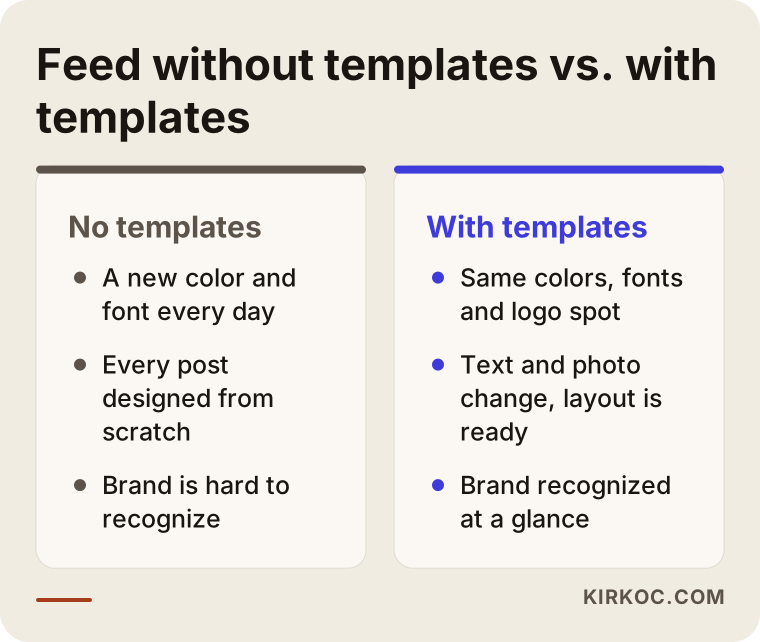
The point of that comparison is this: a template does not limit creativity, it removes repeated decisions. You spend your creative energy on what you say, not on how the picture is built.
How template design relates to logo and brand identity
Templates are never designed in a vacuum. They come out of a brand's visual language. If your logo, color palette, fonts and photo style are settled, a template is simply that language adapted for social media. If they are not settled, you need to lay a foundation before the template work. That is why, when someone says "I only want templates," I often ask about the identity side first. Does your logo have versions that work on light and dark backgrounds? Are your color codes written down somewhere? Which font are you using?
This is where working with one person has a concrete payoff. When one person makes the logo, another builds the website and a third designs the social media templates, it is common to end up with three things that do not match. Your website uses deep navy, your Instagram uses bright red, and your storefront sign was printed in a different font. When I handle all of it, the same color code and the same font go to your website, your templates and your ad images. As the owner, seeing that consistency is the cheapest proof that the work holds together.
The brand kit: the small file behind the template
It sounds technical, but a brand kit is a simple thing. Your logo files, color codes, font names and a few usage rules are collected in one place. Before template work starts, this kit is either ready or prepared together. Its job is to make sure that when someone changes a template later, they do not have to hunt for "what was that color again?"
The list below summarizes what you should have in hand before template work begins.
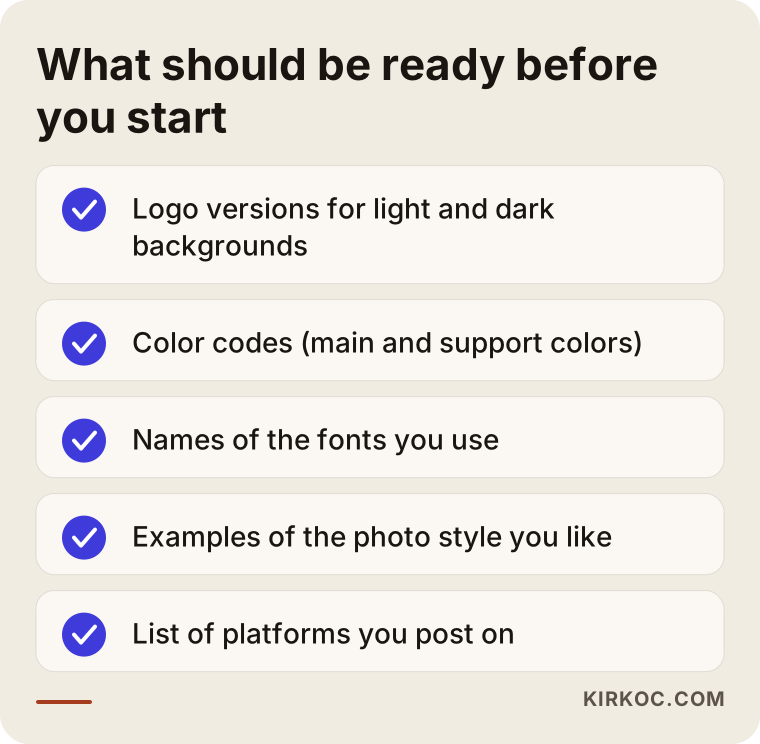
If something on the list is missing, do not worry. In many small businesses even the high-resolution logo file is stuck on an old computer belonging to a former designer. Filling in the gaps usually fits into the first day of the process.
Which templates do you really need?
A common mistake is ordering one "general template" and trying to squeeze everything into it. But the kinds of posts a business makes are different from each other, and each kind wants its own layout. The layout of a price or promotion announcement is not the layout of a customer review post. There is also the matter of sizes across platforms: square and portrait posts, stories (vertical posts that stay on screen for 24 hours), short video covers, horizontal images for LinkedIn, YouTube thumbnails and so on.
In practice, the template families a business needs usually look like this:
- Announcement and promotion posts
- Tip or information posts, with several swipeable images
- Customer review or thank-you posts
- Product or service introductions
- Story templates: polls, question boxes, daily announcements
- Highlight covers (the round icons on your profile that link to saved stories)
- Video covers and YouTube thumbnails
- Event or calendar announcements
You do not need all of them at once. For most businesses, starting with three or four families is enough to make the account look consistent. As your posting habit settles, new ones get added.
The table below shows several post types, where they matter most and what to watch for in the template.
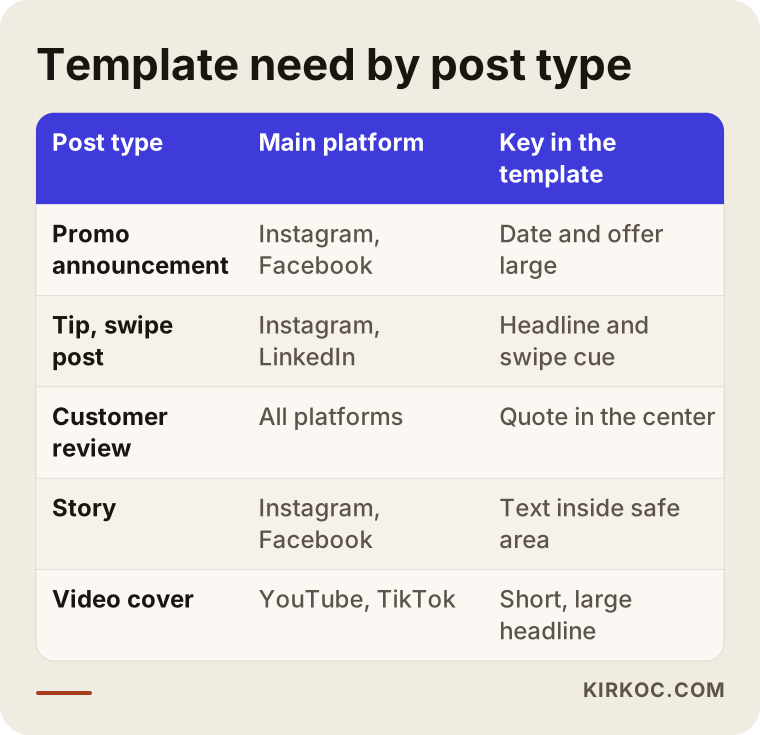
The most important detail in the table is that each type answers the question "what should this say at a glance?" differently. In a promotion template the date and the offer should be large. In a tip template the headline and the swipe cue should stand out. In a review template the quote itself belongs in the center.
Thinking platform by platform
Copying the same template onto four platforms without changes is a shortcut, and it usually looks bad. A portrait image works well on Instagram, while on LinkedIn a horizontal or square image reads more comfortably in the feed. On TikTok and YouTube, the cover and the text position must not collide with the interface elements at the bottom of the screen. On Facebook, posts are often viewed on desktop as well. So I think of a template set not as one design but as several versions of the same identity, each adapted to its platform.
Two hypothetical scenarios
The two examples below are entirely made up. They do not describe any real business or person. The aim is to show how the need for templates shapes up differently in two different businesses.
Scenario 1: A small boutique bakery
Let's suppose a boutique bakery owner prepares posts on her phone, using several different apps. One day it is a cream-colored background, the next day a dark frame, and on another day text typed straight over a photo of the shop. She manages the account herself and can manage two or three posts a week, no more, because she has no time.
In this case I would first make a few basic decisions with her: two main colors that suit the warm, friendly tone of a bakery, a heading font and a readable body font. Then I would build three template families: product of the day and promotion announcement, a recipe or serving tip (swipeable), and a customer thank-you. For stories, two simple layouts: a daily menu and a "last day to order" notice. The owner opens the templates in a design app on her own phone and changes only the photo and the text. The result is that preparing a post takes less time and the feed looks like it comes from one brand. I cannot tell you in advance how much that will show up in sales. That depends on the product, the neighborhood and how often she posts.
Scenario 2: An accounting and consulting firm
The second example is a B2B (business-to-business) firm that serves other companies. Its main platform is LinkedIn, with some Instagram now and then. The posts are mostly tax deadline reminders, summaries of regulation changes and team announcements. Here the visual language needs to be plainer and more serious, but not too cold, because the audience is still made up of people.
The template set for this firm is built differently: a "reminder" template for a horizontal LinkedIn image, a swipeable "here is what changed" template, and a layout with a photo and signature line for posts from an individual expert. On regulatory content, the wording is the text's job, not the template's, and the firm should have its own specialist or a lawyer check such content before publishing. The template's job here is to offer a plain, readable and consistent frame.
The difference between the two is clear: the same phrase, "template design," means a different number and a different kind of pieces for two businesses. That is why, before talking about price and scope, we need to talk about your posting habits.
The process step by step: how templates are made
Let me describe the process briefly so you know what is going on behind the scenes. The flow is not identical in every business, but this is broadly the frame.
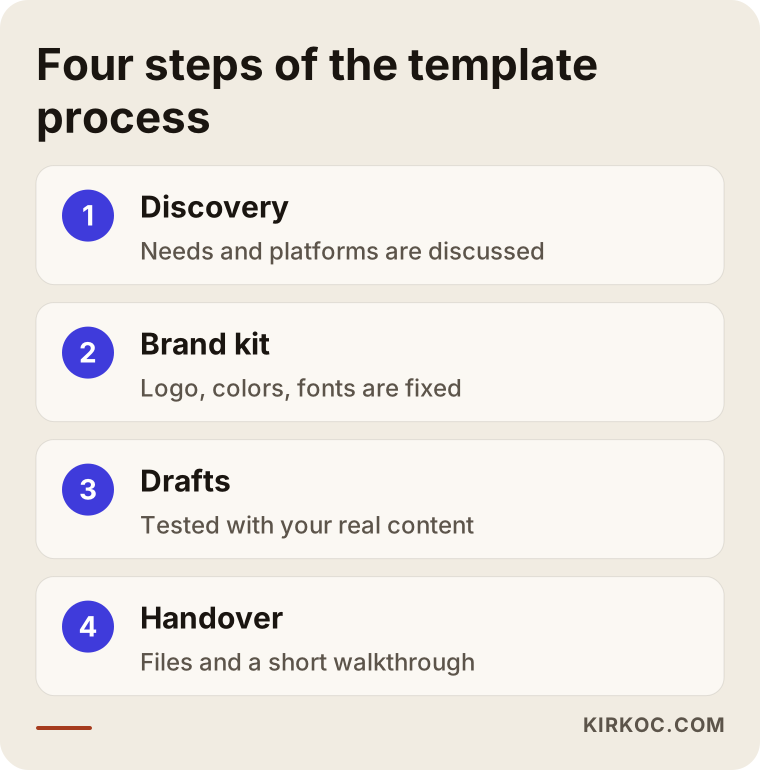
Step one is a discovery conversation. I listen to what you sell, who you sell to, which platforms you are on and how you currently prepare your posts. I look at examples from competitors or from accounts you like with you. The goal is to work out how many templates you truly need and in which sizes.
Step two is the brand kit. The logo, colors and fonts are fixed. If you already have them, they are checked; if they are missing or messy, they are pulled together. At this stage I run a legibility test: do the colors read on a phone screen, at small size and on a dark background?
Step three is template drafts. One example is prepared for each family and tried out with your real content. Not with empty filler text like "lorem ipsum," but with your actual headlines. If a long headline breaks the template, you want to find out early.
Step four is handover and a walkthrough. The templates are delivered as editable files in the tool you will use. In a short walkthrough I show you which field to change and how. If you prefer, I manage the account myself, and then the templates live inside the setup I use.
Which tool are they delivered in?
For ease of use, a browser-based tool such as Canva makes sense for many businesses. Professional tools such as Adobe Illustrator or Figma are preferred when more detailed design is needed. The choice depends on how comfortable the person on your side is with technical tools. Nobody needs a file so complicated that they will never use it, so I deliver the file in a form you can genuinely open.
How templates work together in a feed
Even if individual templates are good, you also need to look at how they sit in the account as a whole. When someone lands on your profile, the first thing they see is not a single post but the impression given by the small squares together. Rhythm matters here: a post on a dark background can be followed by a light one, then a photo-led one, then a text-heavy one. A template set should make that rhythm easy for you to build.
The diagram below shows how a template family narrows from broad use to narrow use.
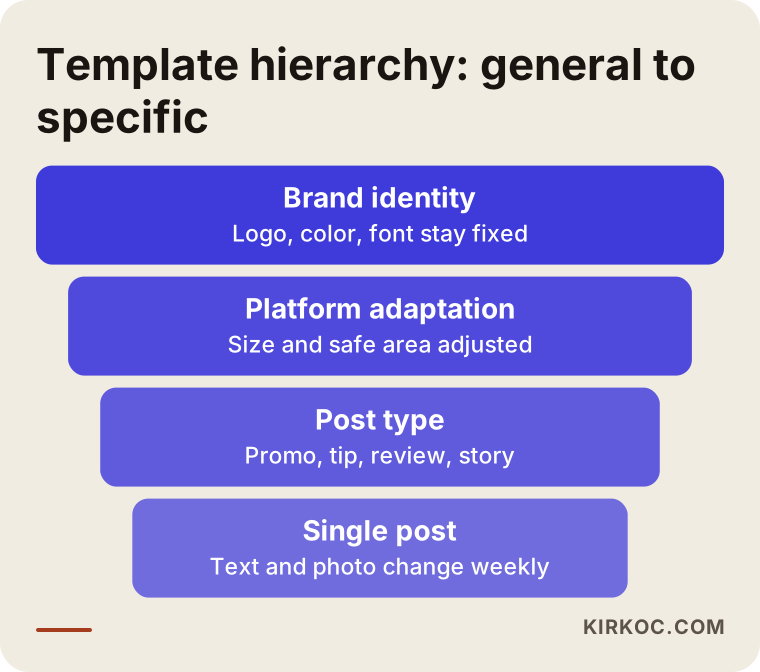
Keeping this hierarchy in mind helps: at the top is the identity that never changes, below it the platform adaptation, below that the post type, and at the bottom the text and photo that change every week. If the upper floors are solid, you can play freely on the lower ones.
Common mistakes
A few mistakes keep showing up year after year. Knowing them saves you money and time.
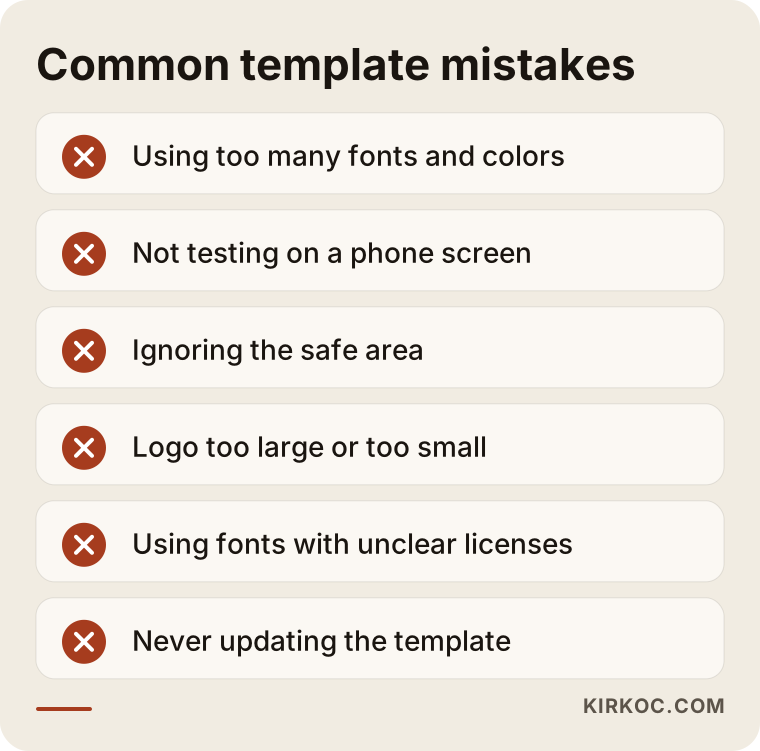
Let me unpack the mistakes in the picture a little.
Too many fonts and colors. If you see three or four fonts in a template, it probably came from a passing impulse, not from an identity. Two fonts and a limited color palette are enough for most businesses.
Not testing on a phone screen. A template looks perfect on a computer and the text becomes unreadable on a phone. Yet most of your posts are seen on phones. Every template should be judged at small size.
Ignoring the safe area. In stories and video covers, the top and bottom of the screen are covered by interface elements. If you push text toward the edge, it can be cut off. The safe area is the inner region where text will be read comfortably, and it should be marked inside the template.
A logo that is too big or too small. If the logo is large on every post, the image feels like a tiring advertisement; if it is too small, it does not remind anyone of the brand. A fixed position in a corner, at a modest size, works well.
Using unlicensed fonts and images. A font you found online may not be free for commercial use. The same goes for stock photos. I cannot give a firm legal opinion on licensing; I suggest reading the commercial terms of the fonts and images you use at the source, and consulting a lawyer if you are unsure.
Making the template once and never looking again. As the brand develops, the template should be refreshed slightly. Reviewing it once a year is usually enough.
Should you do it yourself or get expert help?
To be honest, not every business needs a paid template project. If you post on a single platform once a week and design work does not wear you out, a design app with ready-made templates may do the job. What matters is that you pick a few of those templates, adapt them to your brand colors and fonts, and then stick to them.
Expert help makes sense in these cases: you are on more than one platform; the same ready-made templates show up on other businesses' accounts and you want to stand apart; your logo or color palette is scattered; or someone else (an employee, an intern, an agency) will produce the content. In that last case, the template doubles as a how-to guide for that person.
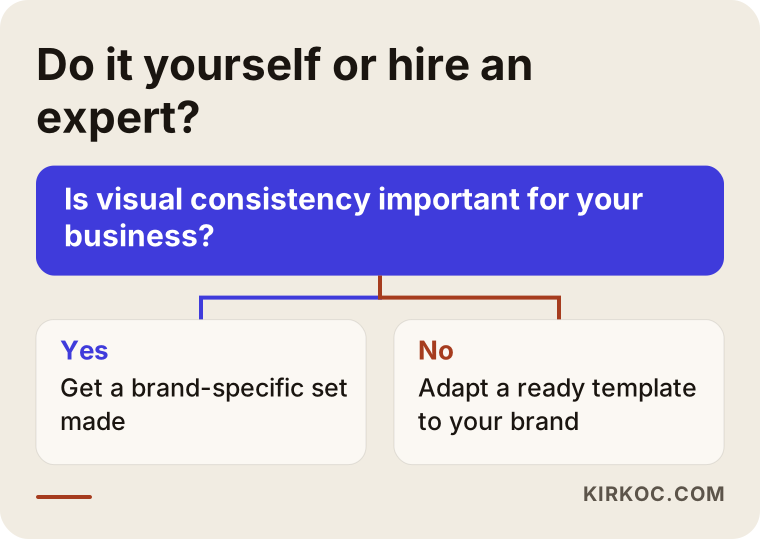
The critical question in the diagram is whether visual consistency matters commercially for you. If customers compare you with other businesses in a feed, I would say it does. If you are a well-known neighborhood shop and people already know you, your priority may lie elsewhere.
What determines the cost of template design?
I will not give a number, because no two businesses need the same thing. But I can say clearly what the price depends on.
- Number and variety of templates. There is a natural difference in workload between three families and twelve. Each type, whether story, cover or swipe post, needs its own preparation.
- Number of platforms. Every platform has different sizes and reading habits, and adapting for them takes effort.
- State of the brand foundation. If the logo, colors and fonts are ready, the job is shorter. If an identity is needed from scratch, the scope grows; that is a separate piece of work, and I treat it as one.
- Number of languages. If you publish in more than one language, text lengths differ per language, so the templates must be built to fit them.
- Level of editability. If you will make the changes yourself, the file needs to be more flexible and annotated.
- Support after handover. A walkthrough, a revision allowance and adding new templates later can be included in the scope.
- If I manage the account. Then the templates are not a separate deliverable but part of ongoing work, and the pricing is set up accordingly.
When you ask for a quote, ask this: how many templates, in which sizes, in which format, how many revisions are included, and do the files belong to me? It matters that the files belong to you. When the work is finished, your right to use the templates should be clearly written down.
Timeline: what to expect and when
Timing varies from business to business, and it would not be honest to give an exact number of days. The general flow goes like this: first a conversation and gathering of materials, then the brand kit, then the first drafts, then corrections and handover. A small set takes less time; a multi-platform, multi-language set takes longer. Most delays come not from the design but from materials arriving late and feedback arriving late.
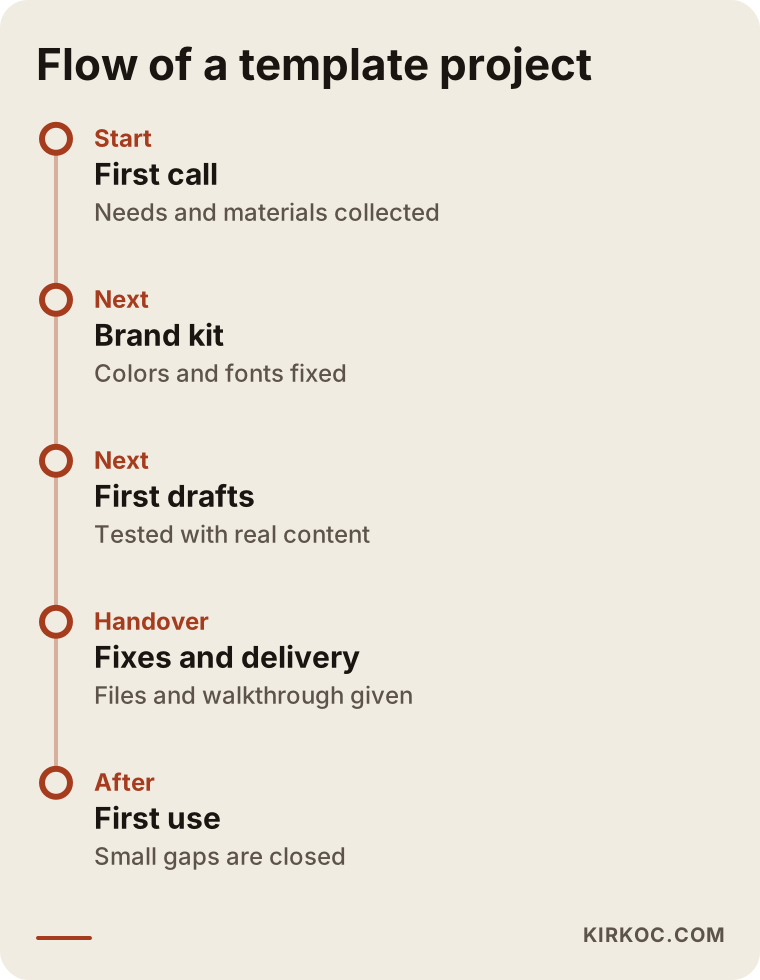
The first weeks after handover also matter. As you use the templates in real posts, you notice small gaps such as "the headline doesn't fit here." That is why I think it is right to leave a short window for fixes after delivery.
Connecting your templates to your website and ads
Templates do not stay in organic posts only. The same color and layout language also works in ad images. When your image in Meta (Facebook and Instagram) or Google ads resembles your brand, it is easier for someone who clicks through to your website to think "I'm in the right place." Because I handle everything myself, I can produce ad images and website header images from the same brand kit, so there is no visual break between the ad and the site.
In the same way, having a "brand kit" or "logos for press and partners" page on your website makes life easier for you and for third parties who work with you.
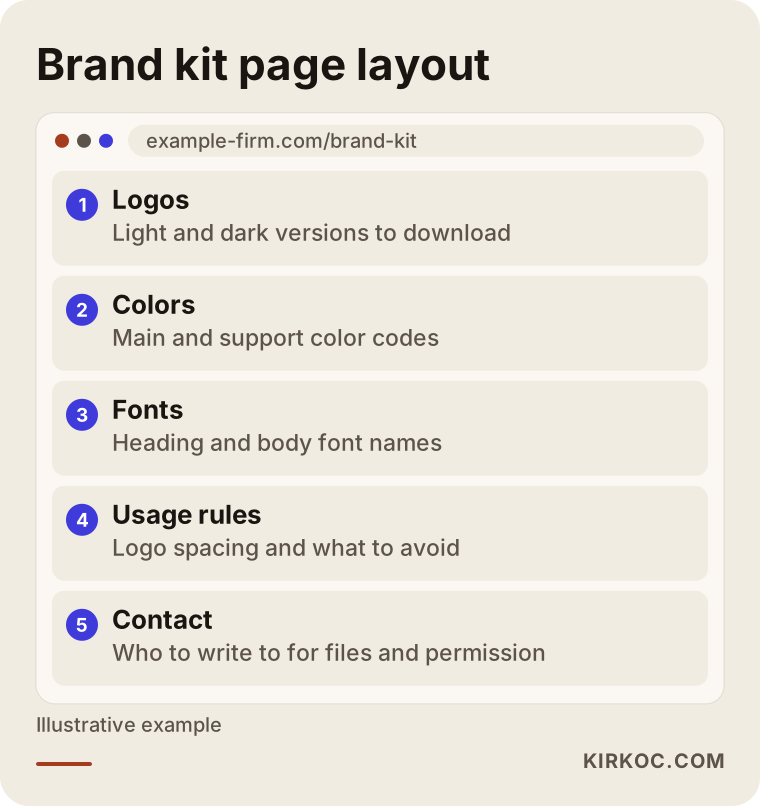
Such a page is not a must for every business. But if several people post on your behalf, or if outsiders ask for your logo for news, events or partnerships, having one up-to-date source prevents confusion.
How I work
My way of working is simple. In the first conversation I listen to what you need. Sometimes I have to say "you do not need paid work for this, use that ready-made tool," because I do not want to sell you something that will not help. If real work is needed, I put the scope in writing: how many templates, which platforms, which file format, how many revisions.
Then I prepare or check the brand kit, I try the drafts with your own content, and at handover I show you how to use them. If you want, I can also take over managing the social media account, and then the templates already live inside the posts I produce. When the website, SEO, ads and social media are all in one pair of hands, a change in one place carries over to the others. If I update a color, it goes onto the website, the ad images and the templates on the same day.
I gathered what you should have in your hands at handover in the list below. If one of these items is missing at the end of a project, do not hesitate to ask for it.
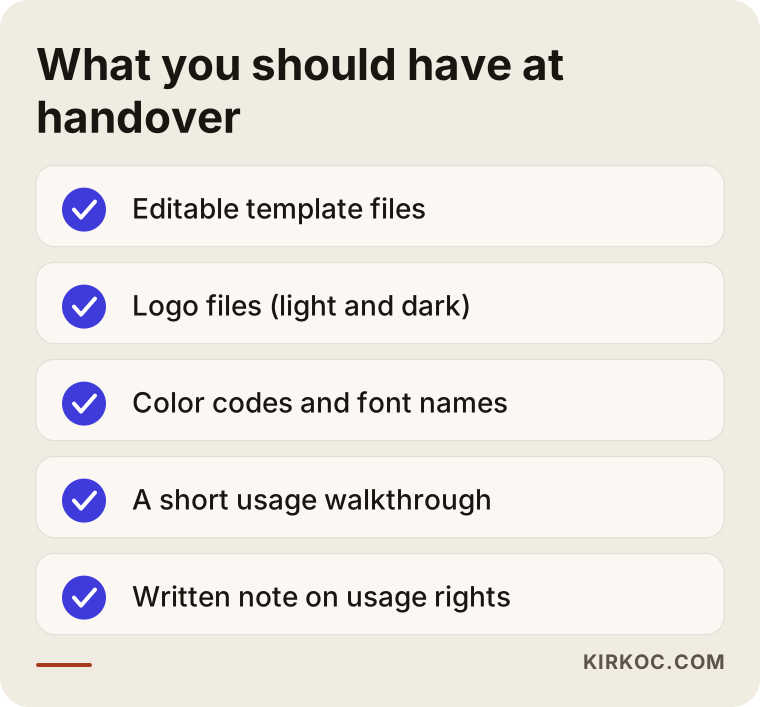
This list can also be your checklist when working with anyone else. Whoever you hire, the editable files, the font and color information and the usage rights should be clear and in writing.
Frequently asked questions
What exactly is a social media template?
It is the ready-made skeleton of a post: the logo, colors, fonts and layout are decided in advance. Each time you change the text and the photo, and the rest of the design stays fixed. That way you produce posts quickly and your feed looks consistent.
How many templates do I need?
For most businesses, starting with three or four template families is enough. Usually an announcement and promotion template, a tip or information template, a customer review template and story templates work well as a first set. As your posting habit grows, you add new ones.
Won't the ready-made templates in Canva be enough?
For some businesses they will. If you post rarely and on a single platform, adapting ready-made templates to your brand colors and fonts is a reasonable solution. But the same ready-made templates may appear on other accounts too, so if you want to stand out and build a consistent identity, a custom set is more suitable.
Will I be able to edit the templates myself?
Yes, and I aim for that in particular. The templates are delivered as editable files in the tool you will use, and in a short walkthrough I show you which field to change and how. If you prefer, I can also take on the whole job myself.
How much does template design cost?
I do not quote numbers, because the scope changes from business to business. The number of templates, the number of platforms, the state of the brand foundation, the number of languages and the support after handover are the main factors. Once you describe what you need, I put the scope in writing and give a quote based on it.
On how many platforms can I use the templates?
You can use the same identity on platforms such as Instagram, Facebook, LinkedIn, TikTok and YouTube, but since each platform has different sizes and reading habits, each one needs an adapted version. You do not have to order all of them at once; you can start with the platform you use most.
Will using templates make my content boring?
A well-built set does not, because you rotate between several different layouts and the text and photo change with each post. A template brings consistency, not repetition. Still, using a template for months without ever touching it can make a feed look static, so small updates from time to time are healthy.
Who owns the copyright and usage rights of the templates?
This should be settled in writing at the start of the work. I think it is right for the files and the right to use them to pass to you, but I suggest showing the contract clauses to a lawyer for the legal details. You should also check the commercial terms of the fonts and images used separately.
If you want to build a consistent, easy-to-use template set for your brand, you can look at what I do on my logo and brand identity service page and get in touch by describing what you need; in the first conversation I will tell you honestly what you actually require.