You know something well. Maybe it is a trade you have practiced for years, a language, an instrument, a software program or an exam people need to pass. The people around you keep asking the same questions, and you keep thinking, "I should record this as a course." Then the real question arrives: should you sell the course on a ready-made marketplace like Udemy, or should you build an online course website and sell from your own site? This article explains the real differences between the two routes, when each one works, and what you will be dealing with if you build your own. I am Ümit Kırkoç, a web designer who works alone from Istanbul, and I describe what I do on projects like this on my website design service page.
Let me be clear about one thing first. I did not write this to push you toward your own site. For some people a ready-made platform is the better starting point. My goal is that you know what to look at before you decide.
The basic difference between a platform and your own site
A marketplace such as Udemy works like a ready-made shopping mall for courses. You upload your course, the platform takes the payment, gives the student access, and through its own search and recommendation system it sometimes even brings you students. In return it keeps a share of each sale, applies its own rules to pricing and discounts, and generally does not hand you the student list. In a very real sense the student is the platform's customer, not yours.
Your own site is your own shop. You set the price, the design, the discounts and the course bundles. The student's email address stays with you, so when you release a new course you can write to that person directly. But for anyone to walk through your door, you have to tell them where the door is. The built-in crowd of a marketplace is not there.
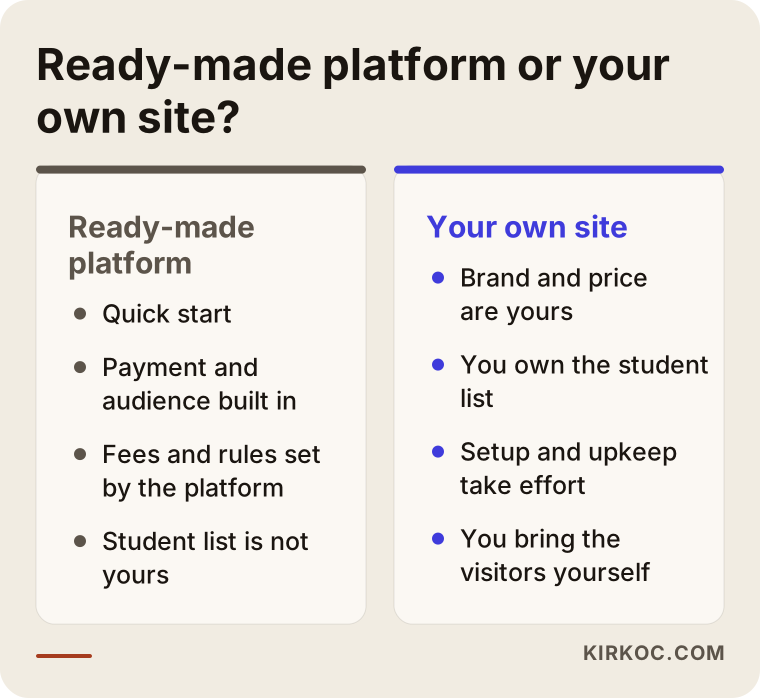
The comparison above shows the core of it. A platform gives you convenience and a ready-made storefront. Your own site gives you control and long-term ownership. You do not get both fully at the same time, so you need to know which one matters more to you.
Why you might want your own site
The easiest way to see the value of your own site is to ask yourself this: will I still be selling this course three years from now, and do I want those customers to belong to me?
When you sell on a marketplace, the rules can change one day. The fee structure, the discount policy and the way courses are listed are not in your hands. On the marketplace, dozens or hundreds of competing courses on the same topic sit side by side, and a student may choose whichever one is featured that day instead of yours. On your own site, a visitor looks only at your course. There is no competitor sitting next to it.
The second issue is brand. If you want to build something like "Studio Foto photography course," it matters that students remember your name and your web address. On a marketplace, a student will often say, "I took the photography course on Udemy," not the name of the person who taught it.
The third issue is data. The people who buy your first course are the most natural customers for your second one. The way to reach them is an email list. On your own site that list is yours. On a marketplace, access to it is usually governed by the platform's terms. Check the platform's current rules yourself, because they change over time.
Why you should not dismiss the platform
To keep this balanced, let me argue the other side too. If you have no followers, no email list and no recognized name, your own site will be empty on the day it launches. Building a site does not bring you a crowd; it only gives you a place to show the crowd once you have one. In that situation, the built-in search traffic on a marketplace can help you collect your first students and your first reviews.
Another advantage of a platform is that it removes the technical load. Video hosting, payment security, student logins and certificates are handled for you. On your own site you either set these up yourself or someone sets them up and maintains them for you.
So there is no single answer to "which one is better." The right choice depends on the audience you already have and how you want to grow the course.
Which one should you start with?
A practical rule of thumb helps here. If you already have people who follow you, such as a social media account, a newsletter, a professional association or a community around you, then your own site pays off much more. The person arriving to buy already trusts you, and you can sell to them without paying a commission. If you have no audience yet, it is less risky to open a small shopfront on a platform first and see how people react to the course.
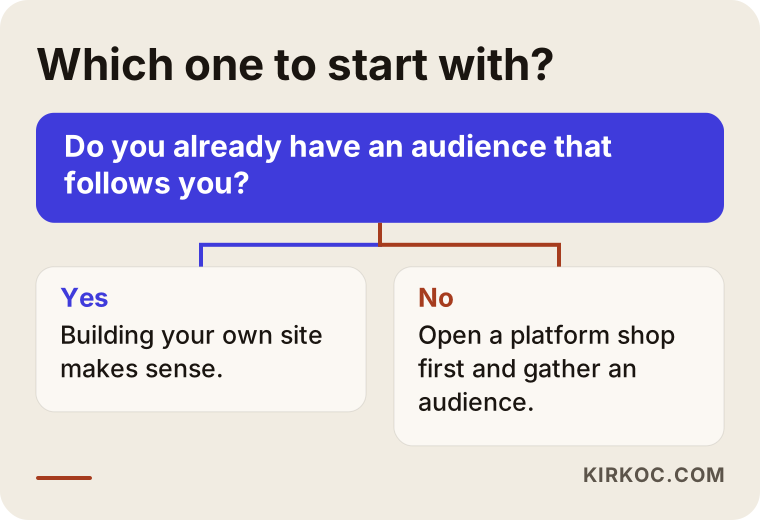
The logic in the diagram looks simple, but in real life most people land somewhere in the middle. You have a small audience, but not a big one. In that case a third route comes into play.
The third route: using both together
Many course creators end up with this setup: their own site is the main hub, and the course on the platform acts as a shop window. They make the platform course a cheap or short entry product and sell the full, in-depth program on their own site. After a while they invite students from the platform into their own world.
The condition for this approach is that you read the platform's rules and do not break them. Every platform has its own limits on sending students elsewhere, and you need to check those limits yourself.
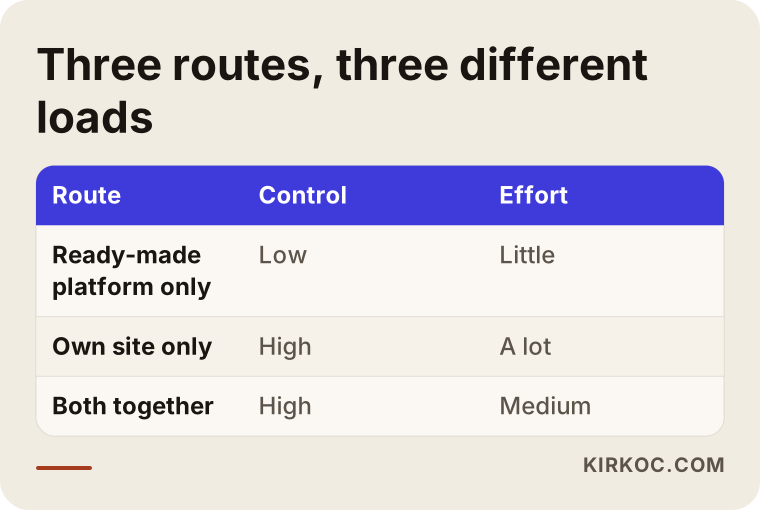
As the table shows, using both takes a medium amount of effort while keeping control high. That is why, when someone has a small audience but wants to grow, I usually explain this option first.
Which pages does an online course site need?
A course site is different from an ordinary company site. The visitor does not know you, and you are asking them to pay for something they cannot hold in their hands. To get over that trust barrier, your pages need to work in a certain order.
Home page: It should say in a few sentences who you are, what you teach and who you teach it to. Before listing every course, it should point to the one course you most want to sell.
A separate sales page for each course: This is the most important page on the site. I explain it in detail below.
Instructor (About) page: People want to believe you know your subject. Honest, verifiable facts belong here: your experience, where you have worked, how many people you have taught. Exaggeration and inflated titles do not build trust; they erode it.
Blog or articles: What people type into Google is often not a course name but a question, such as "how do I use the IF formula in Excel" or "how do I fix my pronunciation in Spanish." Articles that answer those questions bring free visitors to your course site. For someone without an audience, this is the most dependable way forward without a platform.
FAQ, refund and contact pages: If the questions a person has before buying, such as "How long will I have access?" or "What if I don't like it?", go unanswered, they close the page.
Student login area: This is the section where a buyer logs in and watches the lessons. Its structure depends on the course management system you choose.
Why the sales page matters most
A person who lands on a course sales page is looking for answers to a few questions. What exactly does this course teach? Is it right for me? Who is teaching it? Did earlier students come away satisfied? If I pay and something goes wrong, what happens?
A good sales page answers these in order. The headline says what you will be able to do after the course. Below it you write who the course is for and what prior knowledge is needed. Then you show the curriculum section by section. Next comes a short sample lesson that can be watched before buying, because people do not trust a teacher whose style they have not seen. After that come the instructor introduction and real student reviews, and at the very end the clear price, payment methods and refund terms.
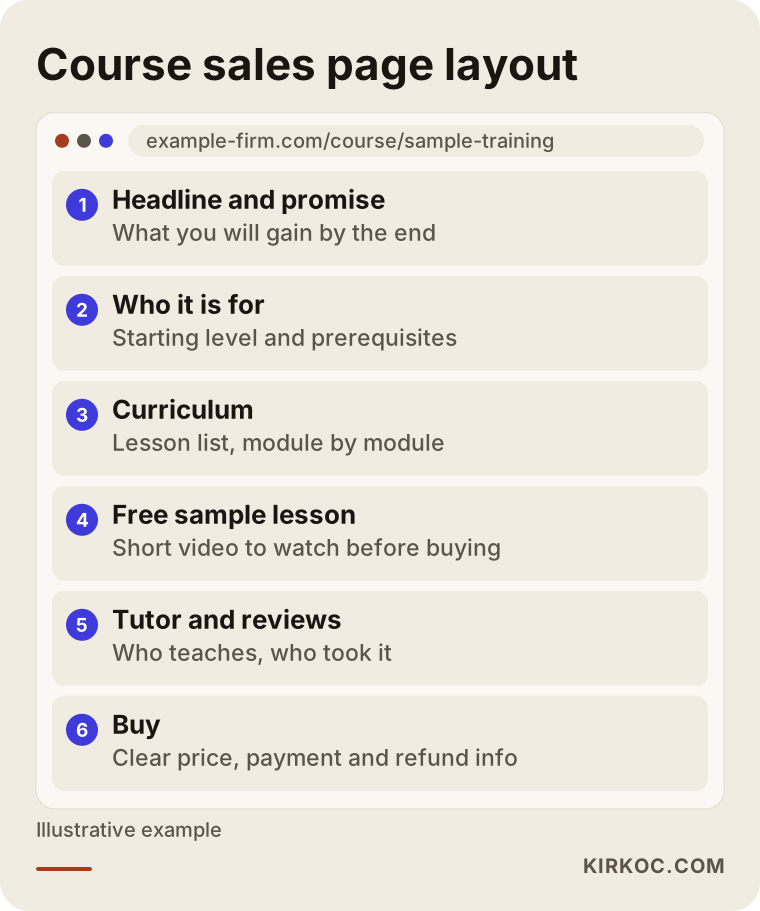
Keep this layout in mind. When I design a course site, I build each course page on roughly this skeleton and fill it with your course's content. Pages that hide the curriculum and only say "a wonderful training program" struggle to convince visitors.
How will your customers search for the course?
A course creator without technical background often assumes, "People will search for my course name on Google." In reality, someone who does not know your course does not know its name. People search in three ways.
First, they want to solve a problem: "how to run Instagram ads." This person is not looking for a course yet; they are looking for an answer. If you answer that question with a good article or a free lesson, that is where they first meet your course.
Second, they look for a type of training: "online guitar course" or "learn Python from scratch." Here most of your competitors are the big platforms. In these searches your own site will not easily outrank them, so it makes sense to aim for places where the search is narrower and more specific, such as a particular industry, a particular age group or a particular exam.
Third, they search for you or your brand. Someone who heard about you in a video, on a podcast or from a friend types your name. It matters a great deal for trust that your site appears first for that search. A person who asks an AI assistant gets a similar kind of answer, so having pages that introduce you clearly and accurately helps with both Google and AI-based search.
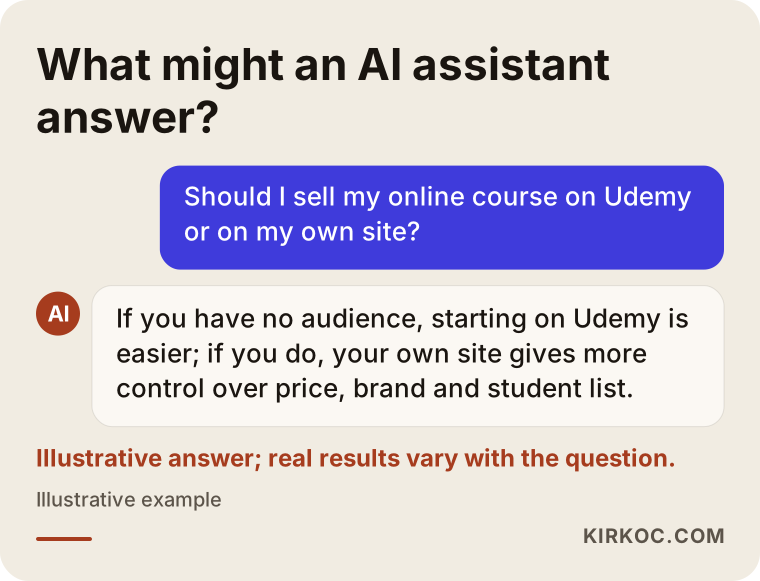
This sample answer shows how people ask this very question. If your site has a page that answers it honestly and clearly, both readers and search engines will notice.
Example scenario 1: a music teacher with an audience
The following is a completely hypothetical example. It is not a real person or company.
Picture a music teacher who has shared guitar lesson videos on social media for years and has an email newsletter. Followers keep writing, "Will you make a course?" If this teacher opens a course on a ready-made platform, followers get sent to the platform, a share of each sale goes to the platform, and the teacher cannot reach the buyers' email addresses as if it were their own list.
For this teacher, their own site makes more sense. The audience already exists, so the heavy lifting of bringing visitors is largely done. The site needs a sales page for the course, a few free sample lessons, a student login area and an email signup form. When a second and third course come along, the teacher reaches the same students directly. The real work here is keeping the site simple and making the purchase process smooth.
Example scenario 2: an accountant with no audience
This is also hypothetical. Imagine an accountant who wants to teach a course called "bookkeeping basics for small businesses." They are not very active on social media and have no email list. If they commission a big site right away, they will have a site that nobody visits for a while.
A smart start for this person is to publish the course on a platform, collect feedback and reviews from the first students, and at the same time open a simple site on their own domain name, with a blog that answers the questions small business owners ask. After a few months, visitors coming from those articles can start buying the course from the accountant's own site. In other words, first the shop window, then gradually the shop of your own.
Step by step: from idea to first sale
If you have decided to build your own course site, the order of work is usually the one below. Going through every step without skipping reduces the cleanup later.
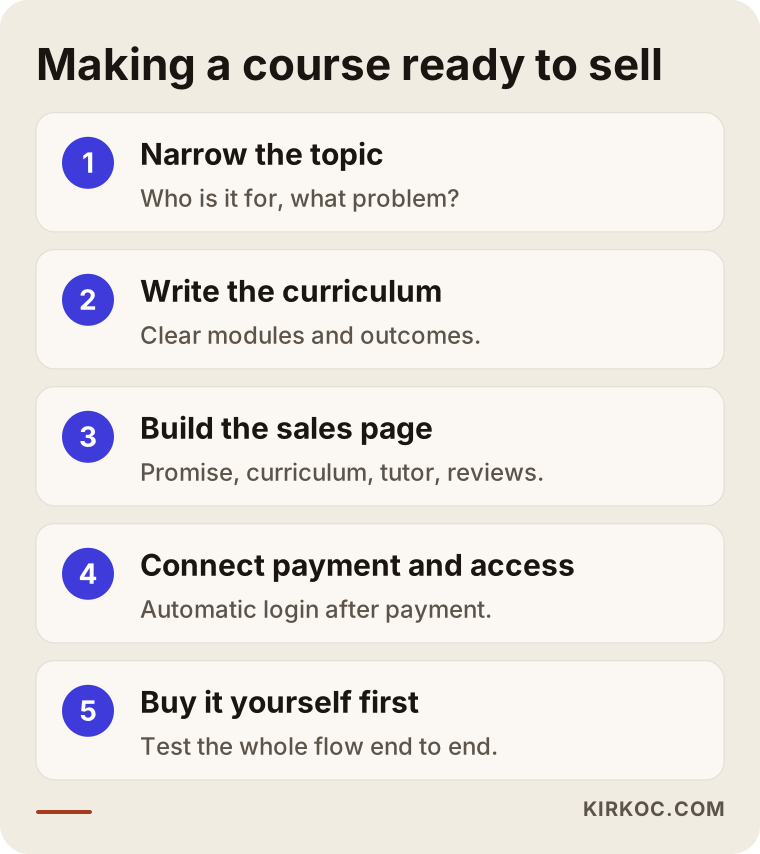
Narrow the topic. "A marketing course" is far too broad. "Finding customers on Instagram for local businesses" is easier to teach and easier to sell. A narrow topic also gives you a better chance of being found in search.
Write the curriculum. Write out the modules and, at the end of each one, what the student will be able to do. Before you film anything, show this outline to a couple of people you know. If they say, "I would take this course," move on.
Build the sales page. Apply the layout I described above. The videos do not have to be completely finished while you write this page; one sample lesson is enough.
Connect payment and access. When a person pays, the system should automatically give them a login. Opening access by hand wears you out after a few students and invites mistakes. For payments, international providers such as Stripe or PayPal are common choices, and which one suits you depends on the country where your business is registered and where your students live.
Buy it yourself first. Before going live, try the site from start to finish like a real customer: find the page, pay, wait for the email, log in and watch one lesson. Do it on your phone as well.
Technical options: how does a course work on a site?
If you are not technical, this part can feel blurry, so let me keep it simple. A course site has three parts: the pages (introduction and sales), the payment, and the student area (login and lesson viewing). You can build these in one system or in separate pieces.
The most common route is to install a course plugin on WordPress. Plugins such as LearnDash, LifterLMS or Tutor LMS manage the lessons, modules, student logins and progress tracking. This route is flexible and gives you ownership, but it needs regular updates and maintenance.
The second route is a ready-made service built for selling courses, such as Teachable or Thinkific. These reduce the setup work, run on a monthly fee, and can be used alongside your own site. You do not have complete control here, but you are also not as dependent as you would be on a marketplace.
The third route is custom software. It may be needed for very high traffic, a specialized student dashboard or corporate training, but for a first course it is usually more than you need. In my view, commissioning custom software for a first course is an early expense for most people.
Videos are a separate topic. Uploading videos to your own site's server slows the site down and makes playback stutter. Instead, people use video hosting services such as Vimeo, or unlisted YouTube videos, and the site embeds them in the page. Which one fits depends on how much you want to protect your videos.
Trust and legal matters
Selling a course means selling a service at a distance. That is why you need written terms on refunds, withdrawal rights and personal data. How withdrawal rights apply to digital content, how a distance-sales contract should be drafted and how invoicing and tax work differ from country to country, and it would not be right for me to make firm claims about any of it. Please talk to a lawyer and to your accountant. What I can do is make sure these texts sit in the right place on the site in a readable form; the legal content of the text belongs to a specialist.
There is also accessibility and speed. Some of your students will watch videos on a phone with a limited connection. A page that opens quickly, text that is easy to read and buttons that are comfortable to tap on a phone directly affect sales.
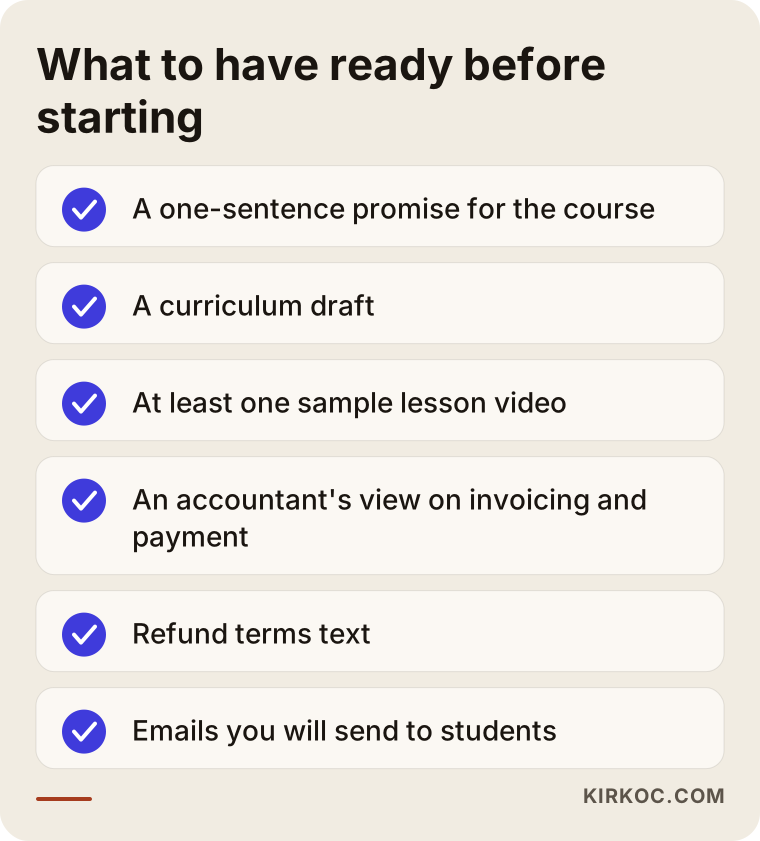
The list above summarizes the mistakes I see most often in this kind of project. Let us look at them a little more closely.
Common mistakes
Building a big site when there is no audience. I see sites that launch with a detailed student dashboard, badges, a forum and a certificate system, yet have no daily visitors. Prove the sale first, then grow the site.
Not showing the curriculum. The "you will see the content after you buy" approach damages trust. People want to see what they are paying for. Writing the module titles openly does not get your content stolen; it increases sales.
Uploading video to your own server. As described earlier, this causes both speed and cost problems.
Giving access by hand. It feels reasonable for the first three sales. By the tenth, you are woken at midnight by messages saying, "I paid but I can't log in."
Leaving refund terms unwritten. Uncertainty scares the student and leaves you open to disputes.
Not testing on a phone. A large share of your viewers will come in on a phone. A page that looks good on a desktop can be unusable on a phone.
There is one more mistake that rarely gets mentioned: publishing the course and forgetting it. The curriculum can age, and the software you teach can be updated. A "last updated" note on the course page and content that is refreshed from time to time show both students and search engines that the site is alive.
How does a visitor become a student?
On a course site, most visitors do not buy on their first visit. That is normal; people do not decide quickly on a training that costs money or takes time. So instead of focusing the site only on a "buy" button, you need to build a gradual path.
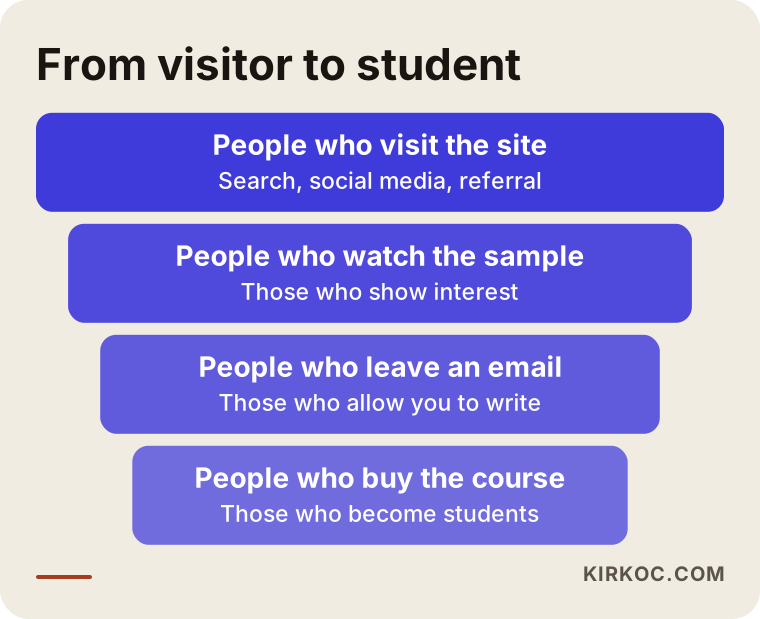
At the first stage, a person reaches your site through an article or a search. At the second stage, they watch a free sample lesson. At the third stage, they leave their email address in exchange for a free resource, such as a checklist or a short guide. At the fourth stage, because they have begun to trust you, they buy the course. Some people drop out at every stage; the real job is making each step easy.
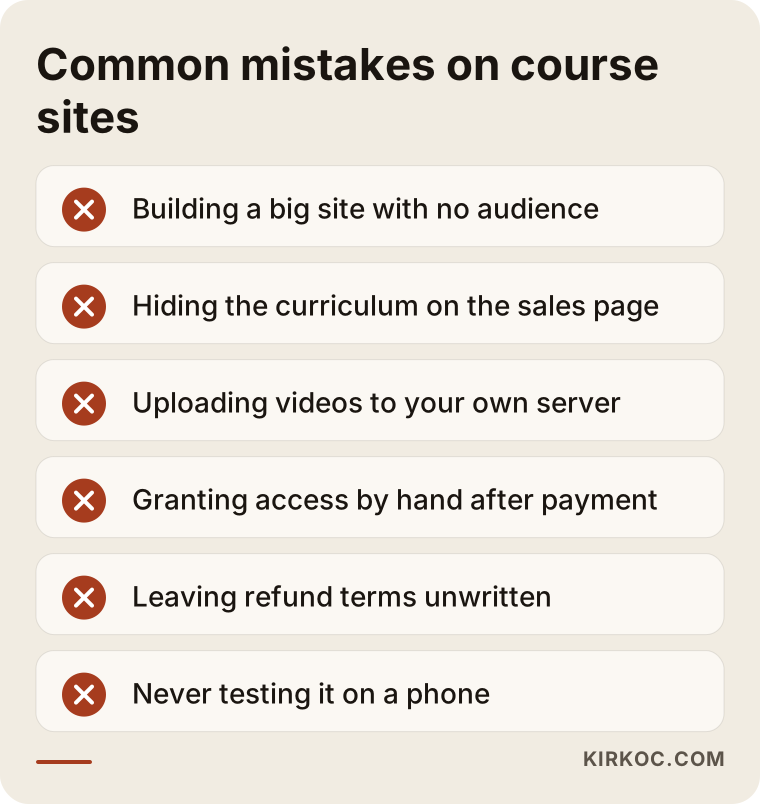
Sending a few useful emails to a person who left their address, before you ask them to buy, works far more naturally than going straight to a sales email. Writing those emails matters as much as building the site, and most course creators skip it.
What can you do yourself, and when do you need a specialist?
You do not need outside help for everything. The course idea, the curriculum, the teaching, the filming and the gathering of student reviews are your work, and nobody can do them for you. You can also write the first draft of the sales page yourself, because the person who knows the subject explains it best.
If you do the preparations below yourself, the time you spend with a specialist gets shorter and the cost goes down.
Specialist help is useful in these areas: making the site load quickly and look right on a phone, connecting the payment system and student login without problems, designing the sales page so that it earns trust, making the site findable in search engines, and fixing technical faults that appear later. A payment error or a login problem costs you money directly, so learning this part by trial and error can be expensive.
What determines the cost
I do not give numbers in this article because prices vary a lot from project to project. But I can tell you what the price depends on.
The first factor is how many courses you will sell. A structure for a single course is very different from one for a catalog of courses. The second factor is how custom the student area needs to be: is it only video viewing, or does it also include quizzes, certificates, progress tracking, comments and live sessions? The third factor is the payment structure: a one-time sale, installments, a subscription or bulk corporate sales each need a different setup.
The fourth factor is multiple languages and selling abroad. Publishing in more than one language and handling different currencies makes the job bigger. The fifth factor is content and design preparation: there is a difference between you bringing the texts and images and my preparing them. Finally, maintenance, updates and backups after launch are part of the budget too. If you use a ready-made service, count the monthly membership fee; if you run your own setup, count hosting and plugin renewal costs as well.
A good quote lists these items one by one. If you are shown a lump sum that says "everything included" without itemizing, ask what is not included.
How I work with you
I work alone, which means the person you talk to is the person who builds your site. The process roughly goes like this. First I listen to your course, your target student and the audience you already have. I tell you openly whether a platform, your own site or both together suits you better; sometimes the answer is "a platform for now," and I say that honestly. Then I show you a draft of the page layout. With your approval I build the site, the payment and the student area, and before launch you and I run a test purchase together.
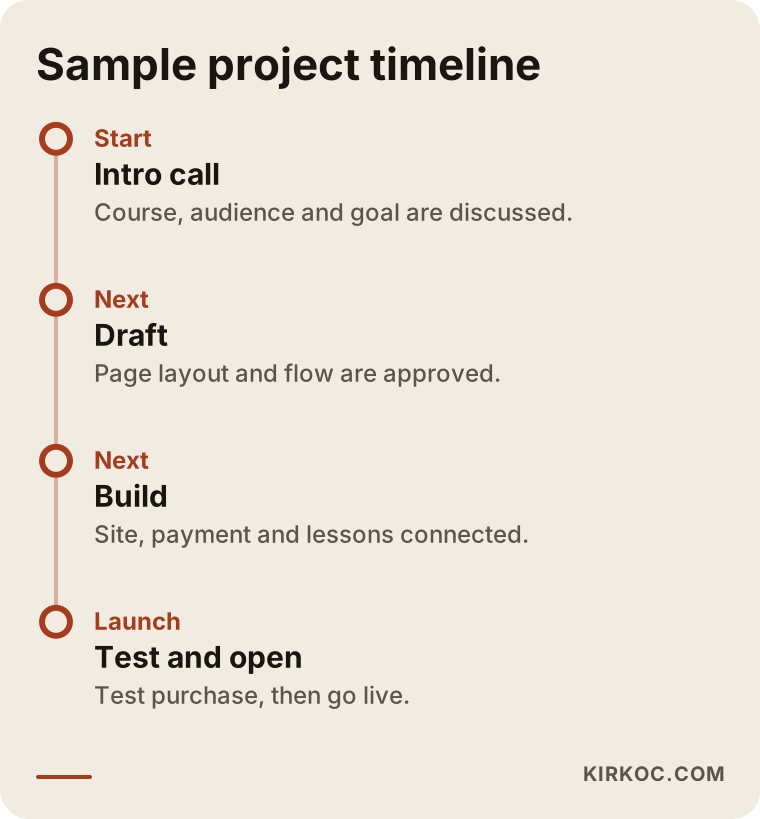
The length of the timeline depends on the size of the course and how ready your content is, so I need to see the work before I promise you a firm schedule. After launch I keep answering your questions.
Frequently asked questions
Can I open my own site while selling on Udemy?
Yes, many people use both. However, platforms may have rules about sending students to your own site. Check the current terms on the platform's own pages and do not go against them.
Is it pointless to build my own site if I have no followers?
It is not pointless, but it is not enough on its own. A site gives you a shop window; it does not bring the crowd. If you have no followers, think about blog articles, free lessons and a platform shopfront together.
Where should I upload my videos?
Usually not to your own server, but to a video service such as Vimeo or to unlisted YouTube videos, which the site then embeds. The choice depends on how important it is to protect the video.
How will I take payments, and how will invoicing work?
Payment providers such as Stripe or PayPal are commonly used. Invoicing and tax depend on how your business is set up and where it is registered, so please ask your accountant.
What should I do about refunds and withdrawal rights?
How this works for digital content depends on the law where you and your students are, and I cannot give you a firm answer. Have a lawyer prepare the texts; I will make sure they sit in the right place on the site.
How will people find a course site on Google?
Someone who does not know your course name searches for a problem. Articles that answer those questions, a clear sales page and a well-prepared site structure improve your chances of being found. I cannot guarantee rankings, but doing the right work brings visibility over time.
Can I update the content myself after the site is built?
Yes. I set the site up so that you can add new lessons, change prices and publish articles on your own. At handover I show you how.
Can I start small and grow later?
I would actually recommend it. Starting with a simple single-course site and adding new courses, bundles or student area features once you see sales is safer and cheaper.
If you have a course idea and cannot decide between a ready-made platform and your own site, tell me about your situation. I will look at your audience and your goal and give you an honest recommendation. You can reach me through my website design service page.