You run a repair shop. You do the work at the bench, and for years most of your customers were regulars or people from the neighborhood. Lately, though, you may have noticed that more of your jobs begin on Google. Someone with a cracked phone types "phone repair near me." Someone else with a laptop that will not turn on types "laptop repair," glances at the first three or four results and picks one. If you are not on that list, that customer never reaches you, no matter how good your work is. In this article I explain what SEO means for computer and phone repair shops, which pages you need and where to start. I am Ümit Kırkoç, a web designer and SEO consultant who works alone from Istanbul, and near the end I will also say plainly what my own SEO services cover and where they stop.
SEO, in short, is the work that makes your website show up when customers search on Google. You do not pay for every click the way you do with ads. When it is set up properly, it can keep you visible for the same searches for months. In repair work that matters a great deal, because a person with a broken device is in a hurry. They usually keep their research short and call the first shop that looks trustworthy.
What is a repair customer actually doing?
A repair customer behaves differently from customers in many other trades. Someone shopping for furniture or a lawyer may compare options for days. Someone whose phone will not power on, or whose laptop shows a blue screen, usually wants a fix today. That is why repair searches share three traits: they are urgent, local and very specific.
Urgent means the decision is fast. When a visitor lands on your site, they want to see within a few seconds whether you repair their device, where you are, how long it takes and whether you can be trusted. If they cannot find those answers, they go back and click the next result. Local means people do not want to carry a broken device far, so most prefer a shop near home or work. Specific shows up in the search itself: not "phone repair," but "iPhone charging port replacement" or "laptop screen replacement," with the fault and often the model included.
The illustration below uses a made-up example to show how a search result might look.
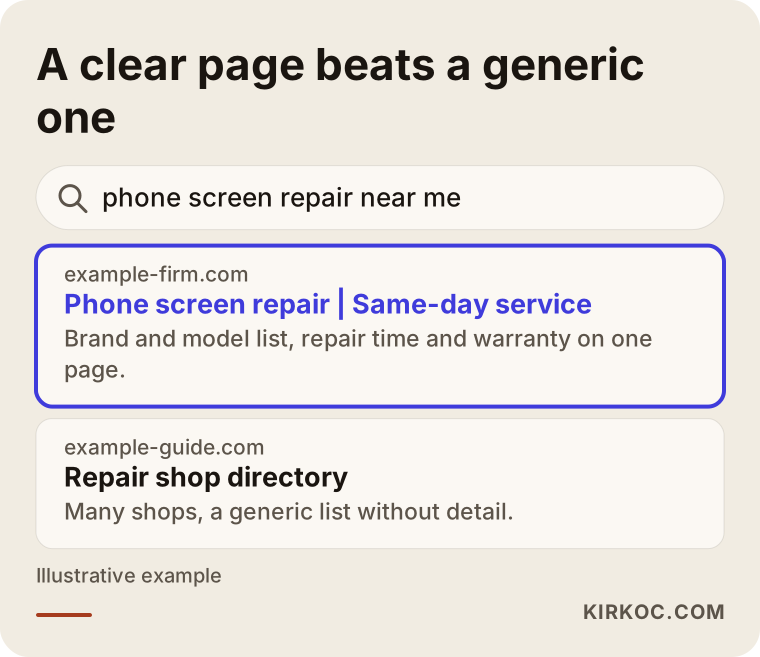
The highlighted result says three things in its first line: what it fixes, where it is and how fast it works. The generic listing underneath tries to cover everything and ends up saying nothing clearly. Google tries to give the searcher the most fitting answer, and if you make that easy, it can show you more readily.
How do customers word their searches?
Repair searches fall into roughly four groups. The first group types the fault: "computer won't turn on," "phone got wet," "laptop overheating." These people are describing a problem and do not yet know whom to call. The second group types the service: "laptop screen replacement," "phone battery replacement." They know what needs doing and are looking for a price and a shop. The third group types proximity: "phone repair near me," "computer repair open now." They look at the map and often choose the closest shop with good reviews. The fourth group types a brand and model: "iPhone charging port repair," "Samsung screen replacement."
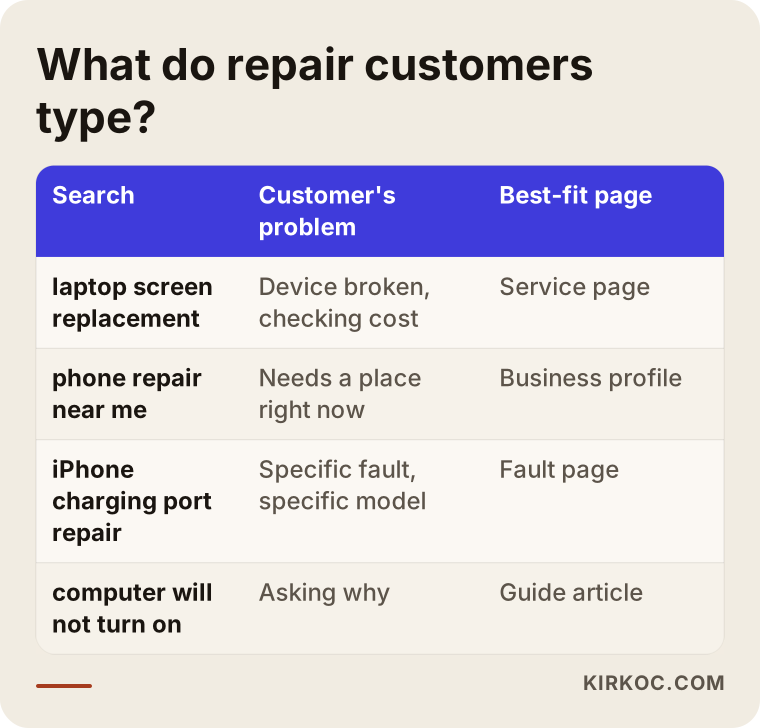
The most important takeaway from the table is that every kind of search needs a different place to land. Someone searching a fault needs a guide article, someone searching a service needs a service page and someone searching proximity needs a well-kept business profile. If you try to squeeze all of it onto one home page, Google cannot tell which page to show to whom.
Why do small repair shop websites stay invisible?
The most common picture I see is this: the shop has a website, but it holds only a few lines. "We repair computers, phones and tablets. Call us." And then a phone number. The reasoning behind such a site is usually "I should have a website," which is a fair thought, but to Google the site says almost nothing.
The reason is simple. Google decides what you can answer by reading the content of your pages. If the phrase "screen replacement" never appears, Google has no reason to show you to someone searching for a screen replacement. If the page does not say which brands you handle, which faults you deal with and where you are located, the site tells Google only, "there is a repair shop here." In any mid-sized or large city, many websites say exactly that.
Another common problem is cramming everything onto one page. Computers, phones, tablets, game consoles, screens, batteries, software and data recovery are all listed in a single paragraph. A customer may spot their own problem in that list, but Google will not see the page as the best answer for any one fault. Keep this in mind: one page answers one question. A page that tries to answer many questions at once is strong at none of them.
Which pages do you need?
A solid repair shop website does not have to be big, but it has to be organized. This is the structure I recommend.
A home page: it says who the shop is, where it works, which device types it repairs and how to reach you. From here you link to the pages below.
A separate page for each main service: "Laptop screen replacement," "Phone battery replacement," "Slow computer and reinstall," "Data recovery," and so on. Each page focuses on that one job. On it you include which brands you handle, how the repair is done, roughly how long it takes, what warranty you give, what the price depends on and how to book or ask for information.
A contact and address page: a clear address, a map, opening hours, a phone number and a messaging option. Someone looking at the page on a phone should be able to call you with one tap.
Optionally, a few guide articles: "What to do if your phone falls in water," "Why laptops overheat," "First checks when your computer won't start." These catch people who are searching for a fault, and if you help them, they remember you when they need a repair.
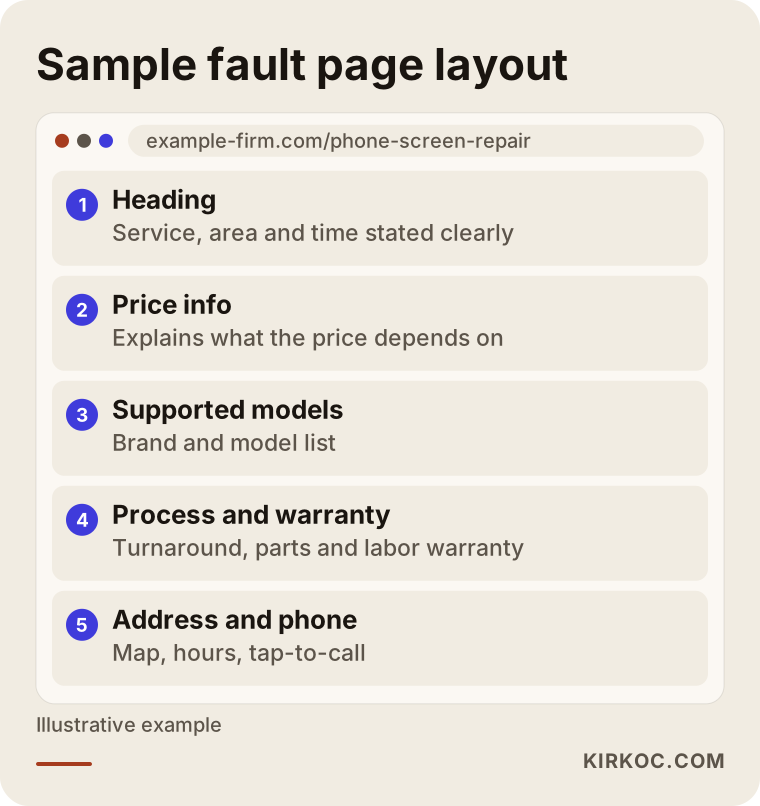
The layout above shows the flow of a fault page using an invented example. The key point is that as the visitor scrolls, their questions are answered in order. They see what is being repaired in the heading, then the logic of the price, then their model and finally how to reach you. That flow reassures the customer and also tells Google clearly what the page is about.
What must every service page contain?
A few things should never be missing if a repair page is going to earn trust. State which brands and models you repair, because that is how a customer answers the question "do they fix my device?" Give an estimated turnaround, and pick wording you can really keep, such as "same day" or "one to two business days." Do not write a promise you cannot deliver. If you offer a warranty on parts and labor, say so clearly. Explain what the price depends on. Show your address, map and hours. Make the phone number start a call when tapped.
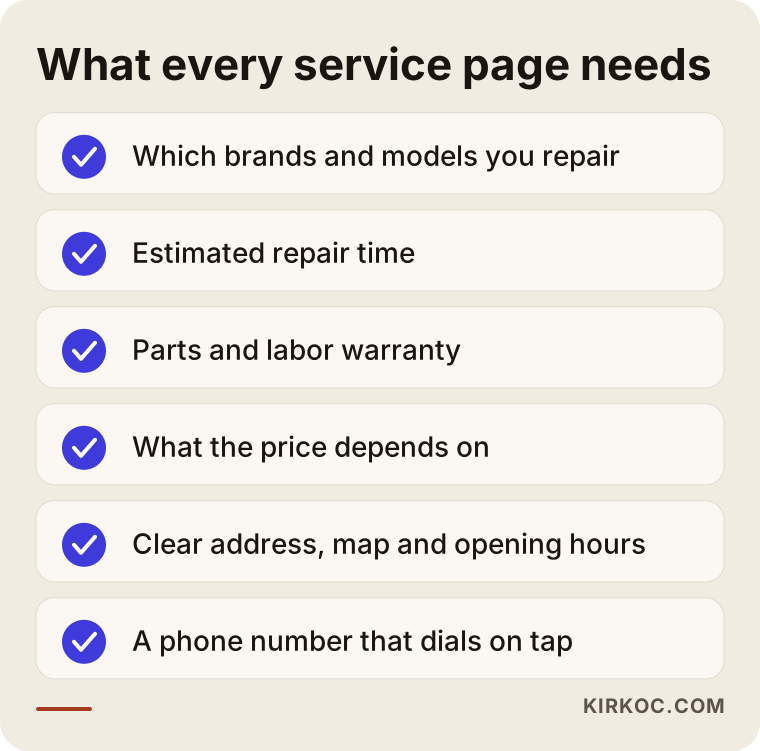
The list looks short, but at most small shops half of it is missing. Many owners hesitate most over price. You do not have to publish a number. An honest sentence such as "It depends on the screen model, the panel quality and the extent of the damage; I cannot give an exact figure without seeing the device, but I will get back to you quickly" builds far more trust than saying nothing.
Map visibility: the "near me" searches
A large share of repair searches end without anyone visiting your website. A person who types "phone repair near me" on their phone sees the box of results on Google Maps. They read the name, rating, hours and phone number right there, then call or ask for directions. The thing behind that box is your Google Business Profile. It is a separate job from your website, but a repair shop's visibility plan is incomplete without it.
Here is what to watch in the profile. The business name should match your real storefront sign exactly; stuffing keywords into the name goes against Google's rules and can get your listing into trouble. Choose the right category, such as "cell phone repair service" or "computer repair service," whichever fits you. Keep opening hours current: forgetting to change them for a holiday means a customer arrives at a closed door and leaves annoyed. Add real photos, such as the outside of the shop, the bench and a moment of you at work. Fill in the list of services. And most importantly, reviews: you can send a happy customer the link and politely ask for a review, but buying reviews or having fake ones written is unethical and can harm your profile.
Do not underestimate replying to reviews, either. A thank-you under a positive review, and a calm, solution-focused answer under a negative one, show new customers who you are. Many people look less at the negative review itself than at how the owner responded.
Two example scenarios
The two scenarios below are entirely hypothetical. They do not describe a real company or person; I made them up only to show the logic.
Scenario 1: A small phone repair shop on a side street
Suppose there is a small phone repair shop on a side street in a residential neighborhood. The owner knows the work well, and most customers come from the surrounding blocks. The website has a single page and a phone number. The Google profile was opened but left half finished: hours are missing, there are no photos and not one review.
The first job here is not to enlarge the website but to finish the profile, because this shop's customer is largely the person searching "near me." Hours, category, photos and the service list get filled in. Happy customers are asked for reviews. After that, the site gets separate pages for the two or three faults the shop handles most: screen replacement, battery replacement and charging port repair. Each page lists models, turnaround, warranty and how the price is decided. This work carries no guarantee of results within a few weeks, but it makes the shop easier to understand both on the map and in ordinary search.
Scenario 2: A computer shop that serves business customers
The second hypothetical example is a computer shop. It serves individuals too, but its real target is small offices and businesses: maintenance of printers, networks, servers and working computers. It has a website, but three lines under the heading "Business solutions."
This shop's customer searches differently from a hurried individual: "office computer maintenance contract," "small business network setup," "IT support for a small company." That person compares before deciding, looks for references and wants to understand the process. So what is needed, unlike the individual repair pages, are pages that explain how the service works: how regular maintenance is done, how quickly someone arrives when something breaks, what is included and how the process starts. It also says plainly that pricing depends on the number of devices, the frequency of visits and the scope. Both examples are in the same trade but follow very different paths, because the customer searches and decides differently.
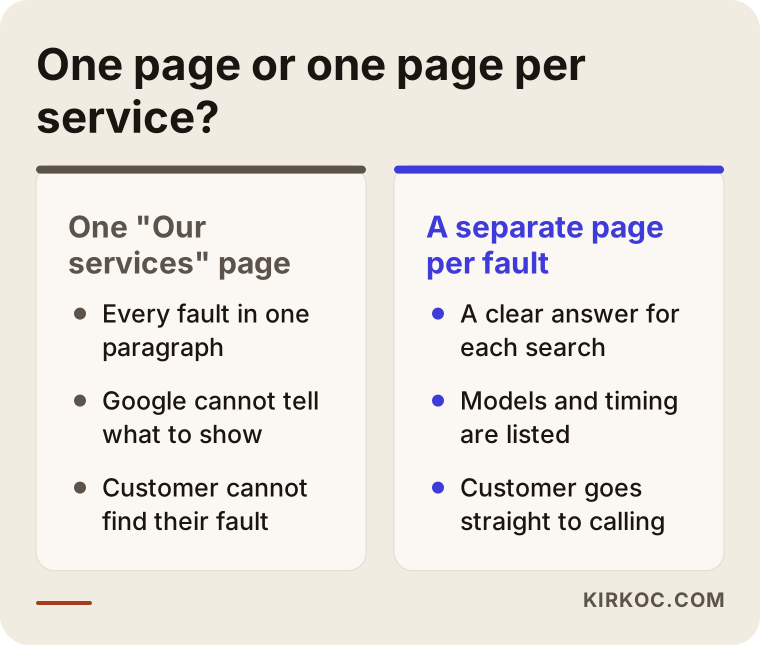
The comparison above summarizes what both scenarios share. When you build pages that match what the customer is searching for, instead of one "Our services" page, life gets easier for Google and for the visitor.
Step by step: how to set up SEO for a repair shop
You can describe the process in four steps. Each step builds on the one before, and skipping around usually wastes effort.
Step one is writing your service list. Take a sheet of paper and write down which devices, brands and faults you handle. Mark which jobs earn you the most and which ones you enjoy. What you want to show is not everything you can do, but the work you want to do and do well.
Step two is seeing the customer's search wording. People name the same fault in different words: "screen cracked," "touch not working," "glass replacement." A good start is to type these into Google and look at the suggestions, the "People also ask" box and the results themselves. Looking at the headings on competitors' pages also tells you something, not so you can copy them, but so you can notice what you have missed.
Step three is building the pages. Start with the faults that bring the most work; do not try to do them all at once. Add the elements I listed above to every page. Write in your own voice, as if talking to the customer. Make sure the pages read easily on a phone, because many repair searches happen there.
Step four is tidying your profile and reviews. Complete your Google Business Profile, enter your services and add photos. Build the habit of asking a happy customer for a review after every job.
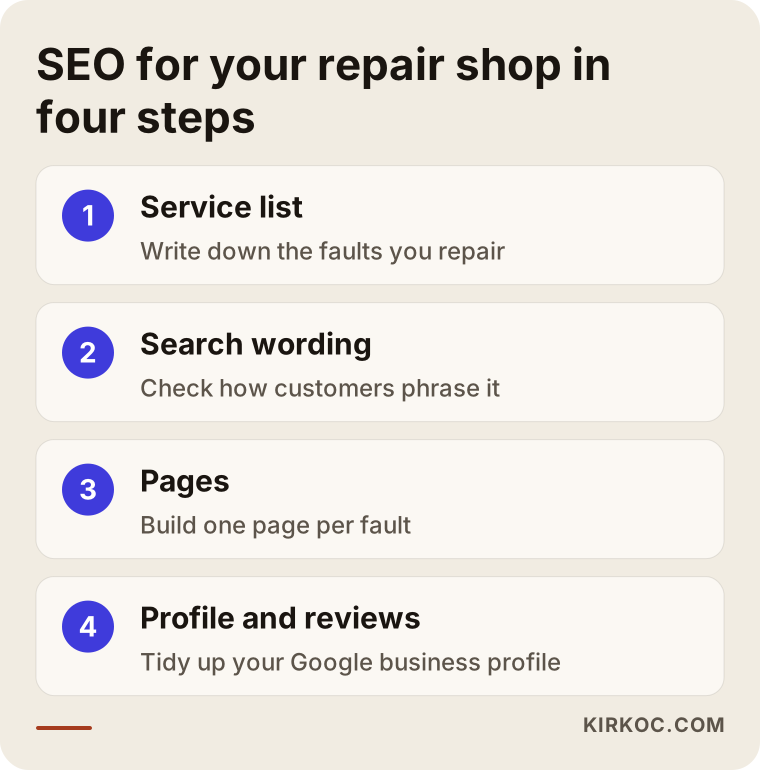
These four steps are not something you do once and forget. When a new device model comes out, a new kind of fault becomes common or your services change, the pages get updated. But once the foundation is in place, the upkeep is far lighter than the first push.
Common mistakes
I see the same mistakes again and again in repair shops. Most are not expensive; they are simply unnoticed.
The first is a site that contains only a phone number. A number alone does not answer the customer's question, "can I trust this shop?" The second is using stock photos. A plain photo taken at your own bench is far more convincing than a phone picture pulled from the internet. The third is cramming every fault onto one page, which I described above. The fourth is not updating the hours in your Google profile. The fifth is never answering reviews. The sixth is a site that opens slowly on a phone: if large, unoptimized images or unnecessary plugins make the page load late, an impatient customer will not wait and will move to another result.
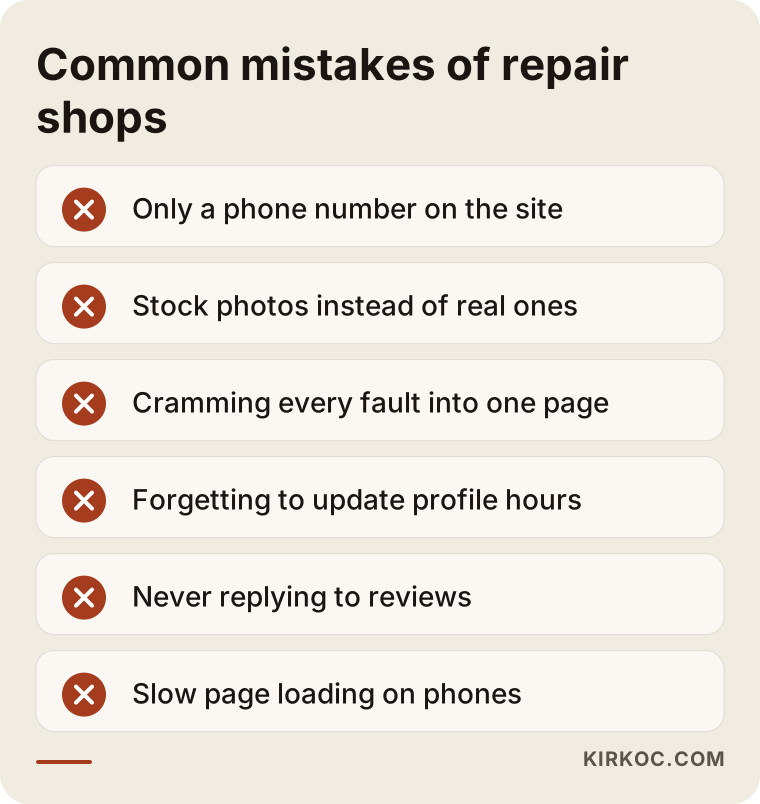
A site that makes several of these mistakes at once exists on paper but not in practice. The good news is that almost all of them can be fixed within a few days.
There is also a trap specific to this trade: exaggerated promises about warranties and "original parts." Statements such as "nothing will ever go wrong" or "all parts are original" are promises you often cannot verify. For the customer's sake and for your reputation, saying clearly what you can actually do is a better long-term investment than overpromising. If you are unsure how to word a warranty or any statement about consumer rights, I suggest asking a lawyer.
The path from a search to a customer
You can think of a search turning into a customer as a funnel. At the wide top are all the people who have a broken device and search for help. Some of them see you in the results or on the map. Some of those are drawn in by your title and open your page. Some of those trust you enough to call or write. And some of them bring the device in.
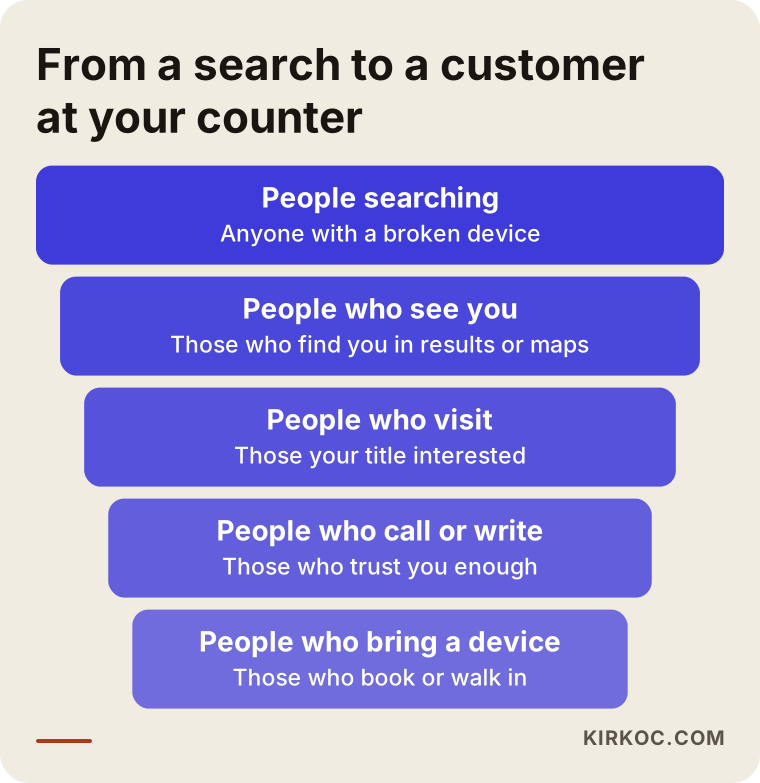
The funnel matters because there is a loss at every stage, and every stage has its own fix. If nobody sees you, the problem is visibility. If they see you but do not click, the title and description are weak. If they click but do not call, something that builds trust is missing from the page: the logic of the price, the warranty, a real photo or the address. So SEO is not only about bringing in more people. Making it easy for those who arrive to contact you is half of the job.
What can you do yourself, and when do you need an expert?
Many tasks need no technical knowledge, and you can do them yourself. Completing your Google Business Profile, keeping hours current, adding photos, replying to reviews and asking happy customers for reviews are entirely in your hands. So is writing your service list and gathering what goes on each fault page. You know the devices better than anyone, and that knowledge is worth more than what an outside writer could produce. Checking whether the phone number on your site dials when tapped, and looking at how a page appears on your own phone, are easy audits too.
The places where you may need an expert are usually technical. Whether Google reads your pages correctly, whether the site opens fast on a phone, whether the page structure and headings are built properly, whether similar pages confuse Google, and whether visitors and searches are being measured all belong in this group. And if the site has to be built from scratch or an existing one reorganized, part of the work is design and development.
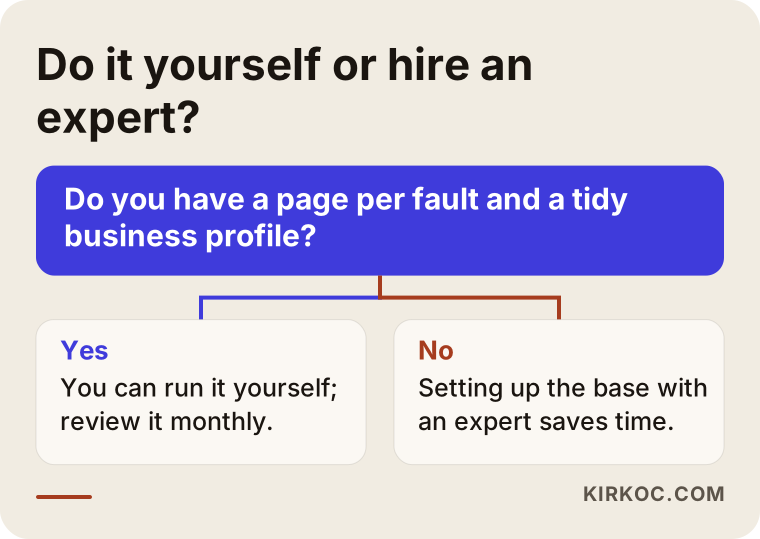
The logic in the chart is simple. If the basic setup is already in place, you can carry on yourself. If it is not, getting the starting structure right with an expert saves time. The goal is not to make you dependent on a specialist; it is to lay the right foundation so you can run things on your own afterward.
What determines the cost?
I do not quote numbers here, because no two shops have the same needs. But I can tell you clearly what the cost depends on.
First, your current situation. A shop with no website at all has a different workload from a shop with a site that needs reorganizing. Second, scope: how many service pages are needed, how many device types and brands you repair, and whether you have one location or several. Third, competition: if many shops in a busy area or a big city target the same search, the work takes longer and needs more detail. Fourth, who carries the content load: if you prepare the photos, model details and warranty terms yourself, the job gets lighter. Fifth, whether the work is a one-time setup or ongoing monitoring. After we talk through these, I prepare a clear quote.
How I work with you
I begin with a short conversation: which devices you repair, which jobs earn you the most, and what your current site and profile look like. Then I review the site and your competitors and write up what is missing in plain language. I set the order of priority together with you; I do not try to do everything at once. I prepare the pages with your knowledge and in your voice, because in repair work customers want to feel expertise, and you are the best person to express it. Since I work alone, the person you talk to is the person who does the work, with no middleman in between.
As for results, I do not promise any ranking or number of customers, because neither I nor anyone else controls Google's decisions. What I do offer is a properly built foundation, a clear roadmap and tracking that lets you see what the work is doing for you.
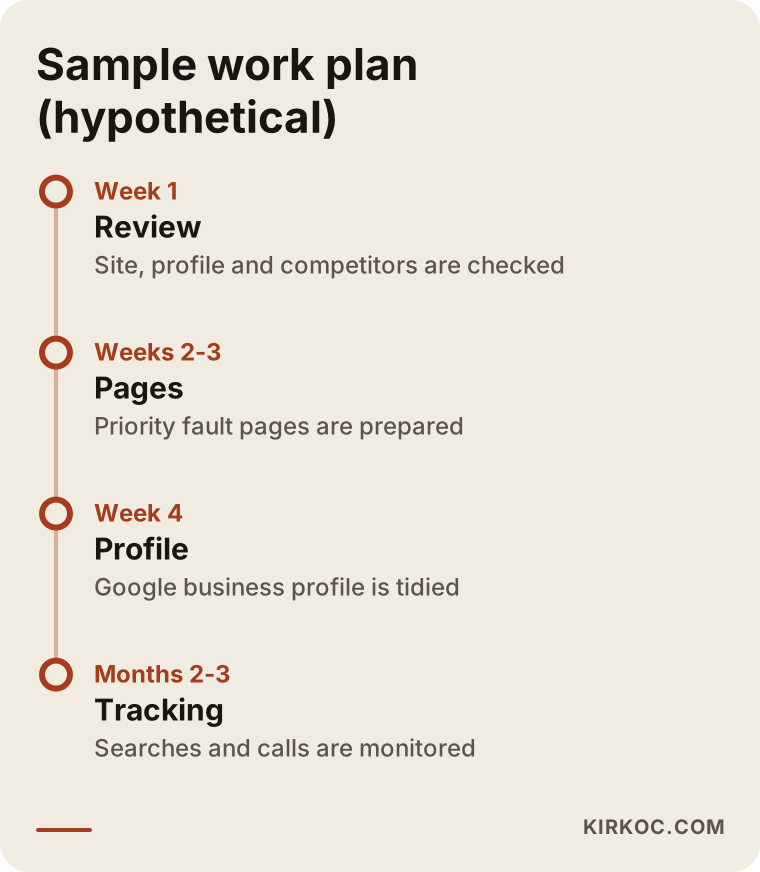
The timeline is a hypothetical example; the real duration depends on the state of your site and the scope of the work. The order, though, is usually like this: review first, then build the pages, tidy the profile, and finally monitor and fine-tune.
Frequently asked questions
How long does SEO take to work for a repair shop?
I cannot give a firm timeframe, because it depends on competition, the condition of your site and your area. On the map side, profile improvements are sometimes noticed earlier, while website pages usually take longer to settle. I cannot guarantee a ranking, but a well-built foundation builds up over time.
I have no website, only a Google Business Profile. Is that enough?
A profile works very well for proximity searches and is a good start. But for searches that include a service and a model, such as "laptop screen replacement," the pages on a website make the difference. The two complement each other. Starting with the profile and then building a small site with a few service pages is a sensible path.
Do I need a separate page for every brand and fault?
No, you do not have to do everything at once. Start with the faults you handle most and earn the most from. Opening many near-identical pages of a few sentences each creates confusion instead of benefit. Every page has to tell the customer something real.
Do fake or purchased reviews work?
I would not recommend them. Google can detect such reviews and take action against your profile, and they put customer trust at risk. A sturdier route is to ask happy customers for a review after every job and to reply to the reviews you receive.
Should I put prices on my website?
You do not have to publish a number, especially when the price varies by model and part. But explaining what the price depends on and how a customer can find out builds trust. Giving no information at all may send the customer to another site.
I have several locations. How should I proceed?
Think about a separate address, a separate Google profile and, where needed, a dedicated page for each location. Rather than copying the same text for every location, it is healthier to write information specific to that area and to what that location offers.
Should I run ads or invest in SEO?
They do different jobs. Ads are fast, but when you stop paying, the visibility stops. SEO takes time, but once it is set up, it helps for longer. For many shops it makes sense to organize the profile and the core pages first, then add ads if needed.
Isn't a phone number on the site enough?
It is not enough. The number should start a call with one tap on a phone. Beside it there should also be trust-building details such as the address, opening hours, warranty information and real photos.
If you would like your computer and phone repair shop to reach the right customers on Google and on the map, you can write to me through my SEO services page. I will listen to your situation and tell you plainly what will help and what is unnecessary.