You want to sell your products on your own website, with your story, your blog posts and your shop all under one roof, so customers buy from an address that belongs to you. That is usually the moment WooCommerce enters the conversation. But is it the right choice for your business, what should a quote actually contain, and who keeps the shop running once it is live? I am a solo web designer working remotely, and in this article I will lay out the decision to hire a WooCommerce developer without dressing anything up. If you want to see how I approach a whole website, the scope is described on my website design service page.
What WooCommerce is, in plain terms for a business owner
WooCommerce is a shop add-on for WordPress, one of the most widespread systems for running a website. Skip the jargon and it means this: your website gets products, a cart, payments and order tracking built into it. The store is not a separate room attached to your site. It is your site. Your home page can tell your story, your blog can answer customer questions, and the same site can take the order.
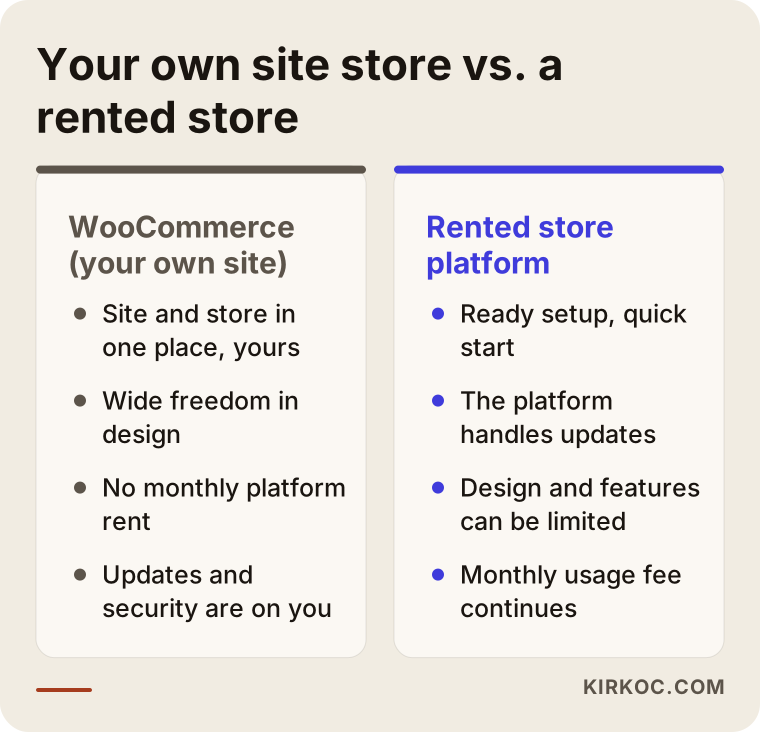
The alternative is what I call a rented store. You pay a monthly fee to a ready-made platform, and the platform owns the setup, the security and the updates. I cannot tell you which one is better in general, because the answer depends on your business model. One thing I will say up front: the WooCommerce software itself is distributed for free, but turning it into a store that works, stays secure and actually sells takes effort. "The software is free, so the website must be cheap" is one of the most common misunderstandings I run into.
The advantages of a store on your own site
The first advantage is ownership. The design, the content and your customer data stay under your control. If a platform changes its rules, raises its terms or shuts down, you are not left completely stranded.
The second is design freedom. If your products do not fit a standard mold, for example made-to-order items, custom printing or pickup by appointment, it is easier to build a flow your customers understand on your own site. The look of the shop can follow your brand rather than a template.
The third is growing with content. If you want to appear in search not only for a product name but also for questions like "which one should I choose" or "how do I care for it," keeping your guides and your shop on one site helps. A visitor reads an article, then moves to the related product without leaving.
The fourth is the absence of a platform subscription. Be careful here: no rent does not mean no cost. Hosting (the server where your site lives), the domain name, yearly licenses for some add-ons and the time spent on upkeep are all still there. The difference is that you choose, trim or grow those costs.
The disadvantages nobody mentions in the first call
The biggest drawback is responsibility. When you run a store on your own site, updates, security, backups and speed become your job, or the job of someone you appoint. An update to one add-on can clash with another, and a checkout page can stop working one morning. The risk is manageable, but it is not zero.
The second drawback is the number of decisions at the start. A rented platform puts a few options in front of you. With WooCommerce you choose payment methods, shipping rules, invoice handling, product types and page layout one by one. That freedom can be tiring for an undecided owner.
The third is that it demands discipline about speed. Too many add-ons, heavy images and weak hosting slow a shop down. A visitor who waits on a slow product page on a phone often leaves and rarely returns.
The fourth is that it can be heavier than you need. For a business with only a handful of products, a full store setup may be a bigger commitment than the situation calls for. I will come back to that below.
Who it suits and who does not need it
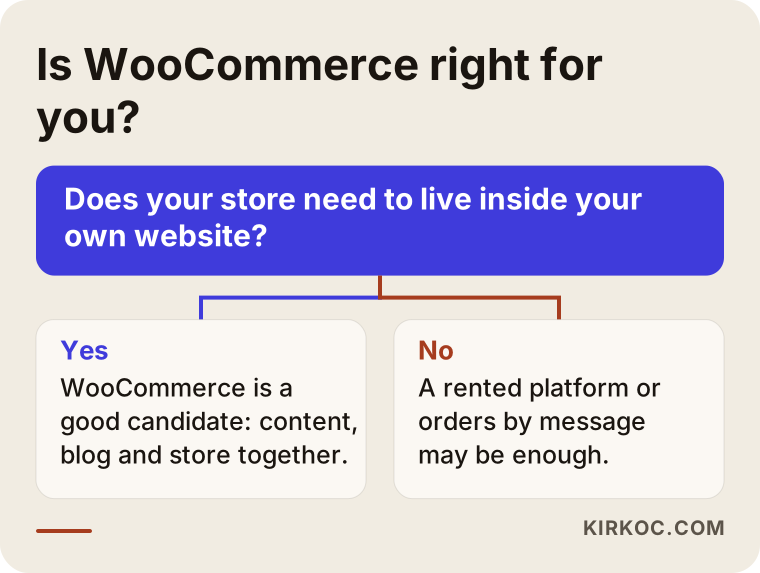
Honestly, not everyone needs a shop. These questions make it easier: How many kinds of products do you sell? Does the customer see a product and add it to the cart right away, or do they message you first with questions? How many orders do you take in a day? Do you need to track stock?
WooCommerce is a reasonable candidate when:
- Your product range keeps growing and the catalog will get bigger.
- You want the shop to live on the same site as your blog and information pages.
- You have an ordering flow that does not fit a standard pattern.
- You plan to invest in the site for the long term and budget for upkeep.
- It matters to you that the data and design stay with you.
Another route may be easier when:
- You sell very few items and customers already order by messaging you. A well-made product page, a contact button and a clear order form can carry less burden than a real shop.
- You do not want to deal with the site at all and prefer that someone else takes on updates and security. A rented platform can be more peaceful here.
- You are opening the shop briefly, for one product or one season.
- You have not yet set up what happens after an order: packing, handing parcels to the carrier, answering customers. Getting those settled comes before growing the website.
I stress that last point. A shop brings in orders, but it does not pack the box, hand it to the courier or answer a return question. The first order may arrive the day the site goes live, and on that day it must be clear who ships what, from where and in which box.
What shoppers do before they buy
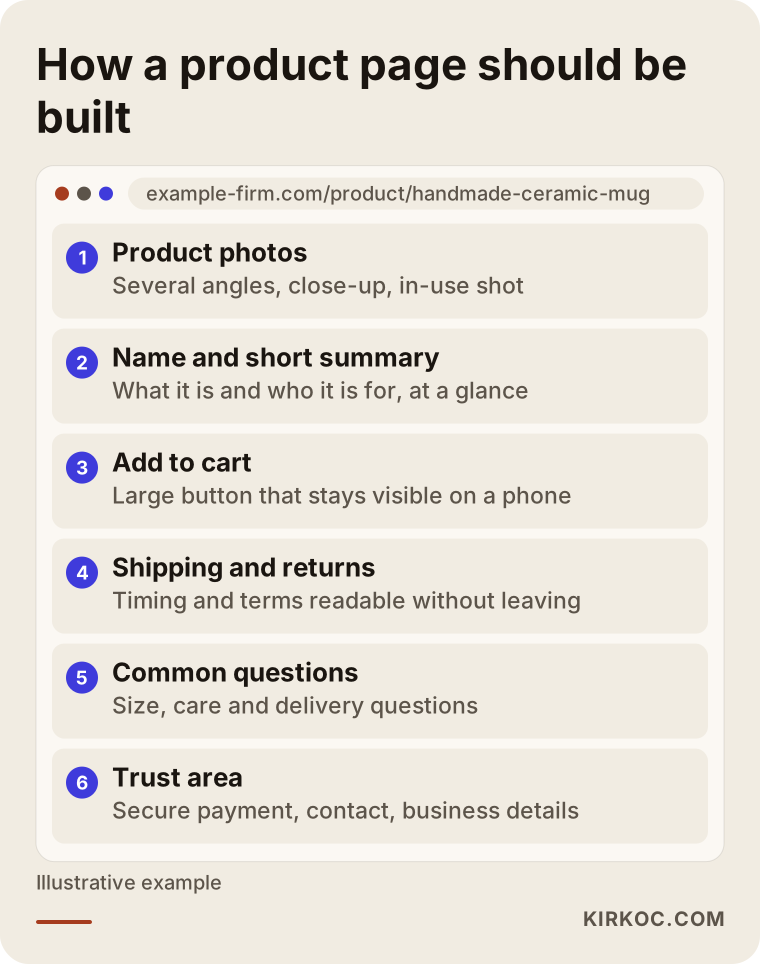
A person shopping online usually reaches your store by one of two paths. On the first, they search for the product directly: a product name, a brand or a product type, plus words like "price," "reviews" or "shipping." On the second, they search for a problem: "what to buy as a gift," "which product for sensitive skin," "how to wash this." On both paths the final decision happens in one place, the product page.
On a product page the buyer wants to see the item as it really looks, understand what it does in two sentences, read the shipping time and return terms without leaving, and know who they are buying from. Trust is the deciding factor. Would you type your card details into a shop you have never heard of? Showing your business details, contact options and return terms openly can sell more than a prettier design.
On the search side, remember this: if all your product pages are written like copies of each other, Google cannot tell which one to show. Each product needs its own name, its own description and real photos. Pasting the manufacturer's text word for word means getting lost among hundreds of sites using the same paragraph. That is why entering products is not a "we will get to it later" task. It belongs in the scope.
There is also the reality of phones. Most visitors arrive on a phone. The add-to-cart button should be easy to tap, the checkout steps short, and form fields no longer than they need to be. When customers are forced to create an account, many leave the cart behind. A "continue as guest" option looks small, but its effect is large.
Scope: what should a WooCommerce quote contain?
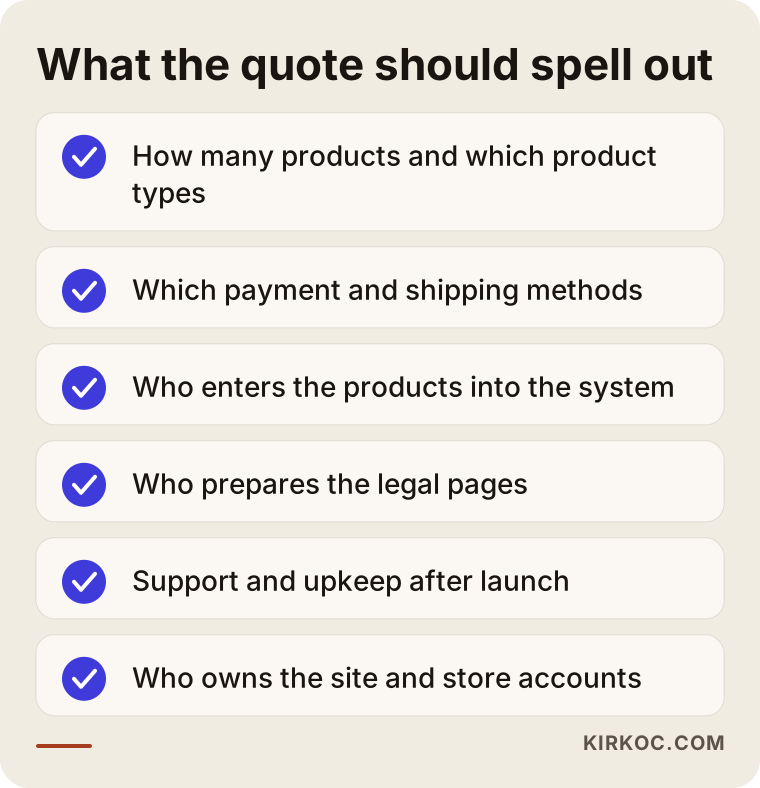
When a quote arrives, the first thing to check is not the number but whether the scope is written down. "An online shop will be built" is not a scope. The answers to the following questions should appear in the quote.
Number and type of products. How many products and categories will be set up? Products with size or color options, made-to-order items and digital products each take different work. Who enters them should be explicit, whether "you add the products" or "I add the first batch."
Payments. How will customers pay? Which of card, bank transfer or other options will be on the site? The application and contract with a payment provider usually runs through your own business paperwork, so it should be clear who follows that process.
Shipping. How will shipping be calculated? A flat rate, by region, free above a set order value? Which carrier do you use, and how will tracking details reach the customer?
Invoicing and accounting. How do you issue invoices or handle sales tax? Is there accounting software the shop needs to connect with? I suggest talking to your accountant first. Advice on tax rules is not my job, but making the site fit your process is.
Legal pages. A shop needs pages such as terms of sale, returns, privacy and cookie notices, depending on where you sell. The quote should state who prepares the content (usually the business owner, with a lawyer or a template service if needed) and where it goes on the site. I do not guarantee the legal validity of those texts. I make sure they are placed correctly and are easy to find.
Phone readiness and speed. Is testing the shop on phones and keeping pages quick part of the work?
Training. After handover, will you learn to add a product, change a price and view an order? A short walkthrough is often worth more than a long manual.
Ownership. In whose name are the domain, the hosting account and the admin panel? They should be in yours. Even if we part ways someday, the keys to your site should stay with you.
What decides the price, without any numbers
I will not give numbers here, because two shops that look alike can hide very different amounts of work. The main factors are:
- The number and variety of products (a plain product and one with options are not the same job).
- Whether the design is fully custom or simpler.
- The number of payment and shipping connections.
- Who prepares the product photos and texts.
- Extra requests such as a multilingual shop or a second currency.
- Connections to outside systems such as accounting software.
- Expectations for support and upkeep after launch.
- Timing: a rush job differs from a planned one.
Most of the gap between quotes comes from which of these items sit inside the quote and which sit outside. When you compare two quotes, put the scope lines side by side, not just the totals. A cheaper-looking quote may leave out product entry, the legal pages and training, while a pricier one may include them.
How to choose a WooCommerce freelancer or company
Search for someone to build your shop and you will meet freelance developers working alone as well as agencies. Whichever you pick, these criteria apply:
- Ask for finished stores. Can they show a live shop? Check for yourself how fast it opens on a phone.
- Do they ask questions? Someone who quotes before understanding your business is often selling a standard package. A good conversation is full of questions about your product, your customer and your order process.
- Is the scope in writing? Use the list above. If there are gaps, ask.
- Do they open the upkeep topic? Someone who avoids talking about life after launch may also be missing when something breaks.
- Do they explain the add-on list? You should know which add-ons will be used and who holds the license for paid ones.
- Promise language. Anyone who says "your sales will grow by a set amount" or "you will rank first" is promising something nobody can promise. Be careful.
- What do you receive at handover? Admin access, a backup, a short training and the transfer of related accounts.
I work alone, which means the person who talks to you is the person who builds the site. The benefit is direct communication. The downside is that nobody else can step into my place. Whichever route you choose, choose it knowing this trade-off.
Who is responsible for upkeep?
This is where shop websites disappoint people most often. The site goes live, everyone is happy, and three months later an update arrives, the payment page breaks and nobody owns the problem. The way to prevent that is to name the upkeep job from the start.
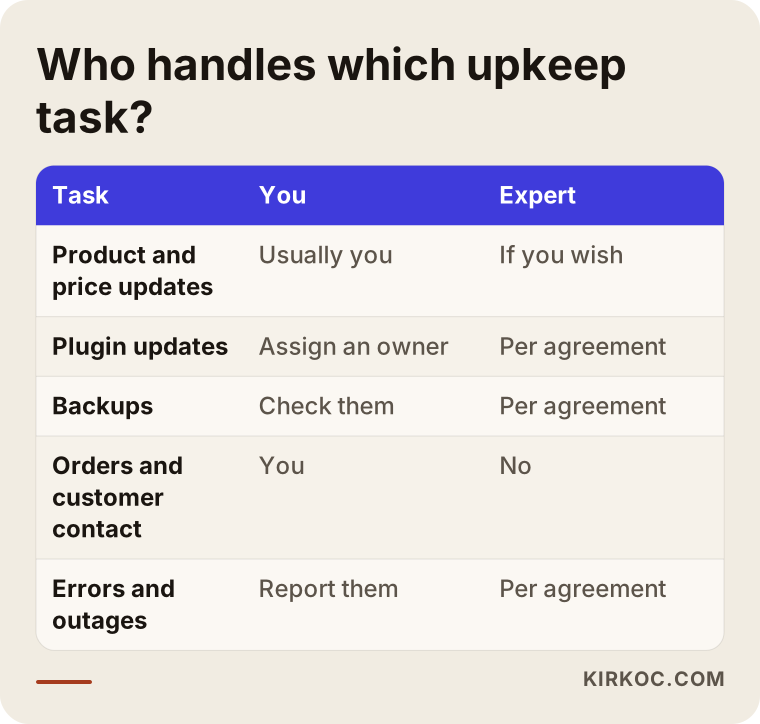
Upkeep covers updating the system and add-ons, taking regular backups and knowing a backup can actually be restored, security checks, speed monitoring, testing the payment and order flow from time to time, and fixing small faults. Updating products and prices is usually the business's daily work.
You have three options: take it on yourself, agree a separate upkeep arrangement with the person who built the shop, or hand it to another professional. Whichever you choose, put it in writing. What I can say for myself: in the first weeks after launch I watch the site closely and stay reachable for your questions. If you need a longer-term upkeep arrangement, we discuss it at the start of the project and write its scope down separately. I do not count something as taken on by me if we never talked about it.
What happens if upkeep is skipped?
Nothing may happen right away, and that is the danger. A shop that is not updated can run smoothly for months. Then a weakness lets malicious software in, the checkout quietly stops working, or the site slows down and loses ground in search results. Even an hour of downtime in a shop is lost sales. Saying "we will think about upkeep later" really means leaving a risk unmanaged.
How we would work together
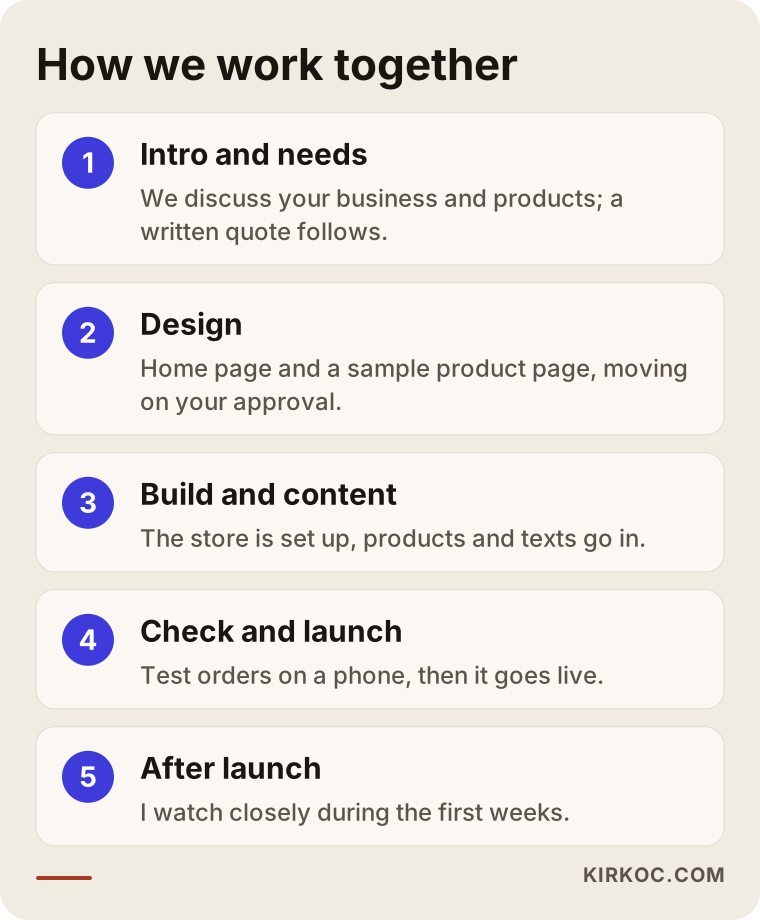
Projects usually move in this order. First we get to know each other: we talk about your business, your products, your customers and what you expect from the site. Then I send a written quote with scope and timeline. Once approved, I prepare the design of the home page and a sample inner page (in a shop, that is a sample product page). I do not move to the next step without your approval.
Next I turn the approved design into a working site, and the texts, images and products are placed. Before launch I test the site on phone, tablet and computer, and you review it one last time. For a shop, this stage also includes placing a test order and walking the whole path from cart to payment page. After launch I submit the site to Google and watch it closely during the first weeks.
Two hypothetical examples
Say there is a person who makes handmade ceramics in a home studio. They have around twenty items, and new designs keep arriving. Customers come from social media but have to message back and forth to order, which runs late into the night. A store on their own site makes sense here: products are always visible, payment is collected, and the blog can carry care guides and gift ideas. The most critical piece is photography and product text, because every handmade piece differs a little. They also need to name someone responsible for upkeep, since they will not want to chase add-on updates in between studio work.
Now say someone else sells custom gift boxes a few times a year, for short seasons, and takes most orders by phone anyway. A full shop may be too much. A clear product page, an order form and a contact button would do the job with less cost and less upkeep. In a case like this, the more honest advice is not "let us build a shop" but "let us try this first and expand if orders grow."
Common mistakes when having a shop built
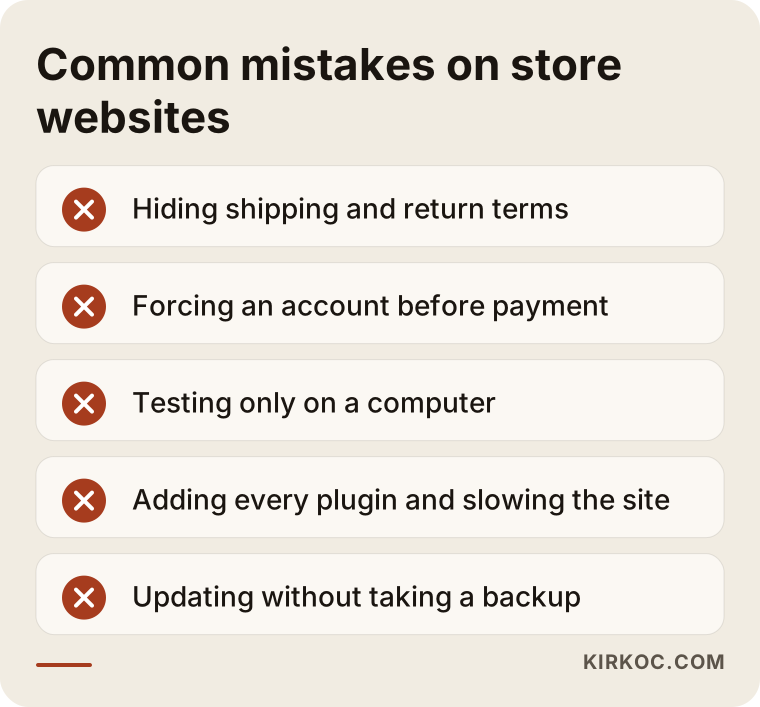
Most of these mistakes are about decisions, not technology. The first is hiding shipping and return terms at the bottom of the page or not writing them at all; if buyers cannot find this, they abandon the cart. The second is forcing an account before payment. The third is testing the site only on a computer, while many orders can come from phones.
The fourth is installing one more add-on because "it solves everything." Every add-on is extra load, an extra update and an extra risk. Knowing which job needs which add-on protects both speed and security. The fifth is updating without a backup: if something breaks, you have no way back.
The sixth is copying product texts from the manufacturer, and the seventh is not appointing anyone to look after the site after launch. The eighth is the sneakiest: nobody watches the email address that order notifications go to. An order arrives, nobody sees it, the customer waits. Check that notifications reach the right person and work with a test order.
Stock deserves attention too. If the last unit of a product is still on sale, you will have to tell the customer it is unavailable, which upsets both of you. Talk in advance about whether stock tracking will be switched on, what the site shows when an item sells out, and how a returned item goes back into stock. In a small studio that may be a spreadsheet and some care. In a large catalog it needs the shop's own stock settings. We decide together which suits your order volume.
Doing it yourself or hiring a specialist
You can do it yourself. Installing WooCommerce and adding a few products is possible for someone who sets aside the time. If you want to do that and have the time, I will not stand in the way. But the chance of struggling grows in certain places: payment and shipping settings, a design that looks right on mobile, speed, security, preparing product pages for search engines and placing legal pages correctly.
Starting on your own and getting help at the point where you need it is also a valid route. What matters is knowing from the start what you will do and what the specialist will do. Selling is your actual business; the technical side of the site is a different craft. If trying to run both at once pulls you away from your real work, that is a sign to hand it over.
Frequently asked questions
Should I choose WooCommerce or Shopify?
It depends on your business. Rented platforms such as Shopify mean a ready setup, an easy start and updates handled by the platform. WooCommerce gives you a store inside your own site, owned by you and more flexible in design, and in return you carry the upkeep.
If you do not want to deal with the site, or want to test an idea quickly, a rented platform may fit. If you want content, blog and shop together under your control, WooCommerce may fit better.
How long does it take to build a WooCommerce store?
It depends on the number of products, how custom the design is, the payment and shipping setup and, above all, the content you provide. If product photos and texts are ready, the process gets noticeably shorter. I put the timeline in the quote; the most common reason for delay is content that arrives late.
Do I enter the products or do you?
This is something the quote should state clearly. The options are that I enter the first products and teach you the rest, that you enter everything, or that I enter up to an agreed amount. Whichever you choose, I will need information from you for product texts and photos.
Is upkeep required after launch?
For a shop, yes, a routine is required. I can do it, you can do it, or another specialist can, but it must be clear who. A shop that is never updated slowly becomes open to security and performance problems.
Do you set up payment and shipping?
Setting up payment and shipping options inside the site is something we discuss as part of the scope. The application and agreement with a payment provider mostly runs through your business paperwork, so the quote should say who follows that process.
Do you write the legal pages?
I cannot give legal advice on the content of legal texts. I make sure they are placed correctly on the site and easy to find. For whether the content suits your business, I suggest a lawyer or accountant.
Will my shop show up on Google, and is there a ranking guarantee?
I do not guarantee rankings, and nobody should. Clear product pages, fast loading and unique text and photos for each product help Google understand the site. The result still depends on competition, your product and time.
I have only a few products. Should I still build a shop?
Not always. If you have few products and customers order by messaging, a nice product page and a clear ordering path may be enough. You can move to a shop when your volume grows; you do not have to start with the largest system on day one.
Conclusion: settle the scope first, then upkeep
WooCommerce is a strong option for businesses that want the shop to belong to their own site and are ready to maintain it over the long term. The upside is ownership and flexibility, the downside is responsibility and the load of decisions. When you compare quotes, look at the scope lines, who looks after upkeep and who owns the accounts, not just the total. If you are considering a shop on your own site but are not sure WooCommerce fits, tell me about your business and your products. I will give you an honest assessment, suggest a different route if that serves you better, and we move forward with a written quote. You can reach me through my website design service page.