"We'll just build it on WordPress" is a sentence I hear a lot, and behind it there is often no real decision. A friend suggested it, an agency quote mentioned it, or someone read that it powers a huge share of the internet. But is it the right choice for your business? In this guide I explain what WordPress actually is, who it suits, how to compare quotes when you hire a WordPress developer, what to ask for at handover, and why upkeep matters after launch. I am not trying to push you toward one system. I want you to have solid criteria when you decide. If you would like to see how I approach design and build for business sites, the website design service page has the details.
What WordPress is, in plain terms
WordPress is a system that lets you build and edit a website through an admin panel instead of writing code from scratch. Think of an office building where the frame already stands. You furnish the rooms, hang the sign, and rearrange the furniture when needed. Logging in to change a paragraph, add a blog post or swap a photo is not much harder than writing an email.
For a business owner, three things follow from that.
First, because it is so widespread, plenty of people know how to work with it. If you ever want to change who looks after your site, you can usually find someone who can pick up where the last person stopped, without rebuilding everything. That is a real safety net.
Second, WordPress works with plugins. A plugin is a small piece of software added to the site later: a contact form, a booking calendar, a multilingual layer, a gallery. That flexibility is great, but it has a price. Every plugin needs updates and attention. I come back to this in the upkeep section.
Third, WordPress is a tool, not a result. The same system can produce an excellent site or a poor one. What makes a site good is who each page speaks to, what the text says, how it behaves on a phone, and whether Google can understand it. Saying "make it WordPress" is not a measure of quality on its own.
What is a theme, and why should you care?
A theme is the ready-made design package that controls how the site looks. Some are free, some are paid. A well-made theme speeds up the work. A sloppy one makes the site heavy, breaks on phones, or stops receiving updates for years. If a quote just says "theme installed," ask: why was this theme chosen, is it still maintained, and how will my logo and colors be fitted into it? If the answer is "it was the most downloaded one," think twice.
When WordPress is the right choice
I think WordPress makes sense in the following situations.
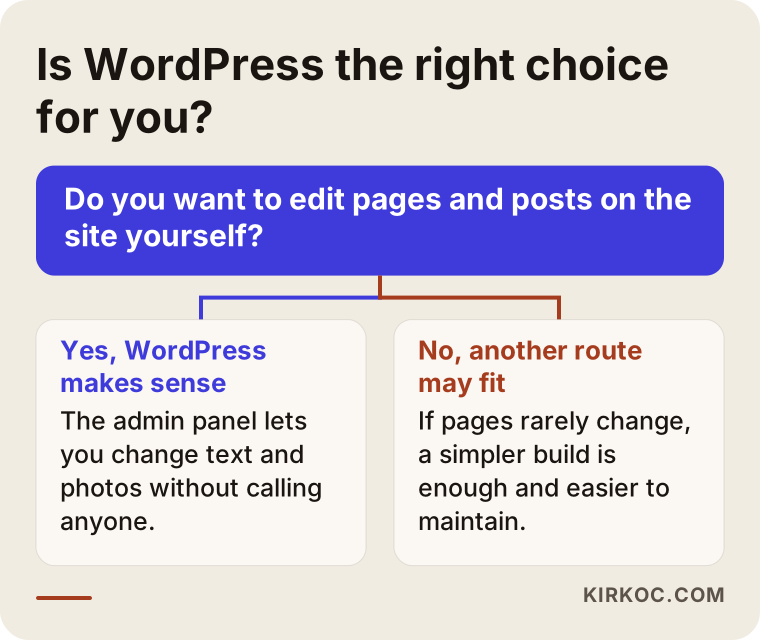
You want to edit content yourself. A price list, a seasonal announcement, a new team member, a blog post. If you do not want to phone someone each time, the panel gives you independence.
A blog or news section is a core part of the site. If you plan to publish regularly, an admin panel built around categories and posts helps a lot. Articles that answer customer questions are one of the most dependable ways to bring in customers from search, and they need to be easy to add.
The site will grow. You may start with six pages and need twenty a year later, a second language, or a small shop section. The plugin structure can carry that growth without starting over.
Several people will add content. An office manager posts announcements, the owner adds articles. You can create users with different permissions.
You want something editable but a fully custom build is out of budget. Starting from a proven foundation is often more sensible than writing the same thing from zero.
If that list sounds like you, WordPress deserves a serious conversation. The graphic below reduces the choice to one question.
When you do not need WordPress
To be honest, not every business needs it. In these cases another route may be healthier.
If your site is a handful of pages that will change once a year, an admin panel and a plugin setup can be pointless weight. A simple, fast build with little security exposure is usually cheaper and needs almost no upkeep. A local tradesperson's "who we are, what we do, how to reach us" site is a good example.
If you want an application with a very specific function, such as a unique booking logic or a client portal, a solution written for that purpose can be sturdier than stitching ready-made plugins together.
And if nobody will ever update the site, be careful. WordPress is not a "set it and forget it" system. A WordPress site that never gets updates slowly becomes one of the most exposed kinds of site online. If no one will take on upkeep, a build that does not need updates may be the smarter pick.
If you fall into any of these three groups and someone still recommends WordPress, they may be selling what is convenient for them. So in the first conversation, do not hesitate to ask "why this system?" My approach is to listen to your business and write down, in the quote, which setup fits and why. The choice should come from your needs, not from habit.
How buyers find you in search
Having a site built and having customers arrive through the site are different things. Whether the site can be found depends on decisions made at the start, and those decisions do not depend on the system.
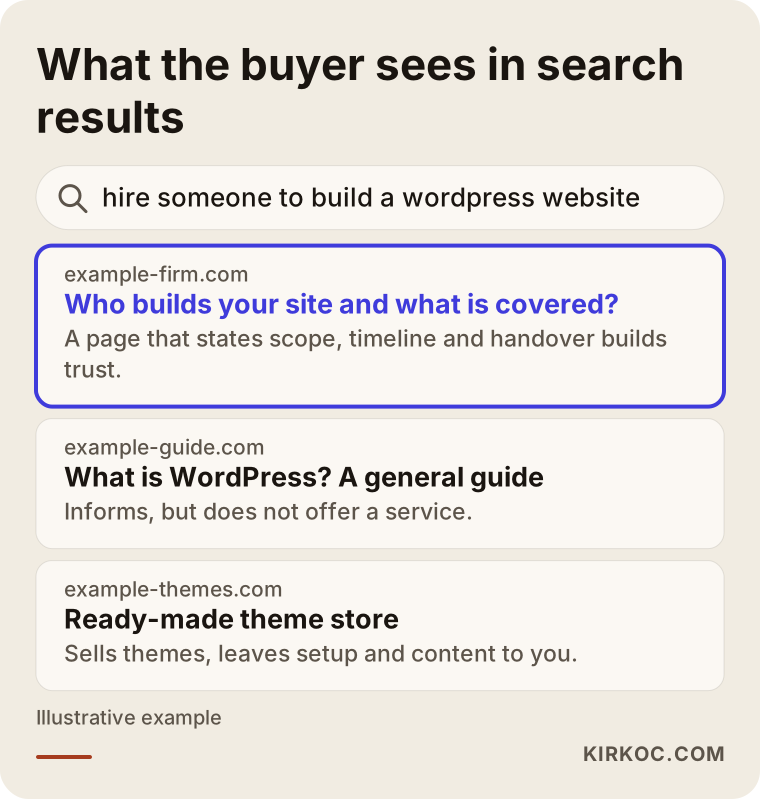
People type two kinds of things into Google. The first are information seekers: "what is WordPress," "how to make a website." Most of them are not your customers; they are people trying to do it themselves. The second are buyers: "hire a WordPress developer," "WordPress web design services," "small business website help." Your page needs to meet that second group.
Three kinds of pages tend to sit side by side in the results: general guides, shops that sell ready-made themes, and service pages. A service page gets chosen when it clearly states what is covered, how the work goes and how to get in touch.
So your site should include:
- A separate page for each service. Listing five things on one "Services" page gives neither Google nor the visitor a clear answer.
- The city and region you serve, stated plainly. For local searches this makes a difference.
- Page titles and descriptions close to the way real people phrase their searches.
- Pages that open quickly and read well on a phone.
WordPress permits all of this, but it does none of it automatically. When you collect quotes, ask: "What is prepared for search engines?" If the answer is only "we install an SEO plugin," that is thin. A plugin is a tool. The real question is who thinks through the page titles, the structure and the text.
How a small business site should be laid out
Before design starts, decide which pages say what, and in which order. The technical part comes after. For most business sites this order works well:
Top section. What you do, where you are, and a call button. A visitor should know within seconds that they are in the right place.
Services. A short summary of each service with a link to its own page.
Trust area. Real customer reviews, how you work, examples of past projects. Do not use made-up reviews or ones copied from elsewhere; visitors can tell.
Common questions. Meet the buyer's doubts with short answers.
Contact. Form, WhatsApp, phone and a map. Every extra step between a customer and you is a lost conversation.
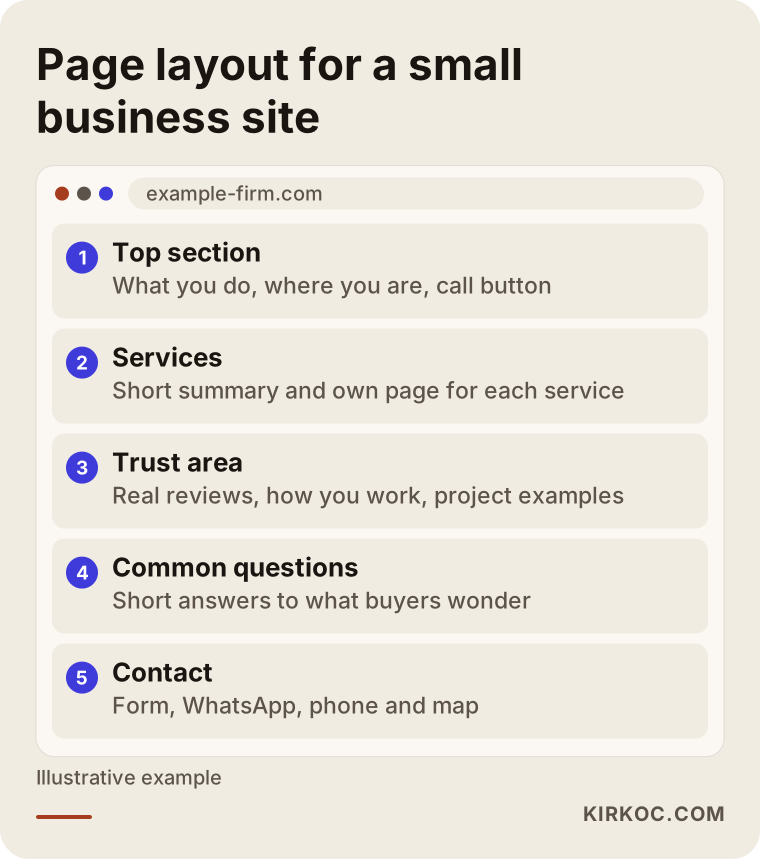
This skeleton is the same in WordPress or in any other setup. If you settle on this layout first, comparing quotes becomes easier, because everyone is pricing the same job.
What decides the cost of a WordPress website
I will not name figures here, because two sites built on the same system can differ enormously in price. Let me explain where the difference comes from. When you compare quotes, look at these items.
Number of pages and amount of content. A six-page introduction site and a fifty-page service-and-blog site are not the same job.
Scope of the design. Fitting a ready theme to your logo takes different effort than creating a design made for your business. The quote should say which one it is.
Who handles copy and images? Will you write the text, or will it be prepared from information you provide? Do you have photos, or are a shoot or stock images needed? If this line is forgotten, the budget drifts mid-project.
Plugins and special functions. A simple contact form is far from a booking system, a multilingual setup or a shop section.
Number of languages. Each language means rewriting the text and building separate pages.
Domain, hosting and licenses. These are often separate recurring items. Ask whether they are included, whose name they go under, and how they renew.
Support after launch. Whom do you write to when you have a question? Is upkeep a separate service? Where does the job end?
Timeline. A very urgent deadline squeezes the plan and can affect the price.
A person searching "WordPress website cost" does not have a single number in mind, so a trustworthy quote shows which items the number is made of. A one-line "business website" quote cannot be compared with a quote that lists the scope item by item.
How to choose a WordPress developer or company
"WordPress expert" is not a protected title; anyone can use it. So the yardstick is less the title and more how the work is described. At the quote stage I suggest asking these questions.
Is the scope in writing? Which pages, how many revision rounds, which languages, which functions. A vague quote means a vague handover.
Whose name are the accounts under? Domain, hosting and admin account should be in your name. They are assets of your business and should never be held hostage.
Ready theme or custom design? Both are legitimate, but you should know what you are buying.
How is the phone experience tested? Most visitors come on a phone. A site checked only on a desktop is unfinished.
What is prepared for search? Page titles, descriptions, site structure, speed. These should be part of the build from the start, not a patch added later.
Can they show earlier work? If so, open the live site on your phone. Does it load quickly? Is the text readable?
What happens after handover? If I have a question, can I reach them? Who is responsible for updates and backups?
Warning signs of a poor quote: saying "everything included" without listing items, pushing you to decide fast, avoiding handing over account details, being unable to explain why a plugin is needed.
Whether you choose an agency or an independent, find out who will actually do the work. I work on my own, so the person you talk to in the first conversation is the one who designs and delivers your site.
How working with me runs
The process is kept clear so that you know what happens at each stage. The steps I describe on my service page are these:
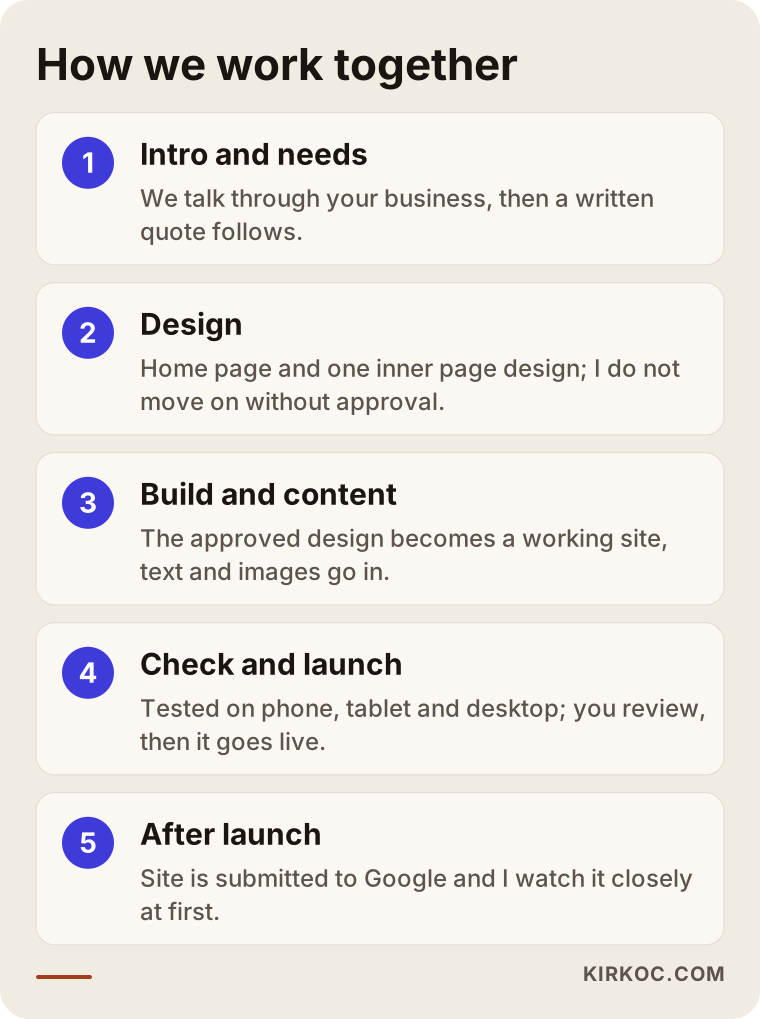
Intro and needs. We talk about your business, your customers and what you expect from the site. Then I send a written quote that covers scope and timeline. Which setup suits your business is a topic we cover at this stage, with reasons.
Design. I prepare the home page and a sample inner page. I do not move on to the next step without your approval.
Build and content. I turn the approved design into a working site, and the text and images go in. If you are not sure what to write, we prepare your service page text together from the information you give me.
Check and launch. I test the site on phone, tablet and desktop, you take a last look, and we go live.
After launch. I submit your new WordPress site to Google and check that everything keeps working during the first weeks. If you get stuck in the dashboard, just ask.
What I value in this frame is that the decision stays with you at each stage. Nothing gets built before you see the design, and nothing goes live before you have looked.
What to check at handover
Many owners are delighted when the site goes live and do not look at the details. Months later, when something breaks, time is lost on the question "whose account is this?" At handover, ask for the following.
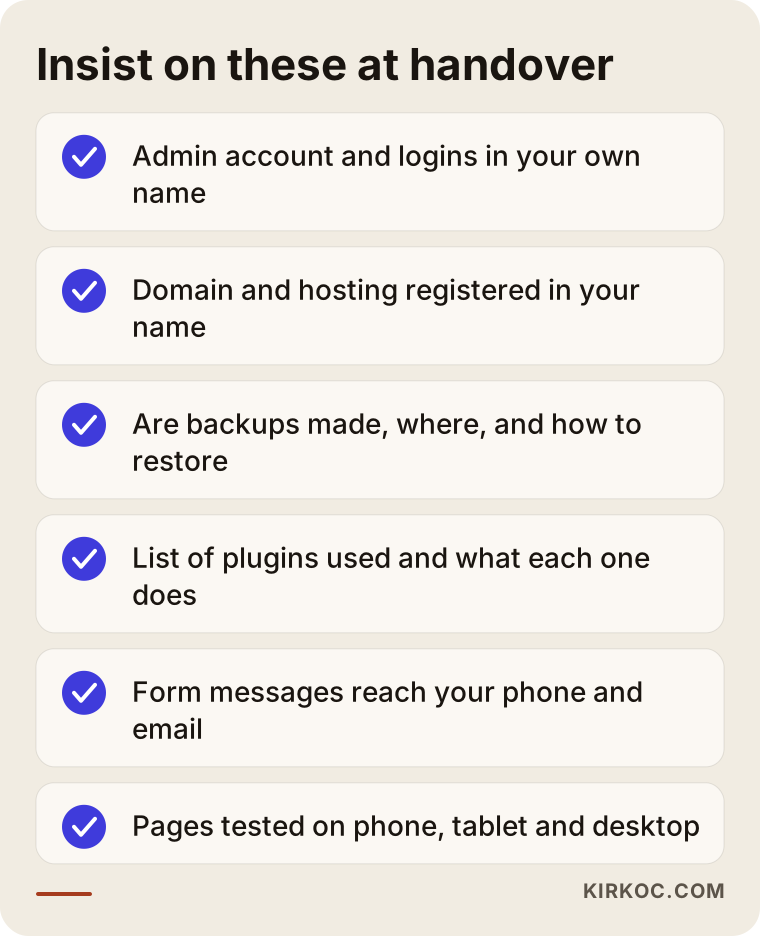
Admin account in your name. The builder may have access to the panel, but the main account should be yours. If you ever want to part ways, nobody can lock the door.
Domain and hosting registered in your name. The domain is your internet address. If it is registered to someone else and you fall into a dispute, you may lose it.
A backup routine. Are backups made, where are they kept, and how do you go back if something breaks? "There is a backup" is not enough; find out how it is restored.
List of plugins. Which are installed and what is each one for? An unknown plugin is both upkeep burden and security risk.
Form test. Fill in the contact form yourself. Does the message arrive in your email, and on your phone if needed? A message quietly landing in spam for weeks is a more common problem than people think.
Device test. Browse the pages on a phone, a tablet and a computer. Does the menu open, can you tap the buttons, is the text readable?
A short walkthrough. Try changing a paragraph and uploading a photo together. Seeing it once saves many phone calls later.
Upkeep: why a WordPress site is never "done"
Do not skip this section, because the most common disappointment with WordPress comes from here. Because the system is so widespread, it also draws attackers. A site that is never updated can, years later, one morning redirect to an ad page or stop opening. The remedy is simple but must be done regularly.
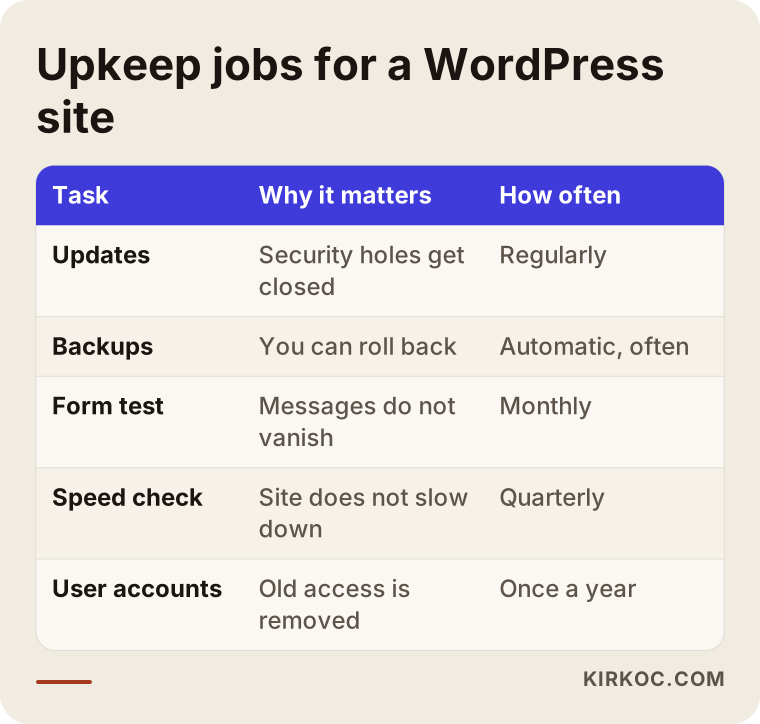
Let me unpack each job in the table.
Updates. WordPress itself, the theme and the plugins are renewed from time to time. A good part of those releases close security holes. Postponing them leaves the door ajar. On the other hand, updating without thought is risky too; sometimes a plugin turns out to be incompatible with a new version and a page breaks. So you take a backup first, update, then look at the site.
Backups. A good backup routine is what saves you on a bad day. A copy of the site should not live only on the site's own server. Otherwise one server problem takes both the site and its backup.
Form and contact test. Try the form yourself once a month. The most expensive mistake is a customer's message going nowhere.
Speed and image check. Large photos and added plugins slow a site over time. Visitors do not wait for a slow page.
User accounts. Does a former intern or a designer who left still have admin rights? Clean this list once a year.
Settle who does upkeep at the quote stage. There are three options: you learn and do it yourself, you agree separately with whoever provides support after launch, or you pick a build that needs no upkeep. Whichever it is, "nobody does it" is not an acceptable option. On my service page I state that I am reachable after launch; the limits of upkeep I prefer to write plainly into the quote, because uncertainty that appears later tires both sides.
Common WordPress mistakes
These are the mistakes I see and hear about, and that owners later regret:
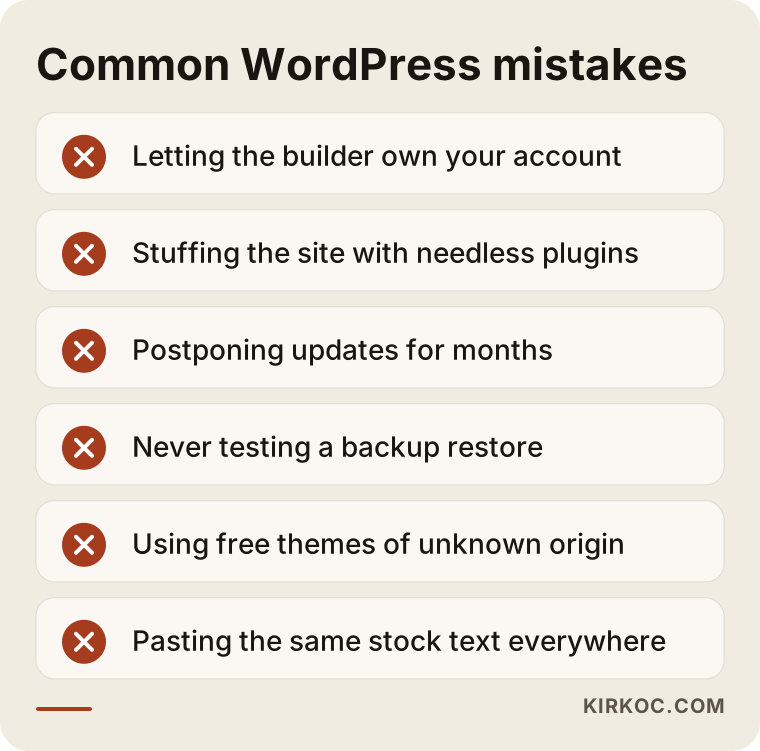
Letting the builder own your account. It looks convenient, but if the relationship sours you cannot reach your own site.
Stuffing the site with needless plugins. Each plugin is another upkeep and security load. Plugins installed "just in case" slow the site down.
Postponing updates for months. Postponing is easy; recovering after an attack is hard.
Never testing a backup. Knowing a backup exists is not the same as knowing you can go back.
Using a free theme of unknown origin. A theme from an unclear source can hide unwanted code. Pick one from a trusted source that is still updated.
Putting the same stock text on every page. Google does not value pages that repeat each other, and visitors are not convinced. Each service page should answer the questions of the person searching for that service.
Launching and expecting to rank. A new site needs time to be recognized. A good setup helps but guarantees no position. Steady content and real customer reviews make the difference over time.
Do it yourself or hire someone?
An honest answer: you can do it yourself, and for some businesses that is the right call. If you have time, enjoy learning and a very simple site is enough at first, installing a theme and building your own site is possible. Cost drops and you know the site intimately.
But in these cases hiring someone is usually smarter:
- Customers reach you mostly by phone or online and the site brings income directly.
- Your competitors have strong sites and you compete with them in search.
- Your time goes into the actual work and you have none left for upkeep.
- You work in a field where content must be written carefully, such as health or legal services, where wording has to follow the rules and promise no outcome.
- You need content in more than one language.
Hiring means sharing responsibility: the scope is written, there is a timeline, there is someone to ask. Doing it yourself means you carry the learning cost. Decide by how important the site is to your business.
Imagine: two businesses, two decisions
Both examples are hypothetical. They are not real clients; I invented them to show the logic of the decision.
Say an owner runs a small accounting practice and wants a new website. The partners occasionally write short articles, and the office manager wants to post deadline reminders and changes in opening hours. Clients arrive with questions like "do I need an accountant for a new LLC," and most searches happen on phones. WordPress makes sense here: several people will add content, there will be a blog section, and the site will grow. What is needed: a separate page for each service, a call button that is easy to find, and a clear agreement about who does upkeep after launch. Because it is a professional field, the text should inform rather than promise results, and should give no individual advice.
Say someone else runs a small bicycle repair shop. The services are fixed, prices rarely change, and there are no plans to blog. What the shop needs is a few pages showing where it is, when it is open and how to get there. WordPress would bring upkeep weight here; a simpler build loads faster and avoids update chores. "Everyone uses WordPress" is not a reason for this business.
Both examples start with the same question: who will change the site, and how often? The answer usually points to the right setup on its own.
Frequently asked questions about hiring a WordPress developer
Is WordPress better than a drag-and-drop site builder?
Either can be right. Drag-and-drop builders make setup easy, but design and functions are limited, and moving the site elsewhere can be hard. WordPress is more flexible but needs upkeep. For a short-lived, very simple need a builder may be enough; for a site that will grow and is expected to bring customers from search, a flexible setup gives more options.
What affects WordPress website cost?
Number of pages, whether the design is ready-made or custom, who handles text and images, plugins, number of languages, domain and hosting items, support after launch and timeline. So do not compare a bare number; look at which items the quote covers. A quote with a written scope is safer than one that looks cheap but stays vague.
Can I update the site myself, or do I have to ask you every time?
One of WordPress's main benefits is that you can change text and photos yourself. Ask for a short walkthrough of the panel at handover and try changing a paragraph together. Changing the foundation of the site or adding a new function is technical work, and leaving that to a specialist is safer.
Are WordPress sites secure?
The system itself is solid when updated regularly. Problems mostly come from sites that are never updated, themes of unknown origin, weak passwords and unneeded plugins. A strong password, tracking updates, a working backup routine and deleting unused accounts reduce the risk considerably. It would not be honest to call any system completely safe.
How long does it take to get a site ready?
It depends on the number of pages, when the text is ready and how fast approval rounds go. Most delays come from text and photos arriving late. I settle the timeline in the written quote after we talk, and we discuss which materials I need from you and when.
Will I rank on the first page of Google after the site is built?
Nobody can guarantee that, and you should be wary of anyone who does. A well-built site is the foundation for being findable: clear page titles, quick loading, comfortable use on phones and a separate page for each service. Ranking depends on content, competition and time. After launch I submit the site to Google and watch it closely in the first weeks, but I make no ranking promises.
Can you take over a WordPress site someone else built?
First the site has to be looked at: who holds the accounts, are the theme and plugins up to date, is there a backup, how does it look on a phone? Sometimes the foundation is solid and tidying is enough; sometimes rebuilding makes more sense. I would tell you honestly after reviewing it in the first conversation.
Should I buy the domain and hosting myself?
Yes, the registrations should be in your name. The domain is your internet address and hosting is where your site lives. I or someone else can set them up for you, but you should be the account owner. That way, even if your working arrangement changes tomorrow, your access to the site stays.
If you are unsure whether WordPress or a simpler build fits your business, let us talk it through. After hearing about your business, how customers look for you and who will update the site, I send a written quote with scope and timeline. To start, you can write to me through the website design page with your questions.