Someone locked out of their car picks up a phone, types "locksmith near me" and calls one of the first three results. They do not compare websites, read every review or haggle first. That is why, for locksmiths and other emergency trades, the real contest is getting into those top three boxes honestly. In this guide I explain, for a business owner rather than a marketer, what to get right, why a fake address is a trap, and what local SEO services can realistically do for you.
How a person in an emergency decides
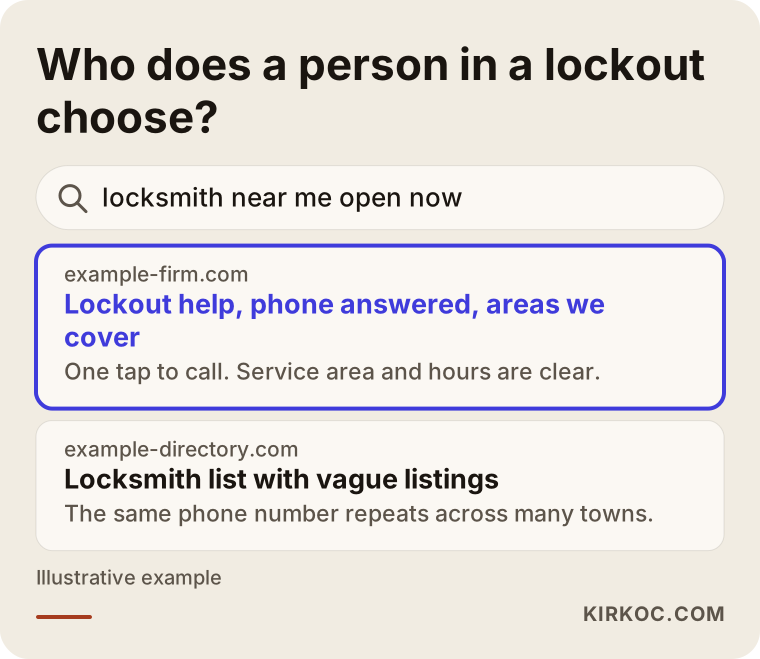
The difference between emergency and planned work is decision time. Someone choosing a wedding photographer thinks for weeks. Someone standing outside a locked front door, or next to a car with the keys inside, decides within minutes. Their searches are short and urgent: "locksmith," "24 hour locksmith," "locksmith near me," "car key replacement," "lockout service." Most are made on a phone, and the phone already knows roughly where the person is standing.
That behavior shapes three things.
First, the map results matter enormously. A person searching on a phone often skips the list of websites and calls straight from the map box. If your Google Business Profile does not show up there, the quality of your website hardly matters.
Second, trust is built fast or not at all. People try to work out in seconds whether you are a real business. Reviews, photos of a real van and real jobs, and a consistent phone number do that work for you.
Third, people often call before asking about price, then talk price on the phone. So a website that explains what changes the price, without quoting numbers, keeps you from losing the call.
The fake address problem in the locksmith trade
Fake addresses are a well-known problem in locksmith and other emergency services, and the temptation is understandable. You may be one person with a van, working from home or a small storage unit. Competitors seem to have an "office" in every town. So putting a pin in every town feels like leveling the field. For your own business, though, it is a shortcut that looks like a win for a few weeks and can cost you the profile later.
A fake address usually looks like one of these.
- Using another business's address, or a private home that is not yours, as if it were your office.
- Listing a virtual office, mailbox store or shared address you never actually work from.
- Placing the map pin in a different town on purpose.
- Opening several profiles for the same company, each with a different invented address.
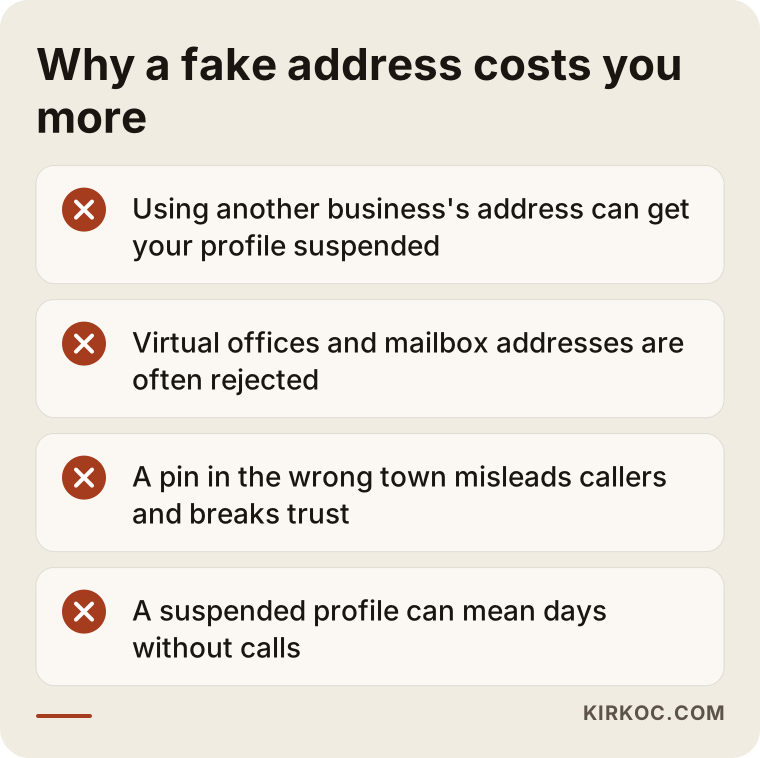
Google's business profile guidelines expect a real location where customers can find you, or, for businesses that travel to customers, a hidden address with a defined service area. I will not quote clause numbers because the rules change from time to time, but the principle is stable: do not show a location that is not real. Profiles that break the rules can be suspended. A suspended profile disappears from the map, which for you means days, sometimes longer, without calls. Getting one reinstated is often harder than building a clean one from scratch.
The second cost lands on the customer. A firm that appears to be "right here" but drives in from across the region leaves a stressed person waiting at the door with the wrong expectation. Wrong expectations produce bad reviews, and reviews are your most valuable asset in an emergency trade, often more powerful than any ad.
Defining your real service area
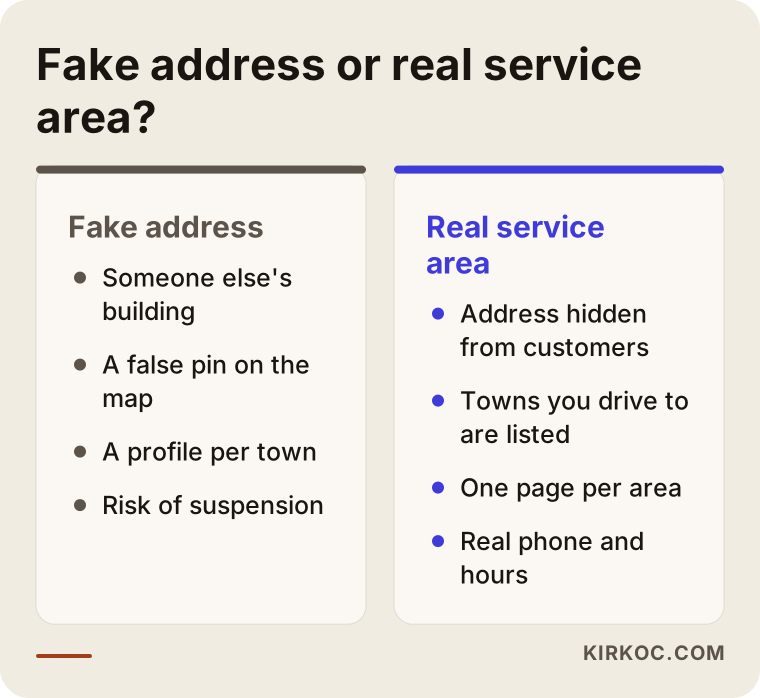
The honest route is to say clearly that you travel to the customer. Google Business Profile lets businesses without a storefront, or without walk-in customers, hide the address and show service areas instead. You are not saying "I have no office." You are saying "these are the places I come to."
Doing that well takes three honest answers.
Where do you actually go? Think about the travel time you can really manage, in daytime and in the middle of the night. A town you can reach in half an hour on a quiet road is realistic. The far side of the metro area is not. Padding the list fools nobody; it only brings calls you cannot serve, which wears out you and the caller.
How do you divide the area? Counties, cities and main neighborhoods are sensible units. In a large metro, do not list hundreds of tiny places. Pick the towns and districts where you work regularly.
Does each area have a counterpart on your site? The areas in your profile and the areas on your website should back each other up. For each main area you can write a short page with real local detail: the kinds of buildings or neighborhoods you visit often, typical jobs such as apartment doors, shops or cars, and an honest sense of arrival times. Pages copied word for word with only the town name swapped help neither Google nor the customer.
If you truly have a shop, workshop or office that welcomes customers, the situation is different. Then showing the address is fine and often reassuring. But only if it is real.
Your Google Business Profile: a checklist for emergency work
Your profile is the most important surface for getting the phone to ring. What to look at is simple, but easy to skip.
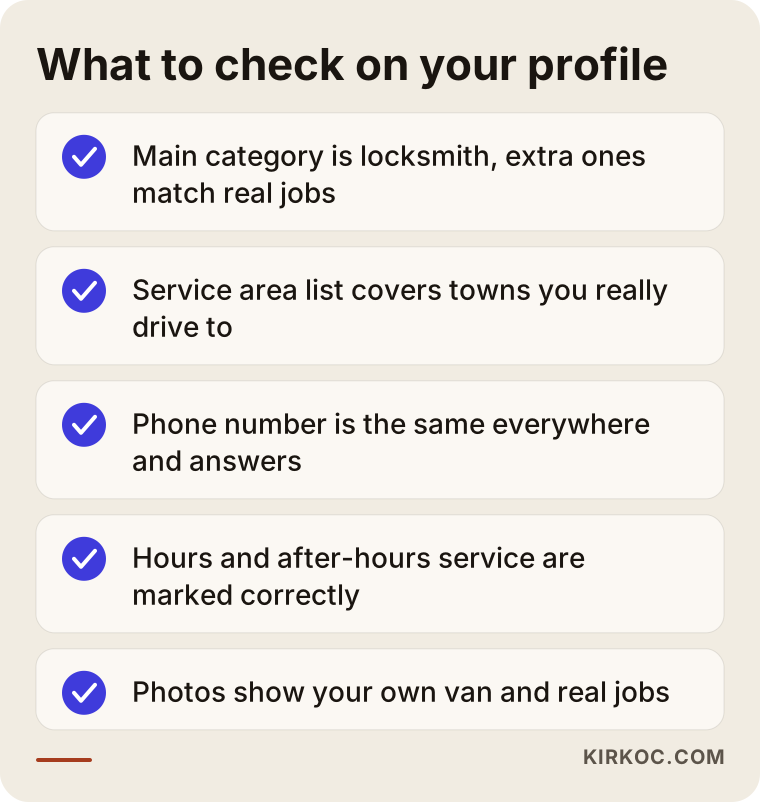
Category. The main category should describe your work accurately. Extra categories should match jobs you really do, such as car keys, safe opening or lock changes. Adding work you do not do only brings wasted calls and bad reviews.
Services. List services in the words a customer would use: lockout help, lock replacement, rekeying, key copies. Use everyday phrases rather than trade terms.
Hours. If you answer at night and on weekends, mark it. But "open 24 hours" with an unanswered phone is one of the most common complaints in reviews. Be open when you say you are, and set special hours for holidays.
Phone. The number should be the same on your profile, your website and every directory. Different numbers in different places make it harder for Google to know which is correct. One number that is always answered is the sturdiest setup.
Photos. Use your own van, uniform and real jobs rather than stock images. Seeing who will arrive makes people more comfortable. Make sure no customer's home number or license plate is visible.
Reviews. After each job, you can ask happy customers to leave a review through a simple link. Answer every review calmly and specifically, including the negative ones. Do not buy reviews; it breaks the rules and misleads people.
Your website: what makes the phone ring
An emergency website is not there to impress. It is there to make the call easy. Someone landing on it is usually looking for one thing within seconds: the number.
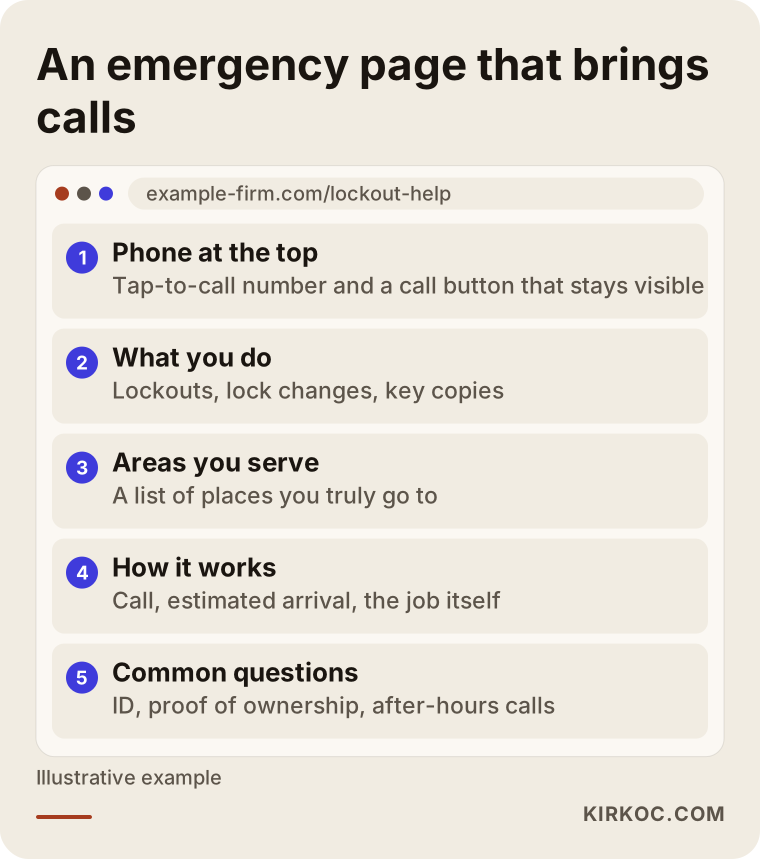
Phone at the top, tap to call. The number should be visible on the first screen and dial with one tap. A call button that stays reachable while the page scrolls is a good habit.
Fast pages. On a weak mobile connection, heavy images and intro animations lose the call. Nobody in an emergency waits.
Services written plainly and separately. Give lockouts, car keys, lock changes and safe opening each a short section or their own page. That shows both customers and Google what you do.
Honest service area list. As described above, list the places you really go and add something useful for each.
The process explained. Saying what happens after the call reduces anxiety: you call, describe the situation and location, get an estimated arrival time, and on arrival you may be asked to show ID or proof you live there before work starts. Verifying who you are opening a door for is the sign of an honest company, and customers read it that way.
A price framework without numbers. You do not need to print prices, but explain what changes them: daytime or night, door type, lock type, distance, the car model. A sentence like "I give an estimate by phone and confirm it once I see the job" turns hesitant people into callers.
What people actually type
Emergency searches fall into three groups, and each needs a different place on your site.
Nearby searches. "Locksmith near me," "24 hour locksmith," "locksmith open now." These are won on the map and the profile, through the right category, proximity, hours and reviews.
Place searches. "Locksmith in [town]," "lockout service [neighborhood]." These map to your area pages, whichever city you work in.
Job searches. "Car key replacement," "rekey front door," "safe opening." These are planned or semi-urgent jobs and belong on service pages. People researching these compare, read reviews and sometimes call two or three firms, so content and reviews count for more.
So rather than trying to rank first for the single word "locksmith," it is more realistic to plan nearby, place and job searches separately.
AI assistants and emergency services
People now also ask AI assistants things like "I'm locked out at night, what should I do?" Those answers often give general guidance instead of naming a company. Still, sites that give clear, consistent, checkable information, such as a clear service area, one phone number and an understandable process, are more likely to be used as a source. There is no guarantee. But accurate, tidy information helps Google and these tools alike and needs no separate project.
Two hypothetical scenarios
Say Mike is a one-person locksmith who works from his van. On the map, his competitors look like they have an office in every suburb. Mike opens a second profile for two suburbs using the address of an acquaintance's shop. It goes well for a few weeks. Then Google asks for verification, Mike cannot show he works at that address, and the profiles are suspended, damaging his main profile too. Now he starts over, hides his address, lists his service area and has to make up the lost weeks. The lesson is that one profile with true information and steady reviews looks slower but does not cost you the business.
Say Dana runs a small emergency lock and key company. Her website is a single contact page, and the phone number is baked into an image, so nobody can tap it. Her profile has few reviews, and the hours say 24 hours although nobody answers at night. Dana first makes the number tappable, sets her hours to match reality, adds short and honest pages for a few towns, and makes asking for a review after each job a habit. Nothing changes overnight, but over a few months calls and direction requests form a steady line. That shows up in the monthly report.
What decides the price
I cannot give numbers here, but I can be clear about what moves the cost of this kind of work.
- The state of your current profile. Building one from scratch is different from rescuing or tidying a suspended or messy one.
- The size of your service area. A few towns is not a whole metro area; every area that needs a genuine page adds work.
- Whether your site is ready. If you have one, the work builds on it; if not, a basic site comes first.
- How crowded the competition is. A busy city or suburb takes longer and steadier follow-up.
- The pace of reviews and content. Setting up the review flow, writing pages and reporting monthly all take time.
- How often you want tracking. Monthly reporting differs from an occasional look.
None of this should be a surprise in the quote. Ask for a written scope and a list of what is included.
How to compare quotes and providers
Before you hire anyone, compare offers with these questions.
- Were fake addresses suggested? If someone says "we'll find you an office address in each town," walk away. It breaks the rules and puts you at risk.
- Do they guarantee rankings? Nobody can guarantee you first place on Google. A guarantee is a warning sign.
- Is the work written down? Profile setup, area pages, review approach and reporting should be spelled out.
- Who owns the accounts? Your Google profile and your website should be in your name with your access. A setup that locks you out makes leaving hard.
- How is progress reported? You should see real measures such as how many people viewed you, called and asked for directions, not just "rankings went up."
- Who are you working with? Know who answers your messages and who does the work. I work on my own, so the person you talk to is the person doing the job.
How working with me goes
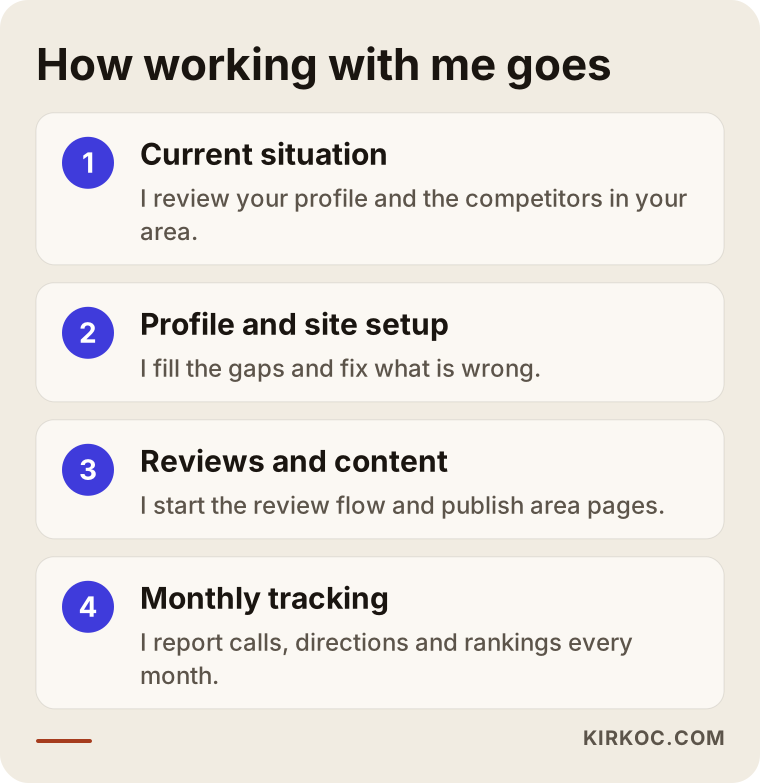
I start by looking at where you stand: your profile, how your site behaves on a phone, and the competitors in your area. Then I fill the gaps and fix what is wrong, which covers category, services, hours, photos, description, and on the site a tap-to-call number, map and directions. Third, I start the review flow and prepare pages on your site for the areas and jobs you cover, pages Google can match to searches. The last step is tracking: each month I report how many people saw you on the map, called and asked for directions.
There are things I do not do. I do not answer your phone, take your calls or do the work on site. I handle visibility and setup; the relationship with the customer stays with you.
Common mistakes
- Opening a fake profile for each town. Short term visibility, long term suspension risk.
- Filling the address with a virtual office or mailbox. It is often rejected.
- Putting the phone number inside an image. It cannot be tapped, copied or read by screen readers.
- Inflating the service area. Calls from places you cannot reach turn into bad reviews.
- Stretching categories too far. Showing up for searches unrelated to your work wastes time.
- Ignoring reviews. An unanswered complaint sends the wrong signal to the next customer.
- A site that loads slowly on a phone. Emergency customers do not wait.
- Duplicating the same text on every page. Pages where only the town name changes do not help.
When you do not need this
To be honest, not everyone does. Outside help may be unnecessary if the following is true.
- Your work is already full through the phone and referrals, and you do not need new customers.
- Your profile is accurate, hours and number are current, reviews arrive steadily and you appear in the map results.
- You work in a small area with little competition.
- You know you can spend an hour a month keeping your profile up to date.
In that case, keep what you have rather than spending money.
Do it yourself or hire someone?
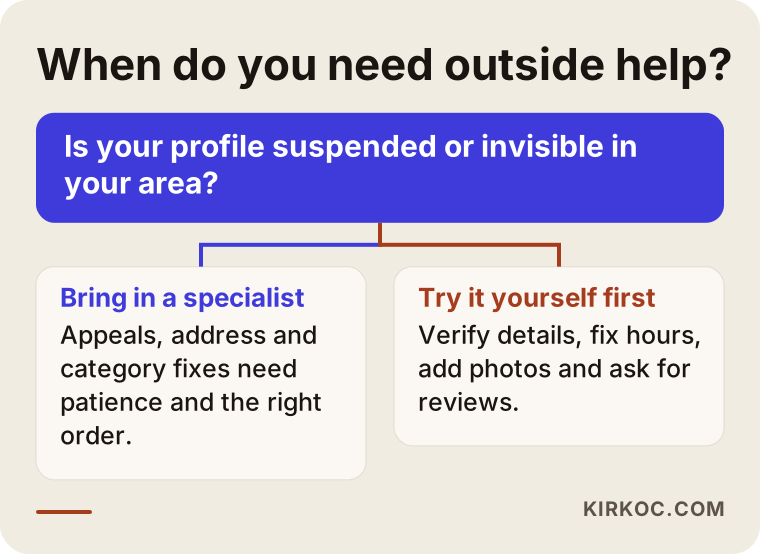
You can do a lot yourself: verify profile details, correct hours, add photos and answer reviews. That takes a couple of evenings and costs nothing. Do those first.
Hiring someone makes sense if your profile is suspended or invisible, if you have no website or it works badly on phones, if you have no time to write area pages, or if you want data to make decisions. Suspension appeals, address problems and category fixes need patience and the right order, and mistakes can make things worse.
Frequently asked questions
I'm a locksmith with no office. Can I still show up on Google?
Yes. Businesses that travel to customers can hide their address and show only the areas they serve. What matters is that you genuinely go to the places you list.
Inventing an address or using someone else's puts your profile at risk.
Can I open a separate Google profile for every town?
Not unless you have a separate, real place in that town where customers can be served. The right approach is one profile, with those towns added as service areas, and an honest page for each on your website.
How long until locksmith SEO shows results?
I cannot promise a timeline. Profile fixes can show an effect quickly, while area pages and reviews build more slowly. Competition, the starting state of your profile and how consistently you work all matter. The calls and direction requests I report each month show the trend.
Should I run ads or invest in SEO?
They do different jobs. Ads can bring calls right away but stop when you stop paying. Profile and site work builds more slowly, but it accumulates. For a small business it usually makes sense to get the profile and site in order first. Advertising is outside the scope of this service.
Is it a good idea to buy reviews or ask friends to write them?
No. Fake reviews break the rules and can harm your profile if noticed. The right way is to ask happy customers after each job with an easy link.
I have no website. Is a Google profile enough?
For some businesses it works to begin with. But a profile without a site lacks the trust and visibility that area pages and service descriptions provide, and your competitors usually have a site behind them. Over time even a simple one-page site makes a difference.
My profile got suspended. What should I do?
Start with the reason Google gave. An address, category or name problem is often the visible cause. Correct the false details and appeal with accurate information. Opening a new profile in a hurry can make things worse.
If you work with me, do you answer my phone?
No. You handle customer calls. I look after your profile, website, area pages and reporting.
If you want to work out together where to start with your locksmith or emergency service business, write to me through the local SEO page and I will look at your profile and your area and give you an honest roadmap.