Your portfolio is beautiful and your images speak for themselves, yet someone typing "wedding photographer near me" or "newborn photographer" into Google never sees your name. Is the problem your photography? Usually not. The problem is that Google cannot "see" an image the way a person does, and your site does not explain what it shows. This is the gap that SEO services built for photographers are meant to close.
Who searches for a photographer, and how?
People search differently depending on the type of shoot, and knowing this is half the work.
- Weddings and engagements: Couples usually type a city plus "wedding photographer," open a few sites and compare galleries. The decision takes time, and reviews and real wedding stories carry a lot of weight.
- Newborn and family: Searches are more local and more emotional, such as "newborn photography at home." Parents look for trust and for care around safety and hygiene.
- Product and e-commerce: Your client is a business. They often search without a city, because you can work remotely.
- Corporate and headshots: The buyer is usually an employee of a company, and references and a reliable process matter most.
One generic "photography services" page cannot speak to all of them. Each type needs its own page that answers that customer's questions.
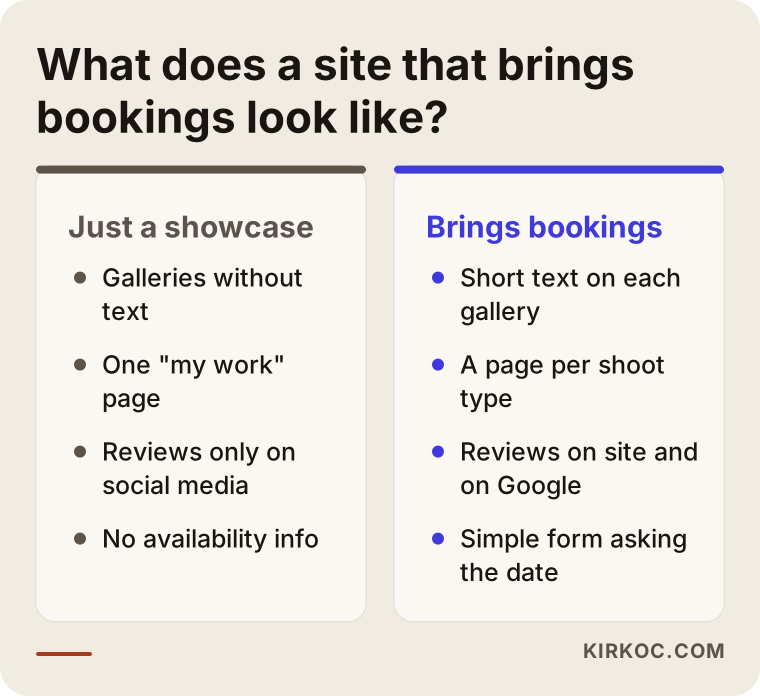
The problem of galleries without text
The most common situation I see on photographer sites: a page with dozens of lovely photos and not a single line of text under them. Great for human eyes, nearly empty for a search engine. Google can interpret some of what is in a photo, but it cannot understand the city, the venue or the kind of shoot as well as you can tell it.
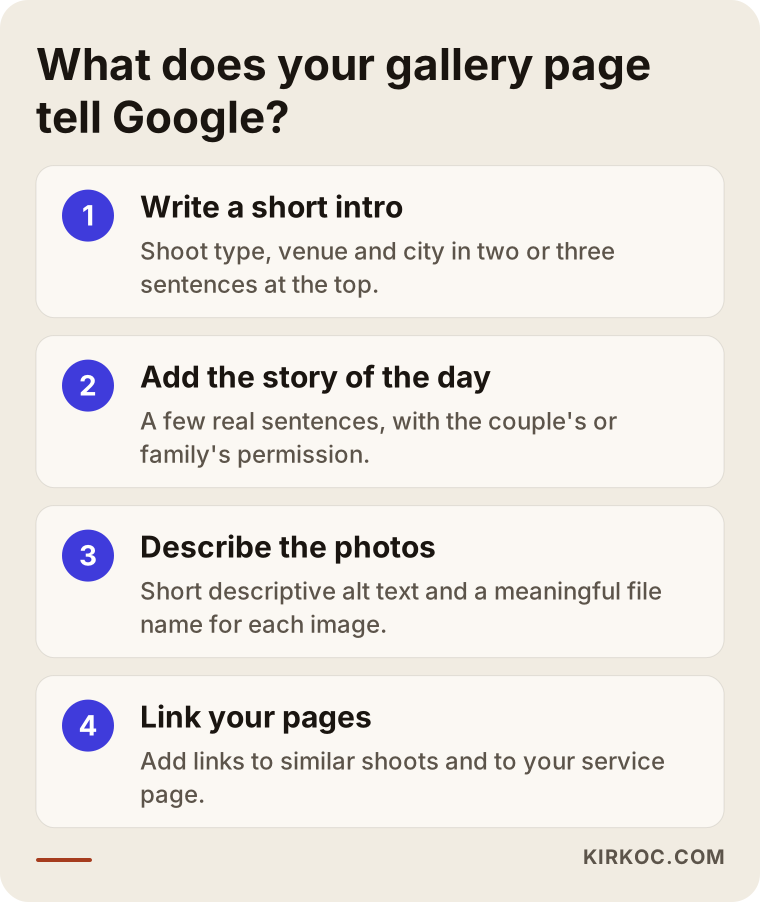
The fix is not long articles. Add these to every gallery page:
- A short introduction: the type of shoot, venue, city, season, or who it was for.
- A brief story of the day, as far as the couple or family agrees.
- Descriptive alt text on photos (a short description for visually impaired visitors and search engines).
- Links to similar shoots and to the relevant service page.
Writing has a side benefit. When a page contains a real phrase such as "beach wedding in a small coastal town," it can reach the couple searching for exactly that. No result can be guaranteed, but a page without text never gets that chance.
Pages by shoot type and by city
If you shoot weddings, one homepage saying "wedding photographer" is not enough. Consider a separate page for each city or region you genuinely serve. What matters is that every page is unique: different venues, different shoots, real notes about the place. Swapping the city name in a copied text does not work and weakens your pages.
For product work the opposite holds. Pages by type, such as "food product photography" or "jewelry shoots," help more than city pages. Describe your process, how you deliver files and show sample results.
Corporate and headshot photographers benefit from a similar approach. A manager or HR employee searching for corporate photography usually wants to know who you have worked with, whether you shoot at the office or in a studio, and how fast you deliver. Collecting this on one plain page helps both the visitor and the search engine. For newborn sessions, a short, calming explanation of safety, room warmth and how the session goes makes the parents' decision easier.
Image search and your photo files
Because your portfolio is visual, Google Images is a special channel for you. I focus on a few simple things: meaningful file names instead of "IMG_4821," images light enough not to slow the page, and each photo tied to the text around it. I cover this in more detail in do your photos show up in Google Images.
There is a balance here. File size should shrink without hurting quality. A heavy gallery drives away the couple waiting on a phone.
Reviews and trust
Choosing a photographer is a trust decision; a couple hands you their wedding day. That is why reviews should appear on your site and on your Google Business Profile. Asking a happy client a few days after the shoot for a short, honest review is enough. I explain how to display them in how to show customer reviews on your website. Also get written permission before using clients' images, especially for children and newborns, because of privacy rules. Check the rules that apply where you work.
The availability and booking question
The first question of a visitor who finds your site is usually "are you free on that date?" If the answer is not on the site, they move on to the next photographer. The fix does not need to be complicated:
- A simple contact form with date, venue and shoot type fields.
- A short note on the calendar about busy dates or rough availability.
- A section explaining what the packages include and, even without prices, the factors that affect the price (duration, venue, number of delivered photos, album).
- A button that reaches your phone or messaging app in one tap.
A quick reply matters as much as SEO. A visitor who came from search may be asking other photographers while you are still typing.
Google Business Profile and map searches
If you have a studio or an office, searches like "photographer near me" return results on the map. Showing up there starts with a complete, current Google Business Profile: the right category, opening hours, the areas you serve, real photos and answered reviews.
If you have no studio and travel to clients, you do not have to show your street address to everyone; you can define a service area instead. Check the current profile rules, because they change from time to time.
Replying to reviews matters too. A short thank-you to a happy client and a calm, solution-minded answer to a critical one tell both the reviewer and every future reader how you work.
Seasons and timing
Demand in photography comes in waves. Couples often search months before the date, brands that need product shots search ahead of campaign periods, and corporate headshots pick up around the start of the year and during hiring rounds. Preparing your content before the season is far more effective than rushing in the middle of it.
A practical habit: put a few fixed "website days" in your calendar each year. On those days, add new shoots, fix outdated details and refresh the reviews. In SEO, small and regular work is usually healthier than a big push every few years.
What to write on a page, by shoot type
Photographers often tell me, "I don't know what to write." My answer is always the same: write down the questions your clients already ask you. Every shoot type has its own cluster.
- Weddings: How long does coverage last, do you need a second shooter, do you visit the venue beforehand, when are the photos delivered, how is the album made?
- Newborn and family: At home or in a studio, how is the baby kept safe and warm, what should everyone wear, how long does a session take?
- Product: How do products get to you, which backgrounds are available, what does retouching cover, how do revisions work?
- Corporate: On site or in a studio, can the whole team be shot in a day, in which formats are files delivered?
When the answers sit under short headings, visitors find what they came for, and the page meets the phrases people really type. Keep updating the answers with the new questions that reach you; the best content ideas are already in your inbox.
One more thing: end the page with a clear next step. A single line such as "Tell me your date and venue and I will get back to you" guides the visitor at the moment of decision.
Two concrete scenarios
I will describe two situations, without names or numbers, that closely resemble real cases. The goal is not to promise an outcome but to show how a site gets read.
Scenario 1: A wedding photographer with a beautiful gallery and a quiet phone
The site of the wedding photographer who contacted me was genuinely lovely: a slideshow on the home page, a single gallery called "My Work" and a contact page. Yet it never appeared for "city + wedding photographer" searches, and the phone mostly rang for friends of friends coming from Instagram.
First I looked at the site as a visitor would. The gallery held hundreds of frames and not one sentence underneath. The city and the venues were mentioned in a single line on the contact page. All Google could take from the site was "there are photos here."
What we did together was simple. We split the one gallery into shoots: a beach wedding, a garden wedding, a civil ceremony, a portrait session outdoors. Each got a short introduction, the venue name, a small story of the day and a few sentences with the couple's permission. The photos received meaningful file names and alt text. The reviews moved from social media onto the relevant pages of the site.
The result was measured: over a few months the site began to appear for more, and more accurate, searches, and the messages from the contact form arrived fuller, with dates and venues. I would not credit all of it to SEO; season, referrals and pricing matter too. But the site was clearly now telling Google what the business does.
Scenario 2: A product photographer whose clients are not local
The second example is a studio that shoots products for small brands. The owner had written the site around "photo studio in the city." Yet most clients sent their products by courier from other cities, sometimes other countries. The site was positioned for the wrong search.
My first move was to change the language of the search. The shoot type came forward instead of the city: food products, jewelry, cosmetics, white background and lifestyle shots. Each page explained the process: how products arrive, how many angles are shot, how retouching works, in what form files are delivered and how shipping is handled. Before-and-after examples came with a short story.
Because the audience was businesses, we added a FAQ to the page: Are revisions included, in which sizes are files delivered, does a marketplace need separate dimensions? Those questions helped the visitor decide and brought the page together with the sentences people actually type. Again, no guarantees, but a site that speaks to the right client costs far less energy than one that speaks to the wrong one.
How the process works if you do it with me
When I take on a project, the order usually looks like this. If you do it yourself, I suggest following the same order.
1. We review where you stand
I study your site, how you appear on Google and your competitors. I note which shoot types are explained where, which are not explained at all and in which cities you are searched. At this stage I ask for a short conversation about your shoot types, your ideal client and the areas you want to work in.
2. We set priorities
You cannot do everything at once. Whichever shoot type earns you most gets strengthened first. Your season decides as well: it makes sense to prepare wedding pages before the wedding season and corporate and family sessions before the holidays.
3. We fix pages and galleries
Texts, alt text, file names, internal links and headings are handled here. I take care to write in your voice, because visitors want to get to know you, and a "corporate agency" tone does not build trust for a photographer.
4. We place trust signals
Reviews, a description of how a shoot works, short facts about contracts and delivery, an about section and a photo of you are added. Choosing a photographer is personal; visitors want to see and meet the person.
5. We watch and adjust
For a few months we track which pages become visible and which searches lead to form submissions. We multiply what works and simplify what does not. No outcome can be guaranteed, but moving forward by observing beats guessing.
Checklist: scan your site in fifteen minutes
Answer these questions by walking through your site as a visitor. Every "no" is a work item.
- Can I tell from the first screen of the home page what kind of shoots you do and in which city or region?
- Does each shoot type have its own page?
- Is there a two or three sentence description above each gallery?
- Do the photo files start with "IMG", or do their names say what they show?
- Does the gallery load quickly on a phone?
- Are real reviews visible on the site?
- Is there a form or button that answers the availability question?
- Is my business profile current, with correct photos and hours?
- Is it clear what each package includes?
- Can the contact details be reached with one tap from every page?
The point of the list is not a perfect score. It is to show where the biggest gap is so you can start there.
Also try the list on your own phone, on mobile data. Most clients open your site for the first time on a phone, and slowness you never notice on your fast home connection shows up there. And hand the site to a friend and ask, "What does this person do, and how would I reach them?" Their answer is the most honest sign of how Google and a potential client read the site.
Mistakes photographers often make
The more sites I look at, the more the same mistakes repeat. Most are made with good intentions, but the result is the same: neither Google nor the visitor understands the site.
First there is weight and speed. Uploading every photo at the highest size slows the gallery down. A visitor on a phone does not wait; they go back. Shrinking photos without visible quality loss is important work.
Then there is cramming everything onto one page. If weddings, babies, products and corporate shoots all sit together on a "My Work" page, neither the person looking for a wedding photographer nor the one looking for product shots sees themselves there. Each type belongs on its own page.
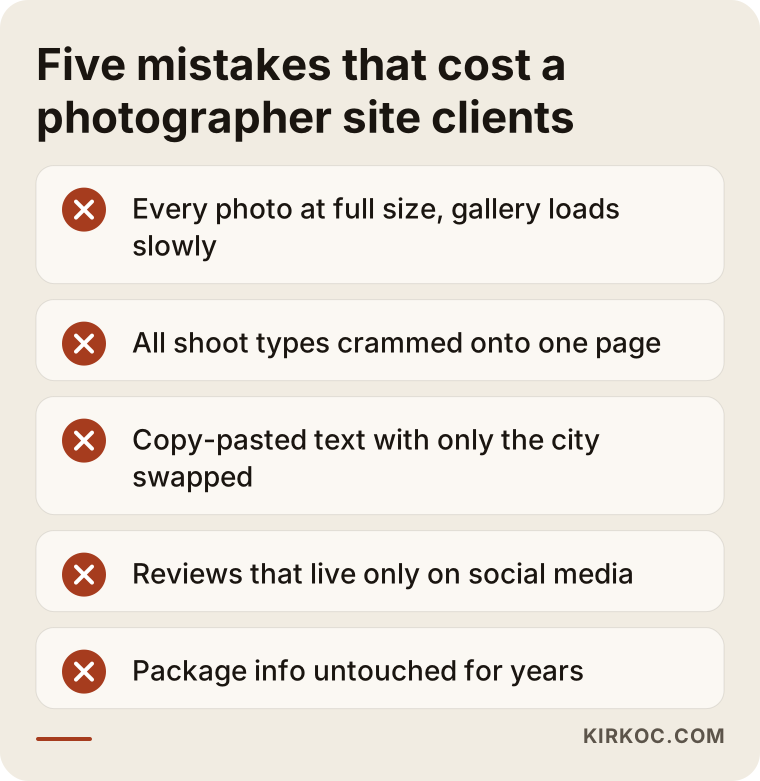
Third are copy-pasted city pages. Swapping the city name in the same text bores the visitor and weakens the pages. Opening a page for a city you do not actually serve is misleading on top of that.
Another frequent mistake is leaving reviews on social media only. A review that gets lost there can become proof on your site that persuades a couple, as long as the client has agreed.
Last, a site that is never updated. A site showing a shoot from three years ago, outdated package details and a broken contact form tells the client "this business may not be running." Adding a few new shoots a year and reviewing old details is enough.
What you can do yourself, and what to leave to an expert
You do not need a consultant for everything. Here is an honest split.
What you can do yourself
- After every shoot, write a short introduction and a small story of the day for the gallery. You know the shoot best.
- Name photo files meaningfully and add alt text.
- Ask the client for a review a few days after the shoot.
- Keep your business profile current and add new photos.
- Answer availability questions quickly.
What to leave to an expert
- Deciding which shoot types and cities deserve a page; that takes reading search data and looking at competitors.
- Finding technical problems: slowness, mobile fit, pages that cannot be crawled, broken links.
- Rebuilding the structure of the site and setting redirects correctly.
- Structural changes that make reviews and business details look consistent across the site.
- Measurement: reading which page truly brings inquiries.
For most photographers the most efficient path is a mix: set up the technical and strategic part correctly once, and carry on the daily content work yourself.
Frequently asked questions
How long until SEO affects a wedding photographer?
I cannot give a fixed time. It depends on competition, the city and the current state of your site. First changes often show within a few months, but results cannot be guaranteed.
My social media is strong. Do I still need a site?
Social media is a showcase, but to be found on "city plus photographer" searches you need a website. The two complement each other.
Do I need permission to share event photos?
For photos where people's faces are visible, I recommend getting permission. You can add a sharing clause to your contract; check the rules that apply to you.
Is it enough to use my own photos, or can stock photos work?
Use your own shoots. Stock photos break trust on a photographer's site, because visitors want to see your work. Original images also set you apart from other sites.
Should I open a separate page for every shoot?
Not for every shoot, but for every shoot type and every area you really serve. One page that gathers many shoots of the same type and is updated regularly beats dozens of weak pages.
Do I need to write a blog?
It is not mandatory. But a few posts that answer questions people really ask, such as what to look for in a wedding venue or when to book a newborn session, do something a gallery page cannot: people look for information before they decide.
Should I publish prices on my site?
That is a business-model decision. Even if you do not list prices, explain what a package includes and what affects the price. That reduces unsuitable inquiries and the right people fill in the form.
How do I balance SEO and Instagram?
Instagram reaches people who already follow you; SEO reaches people who do not know you yet but are looking for a photographer right now. Connect the two: link to your social profiles from the gallery pages, and to your site from your profile.
Is a simple one-page portfolio enough?
At the very start it can be. But one page cannot answer the different searches for different shoot types. As you grow, add pages by shoot type.
Should I remove old shoots from my site?
Do not push forward work that no longer reflects your style, but before deleting, check whether the page has a redirect. Deleted pages leave earlier visitors at a dead end.
Where to start
The first step is an honest look at how your site stands today: which pages have no text, which shoot types are never explained, where the reviews sit. I am a solo consultant in Istanbul, and I review photographers' sites and build a plain, workable plan. If you want to keep your focus on shooting while your site brings the right clients, you can reach me through my SEO services page.