Your product is good, yet visitors to your site rarely open a trial account, or they barely show up at all. Can Google bring in a steady flow of leads without a bigger ad budget and a bill that never stops? It can, but for software the logic is quite different from a local business. If you are a founder or a marketing lead, this article walks through the path in plain language. If you would rather work through it together, my SEO services page explains how I work.
People looking for software do not know your product name
The most common mistake when selling new software is assuming people will search with the name of your product category. Most start with a problem: "tracking customers in a spreadsheet is a mess" or "I am tired of sending invoices one by one." They start looking for a solution later, and often they do not even know what kind of software would help.
That is why SEO for SaaS targets the problem your product solves, not the name of your product. When I begin with a software company, my first question is: what was your customer dealing with the day before they found you? The answer is the raw material for everything you write.
Three kinds of searches, three kinds of pages
I split software searches into three groups. Each wants a different page and arrives at a different moment with a different intent.
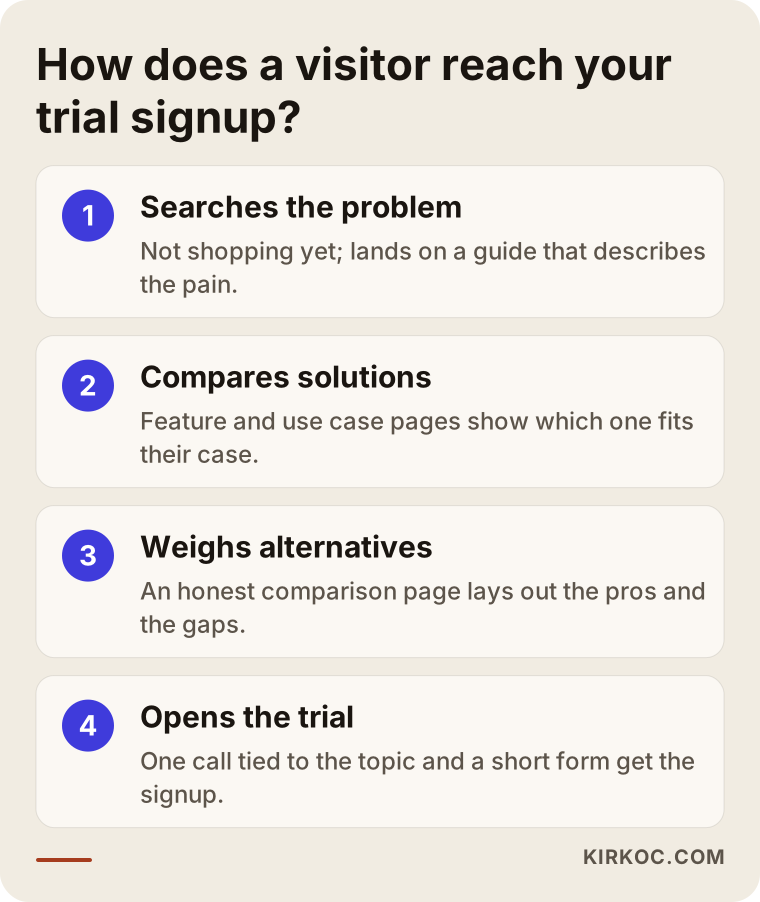
- Problem searches: things like "keeping appointments in a paper diary." The visitor is not shopping yet, just describing a pain. Your job is helpful, explanatory content that gently shows how your product handles it.
- Solution searches: "bookkeeping software" or "online booking system." The visitor knows the category and is collecting options. Feature and use case pages work here.
- Comparison searches: "X alternative" or "X vs Y." This visitor is closest to buying and usually has two or three candidates already.
The first group is large but far from deciding. The third is small but likely to open an account. A good plan covers all three and sets the order by budget.
"Alternative" and comparison pages
Pages aimed at people searching for a competitor's name plus "alternative" are among the best converting content in SaaS. The usual mistake is trashing the competitor or claiming your product wins at everything. Buyers spot this immediately and trust drops.
An honest comparison page covers when the competitor is a better fit and when you are, how the pricing logic differs, and which features you really lack. That candor makes both readers and search engines see you as reliable. When you use competitor names, keep the facts accurate and respect brand usage rules; for legal questions, ask your company's counsel.
Feature and use case pages
Most software sites have one "features" page with a list on it. A separate page for each important feature and each customer type gets far clearer results. "Invoice tracking for accountants" and "invoice tracking for small online shops" describe the same feature but speak to different people who search with different questions.
A good use case page includes:
- Who it is for, stated in the first sentence.
- The visitor's problem, described in their own words.
- How the product helps, step by step, with screenshots.
- Common questions and one obvious next step.
For the bigger picture of your site structure, my article on corporate websites for software and technology companies goes into detail.
Moving visitors toward a trial signup
Getting traffic is half the job. On software sites, the real loss happens when visitors read and leave and never return. A few simple adjustments can noticeably change conversion.
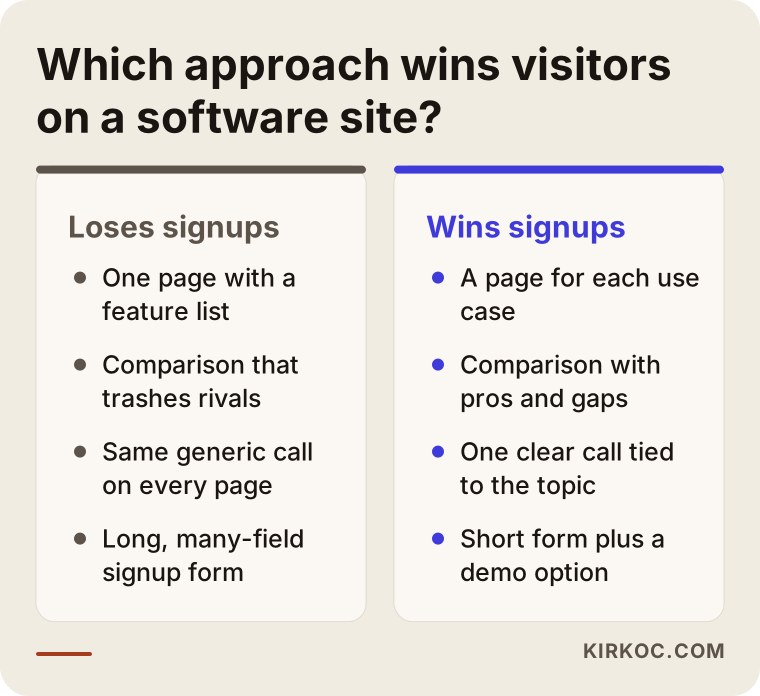
Each content page should end with one clear call connected to its topic. "Try this invoice tracking with your own data" often works better than a generic "start your free trial," because it links to the problem in the visitor's mind. Keep the signup form short and ask only for what you need in the first step. For people who are not ready for a trial, a short walkthrough video or a demo request opens another door.
Instead of guessing which of these works for your visitors, I would measure it. Which pages do signups come from, and which ones do people read and leave? Producing content without this data is like setting out without a map.
Measuring SEO across a long sales cycle
In B2B software, a decision can take months rather than days. One person reads a problem article, comes back three weeks later to a comparison page, and two months on talks to their team and opens a trial. A question like "how many signups this month" can be misleading on its own.
I suggest looking at several signals together: which pages are the first point of contact, which content trial users read earlier, and how many people on sales calls say they found you on Google. Simply asking new customers "how did you find us?" is among the most valuable measurements. Missing attribution is the most common reason SEO looks less valuable than it is. To see what a typical engagement includes, read what happens in the first 90 days of an SEO service.
Integration, pricing, and help pages: three forgotten doors
On software sites, the least loved pages are often the ones that bring the visitor closest to buying.
Integration pages
Your future customer may be searching "does this tool work with my accounting software." A short, clear page for each important integration meets exactly that person. Say what data moves, who handles the setup, and where the limits are.
The pricing page
Even if you never publish a number, explain how the plans differ and which one suits which situation. A mysterious pricing page that only says "contact us" sends comparison shoppers straight to the next competitor.
Help center and documentation
The help articles you write for existing customers are some of your most honest SEO content. People search "how do I do this in that tool." A well-built help center lowers your support load and shows prospects how the product really works.
Technical traps that software sites often fall into
Software sites are usually built with modern tooling and heavy scripts. That can feel smooth to a user and still cause surprises for search engines.
- Content that loads late: If the text only appears in the browser after the page runs, a search engine may miss it or see it late. Important text should be ready when the page first opens.
- App and marketing site mixed together: The logged-in product and the public pages should be set up separately. Product screens getting indexed, or marketing pages sitting behind a login, is a common problem.
- The same content at several addresses: Language, region, or trial-version copies can publish identical text at different URLs.
- Slow pages: Oversized images and unnecessary scripts cost you visitors, especially on phones.
You can do a rough check of these yourself, but a real diagnosis needs a technical audit.
How to structure a good problem guide
Problem-led articles are the part of software SEO that gets done wrong most often. The secret is that the article must be a genuinely helpful guide, not an ad for your product.
Start by describing the reader's pain in their own words. Then, without mentioning your product, show the general ways to solve it: a spreadsheet, doing it by hand, another method. Write the pros and cons of each honestly. Only after that does your product enter, as "if you have hit the limit of those methods."
This structure looks longer, but it does two jobs: it earns the reader's trust and it makes the article more likely to be cited by other sites. One natural link to the relevant use case page at the end is enough.
After the trial signup: do not just count signups
Judging a software company's SEO by the number of accounts can mislead. Someone who opens an account and never logs in again is not valuable to you. So look at whether visitors from each page actually use the product, meaning whether they complete the core action in the first week.
Sometimes the page that brings the most signups brings the fewest lasting customers. In that case the page may promise more than the product delivers. When I set up measurement, I try to make the first meaningful use trackable, not just the signup.
Planning the first three months on a limited budget
A small team cannot do everything at once. A sensible order does the sizing for you.
The first month is the foundation: a technical check, measurement setup, and notes on the customer journey. In the second month, the two or three highest-intent pages go live, usually one comparison page and your most important use case. In the third month the first problem guides arrive and the first data becomes readable.
No step in this plan guarantees a result. But with a limited budget it turns the fewest resources into the most learning: instead of writing twenty pages before knowing what works, you write the first three and look at what happens.
Two different software companies, two different paths
The same method does not work identically for every product. Here are two examples; both are generalized scenarios that reflect how I work.
A two-person team selling scheduling software to small businesses
A founder came to me with this situation: the product was easy to use and current customers were happy, but visitors were not opening trials. When ads stopped, traffic stopped too. The site had one home page and a feature list.
I first looked at Search Console data and the site structure. Most visitors landed on the home page and left, because the page told everyone the same thing. A barber, a salon owner, and a physical therapist were all looking for the same software for different reasons.
Together we planned a separate use case page for each profession. Each page began with that profession's real pain: late cancellations, missed phone calls, double bookings in the paper book. Within a few months, visitors on those pages seemed to move to a trial noticeably better than visitors on the general home page. I will not give an exact rate, but the direction was clear and the data showed which profession deserved more investment. The words differed too; barbers said "appointment book" while therapists said "session tracking." That language gap showed why one general page stayed weak.
A B2B inventory tool sold to larger companies
In the second case, the buyer was not one person: an operations manager felt the problem, a finance lead approved the budget, and an IT lead asked about security. The sales cycle was long, and visitors often filled in nothing on the first visit.
Here I did not make the trial signup the only goal. We planned separate content for each role: problem guides for operations, explanations of what drives cost for finance, and a security and data location page for IT. We also wrote two comparison pages and openly admitted the competitor's strengths in both.
Most of these pages did not bring signups right away. But a few months later the sales team began saying "I forwarded your comparison article to my team" in calls. That is a good picture of how SEO works in a long sales cycle: the value turns into trust, not into a form. So on projects like this it is more instructive to ask which content actually gets discussed in sales calls than to count signups.
Step by step: where to start
Whether you work with me or do it yourself, the order is roughly the same. Mixing up the order is the most common way to waste time.
1. Write down the customer journey
Ask your last five customers how they found you. What problem did they search, which alternatives did they check, on which page did they decide? These notes are worth more than a keyword list.
2. Check the technical state of the site
Are pages open to Google, fast, and clean on mobile? Software sites often use heavy scripts, so verify that the content really reaches the search engine.
3. Build the pages closest to buying first
Comparison, alternative, and use case pages come first. They bring fewer visitors, but visitors with high intent.
4. Expand with problem guides
Next come guides that cover the stage when your customer is not yet shopping for a product. Each should link naturally to the matching solution page.
5. Measure, then reset the order
Which page is the first touch, which is close to a signup? Ask this every three months and update the plan. In my work I tie this review to a fixed calendar.
Checklist before you publish
Before you publish a software page, you should be able to say yes to every one of these:
- Can a reader tell who the page is for from the first sentence?
- Does it describe the problem in the visitor's own words?
- Does it state the product's limits openly? Showing something you cannot do as if you can only costs trust once the trial begins.
- Is there a single call at the end that fits the topic?
- Does the signup form ask only for what is needed?
- Does the page read well and load quickly on a phone?
- Do you have no other page covering the same topic? When two pages compete for the same search, they compete with each other.
Fixing a page for another week is usually better than publishing one that fails this list.
What you can do yourself, and what to leave to a specialist
You do not need a consultant for everything. Let me draw an honest line.
What you can do yourself
- Ask customers "how did you find us" and record the answers.
- Collect the problems your product truly solves from support messages.
- Fix outdated information, broken links, and vague calls on existing pages.
- Study competitors' pricing logic and features yourself for comparison pages.
- Add customer quotes to pages, with permission.
What to leave to a specialist
- A technical audit: indexing, page speed, multilingual setup, and redirect problems are invisible but powerful.
- Choosing which searches truly carry commercial value. A wrongly chosen topic costs months.
- Designing the site structure, meaning which page links to which.
- Setting up measurement so you can reliably see which page contributes to signups.
- Language and region settings on sites that publish in several languages or markets.
Common mistakes
The mistakes I see in software companies are strikingly similar. Most come from a team that knows the product well forgetting to look through the visitor's eyes.
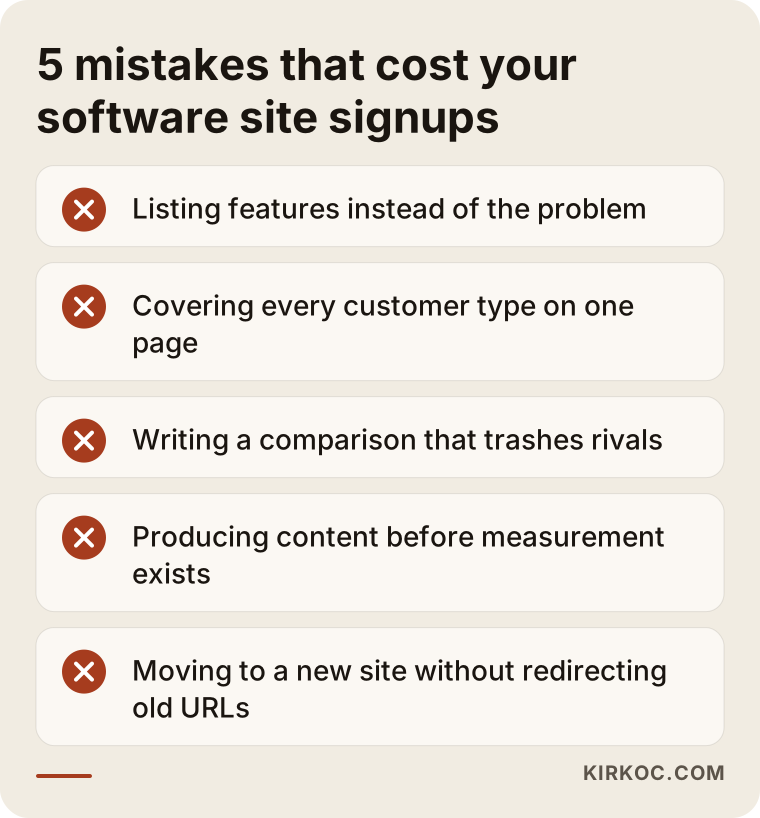
Listing features when you should describe the problem
A page that says "advanced reporting, flexible integration, cloud infrastructure" answers nothing anyone searched for. The visitor wants to know what it gets them.
Squeezing everything onto one page
A single home page speaking to every customer type speaks fully to none. Splitting out use cases is often the biggest gain.
Turning the blog into an assembly line
Three generic posts a week means posts with no link to the product. Traffic looks like it arrives, but nobody who would open a trial does. A few product-linked pieces are worth more.
Trashing the competitor in a comparison
As I said earlier, an exaggerated comparison pushes readers away. Admitting your gaps builds trust.
Leaving measurement for the end
Working three months and then asking "what happened" means missing the chance to turn around. Set up measurement in the first week.
Moving the site without handling old pages
If you switch to a new design without redirecting old addresses to the new ones, visibility built over years can vanish overnight.
Frequently asked questions
How long does SaaS SEO take to show results?
No one can guarantee it, because competition, your site's current state and your publishing pace all matter. Comparison and solution pages usually respond sooner, while problem-led content builds up over time. Think of it as an investment measured in months.
Is it a problem to use a competitor's name on a page?
Generally not, as long as your information is accurate and you do not portray them misleadingly, but ask your company's lawyer for a definitive answer.
Should I write blog posts first or improve product pages?
Usually product, feature and comparison pages come first, since they reach people close to buying. The blog widens your reach afterward.
Can I write the content myself as a small software company?
Yes, especially use case pages and problem guides, since you know the product best. My contribution is usually topic choice, structure, and measurement; getting the first draft from you often improves the article.
My product pages are in English but my market is elsewhere. What now?
It depends on the language your buyers search in. A customer searching in their own language needs pages in that language. On a multilingual site, each language needs its own correctly marked pages; automatic translation alone rarely delivers enough.
Should SEO and ads run together?
Often yes. Ads give fast data, so you see which message moves visitors to a signup. SEO then becomes a lasting asset built with that knowledge. One does not replace the other.
Will AI assistants see me when they recommend software?
These tools also look for clear, organized, trustworthy pages as sources. No result can be promised, but clear use cases and honest comparisons help in the same direction for Google and for these assistants.
My traffic is high but signups are low. Where is the problem?
Usually the intent is mismatched: people arriving for general topics are not looking for your product. First look at which pages bring the visitors who do open accounts, then build more pages like those.
How I work
With software companies, I first review your site and the customer journey, and we agree on the searches you should appear for. Then I plan pages in priority order, write or brief them, and set up measurement. I cannot guarantee results, but I will openly share what I did, why, and what worked. For the full process, see my SEO services page or contact me directly.