Your website went live a few years ago, and since then nobody has touched it. How do you know it still works? Most business owners find out when a customer says, "I couldn't open your site." Website maintenance services exist to prevent that surprise: someone checks the site on a schedule, keeps a copy of it safe and keeps its software current. In this guide I'll explain what a maintenance agreement should contain, what drives website maintenance cost and what to look for in the contract. One honest note first: my own work is website redesign and relaunch, and I am not claiming to sell a fixed monthly care plan. I wrote this so that, whoever you hire, you know which questions to ask.
What are you actually buying with a maintenance agreement?
Think of regular servicing for a car. The oil is changed before the engine fails, the tires are checked, and a small problem is spotted before it becomes a big one. A website needs the same kind of background work that you never see. The software behind it gets new versions, and if those are skipped, they leave doors open. The server that hosts the site sometimes has trouble. The domain name can expire. None of this is the face your visitors see, but all of it keeps that face standing.
So what you buy is not "someone looking at my site." You buy a written promise that specific tasks will happen at specific intervals, and you buy knowing who to call when something goes wrong. If an agreement does not make those two things clear, you are paying for hope.
Most plans include the headings below. Not every plan needs all of them, but for each one you should be able to read a clear yes or no in the document.
Updates
Most sites run on a ready-made platform with small add-ons. The makers of those parts release new versions from time to time. Some fix bugs, others close security holes. A site that never updates is like a house whose lock model is publicly known. Nobody picked you personally, but automated programs scan the web and try every door they find open.
Updating has its own risk, because a new version can break part of the site. A good maintenance provider does not push changes straight onto the live site. They test first, apply the update, and roll back if something breaks. "Updates are included" is not enough. Ask how they are done.
Backups
A backup is a copy of your site. If something goes wrong, you restore the copy. Three questions matter: how often is it taken, where is it stored, and has anyone ever actually restored it? A backup that sits on the same server as the site is weak protection, because if the server fails, the backup goes with it. When someone says "we take backups," asking "when did you last test a restore?" tells you a lot.
Security monitoring
I do not mean a complex cyber defense. I mean basics: scanning for harmful code, noticing odd login attempts, closing old accounts nobody uses and making sure passwords are strong. What matters is who steps in if the site is attacked, and whether cleaning it up is part of the plan or a separate job. Cleanup is often excluded, so ask at the start.
Speed and function checks
Does the site open? Do form messages reach you? Does the phone number start a call when tapped? These checks are the least talked about and the most expensive to skip. A contact form that broke two months ago has silently lost every inquiry since. A regular check catches it in the first week.
Small content changes
Opening hours changed, a new service was added, a phone number moved. Some plans cover a set number of small edits per month. The word "small" must be defined. Is it a sentence, a page, a new section? Without a definition, every request becomes a negotiation.
What does a site nobody looks after cost you?
You see the value of maintenance most clearly by looking at its absence. A neglected site does not collapse overnight. It loses value slowly, which is exactly why it is so easy to ignore.
The first loss is trust. When a browser meets an expired security certificate, it shows the visitor a large warning page. The visitor does not know your business, sees the warning and goes to a competitor. The second loss is speed: an old, bloated site slows down, and someone on a phone will wait a few seconds and then leave. The third is your position in Google, since a search engine does not trust a site that keeps throwing errors or fails to open.
The fourth loss is the most expensive and the most unpleasant: a hijacked site. Without your knowledge, your site can start showing someone else's ads, malicious links or copied pages. You usually find out through a warning from Google or a phone call from a customer. Recovering at that point takes far longer than looking after the site would have.
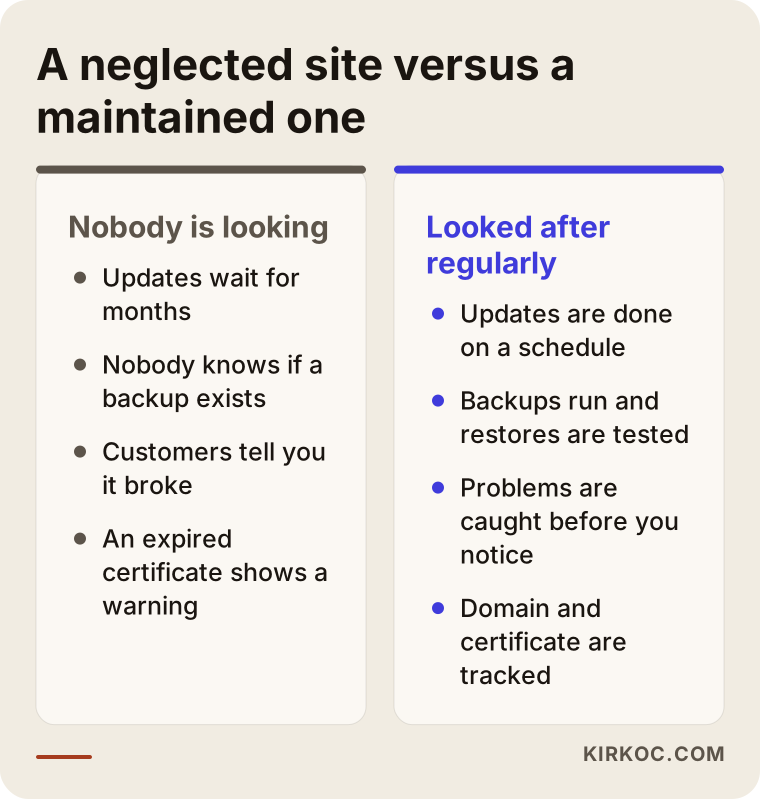
That does not mean every site needs a monthly plan. As I explain further down, some sites do fine with a yearly check. But the difference between a business whose site nobody watches and one with a planned routine shows itself on the day something breaks. One says, "There is a backup, we will be back in an hour." The other starts phoning around to ask who built the site in the first place.
Learn to read the items one by one
Maintenance quotes tend to be short: "Monthly maintenance, all updates and support included." That sentence tells you nothing, because it does not say what is included. When you read a quote, keep the table below in mind. It puts each item next to what it means and the question you should ask the seller.
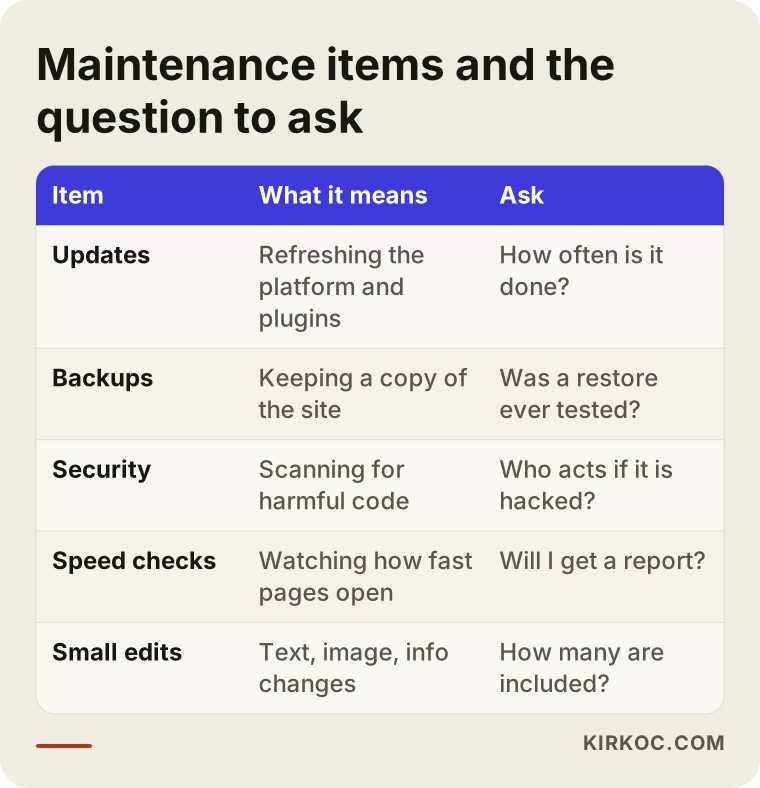
Read the table in one more way: every answer should end up in writing. A verbal answer binds nobody when a dispute comes. "Sure, we do that" costs nothing to say. "Backups run daily and are stored in a separate location" in the agreement is a commitment.
What is usually not included, but matters
Work that normally sits outside a maintenance plan includes adding new pages or features, redesigning the site, cleaning up a hacked site, improving search rankings, ad management and writing copy. None of that is bad. It is simply separate work. The problem is when this line is not drawn at the start. The quote should say that out-of-scope work is quoted separately and how that happens: will you be told first, and will work start only after you approve?
Understanding what drives the cost
I will not give numbers here, because no two sites are alike and a figure without context would mislead you. But if you know what shapes the cost, you can weigh the quotes yourself.
The structure of the site. A simple brochure site with a few pages and a site with hundreds of pages, a member area, a booking module or an online shop do not need the same effort. The more moving parts there are, the more can break and the more checking is needed.
The platform it was built on. Some platforms need frequent updates, others are more static. A custom-coded or rarely used system has fewer people able to maintain it, and that shows in the price.
The breadth of scope. A plan with only backups and updates is a different thing from one with backups, updates, security scans, a speed report and a monthly edit allowance. Compare quotes item by item, not by the total.
The response time you expect. Someone who wants a same-day reply gets a different service from someone who accepts an answer within a few working days. If you sell directly through the site, a fast reply is valuable. If the site only provides information, you may not need that urgency.
How often things change. A business that edits its site every week has different needs from one that touches it twice a year. The larger the monthly allowance, the more work behind it.
How important the site is to your business. If nearly every customer arrives through the site, downtime is costly, and paying more for reassurance makes sense. If the site is just a business card, the same assurance may be more than you need.
The length of the commitment. A longer commitment can sometimes buy a better arrangement, but it also binds you. I come back to this in the contract section.
The hidden price of a "cheap" quote
A very low maintenance price often means little work. Either backups are not taken, or updates are not applied, or replies take days when something breaks. That does not mean a cheap quote is automatically bad. But if the answer to "what exactly do you do?" is vague, the low price has no explanation either. The reverse is also true: a high price does not prove quality. In both cases, ask about the items.
How people search for this, and what you should look for
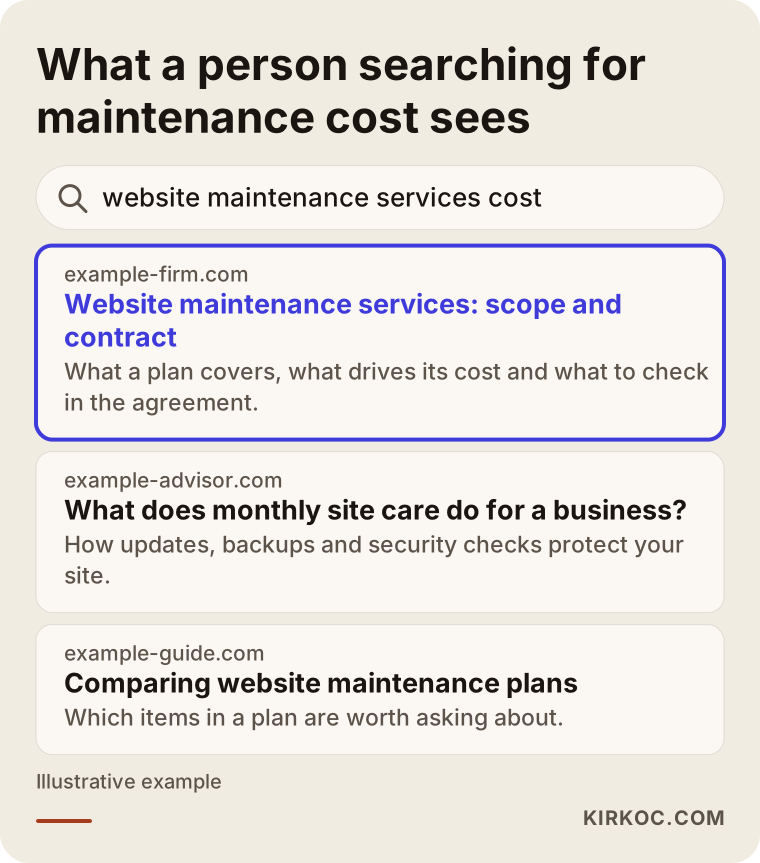
Business owners often start researching this suddenly. A customer who cannot open the site, a friend who sees a red warning, or an accountant asking "do you remember who built your website?" is what triggers the search. The searches follow: "website maintenance services," "monthly website maintenance," "website maintenance cost," and the more desperate "my website is down, who fixes it."
When you read the pages that come up, notice that a good one explains scope instead of waving a number. It tells you what is included, what is outside, how the process runs and what the contract terms are. A page that only says "affordable maintenance" and never says what it does will give you the same vagueness in a quote.
Who to hire: agency, freelancer, or whoever built the site
You can buy maintenance from three places, and each has a different balance.
The person or company that built the site knows its structure best. They start quickly, and surprises are less likely. The downside is that if they become hard to reach, maintenance stops. That is why access to everything must be in your hands.
A larger agency can spread work across several people, and the process does not stop if one person is ill. In return, the person looking after you may change, and a small site can fade into the background next to a large client.
With a freelancer, you talk directly to the person who decides and does the work. But you need to ask in advance what happens when that one person is on vacation, sick or busy. I work alone, so I say this about myself: in a one-person setup, continuity comes from written records and access that can be handed over, not from "it stays with me."
Contract clauses to look for, and patterns to avoid
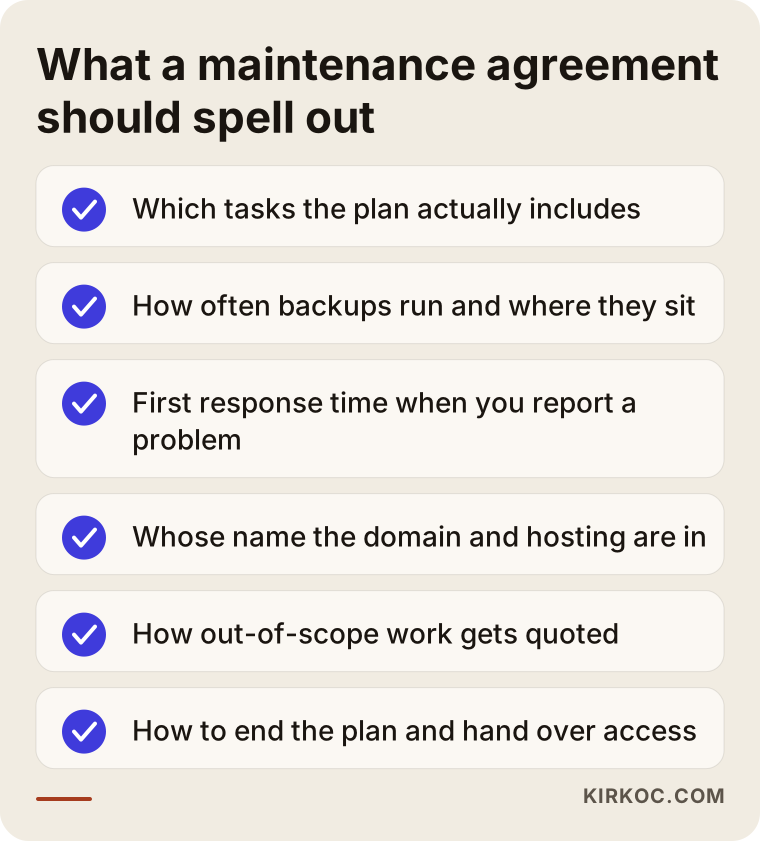
A maintenance agreement can be kept simple for both sides. A single page in plain language often does more than a long legal text. What counts is not the page count but that the following questions are answered in it.
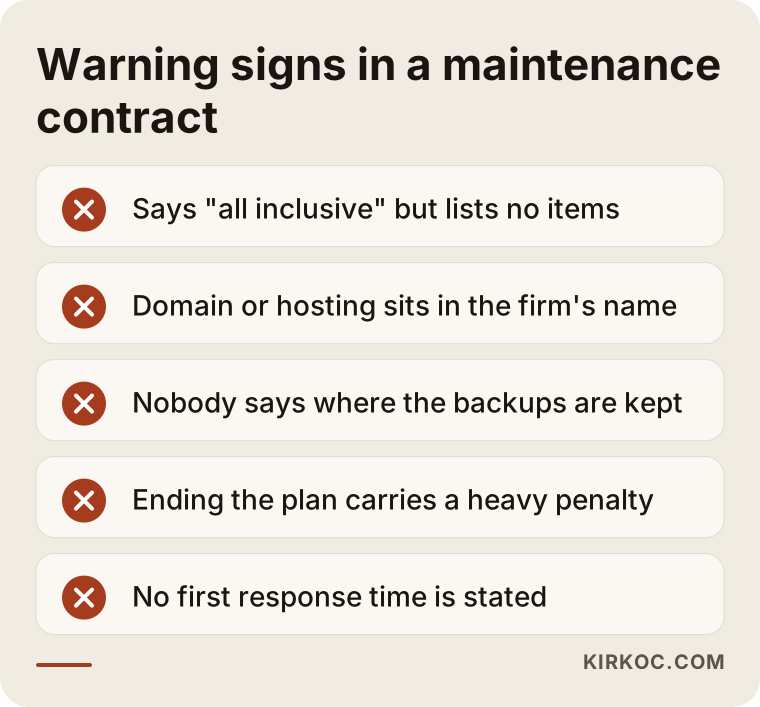
Access and ownership. Is the domain registered in your name? Do the hosting account, admin panel and backups belong to you? This should not even be negotiable. If the domain is in the provider's name, you have no leverage when you want to leave.
Scope list. Which tasks happen how often, item by item. A broad phrase such as "general maintenance" cannot force the other side to do anything specific.
Response time. How quickly will you get a first reply when you report a problem? Note the difference between first response and time to fix. The first can be promised; the second depends on the problem. A realistic agreement commits to the first.
Reporting. How will they tell you what was done? Even a short monthly note lets you see that the service is actually delivered. Someone who sends nothing may or may not be doing the work, and you cannot tell.
Out-of-scope work. How requests outside the agreement are quoted, and that no work starts without your approval.
Term and exit. How long does the agreement run, how can it be ended, and if it ends, how are access and backups handed back to you? This is where many people regret not asking. A heavy penalty for leaving, or a fee just for handing over your own access, is unpleasant. Ask at the start.
Privacy and data. If your site collects information from customers, who can reach it and how is it protected? I am not giving legal advice here. I am suggesting you ask the question, and where needed, consult a professional in the relevant field.
A simple way to compare quotes
If you have two or three quotes, the easiest way to compare them is this. Write the items above on a sheet of paper and mark each quote "in writing," "verbal only" or "missing." Look at the price column last. You will often find that the cheapest quote has the fewest items in writing, and that the most expensive one does not put everything in writing either.
Also ask: "For my site, what is the one thing you would recommend fixing first?" An honest person answers, for example, "this add-on is outdated and should be replaced." Someone who says "nothing, it's in great shape" to every site has either not looked or plans to sell you something.
Not every business needs a maintenance agreement
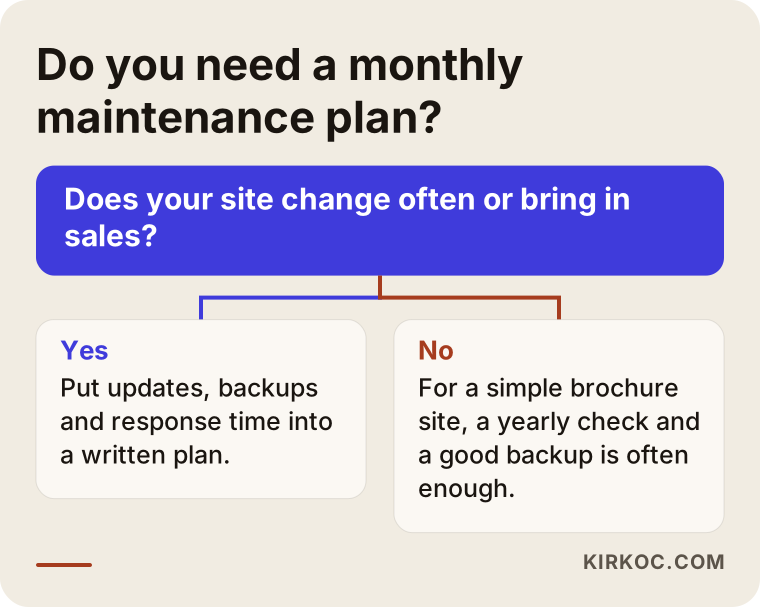
It needs saying plainly: for some sites, a monthly plan is a pointless expense. A site of four or five pages, with no forms and no sales, changed once or twice a year, may not need a monthly check. For that kind of site, this routine is often enough: a review once or twice a year, a reliable backup, the domain and hosting renewal dates written in your calendar, and a clear name of who to call if something breaks.
A monthly plan makes more sense when appointments, orders or inquiries come directly from the site, when content changes often, when there is a member area, a payment step or customer data, or when you have nobody in-house to manage the site and a fast reply matters.
Doing it yourself versus handing it to a specialist
Some parts of maintenance you can do yourself without any problem. Tracking the domain and hosting renewal dates, keeping passwords strong, testing your own form once a month to see that the message arrives, and keeping hours and phone numbers current are all in your hands. None of this needs technical knowledge, only a regular habit.
What belongs with a specialist is updates, backups and restores, security scans and diagnosing something that broke. A wrong update can take the site down, and if you do not know how to roll back, you can lose hours. A middle path exists, too: many small businesses make small content edits themselves and leave the technical side to someone else. For most small businesses that is a balanced solution.
Do not confuse maintenance with a redesign
These two jobs get mixed up because both sound like "looking after the website." Maintenance keeps the current site healthy as it is. A redesign rethinks the site. If the design is dated, if it looks wrong on a phone, if visitors arrive but no inquiries follow, maintenance will not fix that. Maintaining an outdated, weak structure month after month is like repainting the door of an old car every month.
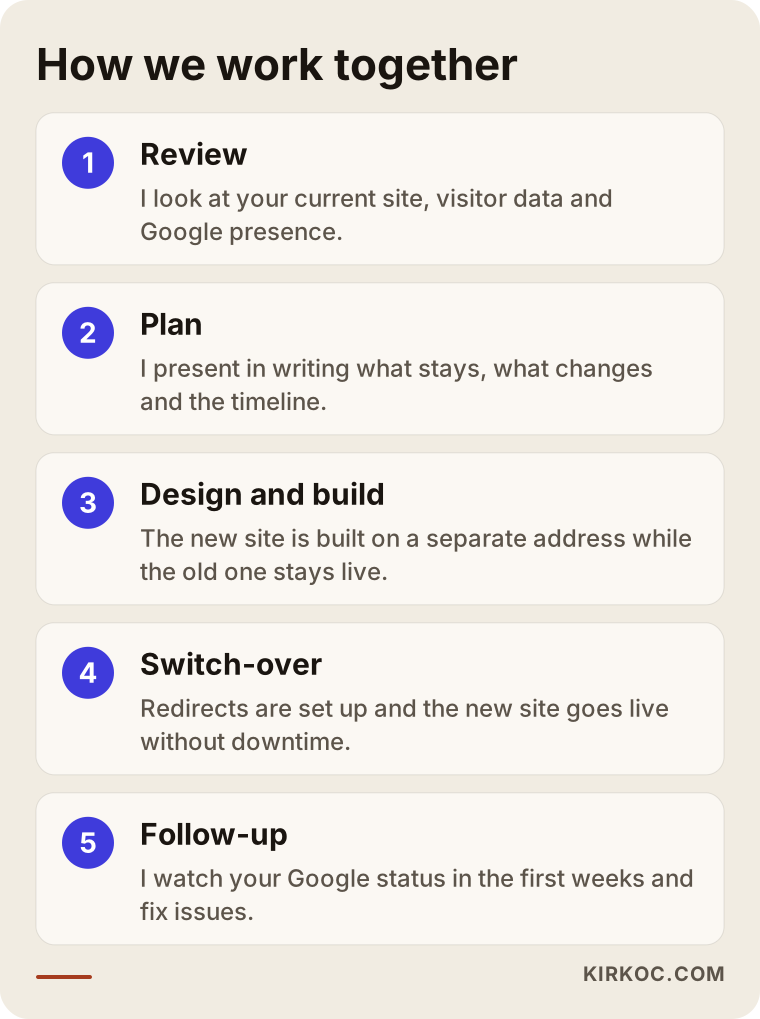
My work is on the redesign side. I start by looking at your current site, your visitor data and where you stand in Google. Then I present in writing what stays, what changes and the timeline. The new site is built on a separate address while the old one stays live. At the switch-over, old page addresses are redirected to the new ones, so your place in Google and your incoming visitors are not lost. After launch, I watch your Google status closely for the first weeks and fix anything that goes wrong. That last step is the first link of maintenance, but it is there to make the switch settle safely, not an ongoing monthly program.
A practical way to tell whether your site needs maintenance or a redesign: open it on your phone and walk through it like a customer. Is it slow, is the text small, can you find what you need in two taps? If the problem is keeping the site running, you are talking about maintenance. If the problem is making it useful for customers, you are talking about a redesign.
Two hypothetical scenarios
The two examples below are not real clients. They are assumptions built to make the topic concrete.
Say you run a small furniture workshop and a friend built your website seven years ago. The site has product photos and a contact form, and orders arrive through the form and turn into phone calls. One day a customer says she filled in the form and nobody replied. You check and find that form messages have not reached your email for two months. A server setting changed, and nobody noticed. A regular check would have caught the break in its first week. For a business like this, the agreement should list "monthly check that the contact form works" and "first response time" among its items. Backups and updates belong there too, but the real value is preventing lost inquiries.
Now say you are a consultant with a five-page site: home, services, about, contact and one article. You change the content twice a year, and most of your clients come by referral. A monthly plan may be too much here. A more sensible routine is a yearly check, a backup, the domain renewal date in your calendar and knowing who to call if something breaks. If someone tells you "you must take a monthly package," ask why. If the answer does not rest on the features of your site, it is a sales line, not a needs assessment.
Common mistakes when buying maintenance
The first mistake is looking only at price. Comparing prices without knowing the scope is comparing apples to oranges.
The second is leaving access with the provider. The domain, hosting and admin panel should be in your name. You give the maintainer permission to work; you do not give them ownership. The difference shows when the relationship ends.
The third is trusting that a backup exists and never testing a restore. An untested backup is goodwill, not a guarantee.
The fourth is thinking, "It works fine, so it doesn't need maintenance." A site that works is not necessarily secure or up to date. The problems are usually invisible.
The fifth is not asking about out-of-scope work. An extra charge for adding a new page may be perfectly normal, but you should learn that on the day you sign, not on the day you ask.
The sixth is treating maintenance and ranking improvement as the same thing. Maintenance keeps the site healthy. Climbing in search results is a separate job, and no maintenance agreement can guarantee it. If someone promises rankings together with maintenance, be careful.
What to prepare before asking for a quote
Going into the conversation prepared gets you a better quote and saves time. Gather these: the site address, who built it and what it runs on if you know, whose name the domain and hosting are registered in, when the last backup was made, which forms and special sections the site has, how often you change content each month, and the last problem you had. You may not know some of this. That is normal, and saying you do not know is also useful information.
Write a short note too: if your site went down for a day, what would you lose most? Phone calls from customers, online orders, or just your reputation? That answer is the best indicator of how much maintenance you really want.
Frequently asked questions
What do website maintenance services actually include?
Usually updates, backups, security scans, a check that the site works and a set number of small content changes. The scope differs from plan to plan, so what matters is that every included item is written down.
What determines website maintenance cost?
The size and structure of the site, the platform it runs on, how wide the scope is, the response time you want and how much you change each month. If appointments or sales come straight from the site, the cost of downtime can justify a more complete plan.
Is monthly website maintenance necessary?
Not for every site. A simple brochure site that rarely changes is often fine with a check once or twice a year and a reliable backup. If inquiries, orders or bookings come from the site, a monthly routine makes more sense.
Should I get maintenance from the person who built my site?
Often that is the easiest route, since they know the site. Just make sure you hold the access and that the scope is in writing. If you cannot reach the original builder, someone else can take over, but they will need domain and hosting access.
What happens if I want to cancel the agreement?
Find out before you sign. Ask about the notice period, whether there is a penalty and how access and backups will be handed to you. Do not sign without reading those clauses.
Will a maintenance plan save me if my site is hacked?
Backups and security scans reduce the damage, but whether cleanup is included depends on the agreement. It is often charged separately. Asking in advance prevents an unpleasant surprise.
Will maintenance help me rank higher in Google?
No, maintenance alone does not raise rankings. It keeps the site healthy, fast and reachable, which is a good foundation, but ranking takes separate work. Nobody should guarantee a position.
My site is old. Should I buy maintenance or a redesign?
If the site works and explains your business well enough, maintenance is enough. If it looks poor on phones, is slow, or visitors arrive but leave no inquiry, the problem is structure rather than upkeep, and a redesign is worth considering.
If you are unsure whether your site needs maintenance or a redesign, let us go through your current site together. I will explain in writing what should stay, what should change and how the switch would run. You can reach me through the website redesign page; send your site address and your problem in two sentences.