You are opening a business, or moving an existing one online, and building a site from nothing sounds like a long process with an unclear bill at the end. Then you see the ads: "Buy a ready-made website and go live today," sites for sale, prebuilt online stores in a box. It is fair to ask whether buying a ready-made website is actually worth it, or whether it is a shortcut that gets expensive later. In this article I go through the options, who each one suits, what to watch for, and the point where building from scratch is the better call. I am Ümit Kırkoç. I work on my own from Istanbul, and I have seen sites built from zero as well as sites inherited from someone else. If you want to see how a from-scratch build works, you can read about my website design service.
The short answer first: a ready-made site saves time when you pick the right type for the right purpose, and it costs you both money and time when you pick the wrong one. The rest of this article makes that concrete.
What does "ready-made website" actually mean?
The phrase covers very different things, and before you decide anything you need to know which one you are looking at. There are five main options.
The first is a design template (a theme). You buy a layout and fill it with your own text, photos and details. The domain name, the hosting and the content stay your responsibility.
The second is a prebuilt package site. A seller sets up a site designed for your industry, full of placeholder text, and puts your logo and company details into it. It is fast, but the same package is often running on hundreds of other businesses.
The third is taking over a live site. You buy a site that has been online for years, with visitors, content and sometimes orders. It has a history and existing traffic. It is also the option with the highest risk and the highest potential.
The fourth is a ready-made online store. You buy a shop that comes with products loaded, a supplier connection and a payment setup. "Dropshipping," where the seller ships items from a supplier so you never hold stock yourself, often comes bundled in these packages.
The fifth is a website builder platform. You pay a monthly fee and assemble your own site with drag and drop, while the platform hosts it. Technically it is not "ready-made," but in practice it answers a similar need.
The picture below shows the basic difference between building from scratch and buying something prebuilt.
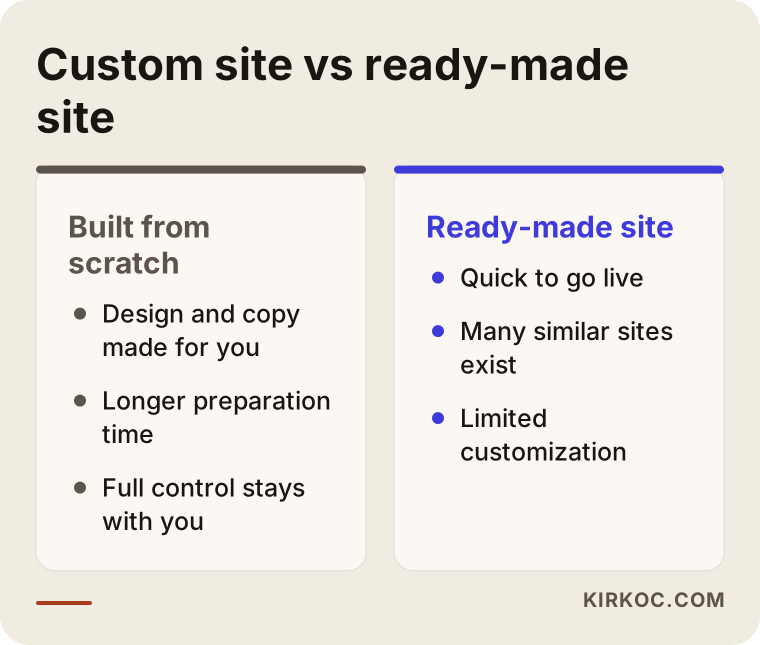
The core point of the comparison is this: a ready-made option buys you speed, while a custom build buys you fit. Which one matters more depends on how much your business needs to stand apart from others.
When is a ready-made site genuinely a good idea?
There are situations where a ready-made site is a reasonable and even smart choice. Here is where it tends to work.
First, when you are testing an idea. If you are not sure anyone will buy your product or service, a simple page that probes the market is better than a big investment. The goal is not a perfect brand. The goal is to answer one question: does anyone actually want this?
Second, when your site is mainly a storefront sign. Most of your customers find you through word of mouth, a phone call or your neighborhood, and the site only has to say "this business exists, here is the address and phone number." A plain template can be enough.
Third, when your budget and your deadline are both tight. A trade fair is two weeks away, a promotion is about to start, or you need a temporary event page. Under time pressure, a ready-made option is realistic.
Fourth, when taking over a live site brings a concrete advantage. Say a site that has been online for years and is known in your field goes up for sale, and it is directly related to what you do. An address with history can beat starting from zero. But you can only say that after examining it carefully.
There are also cases where it makes little sense, and it is only fair to say so. If standing apart from competitors is your main concern, if your brand depends on how the site looks and feels, if your service has a story that needs telling, or if you plan to add bookings, memberships or online sales later, a prebuilt package will box you in quickly.
If you are having trouble deciding, the next figure gives you a simple path to follow.
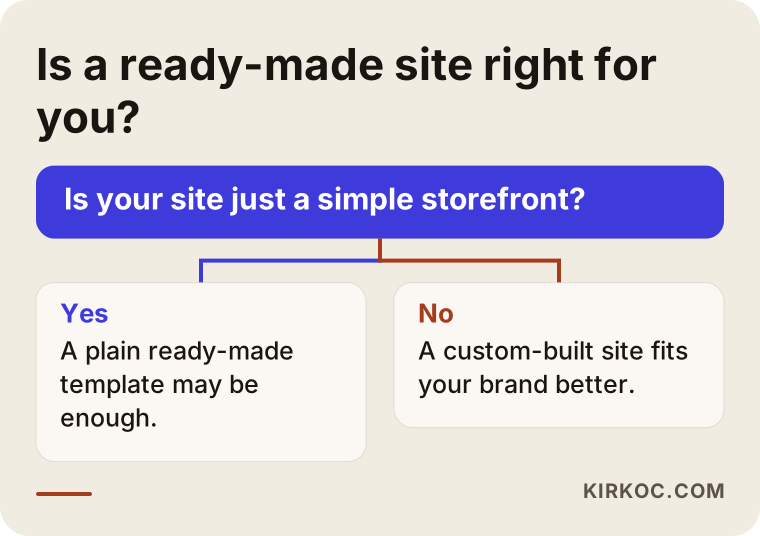
This diagram does not hand down a verdict. It only helps you see which answer pushes you in which direction. What decides it is what you expect from the site.
What are the real problems with ready-made sites?
Saying "ready-made sites are bad" or "ready-made sites are good" across the board would be wrong. But the problems below are the ones I run into again and again with businesses that bought something prebuilt.
The same template on hundreds of similar sites
The biggest drawback of prebuilt packages is that the same look ends up on many businesses. If your customer opens two companies' sites and sees the same layout, nothing separates you from the other one. Search engines also struggle to tell apart pages that carry largely the same text, so a site full of stock copy has a hard time earning visibility under its own name.
Sample text and forgotten settings
Something I see often in prebuilt setups: the site is live, but there is still a sample phone number, an address in another city or a paragraph that has nothing to do with the industry. When a customer notices that, trust disappears fast. After you buy, plan to read every page line by line.
Technical ownership: is the site really yours?
This may be the most important heading in the article. When you buy a ready-made site, you should be able to answer these questions clearly. Whose name is the domain registered under? Can you log in to the hosting account? Do you hold the admin password? Have the usage rights to the design and images been transferred to you in writing? If the answer to any of these is "I don't know," the site is not yet yours. If you fall out with the seller later, everything could vanish overnight.
Slowness and unnecessary weight
A package site is built to cover many scenarios, so it can be loaded with extra plugins, heavy images and features nobody uses. On a phone, that means a site that opens slowly. A slow site means a visitor leaves before you have had a chance to introduce yourself.
The hidden history of a site you take over
If you buy a live site, there is one more risk: its past. It may once have collected spam links, been penalized by a search engine, been used for a different industry, or be full of copied content. From the outside it looks fine, and only much later do you discover why it never shows up in search results.
The figure below sums up the signs that tend to give these problems away.
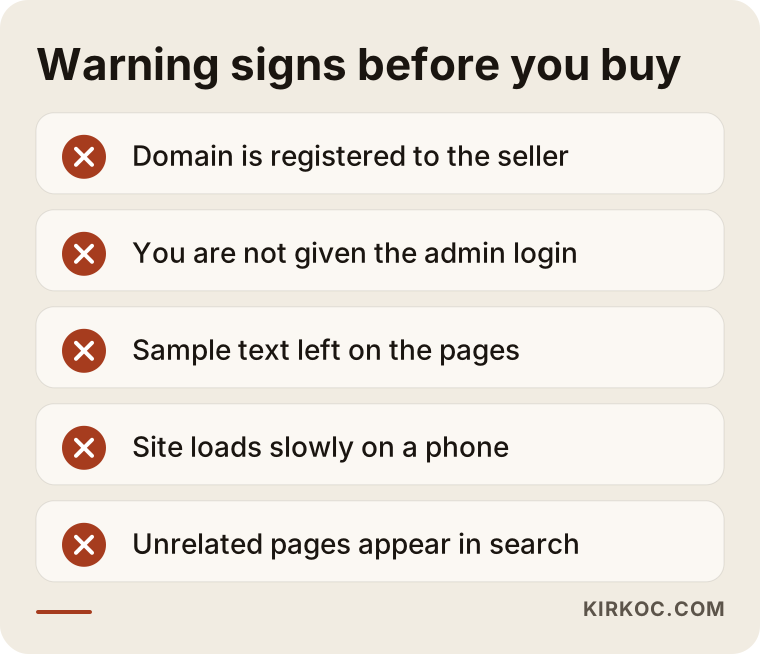
Seeing one of these signs is reason enough to pause. If you see two at once, postponing the purchase is the wise move.
Comparing the types of ready-made sites
Each of the five options answers a different need. The table below gives a short summary of what each one offers and what it leaves out.
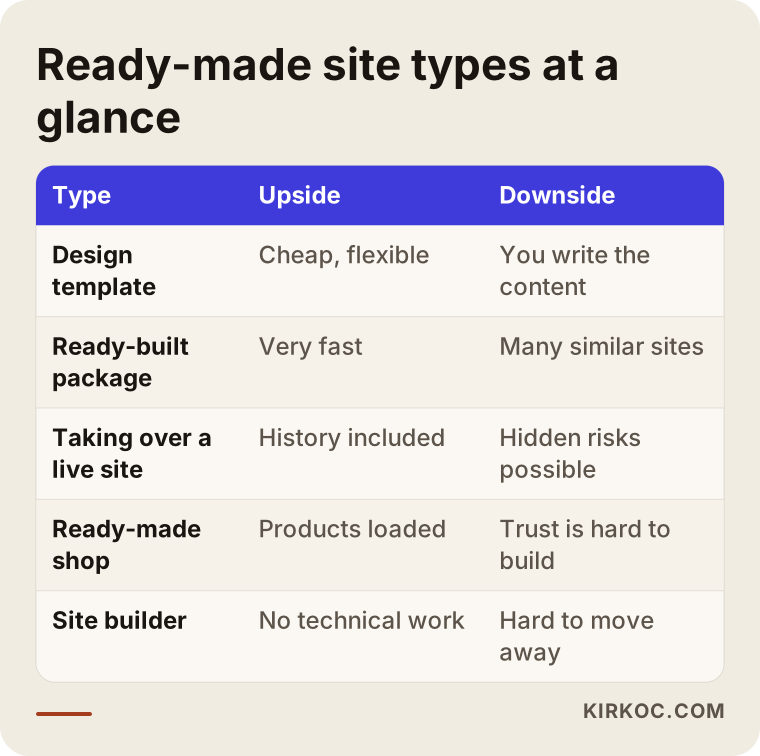
One thing to notice when you read it: the option that is fast is usually the option that is not specific to you. There is no choice that is high on both speed and originality. Whichever you pick, you give up some of the other.
Two hypothetical example scenarios
To make this concrete, here are two entirely made-up scenarios. They are not real people or companies. They exist only to show how the decision logic works.
Scenario 1: Someone selling handmade soap at a weekend market
Suppose a person sells handmade soap at a weekend market and wants to show the products online too. They do not yet know how many orders they might get online. The budget is small, there are only a few products, and the one goal is to tell people, "you can find my soaps at this market, write here to order."
In this case, a plain site built on a ready-made template is sensible. They take the product photos themselves, write a short "about" paragraph and add their contact details. Since becoming a well-known brand is not yet the goal, the design does not have to be completely original. What matters is that the domain is registered in their own name and that the site opens properly on a phone. When the business grows, they can move to a custom site built around their brand, and that move is already a planned step.
Scenario 2: Buying a prebuilt store and putting money into ads
In the second example, a hypothetical business owner buys a package that says "ready-made ecommerce site, products loaded, start selling now." Then they start paying for ads. A few weeks later they notice that visitors arrive but nobody orders. The product descriptions are nearly identical to those on other sites, a shopper comparing prices finds the same item on a better-known store and does not trust this one, and the stock information coming from the supplier is not always current.
The problem here is not the "ready-made site" itself. It is that a sales channel alone was not enough. The site needed to feel trustworthy, the products needed to be described in an original way, and the returns and shipping terms needed to be clear. The ad budget would have done more if it had first gone into strengthening that foundation. For a business like this, setting up the store properly and planning ads afterward, in that order, usually works better, though no result can be promised.
The shared lesson of both examples is that whether a ready-made option makes sense depends on what you expect from it. It can suit a small, temporary goal and limit a big, long-term one.
What to check before you buy
Say you have decided and you are seriously evaluating a ready-made site or a live site to take over. There are things you should ask the seller for in plain terms.
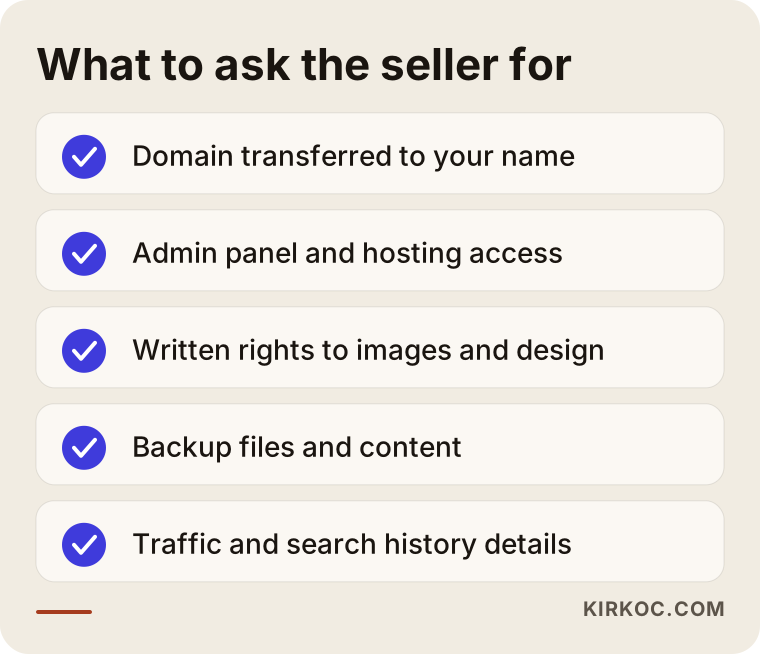
Every line on this checklist heads off a dispute that could come up later. If the seller does not want to provide one of them, put that on record as a problem.
Extra checks for a live site you take over
If you are taking over a working site, look at the following too.
Ask where the traffic comes from. Do most visitors come from search engines, from ads, or from one social media account? Traffic that comes from ads disappears when the ads stop, and traffic tied to a single account ends if that account is closed. Look for a steady stream of visitors that arrives on its own.
Check the site in search yourself. Type the domain name into Google and look at the results. If you see unrelated pages, pages in another language, or pages about gambling or pills under the site's name, the site may have been abused before. Cleaning up a site like that can be harder than building a new one.
Check whether the content is original. If you paste a sentence from the site into the search box in quotation marks and see the same sentence on other sites, the content has been copied.
If there is a customer list or member data, talk to a lawyer about transferring it. The transfer and use of personal data is governed by legal rules, and it is not my place to say anything definitive about that. Ask a specialist in your country.
The most common mistakes
These are the mistakes I see repeated among people who buy ready-made sites.
Looking only at the price. Choosing the cheapest package and then paying one by one for everything it lacks can end up costing more than a custom job. Weigh the price against one question: "when this goes live, what exactly will I own?"
Leaving the domain and hosting with the seller. The domain should be registered to your company, in your account. A domain sitting in the seller's account leaves you stuck if they walk away or close their business.
Going live without replacing the sample content. Another company's name, an unrelated image or a wrong address looks unprofessional to a customer.
Not testing on a phone. Most of your customers will look at your site on a phone. Check how fast the page opens, whether the buttons are easy to tap and whether the text is readable.
Skipping the search settings. A site that goes live without proper page titles, descriptions, page addresses and speed work needs extra effort before anyone can find it. If these are not all included in the package, find out up front.
Starting ads before the site is ready. Sending traffic to a site that does not build trust only burns budget. Prepare the site first, then bring in visitors.
Most of these mistakes come from the speed of the buying process. The steps below give you a simple route that keeps it orderly.
Step by step: how to take over a ready-made site
The route to taking over a ready-made site safely is quick, but it has steps you should not skip.
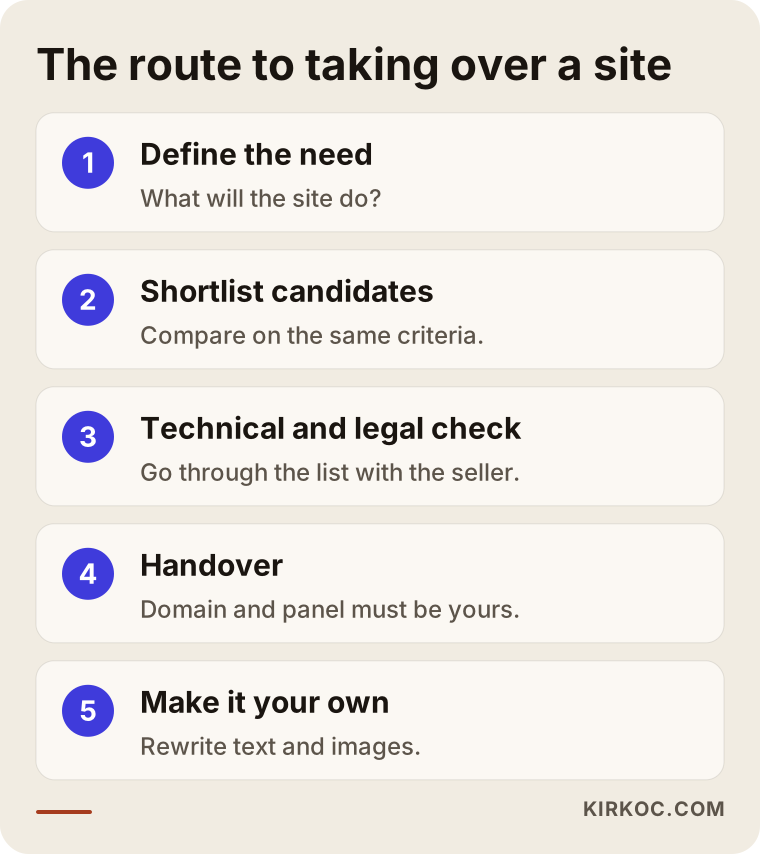
Step one is to define the need. What is the site for? Getting phone calls, taking bookings, selling products? The answer decides which type suits you.
Step two is to narrow the candidates. Compare three or four options on the same criteria. Do not decide just by looking at a nice screenshot in the showcase.
Step three is the technical and legal check. Go through the list above with the seller, item by item. If needed, show the contract to a lawyer.
Step four is the handover. The domain, the admin panel, the hosting and the content files should all move to your account. Change the passwords. Do not complete the payment before the handover is finished, or pay in stages.
Step five is to make it your own. Rewrite the text, images, contact details and service descriptions for your business. If you skip this step, the site never becomes yours.
Step six is testing before launch. Browse on a phone, a tablet and a computer, and try the forms and buttons.
The middle path that is quick but not off the shelf
There is also a middle path: not fully from scratch, but not fully prebuilt either. It is a plain site on a solid foundation, with text and pages written for your business. It takes somewhat longer than a prebuilt package, but it describes your business, your service and your customer's questions correctly. For most small businesses this is the most sensible balance.
What should you do in the first 90 days?
The work does not end after you buy or launch. Having a ready-made site does not remove the need for upkeep and improvement.
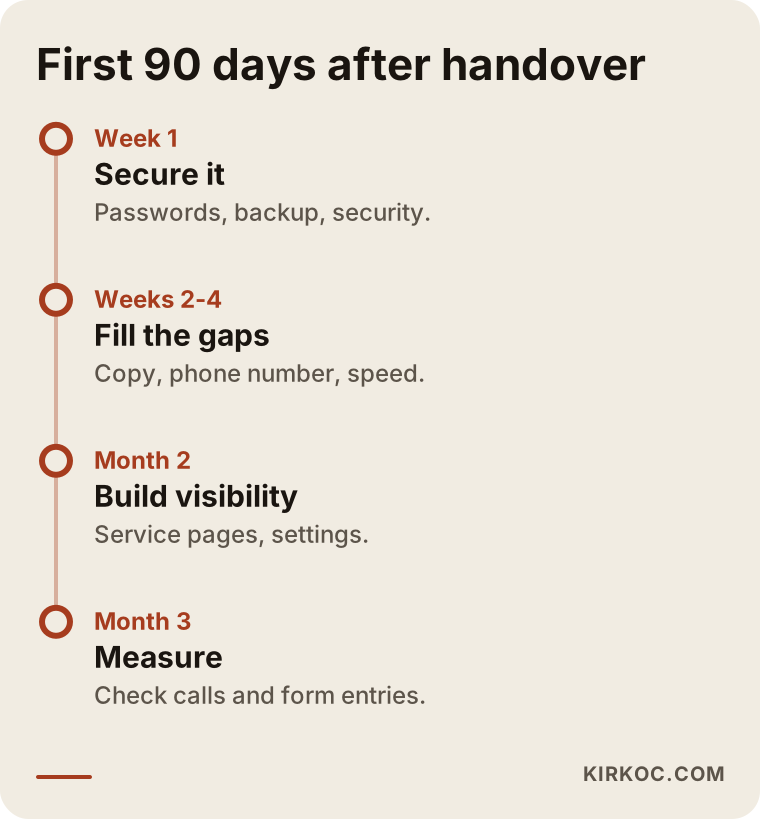
In the first weeks the aim is to secure the site and close the basic gaps. In the following weeks you move on to content and visibility work. In the third month you measure what is working: phone calls, form submissions, messages, whatever signals matter to you.
It can take some time for the site to appear in search engines during this period. I cannot give an exact timeframe or position, because it depends on competition, your industry and the condition of the site.
How should the pages of a site you take over be organized?
The page layout of a ready-made or inherited site often does not match what customers are looking for. When a customer lands on your site, they should be able to find three things quickly: what you do, how to reach you and why they should trust you.
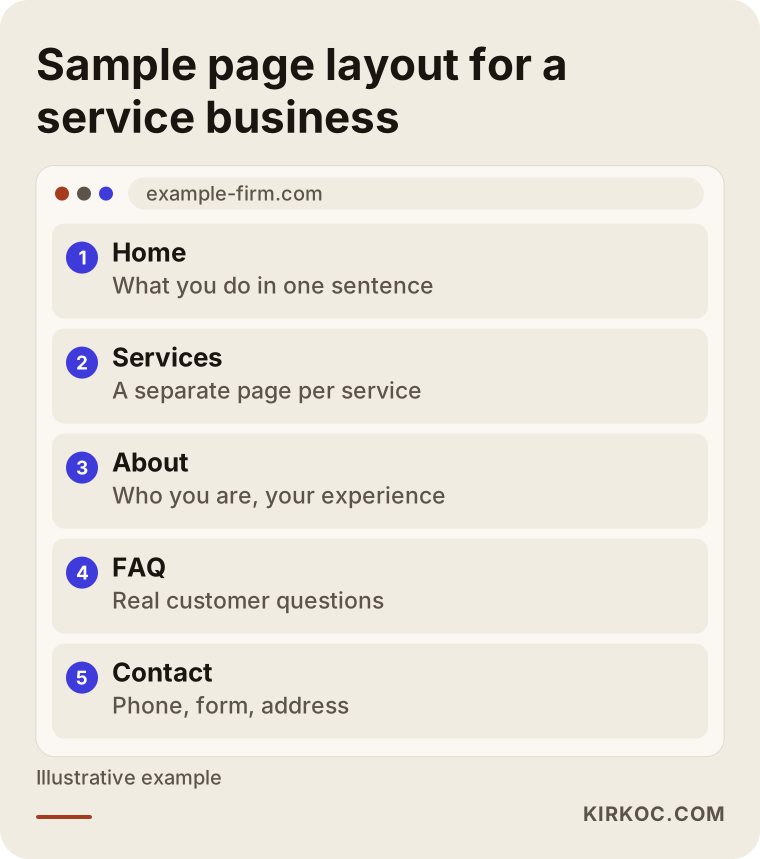
This sample layout is for an imaginary business, and you can add or remove pages to suit your own. What matters is that every service has its own page and that the way to contact you is easy to see from every page. In prebuilt packages this structure is often generic, and all your services may sit on one page. If a customer is searching for one specific service, a page dedicated to it explains your work more clearly to both the customer and the search engine.
Ready-made or custom: a way to narrow down the choice
If you are torn between several candidates, the healthiest approach is to narrow them down with set criteria.
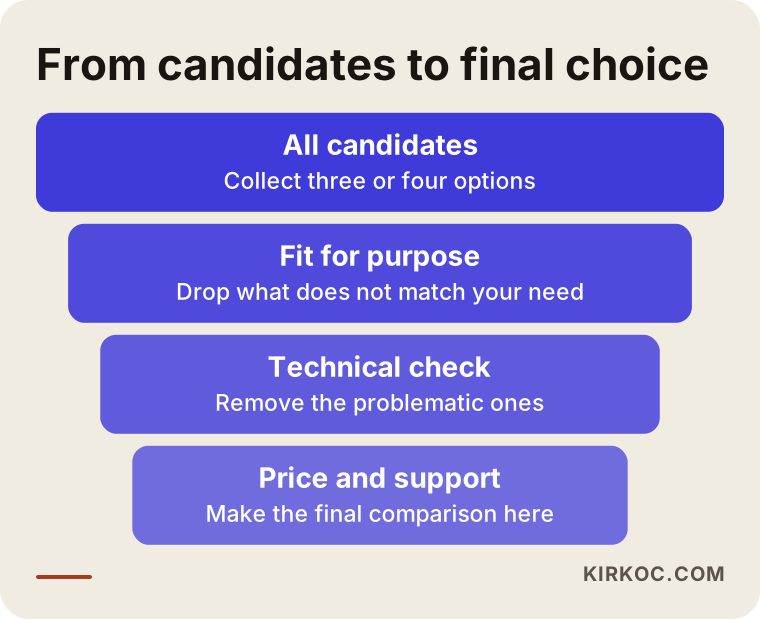
First remove the ones that do not fit your business, then the ones with technical problems, and compare price and support last. The reason to leave price for the end is simple: there is no benefit in buying an unsuitable site because it was cheap.
How do AI tools and search engines see a ready-made site?
These days people ask their questions not only to Google but also to AI tools such as ChatGPT. When these tools recommend a business, they generally lean on sites that give clear, original and consistent information. A page full of stock text that looks like many other sites has a harder time being named in those answers.
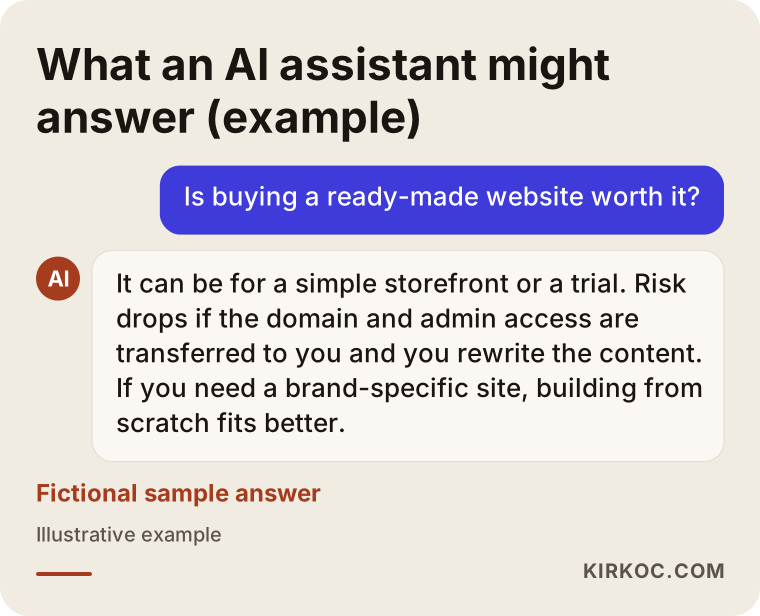
This sample answer is fictional, but the logic is real: these tools leave the decision to you and list the criteria. A site that carries its own distinct, accurate and current information has an advantage with both people and these tools.
What can you do yourself, and when do you need an expert?
You do not need to hand everything to a specialist. There are things you can do on your own.
You can: write the text for your own business, take photos of your products or services, update contact details and opening hours, collect customer questions to build an FAQ section, and browse the site on your phone and note what is missing.
The work that needs expert help is this: making the domain and hosting transfer technically safe, checking the site's speed and security, examining whether the old site's history hides a problem, structuring the pages around what customers actually search for, setting up search settings and measurement, and, for online stores, connecting payment and shipping correctly.
A general rule: you handle the visible part, and let a specialist check the invisible technical part. A short technical review before you buy costs far less than the problems it can prevent afterward.
What determines the cost?
I will not give figures, because the price really does depend on the situation. But I can tell you what it depends on.
The price of a ready-made option depends on how much of it is prepared specifically for you. A design template alone is the lowest item, while packages with written content, completed setup and loaded products cost more. Taking over a live site varies across a very wide range depending on its traffic, its history, the revenue it generates and the content it owns.
There are also hidden items: renewal fees for the domain and hosting, annual licenses for plugins, preparing text and images specific to you, technical checks and fixes, and maintenance and security updates. If you compare options without adding these to the first price, you get a misleading picture.
The cost of a custom-built site is set by the number of pages, the features you want (bookings, payments, multiple languages), who produces the text and images, and the upkeep afterward. When you compare the two routes, look not just at the first payment but at the total load over the first year.
How I work
I work on my own. That means website, ecommerce, SEO, local SEO, social media management, Google and Meta ad management, logo and brand identity, and content production are all handled by talking to the same person. This helps most after you take over a ready-made site: one person reviews the site, the same person plans search visibility, and the same person keeps social media and ads consistent with that site. You do not have to carry messages between several companies.
My way of working is simple. First I listen to what you want and where you stand now. I review the ready-made site you have or are considering, and I tell you honestly either "this will work for you" or "this will box you in." When starting from scratch is the right answer, I say so, and when it is not, I do not suggest unnecessary work. After that I put in writing what will be done, in what order and what the price depends on.
Frequently Asked Questions
Is buying a ready-made website safe?
It depends on the seller and how you buy. If the domain is registered in your name, you have access to the admin panel and you have the content rights in writing, the risk drops considerably. If any one of those three is missing, I would not call it safe.
Can a ready-made site show up in search engines?
It is possible but not guaranteed. On ready-made templates the titles, descriptions and page structure are usually left generic. If you write text specific to your business and take care of the basic settings, your chances of being visible improve, but nobody can tell you in advance what position you will get.
Is taking over a live site better than starting from scratch?
Sometimes, yes. A site that is truly relevant to your field, has a clean history and has regular visitors can give you a fast start. But a site with an unknown history leaves you open to surprises. Before you decide, I recommend having the site reviewed technically.
Can I buy a ready-made online store and start selling right away?
Technically you can go live, but selling is a separate job. Your product descriptions need to be original, your returns and shipping information clear, your payment setup working, and your customers need to trust you. None of that arrives automatically with a prebuilt package.
Can I customize a ready-made site afterward?
Often yes, but the platform it runs on sets the limits. Some packages allow color and text changes but not changes to the page structure or added features. Ask what you will be able to change before you buy.
Who should hold the domain and hosting?
The domain should be registered in your name and in your account. You should also have access to the hosting account. Even if the seller manages these for you, get written confirmation that the login details can be handed over to you.
Is a ready-made site or a website builder better?
They serve different needs. Website builders are practical for small, simple sites: you pay monthly and do not deal with technical work. But moving the site elsewhere later can be hard. If you think you will grow over the long term, factor that limit in.
Should I have an expert review a site before I buy it?
Yes, especially for live sites and prebuilt online stores. A short technical review shows expensive problems before they happen. Measured against your total spending, it is a small item.
If you cannot decide between buying a ready-made site and building one from scratch, send me the option you have in hand and we will look at it together. You can write to me through my website design service page and describe your business and what you expect from the site.